 Table of Contents
  Previous Section
Setting Page Attributes
The top level in the element hierarchy is always the page itself. To inspect a page's attributes:
- Select any element in the page.
- In the Inspector, click the leftmost icon in the element path. (If necessary, click the Inspector button in the toolbar to display the Inspector.)
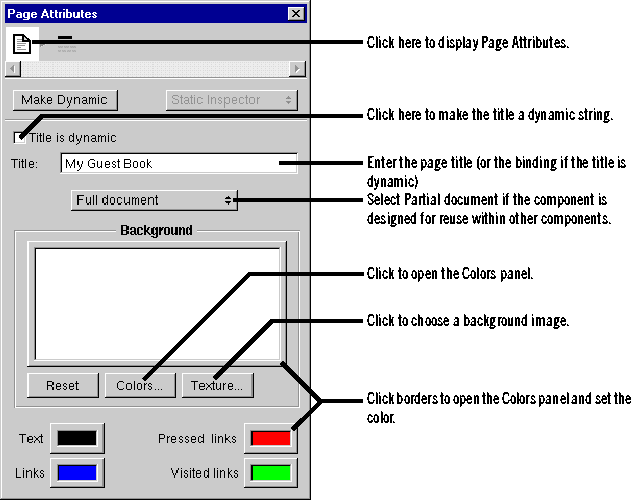
You can set the colors to be displayed for the page's background, text, or links by clicking in the border of the appropriate color well (or by clicking Colors). (See "Setting Colors" for more information on using the Colors panel.) To select an image to use as the page's background, click Texture.
Table of Contents  Next Section