Retired Document
Important: This document may not represent best practices for current development. Links to downloads and other resources may no longer be valid.
Why does iTunes tell me my Ad Hoc-signed application "is not a valid application"?
Q: Why does iTunes tell me my Ad Hoc-signed application "is not a valid application"?
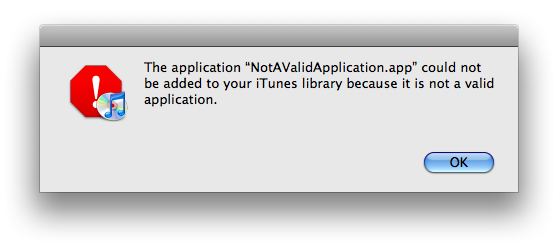
A: If you get the error message "The application "<applicationName>.app" could not be added to your iTunes library because it is not a valid application." (Figure 1) when installing an Ad Hoc distribution version of an iPhone application via iTunes, it's likely that the application's Info.plist is missing one or more required keys.
These required keys are:
Bundle identifier (
CFBundleIdentifier, default value:com.yourcompany.${PRODUCT_NAME:identifier})Bundle version (
CFBundleVersion, default value:1.0)Bundle name (
CFBundleName, default value:${PRODUCT_NAME})
These keys are part of the default Info.plist, and may have been accidentally deleted. Add them back to your Info.plist and do a clean build of your project, then try the installation again. You add keys to your Info.plist in Xcode by selecting any line in the Info.plist, clicking the plus (+) button, and selecting the appropriate item (see Figure 2).

Document Revision History
| Date | Notes |
|---|---|
| 2014-03-06 | First Version |
| 2009-05-26 | New document that provides the Info.plist keys which must be present for an iPhone application to be considered "valid". |
Copyright © 2009 Apple Inc. All Rights Reserved. Terms of Use | Privacy Policy | Updated: 2009-05-26