

-
利用 HealthKit 体能训练区间提供健身洞察
借助 HealthKit,你可以更轻松地在自己的 App 中提供健身洞察,比如心率区间和骑行功率区间。了解如何利用内置的个性化区间,或创建自定区间。探索如何利用当前区间以及处于每个区间内的时长,在锻炼过程中和锻炼后提供有针对性的实用指导。
章节
- 0:01 - 简介
- 2:17 - 获取体能训练区间数据
- 6:19 - 区间实时更新
- 8:11 - 首选区间
- 9:00 - 自定区间
资源
-
搜索此视频…
你好! 我叫 Seth,是 HealthKit 团队的一名工程师。 App Store 中有许多健康与健身应用, 帮助人们规划、 追踪并可视化他们的健身目标。 当用户授予您的应用权限后, 您的应用可以利用 HealthKit 的集中式 安全数据库和强大的 API 来创建锻炼记录, 并访问底层健康数据。 锻炼区间可以利用健康数据, 通过追踪在特定强度水平上 花费的时间,帮助人们更智慧地训练。 心率区间是一种针对个人的 训练资源。 其计算方式考虑了 个人的年龄和静息心率。 通常,人们使用 5 个心率区间 来追踪锻炼中的努力程度。 每个心率样本, 例如每分钟 135 次, 都落在特定区间的边界内, 例如第 3 区, 表示该强度等级。
这些范围可以作为规划或 追踪各种活动中努力程度的指南, 例如跑步、骑行、高强度 间歇训练和划船。
类似地,骑行功率区间 帮助骑行爱好者 以瓦特为单位测量他们的功率输出, 基于个性化的 功能性阈值功率。
在 iOS 27 和 watchOS 27 中, 心率和骑行功率区间支持 已集成到 HealthKit 中。
我有一个示例应用,可以创建、 追踪并提供 锻炼会话的摘要。 在整个讲座中, 我将向您展示如何 将锻炼区间整合到您的应用中, 以此示例应用作为参考。 在本讲座中,我将演示为示例应用 添加心率区间支持。 在您的应用中采用 骑行功率区间时, 您会发现它们 遵循类似的结构。 在本讲座中,我将介绍: 从已完成的锻炼中 访问区间数据, 在锻炼会话期间注册 实时区间变化更新, 访问用户的 首选区间配置, 以及如何为您的应用中 的锻炼提供自定义区间配置。 锻炼区间将原始数据, 如心率样本, 转化为可操作的训练指导。 许多锻炼计划 对每次锻炼都有强度目标。 对于耐力训练,人们可能 希望保持在某个阈值以下。 然而,间歇训练可能 要求人们保持在 特定水平或以上, 持续一段时间。
区间也有助于 恢复和负荷平衡。 例如,大部分时间 花在较高区间的锻炼, 如第 4 区或第 5 区, 表明是高强度努力。 您可以利用这些信息, 提供指导, 或对锻炼强度进行分类。
随着锻炼区间现已 集成到 HealthKit, 人们可以分享心率 和骑行功率区间信息, 直接与您的应用共享。 每个区间花费的时间 由 HealthKit 自动计算, 基于锻炼期间 传入的样本数据。
锻炼区间 遵循与其他 HealthKit 数据类型类似的授权流程。 在访问锻炼区间数据之前, 请求 HealthKit 对相关 数量类型的授权。 在此情况下为 锻炼、心率和骑行功率。
让我们看看如何 检索心率区间, 来自 HealthKit 中 已完成的锻炼。
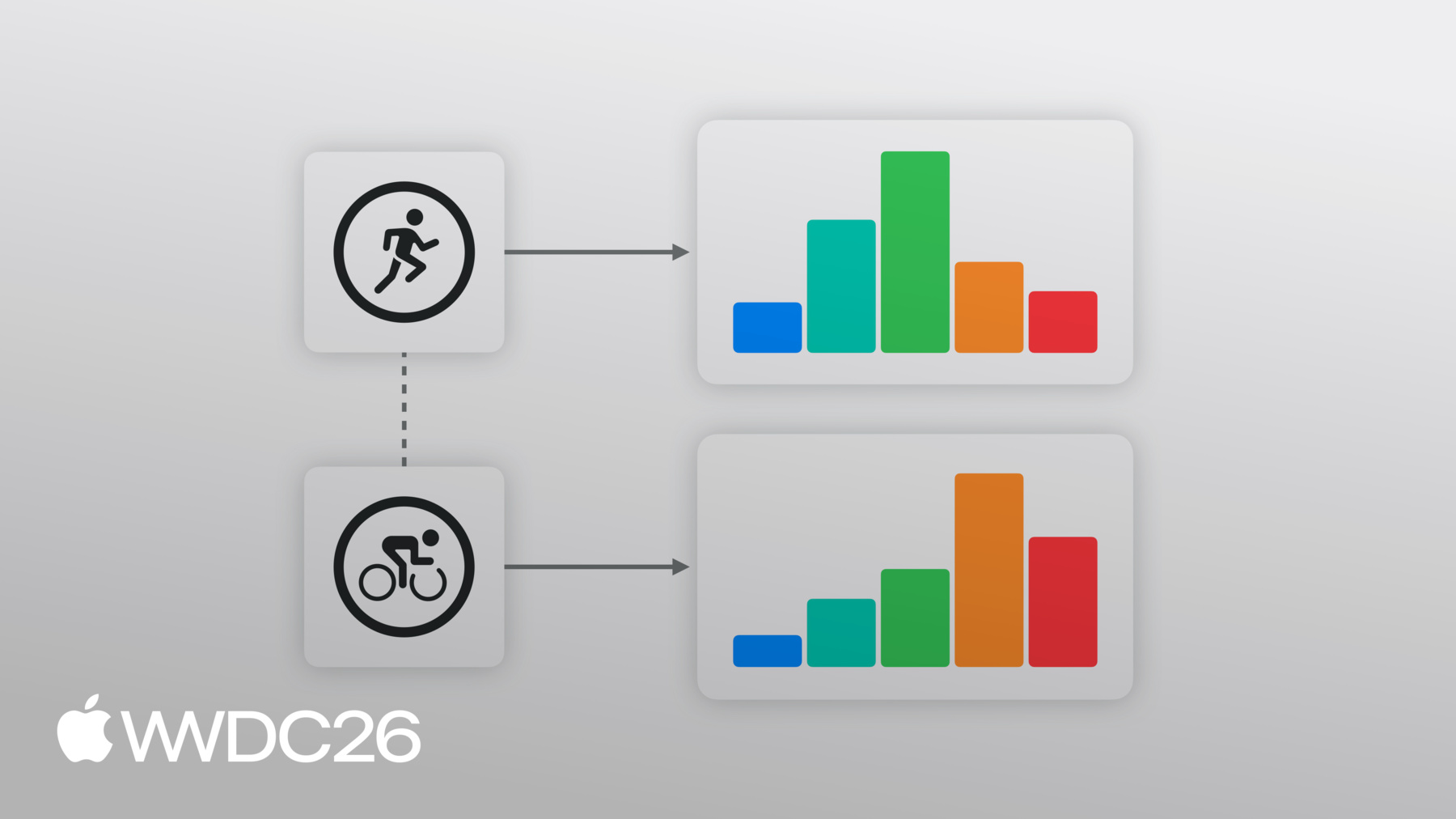
我的应用目前追踪实时锻炼, 并在锻炼完成后 显示摘要。 为了帮助用户可视化 他们的强度和努力, 我现在想显示花费的总时间, 在已完成锻炼的 每个心率区间中。 我可以使用 HealthKit API, 在我的应用摘要视图中 绘制每个心率区间的时间图表。 要在锻炼后检索区间数据, 访问 zoneGroupsByType 字典, 在 HKWorkout 或 单个 HKWorkoutActivity 上, 传入适当的 HKQuantityType。 这里我需要心率区间, 所以我将提供 心率数量类型。 在 iOS 27 和 watchOS 27 中, HealthKit 支持心率和 骑行功率的锻炼区间, 它们共享类似的结构。 要接收骑行功率区间, 只需更新关联的数量类型。
如果心率区间可用, 这将返回 一个 HKWorkoutZoneGroup 结构。 让我们来看看, 这其中包含什么。 HKWorkoutZoneGroup 包含两个属性, 一个 Configuration 和一个区间时长数组。 HKWorkoutZoneConfiguration 描述了区间集合 以及它们的创建方式。 它包含区间的 HKQuantityType。 在此情况下为心率。 source 属性 是一个枚举,告诉我们 锻炼区间阈值是如何配置的。 是否由系统 自动创建。 是否由用户 在设置中手动设置。 或者是否由应用 在锻炼时自定义提供。 我将稍后 更详细地介绍来源。
Configuration 还包含一个 按区间边界排序的区间数组。 每个区间包含一个索引 以及最小和最大 HKQuantity。 第一个区间没有下界, 最后一个没有上界, 确保始终覆盖 完整的值范围。 区间保证是连续的 且不重叠的。
HKWorkoutZoneGroup 还包含一个区间时长数组。
这是一个数组, 其中每个元素包含 区间和在每个区间中花费的时间, 按区间阈值顺序排列。
我可以使用这些区间时长 在我的应用中填充图表。
当用户在我的应用中 结束锻炼时, 我可以绘制在每个 心率区间花费的时间图表。
锻炼区间在 HKWorkout 和 HKWorkoutActivity 上均可用。 这意味着您的应用 可以一次性显示整个 锻炼时长的区间, 或者,在多运动锻炼的情况下, 按单个活动分别显示。
某些锻炼计划要求人们 保持在特定区间内或以下。 在这些情况下,如果我的应用 能够显示当前心率区间, 并在其变化时通知用户, 让他们能够调整 自己的强度水平, 以保持在目标区间内,那就太好了。 我可以使用实时锻炼区间更新 来处理我的应用中的区间变化。
在实时锻炼期间,HealthKit 接收传入的心率样本。 HealthKit 处理每个心率样本 以识别心率区间。 当发生变化时, 例如从第 2 区变为第 3 区, HealthKit 在处理样本时 向您的应用发送通知。
HKLiveWorkoutBuilderDelegate 是应用用于接收 实时锻炼更新的协议。 锻炼由 HealthKit 追踪。 当发生重要事件时, 例如新活动开始, 或我正在追踪的数据类型更新, HealthKit 将该更新 传递给我的委托, 我可以在我的应用中进行更改, 例如更新 UI。 要处理心率区间的变化, 我将使用 didUpdateWorkoutZone 方法。 每次更新将包含 当前区间和上一个区间。 仅在当前区间发生变化时才会发送更新, 例如从第 2 区变为第 3 区, 以及区间组, 包含完整的区间配置 和当前每个区间的总时间。 最后,它包含 最后处理的样本的时间戳。 这有助于显示 当前区间时间的计时器。 一旦我的委托处理了区间更新, 我就在应用中进行更改, 以突出显示新的当前区间。
我将在我的应用中采用这一功能, 以便在锻炼中处理区间变化。
在我的应用中, 我现在可以突出显示 用户的当前区间, 并在其当前区间发生变化时 通知他们。
默认情况下,HealthKit 使用 首选的锻炼区间阈值, 在健康设置中配置。 使用首选区间时, 用户在各应用和设备上 获得一致的体验, 因为这些区间通过 HealthKit 在设备之间同步。
首选区间包括 由系统计算的区间。 这些区间会定期计算, 基于用户指标(如果可用)。 例如,心率区间 会自动计算, 基于用户的年龄 和静息心率等因素。
首选区间也可以 在健康设置中手动配置。 在开始区间锻炼之前, 确保用户已设置 首选区间配置。 您可以查询 首选区间配置, 在 HKHealthStore 或 HKWorkoutBuilder 上。 自定义区间是正确的选择, 当您的应用有 特定的区间定义时, 与健康设置中的 区间偏好不同, 例如具有专有区间模型的 训练平台。 我可以在我的应用中 使用这两个概念, 提供一套自定义的 心率区间, 如果它们尚未直接配置。
首先,我可以检查是否已设置 首选的 heartRate zoneConfiguration。 如果没有,我可以使用 一个区间阈值数组, 和关联的 HKUnit 来创建 HKQuantity 区间边界数组。
我可以使用边界 和 heartRate quantityType, 来创建默认的 HKWorkoutZoneConfiguration。 区间边界单位必须匹配, 并与区间配置的 数量类型兼容。 HealthKit 根据提供的边界 创建区间。 第一个区间从 0 开始, 最后一个是无界的。 需要 3 到 9 个区间。
接下来,我将把自定义配置 提供给 HKWorkoutBuilder。 自定义区间必须 添加到构建器中, 在您的应用中调用 beginCollection 之前。 使用自定义区间配置时, 有几件重要的事情需要注意, 当使用自定义区间配置时。 自定义区间配置仅 保存在锻炼上下文中。 您的应用负责保存, 并在需要时同步 自定义区间配置。
锻炼区间配置 可以包含不同的阈值, 和不同数量的区间。 这对于骑行功率区间很常见。 例如, 系统默认为 6 个区间, 但一些训练应用 使用 5 个,其他使用 7 或 8 个。 如果您的应用比较 不同数量区间的努力程度, 这一点很重要。
如果您的应用比较 多次锻炼中的区间时间, 但区间数量不同, 这些区间信息 不能直接比较。 例如,5 区间锻炼中的第 3 区, 可能反映与 7 区间锻炼中 的第 3 区不同的数值。 每个区间代表 不同范围的数值。
因此,请确保对区间进行标准化, 基于每次锻炼的 区间数量和边界。 通过获取锻炼中的原始样本, 然后将它们排序到适合您应用的 适当数量的桶中来实现。 在本例中为 7 个!
锻炼区间支持功能更丰富、 更实用的健身应用。 无论您构建的是 锻炼后摘要界面、 实时教练体验, 还是长期训练仪表盘, HealthKit 为您的应用 提供简化的界面来访问这些数据。
开始入门。 在您的应用中采用锻炼区间 API。 您可以将提供的 示例应用作为参考。 在您的应用中绘制区间数据图表, 让人们能够 可视化他们的锻炼努力。 并处理实时区间变化, 以让人们保持了解, 随着整个锻炼过程中 强度水平的调整。
我喜欢使用您的应用 帮助我追求健身目标。 感谢您成为 开发者社区的一员, 并赋予人们 掌控自身健康的能力。 感谢观看。
-
-
3:54 - Reading Heart Rate Zones from a completed workout
// Read heart rate zones from the completed workout if let heartRateZoneGroup = workout.zoneGroupsByType?[HKQuantityType(.heartRate)] { let zones = ZoneDisplayData( zoneCount: heartRateZoneGroup.configuration.zones.count, currentZoneIndex: nil, durations: heartRateZoneGroup.zoneDurations.map(\.duration) ) -
7:57 - Handling Live Zone Updates
func workoutBuilder(_ workoutBuilder: HKLiveWorkoutBuilder, didUpdateWorkoutZone zoneUpdate: HKLiveWorkoutZoneUpdate) { guard let zoneGroup = zoneUpdate.zoneGroup else { return } if let currentIndex = zoneUpdate.currentZoneDuration?.zone.index { let data = ZoneDisplayData( zoneCount: zoneGroup.configuration.zones.count, currentZoneIndex: currentIndex, durations: zoneGroup.zoneDurations.map(\.duration) ) Task { @MainActor in self.heartRateZones = data } } } -
9:19 - Check if Preferred Zone has been set
if try await builder.zoneConfiguration(for: HKQuantityType(.heartRate)) == nil { -
9:24 - Create Zone Boundaries
let defaultHeartRateZoneThresholds = [91.0, 114.0, 136.0, 158.0] let bpmUnit = HKUnit.count().unitDivided(by: HKUnit.minute()) let boundaries = defaultHeartRateZoneThresholds.map( {HKQuantity(unit: bpmUnit, doubleValue:$0)} ) -
9:33 - Create Default Workout Zone Configuration
let heartRate = HKQuantityType(.heartRate) let defaultConfiguration = try HKWorkoutZoneConfiguration(quantityType: heartRate, zoneBoundaries: boundaries) -
9:58 - Set Custom Zone Configuration
try await builder.setCustomZoneConfiguration(defaultConfiguration, for: heartRate) } -
10:03 - Begin Data Collection
// Begin data collection let startDate = Date() try await builder.beginCollection(at: startDate)
-