

-
HTML 模型元素入门
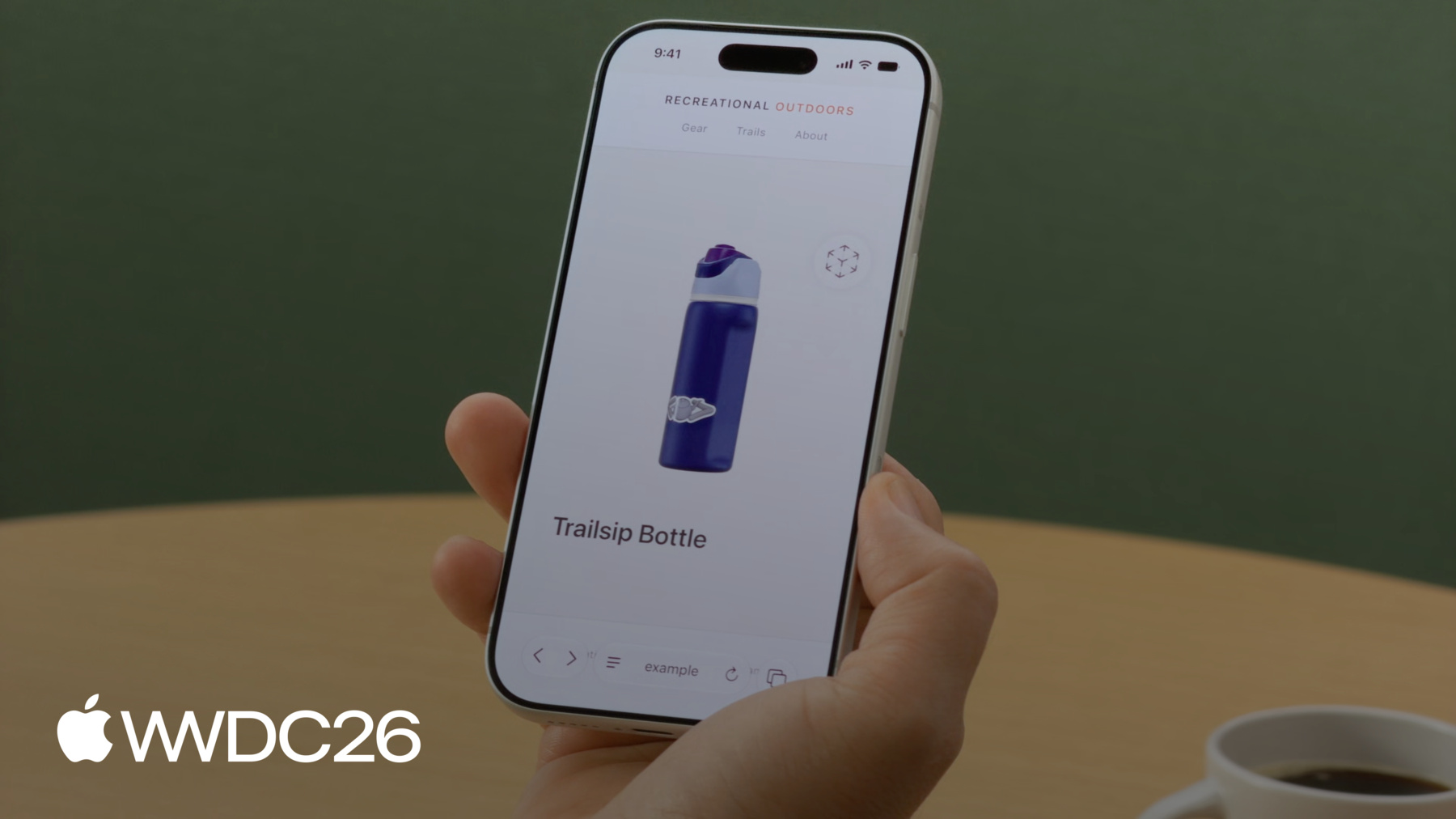
了解模型元素如何将交互式 3D 内容搬上你的网站,这项功能现已登陆 iOS、iPadOS、macOS 和 visionOS。探索用于创建和优化 3D 素材资源的工具。了解模型元素功能,看看各个网页标准如何构筑 3D 网页内容的未来。
章节
- 0:00 - 简介
- 2:22 - 准备 USDZ 模型资源
- 4:18 - 载入和回退
- 6:14 - 模型背景
- 6:48 - 交互
- 8:26 - 过渡动画
- 10:08 - 动画播放
- 10:52 - AR 和空间
- 12:29 - 优化资源以用于生产
- 14:53 - 后续步骤
资源
- WebKit.org - Theater Ticket Sales immersive website environment demo for Apple Vision Pro
- The HTML model element in Apple Vision Pro
- GitHub: model element samples
- WebKit.org – Report issues to the WebKit open-source project
- AOUSD – Alliance for OpenUSD
- w3.org – Model element
- Submit feedback
相关视频
WWDC26
WWDC25
WWDC24
-
搜索此视频…
大家好 我是Aleksei Safari团队的工程师 今天 我很高兴向你介绍 HTML Model元素 以及我们如何让开发者 更轻松地将3D内容 带到Web上 覆盖Apple各平台乃至更广
无论你是首次探索3D的 Web开发者 还是希望将作品带上Web的 资深3D艺术家 我都能为你提供 入门所需的一切 我们在visionOS中率先引入了Model元素—— 这是一个原生HTML元素 让添加3D模型像添加图片一样简单 现在Model元素来到了 iOS、iPadOS和macOS! 相同的标记 相同的元素 可在Apple各平台上使用 你的3D内容将触达 每一位Safari访客 无论他们是在外出时使用iPhone
在咖啡馆使用iPad
还是在桌前使用Mac 你可能熟悉"model-viewer" 这是目前主流的3D JavaScript库 它为开发者提供了良好的服务 但Model元素是原生的 无需额外的库 直接由平台渲染 并在visionOS上内置 立体渲染功能 它也是一项新兴Web标准 因此你的代码具有前瞻性 为了覆盖Web上的所有平台 我们为浏览器提供了polyfill 这些浏览器尚不原生支持 Model元素 稍后我会详细介绍 假设我正在开发 一个户外探险 电商平台 而且我已经有了 产品图片 今天 我将带你完成 向产品页面添加3D模型的过程 首先 我将展示 如何准备素材 然后 我们将深入了解Model元素 逐步构建体验 一次添加一个功能 最后 我将向你展示命令行工具 以优化用于生产环境的模型 让我们开始吧 如果你一开始就没有3D素材 该怎么办?
我们推荐捕获、转换、创建的方法 用iPhone扫描真实物体 转换现有文件 或在Blender等工具中 从头创建 但生成式AI也迎来了 一场革命 随之而来的是一种全新方式 来创建你想要的内容 你可以用图片生成 与真实物体匹配的模型 或使用文字提示词 进行更具创意的生成 Tripo3D和Meshy.ai等App 只是众多选择中的几个 我的商店已有几款产品 但我想添加一个必备品: 一把露营槌 我从槌的多张图片开始 几分钟后 我的模型就可以使用了 我将其导出为USDZ文件 Model元素支持USDZ—— 即通用场景描述 压缩成一个文件 它打包了3D模型所需的一切: 几何体 材质 纹理 动画 Safari也支持其他格式 但为了获得最佳体验 我建议从USDZ开始 现在是时候将模型放到页面上了 现在 槌已作为USDZ文件准备就绪 我将介绍呈现Model元素的 不同方式 我将讲解如何嵌入模型 了解何时可以显示 以及如何处理降级方案 如何使模型与页面设计相匹配 让访客交互和探索 我将指导你如何实现 自定义变换和播放动画 以及通过AR Quick Look和空间计算 将模型带入现实世界 好 从加载模型开始 就像标签或标签一样 你只需将标签的 source属性指向一个文件 浏览器会处理剩下的事 无需任何插件 你也可以使用标签 指定mime类型 同样与标签的模式相同 考虑降级方案 同样很重要 最简单的方法是: 在标签内放置一个标签 旧版Safari以及 尚不支持Model元素的浏览器 将改为渲染图片 你的访客仍然能 对产品有所了解 3D模型的大小 可能达到数十MB甚至更多 因此加载可能需要一些时间 ready promise可让你知道 模型何时实际加载完成 并可以显示 在模型加载时 提供视觉提示是个好主意 例如加载动画 当ready promise完成时将其隐藏 如果发生意外情况 在catch块中处理 并显示你的降级内容 你也可以对模型功能 进行polyfill polyfill通过JavaScript 为新标准的API提供向后兼容 让你在所有平台支持之前 就能使用现代功能 W3C的Model元素示例 展示了这方面的例子 如果原生元素在window上 未被定义 他们会加载polyfill库 尽可能填补功能缺口 尽量贴近原生API 只需确保测试 两者的功能 包括polyfill和原生元素 并记住某些元素功能 无法通过polyfill实现 例如Apple Vision Pro等 空间平台上的立体显示 Model元素在其自身的 虚拟空间中渲染 因此不会受到页面背景的影响 为了与页面设计相匹配 请直接在模型上 设置background-color 请注意:背景 始终以不透明方式渲染 即使你指定了带透明度的颜色 也会被转换 现在我们已将模型加载 并集成到现有页面中 让访客可以与其互动 是自然而然的下一步 让我向你展示这有多简单 值为orbit的stagemode属性 让访客可以左右自由旋转模型 如果他们上下倾斜 模型会轻轻弹回 到原始角度 交互性强 同时始终保持最佳外观 该属性还会使 模型略微缩小—— 模型将被重新缩放以确保 旋转时不会有部分被裁剪 有时你想为体验添加 自定义交互功能 entityTransform属性让你可以 通过JavaScript设置精确的视角 我将添加两个按钮 来演示其工作方式: 一个用于侧面视图 一个重置按钮 将模型恢复到原始方向 要使用entityTransform 你需要禁用orbit—— 移除stagemode属性 或将其设置为"none"
手动变换模型时 部分内容可能会被裁剪 甚至会消失 如果旋转超出可见区域 你可能需要调整位置 使其可见
为了实现变换 我创建了一个DOMMatrix ——这代表模型在 3D空间中的方向—— 然后调用rotateSelf 来定义旋转 这里我们围绕Y轴旋转135度 以获得侧面视图 最后 将其赋值给 model.entityTransform 以应用更改
预先捕获初始变换 然后使用它将模型重置 回原始方向 视图瞬间从一个切换到另一个 为了让过渡更流畅 你可以使用requestAnimationFrame 为旋转添加动画 首先 设置状态: 当前角度 以毫秒为单位的动画时长 ——500代表半秒 感觉既敏捷又流畅—— 以及用于取消 进行中动画的引用
animateTo首先取消所有正在运行的动画 以防过渡冲突 捕获当前角度 作为起点 并标记开始时间
然后我添加step函数 在每一帧 它计算 动画的进度 为旋转添加缓动以实现平滑结束 并使用新的DOMMatrix 更新entityTransform 当动画仍在运行时 它会请求下一帧
最后 将animateTo调用 分配给按钮 侧面视图动画旋转至135度…… 重置为0 让我们看看实际效果 当用户点击侧面按钮时 模型会平滑旋转 以显示侧面视图 点击重置后 它会滑回到初始位置 自定义变换和动画 让你拥有完全控制权 但它们需要额外的工作: 边界框 裁剪 手动动画代码 如果你的使用场景允许 orbit stagemode让你 只需一个属性即可实现3D交互 选择最适合你产品的方式 模型还可以通过内置动画 活灵活现 这些动画通常在Blender或Maya等 3D工具中创作 并烘焙到USDZ文件中 Model元素会播放 第一条动画轨道 只需几行JavaScript 你就可以控制播放速率 甚至通过提供负值 让它反向播放 为此 我实现了 一个简单的play函数 它在模型上设置playbackRate 并调用模型的play()方法 ——就是这样 正值向前播放 负值则反向播放 这里我使用5和-5 以实现更快的播放速度 目前 商店访客可以 直接在页面上用3D探索产品 但如果他们想看看 它在自己环境中的样子呢?
用带rel="ar"属性的标签 包裹模型 指向相同的资源 在iOS和iPadOS上 你的客户 可获得完整的AR Quick Look体验 在visionOS上 Model元素 已让3D内容 成为Web的自然组成部分
通过立体渲染 模型呈现出真实的深度感 你的客户可以将产品 从页面中拉出来 仿佛就握在 他们手中一样检视它 visionOS还支持 沉浸式网站环境 这些环境使用Model元素 让你将受众直接带入场景中 这一切都在Safari中完成
如果你想了解 更多关于此功能的信息 请务必查看 "探索沉浸式网站环境"专场 其中详细介绍了API
素材准备就绪 Model元素也到位后 让我们看看整体效果 这是我们带有3D模型的目录页面 而交互式探索 是我个人最喜欢的功能 你的客户可以旋转、倾斜 并从各个角度查看产品 以他们想要的方式探索 一切都在Safari中运行 我们的产品页面在本地 运行效果出色 但你可能会发现 通过网络加载需要一些时间 如果能缩小这些模型的体积 就太好了 为此 我将运行 一个命令行工具 名为usdcrush 对模型执行压缩 在质量不变的情况下 文件从7.9 MB 降至1.9 MB! 这真是惊人的节省!
在Safari中并排打开两个版本—— 看起来完全一样 相同的视觉质量 文件却显著缩小
如果你有3D文件 但还没有对应的图片 你可以使用usdrecord工具 生成缩略图 或直接生成降级图片 指定输出格式 或从自定义摄像机渲染 如果文件中有的话 而且与截图不同 你可以编写脚本—— 好吧 我就别自欺欺人了 你最喜欢的LLM可以编写脚本 ——对整个目录批量运行 这两个命令行工具 已经安装在你的Mac上 它们是用于处理USD内容的 更大工具套件的一部分 你可以了解更多相关信息 以及整个USD生态系统…… 在WWDC24讲座 《What's new in USD and MaterialX》中 Model元素从visionOS起步 随着iOS、iPadOS和macOS的支持 正在扩展至整个Apple生态 而且我们希望将其 带到更广泛的Web上 我们的团队正积极参与 W3C的Model规范制定 我们非常希望听到你的反馈 如果有你想添加的功能 或我们尚未考虑的使用场景 现在正是分享反馈的好时机 Web标准由开发者社区塑造 你的声音至关重要 对于USDZ文件格式的3D内容 OpenUSD联盟已发布完整规范 这是一个清晰、供应商中立的参考 该联盟还提供 转换工具和资源 帮助你将USDZ集成到 现有的内容流程中 这就是Model元素 ——从素材到生产的全流程 现在 让我告诉你下一步 尝试创建你自己的3D模型 使用文字提示词 或你已有的图片 在你的网站中添加标签 将其指向USDZ文件 看看它在Safari中如何焕发生机 使用USD工具优化你的素材 在不同平台上尝试它 看看元素如何适配 加入W3C的 沉浸式Web社区小组 带上你的使用场景、反馈和想法 查看相关专场 例如"沉浸式网站环境" 如需深入了解 空间Web功能 请观看WWDC25的 《What's new for the spatial web》 我迫不及待地想看看你构建的作品 感谢观看 祝你WWDC愉快!
-
-
4:19 - Load a model
<!-- Using the src attribute --> <model src="mallet.usdz"></model> <!-- Using a <source> child for MIME type --> <model> <source src="mallet.usdz" type="model/vnd.usdz+zip"> </model> -
4:39 - Image fallback
<model id="mallet" src="mallet.usdz"> <img src="mallet.png" alt="Rubber mallet with wooden handle"> </model> -
5:09 - Ready promise
<model id="mallet" src="mallet.usdz"></model> <script> const model = document.getElementById("mallet"); model.ready.then(result => { // Hide the loading indicator }).catch(error => { // Loading failed, show fallback }); </script> -
5:39 - Polyfill fallback
<script type="module"> if (!window.HTMLModelElement) { import("model-element-polyfill.js").then(() => { // Polyfill ready to use }); } </script> -
6:13 - Model background
<model id="mallet" src="mallet.usdz"></model> <style> model { background-color: #f4f1ec; } </style> -
6:47 - Stage mode
<model id="mallet" src="mallet.usdz" stagemode="orbit"> </model> -
7:31 - Custom transforms
<model id="boot" src="boot.usdz"></model> <button id="button-side">Side</button> <button id="button-reset">Reset</button> <script> const model = document.getElementById("boot"); const initialTransform = model.entityTransform; document.getElementById("button-side") .addEventListener("click", () => { const transform = new DOMMatrix(); transform.rotateSelf(0, 135, 0); model.entityTransform = transform; }); document.getElementById("button-reset") .addEventListener("click", () => { model.entityTransform = initialTransform; }); </script> -
8:35 - Transition animation
<script> const model = document.getElementById("boot"); const duration = 500; let currentAngle = 0; let animationId = null; function animateTo(targetAngle) { if (animationId) cancelAnimationFrame(animationId); const startAngle = currentAngle; const startTime = performance.now(); function step(now) { const progress = Math.min((now - startTime) / duration, 1); const ease = 1 - Math.pow(1 - progress, 3); currentAngle = startAngle + (targetAngle - startAngle) * ease; model.entityTransform = new DOMMatrix().rotateSelf(0, currentAngle, 0); if (progress < 1) animationId = requestAnimationFrame(step); } requestAnimationFrame(step); } document.getElementById("button-side").addEventListener("click", () => animateTo(135)); document.getElementById("button-reset").addEventListener("click", () => animateTo(0)); </script> -
10:07 - Animation playback
<model id="bottle" src="bottle.usdz"></model> <button id="button-play" onclick="play(5)"> Play </button> <button id="button-reverse" onclick="play(-5)"> Reverse </button> <script> const model = document.getElementById("bottle"); function play(rate) { model.playbackRate = rate; model.play(); } </script> -
11:06 - AR Quick Look
<a rel="ar" href="bottle.usdz">
    <model id="boot" src="bottle.usdz"></model>
</a>
-