

-
实时活动基础知识
为你的 App 提升实时活动体验。探索展示实时活动的多个位置,包括迎来新样式的灵动岛,能在横屏使用 iPhone 时提供更多信息。了解如何为每个空间量身定制实时活动、合理安排内容和数据,并利用 ActivityKit 和推送通知实现全程实时更新。
章节
资源
- Human Interface Guidelines: Live Activities
- Starting and updating Live Activities with ActivityKit push notifications
- ActivityKit
相关视频
WWDC24
WWDC23
-
搜索此视频…
你好 我是Adi 我是一名系统体验工程师 今天 我将介绍 构建实时活动的要点 以及如何让它们 在每个屏幕上出色呈现 我将先概览 实时活动所提供的体验 然后介绍 你的App如何创建它们 以及如何保持更新 然后 我将介绍如何 进一步为你的App优化
实时活动是App 提供及时信息的好方法 以供用户随时瞥见 当下正在发生的事情 就像MLB App中的这个示例 它会追踪用户喜爱的球队 并在比赛时显示实时活动 用户可随时了解比分 局数和关键赛况更新 直接在锁定屏幕上查看 在主屏幕上 或使用App时 它们直接显示在灵动岛中 让用户不错过任何内容
实时活动也可以展开 从灵动岛显示更多信息 这发生在出现提醒更新时 或用户长按时 展开视图提供更大的空间 让用户了解重要更新
在iOS 27中 实时活动 可在灵动岛中显示 无论竖屏还是横屏
它们也会出现在其他地方 例如在StandBy中 当iPhone横放充电时
当你的App在iPhone上 运行实时活动时 它会自动出现 在其他Apple设备上 包括直接在Apple Watch的 Smart Stack中 在macOS菜单栏 或CarPlay仪表板上 这让用户可以轻松瞥见 关键信息 无论身处何处 都能获取App所需内容 要在App中引入实时活动 我将介绍它们的创建方式 以及App如何保持其更新 首先规划数据模型 使实时活动的更新 快速且高效 然后为每个关键呈现形式 创建基本视图 最后 提供更新 既可来自运行中的App 也可通过后台 推送通知提供 我先从数据模型开始 为了探索如何实现这一点 我将在正在开发的App中 添加实时活动 它让我能从本地咖啡店 下咖啡订单 我可以选择喜欢的饮品 并按喜好定制 完成后 我将订单发送到店铺取餐 构建实时活动的第一步 是设计出色的界面
它们旨在提供即时 可一览无余的信息 你需要设计一个界面 优先显示人们随时 需要了解的关键信息 如需灵感 请参阅人机界面指南 获取实时活动设计帮助 并观看讲座 《Design dynamic Live Activities》 对于这个App 我将使用 锁定屏幕的初始设计 来规划数据模型 它将有不同的呈现形式 对应订单已下达时 正在处理时 以及可取餐时 以及完成后 留下简短反馈的机会 我需要考虑 哪些数据是静态的 哪些数据是动态的 这是因为实时活动对 静态和动态数据的处理不同 以便提供高效更新 只有动态数据才能在 实时活动的生命周期内更新 永不改变的数据 包含在一个结构体中 该结构体遵从 ActivityAttributes协议 随时间变化的值 属于ContentState结构体 在咖啡订单中 有些内容是静态且不会改变的 订单始终与 同一家咖啡店关联 因此店铺名称是静态的 所点的饮品 同样不会改变 但订单状态和剩余时间 是动态的 App将随时间更新这些值
要为这个实时活动 创建数据模型 我将导入ActivityKit 并创建DrinkOrderAttributes结构体 以遵从ActivityAttributes 然后 为所有静态数据 添加属性 包括店铺名称 和订单饮品 以及服务器用于 追踪每个订单的唯一标识符
然后 添加ContentState结构体 包含动态数据
这包括订单的阶段 例如是否正在准备中 或可取餐 以及预计准备好的时间 和为订单留下的评分
就这样! 数据模型准备好后 我将构建实时活动的视图
实时活动的界面 使用WidgetKit构建 首先 如果还没有的话 请为App添加小组件扩展 在那里 你将提供 ActivityConfiguration 来描述其视图 实时活动的每个呈现形式 都是一个SwiftUI视图 它读取提供给它的 属性和内容状态 如果你是SwiftUI新手 请观看讲座《SwiftUI essentials》 对于饮品订单 我先创建 ActivityConfiguration 在我的小组件扩展中 通过指定 DrinkOrderAttributes类型 这些视图将与正确的 实时活动关联
content闭包提供 应显示的SwiftUI视图 在这种情况下 我有名为ActivityView的视图 为了显示正确的值 例如咖啡是否正在准备中 或已准备好 它使用context参数 context包含属性 以及应渲染的 最新内容状态 接下来 我将为灵动岛提供视图
前三个是compactLeading compactTrailing和minimal视图 这些视图较小 在用户 未主动与之交互时显示 仔细考虑 哪些信息是必要的 从更大的呈现形式 显示在这些视图中 对于咖啡订单 leading视图显示 所点饮品类型的符号 而trailing视图 有订单阶段的标签 我还将提供minimal视图 当多个实时活动运行时 此视图可能会出现
Minimal视图应提供 最重要的信息 供用户快速查看 对于此订单 它提供一个 显示剩余时间的圆形仪表盘
最后 我将在灵动岛中 构建展开视图 此视图要大得多 可容纳更多信息 与锁定屏幕视图类似 它由多个区域组成 环绕iPhone上的传感器 在每个闭包中 我将提供一个视图 在DynamicIslandExpandedRegion块中 为所需的每个区域提供
现在数据模型 和视图已构建完成 是时候启动实时活动 并保持其更新了
实时活动 可通过几种不同方式启动 使用ActivityKit框架 你可以在App运行于 前台时直接启动 或提前安排实时活动 在特定时间启动 你也可以通过 推送通知来启动
最简单的方法是 使用ActivityKit 对于我的App 我先检查 实时活动是否已获授权 然后 为订单创建 DrinkOrderAttributes结构体的实例 我将填入静态数据 例如咖啡店名称 和所点饮品 然后 构建contentState 它包含该实时活动 动态数据的初始值
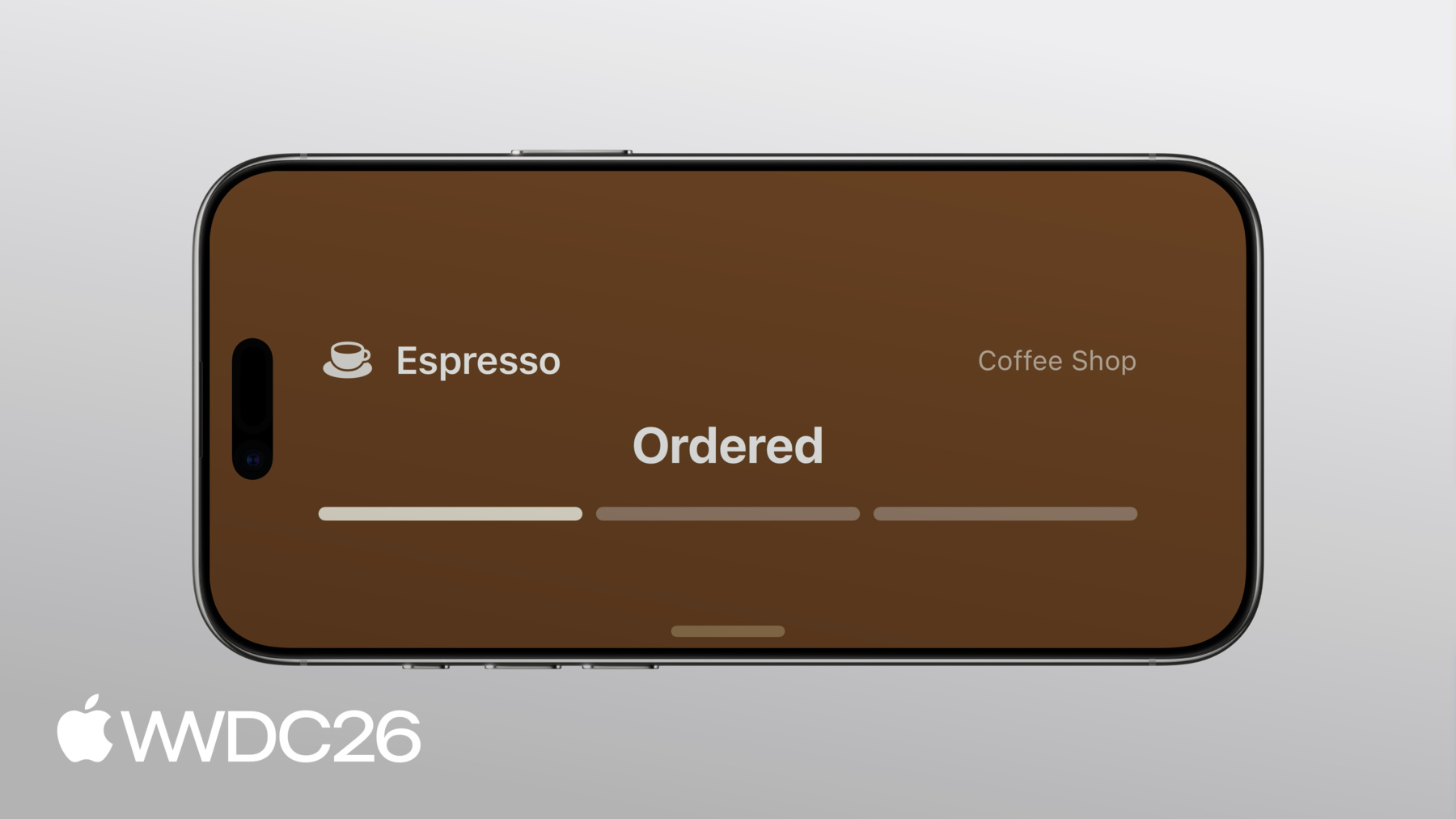
我将设置订单的第一个阶段 即"已下单"阶段 大多数饮品在15分钟内备好 所以 我将设置初始备好时间 为距现在15分钟 实时活动的contentState 也有staleDate staleDate可指定 此内容何时应被视为过期 内容过期时 实时活动视图可以指示这一点 目前 我不会为 咖啡订单设置staleDate
然后 我将请求系统 启动实时活动 使用我定义的 属性和内容
实时活动运行期间 更新同样简单 用新ContentState调用 activity的.update方法 以及新的staleDate 实时活动也可以 通过推送通知更新 有两种策略可供选择 第一 你可以广播更新 当你有数百人时 这是很好的选择 数千人甚至更多人同时 运行同一个实时活动 采用此策略 你的服务器通过广播频道 向所有人发送更新 然后 配置实时活动 以订阅该频道 获取其更新 另一种策略 是使用推送通知 适用于所有其他使用场景 服务器可发送推送通知 向特定设备推送更新 采用此策略 你将获取实时活动的 推送令牌 并用它发送每次更新 要了解更多内容 文档提供了很好的指南 介绍如何使用 ActivityKit推送通知 到目前为止 我仅介绍了 实时活动的入门步骤 接下来 我将介绍如何 进一步对其进行优化 我将探讨添加 更多自定义呈现形式 以及为视图添加交互性 我先从进一步 优化呈现形式开始
在iOS 27中 灵动岛的compact 和minimal视图 在竖屏和横屏中均可见 在竖屏中 compact视图宽度灵活 但在横屏中 没有宽度扩展的空间 你的实时活动 需要考虑灵动岛 宽度受限的情况 如这种情况 这是咖啡订单 CompactTrailingView的实现 这是一个SwiftUI视图 显示饮品订单的预计时间 如果有的话 或显示订单阶段的标签 例如字符串"Ready"
我先添加环境值 isDynamicIslandLimitedInWidth 然后调整View主体 当灵动岛 宽度受限时 我将显示另一个trailing视图 改为显示 订单进度的图标 现在 新的trailing视图 完美适配受限的宽度
另一个要考虑的呈现形式 是StandBy 在iPhone横放充电时 会出现
在此呈现形式中 使用锁定屏幕视图 放大至200% 在锁定屏幕上 效果出色的渐变背景 让活动看起来较小 且无法铺满屏幕 留下大量空白 为解决此问题 我将调整实时活动视图 显示背景的方式 我将向视图添加 showsWidgetContainerBackground @Environment值 此值在锁定屏幕上为true 因此在那里 我将应用渐变.background 接下来 我将在View上 使用.activityBackgroundTint 设置一个可识别的 背景色
现在 实时活动 在StandBy中呈现 边到边的背景着色颜色 实时活动也会出现在 Apple Watch的Smart Stack中 以及CarPlay中 要为这些地方自定义它们 只需添加对 small设备系列的支持 实时活动会自动 从iPhone转发到CarPlay 默认使用我的ActivityView 此视图在锁定屏幕上很好看 但在该空间中适配效果不佳
为适配此布局 首先声明对 small活动系列的支持 这向系统表明你的视图 已适配这种较小的格式
然后 向View添加 activityFamily @Environment值 并为此呈现形式 提供自定义视图 当activityFamily的值为.small时 现在 实时活动 在各处都显示出色!
人们喜欢随时获取 App的可快速浏览信息 随时随地
要进一步了解如何为 small活动系列适配视图 请观看讲座 《Bring your Live Activity to Apple Watch》 实时活动可以是 一个很好的机会 让用户快速采取 即时行动 你可以通过添加交互性来实现 当咖啡App中 订单完成时 我希望让用户 轻松为订单评分 为此 实时活动中的每个按钮 都与一个App Intent关联 当用户点击按钮时 系统执行关联的Intent
在实现中 RateDrinkIntent遵从LiveActivityIntent 它接受两个参数 订单的ID 以及描述评分是否 为正面的布尔值
perform方法是 App逻辑实现的地方 当任一按钮被点击时 此函数将运行 App可以实现此方法 来完成所有相关工作 例如将评分 发送回服务器 以及更新数据库
最后 我将更新评分Button视图 它用于我的ActivityView 和DynamicIslandExpandedRegion 我将为每个Intent添加两个按钮 并为每个操作 创建RateDrinkIntent
实时活动是让用户 随时了解最新动态的好方法 了解他们关心的 实时发生的事情 现在你已有能力 在App中开始使用它们
接下来的步骤如下 使用ActivityKit和WidgetKit 框架构建实时活动 使用属性和内容状态 建模静态和动态数据 实现高效更新 在锁定屏幕上 创建出色的呈现形式 在灵动岛等处 使用ActivityKit和推送通知 及时更新其数据 以及优化每种体验 例如横屏时 StandBy Apple Watch等 感谢观看!
-
-
4:16 - Define initial Live Activity
// Define initial Live Activity. import ActivityKit import Foundation public struct DrinkOrderAttributes: ActivityAttributes { let shopName: String let drink: Drink let orderID: UUID public struct ContentState: Codable, Hashable { var phase: DrinkOrder.Phase = .waiting var estimatedReadyDate: Date var rating: DrinkOrder.Rating? } } -
5:35 - Create each Live Activity view
// Create each Live Activity view import ActivityKit import SwiftUI import WidgetKit struct DrinkOrderLiveActivity: Widget { var body: some WidgetConfiguration { ActivityConfiguration(for: DrinkOrderAttributes.self) { context in ActivityView(context: context) } dynamicIsland: { context in DynamicIsland { DynamicIslandExpandedRegion(.leading) { ExpandedLeadingView(context: context) } DynamicIslandExpandedRegion(.center) { ExpandedCenterView(context: context) } DynamicIslandExpandedRegion(.trailing) { ExpandedTrailingView(context: context) } DynamicIslandExpandedRegion(.bottom) { ExpandedBottomView(context: context) } } compactLeading: { CompactLeadingView(context: context) } compactTrailing: { CompactTrailingView(context: context) } minimal: { MinimalView(context: context) } } } } -
7:43 - Start and update a Live Activity
// Start a Live Activity func launchLiveActivity(order: DrinkOrder) throws { guard ActivityAuthorizationInfo().areActivitiesEnabled else { return } let attributes = DrinkOrderAttributes(shopName: "Coffee Shop", drink: order.drink, orderID: order.id) let estimatedReadyDate = Date.now + (15 * 60) let contentState = DrinkOrderAttributes.ContentState(phase: .waiting, estimatedReadyDate: estimatedReadyDate) let activityContent = ActivityContent(state: contentState, staleDate: nil) let activity = try Activity.request(attributes: attributes, content: activityContent) } // Update a Live Activity await activity.update( ActivityContent( state: DrinkOrderAttributes.ContentState( phase: .preparing, estimatedReadyDate: estimatedReadyDate ), staleDate: nil ) ) -
10:33 - Optimize for limited width in the Dynamic Island
// Optimize for limited width in the Dynamic Island struct CompactTrailingView: View { @Environment(\.isDynamicIslandLimitedInWidth) var isDynamicIslandLimitedInWidth var context: ActivityViewContext<DrinkOrderAttributes> var body: some View { if isDynamicIslandLimitedInWidth { StepProgressIconView(context: context) } else if context.state.phase.showsTimer { EstimatedReadyView(context: context, font: .system(.body).monospacedDigit()) .multilineTextAlignment(.trailing) .frame(maxWidth: maximumTimerLabelWidth) } else { OrderPhaseLabelView(context: context, font: .caption2.bold(), color: .brown) .multilineTextAlignment(.trailing) } } } -
11:34 - Extend background color in StandBy
// Extend background color in StandBy struct ActivityView: View { @Environment(\.showsWidgetContainerBackground) var showsWidgetContainerBackground var context: ActivityViewContext<DrinkOrderAttributes> var body: some View { DetailView(context: context) .background { if showsWidgetContainerBackground { LinearGradient.barista } } .activityBackgroundTint(.espresso) } } -
12:30 - Add support for activityFamily small
// Add support for activityFamily small import ActivityKit import SwiftUI import WidgetKit struct DrinkOrderLiveActivity: Widget { var body: some WidgetConfiguration { ActivityConfiguration(for: DrinkOrderAttributes.self) { context in ActivityView(context: context) } dynamicIsland: { context in DynamicIsland { DynamicIslandExpandedRegion(.leading) { ExpandedLeadingView(context: context) } DynamicIslandExpandedRegion(.center) { ExpandedCenterView(context: context) } DynamicIslandExpandedRegion(.trailing) { ExpandedTrailingView(context: context) } DynamicIslandExpandedRegion(.bottom) { ExpandedBottomView(context: context) } } compactLeading: { CompactLeadingView(context: context) } compactTrailing: { CompactTrailingView(context: context) } minimal: { MinimalView(context: context) } } .supplementalActivityFamilies([.small]) } } -
12:43 - Optimize for small family
// Optimize for small family struct ActivityView: View { @Environment(\.showsWidgetContainerBackground) var showsWidgetContainerBackground @Environment(\.activityFamily) var activityFamily var context: ActivityViewContext<DrinkOrderAttributes> var body: some View { contentView .background { if showsWidgetContainerBackground { LinearGradient.barista } } .activityBackgroundTint(.espresso) } @ViewBuilder var contentView: some View { if activityFamily == .small { SmallView(context: context) } else { DetailView(context: context) } } } -
13:36 - Add interactivity with App Intents
// Add interactivity with App Intents struct RateDrinkIntent: LiveActivityIntent { static var title: LocalizedStringResource = "Rate Drink" @Parameter(title: "Order ID") var orderID: String @Parameter(title: "Positive") var isPositive: Bool func perform() async throws -> some IntentResult { await updateLocalDatastore(rating: isPositive ? .great : .poor, dismissPolicy: .after(.now + 15)) return .result() } } -
14:06 - Associate an intent with a button
// Associate an intent with a button

struct RatingButtons: View {
    var context: ActivityViewContext<DrinkOrderAttributes>
    var body: some View {
        HStack(spacing: 12) {
            Button(intent: RateDrinkIntent(
                orderID: context.attributes.orderID.uuidString, isPositive: false)) {
                Label("Not Good", systemImage: "hand.thumbsdown.fill")
            }
            .buttonStyle(RatingButtonStyle(color: .red))

            Button(intent: RateDrinkIntent(
                orderID: context.attributes.orderID.uuidString, isPositive: true)) {
                Label("Great", systemImage: "hand.thumbsup.fill")
            }
            .buttonStyle(RatingButtonStyle(color: .green))
        }
    }
}
-