

-
使用 Reality Composer Pro 3 设计无代码游戏
探索如何在 Reality Composer Pro 3 中使用 ScriptGraph 为你的 App 和游戏开发无代码 3D 内容。了解如何利用可视化节点来构建动画、创建互动时刻,并整合 SwiftUI 元素,为你的体验添加对话气泡和其他 UI。
章节
资源
相关视频
WWDC26
-
搜索此视频…
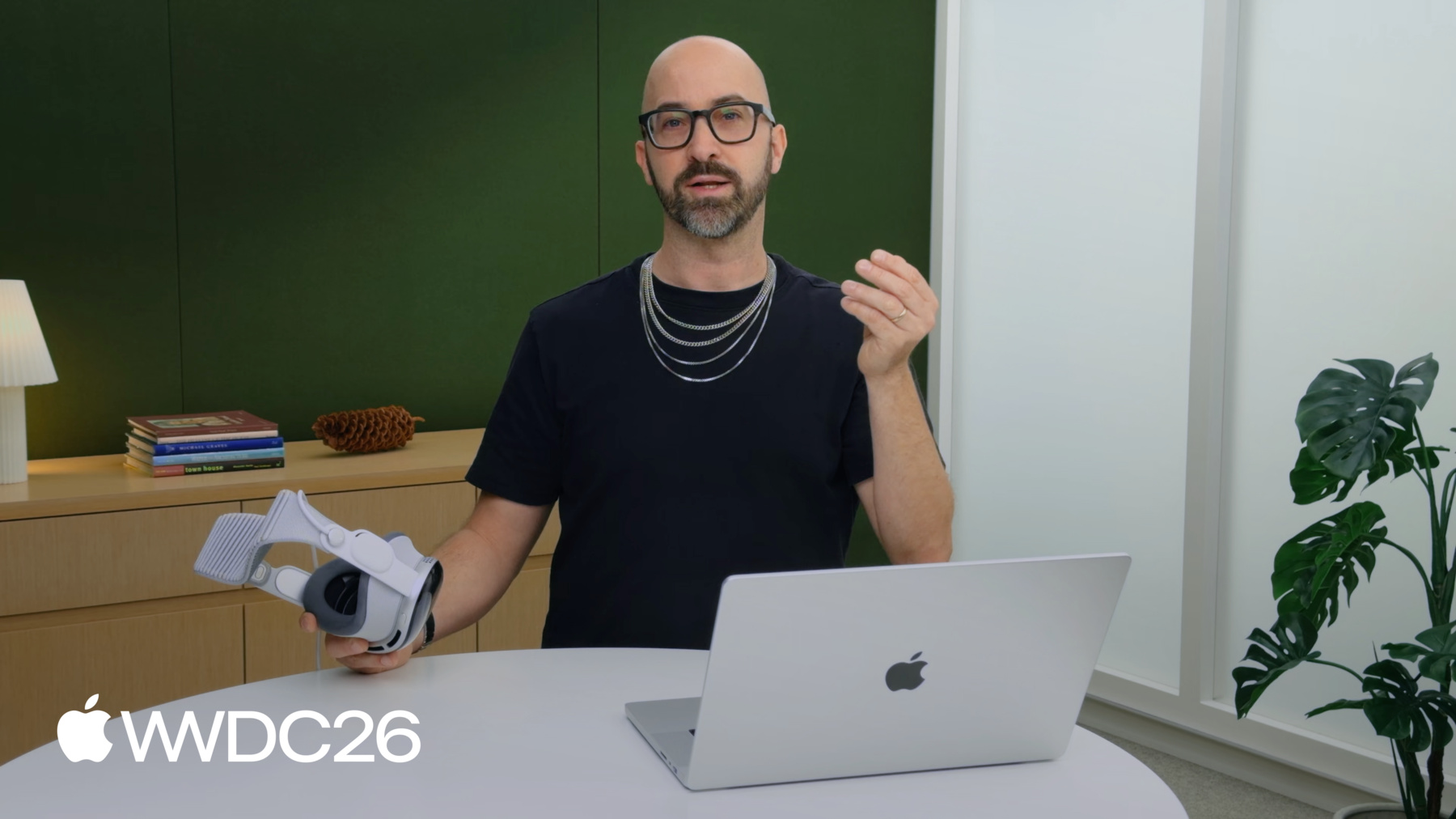
你好 我是Saschka Unseld 我是Apple的创意总监 每当我着手一个想法时 对我来说非常重要的是 能快速将它原型化 并反复迭代 一遍 又一遍 再一遍 Reality Composer Pro 3 让我做到这一点 无需编写任何代码 在本次讲座中 我将分享 如何从零开始构建RealityKit游戏 在Reality Composer Pro 3 的Script Graph中 如果你想先了解基础知识 有专门的 Reality Composer Pro 3讲座 但如果你富有创造力 并且有个想法 想快速将它原型化 这个讲座就是为你准备的
我将介绍什么是Script Graph 展示我如何构建这款游戏 随着内容逐步丰富 我将深入探讨 一些更高级的技术
好 Script Graph是什么 它是Reality Composer Pro 基于节点的可视化脚本系统
Script Graph让我通过 事件驱动逻辑构建游戏 这是什么意思
这意味着你可以创建这样的游戏 我监听Pinch Events 让这些叶子开合动画 我监听Drag Gesture Events 让玩家拖拽这颗坚果 我还会创建自定义事件 告诉游戏滚动关卡 当角色到达 特定路径点时 但我最喜欢Script Graph的一点 是可以直接测试和迭代 在Reality Composer Pro中 以及在我的Vision Pro上
当我创作新内容时 总是从一个心愿开始 希望某样东西能够存在 然后我努力让它成为现实 这款游戏的心愿 源于一件小事 它源于... 一只小松鼠 它正酣然入睡 因为找到了一颗坚果 但松鼠忘记了 夜晚即将降临 于是我希望玩家能帮助它 偷走它的坚果 只为引导它回家 还有什么更好的平台 能让你从松鼠那里偷坚果 那就是Vision Pro 玩家可以真正伸出双手 从松鼠那里偷走坚果 并自由拖拽 帮助引导我的小伙伴回家 让我们开始构建这款游戏 我想让玩家能够 拾起松鼠的坚果 并移动它 我已经创建了场景 包含松鼠和坚果实体 我采用了剪纸风格 所以松鼠和坚果 只是带纹理的简单平面 为了让坚果可拖拽 我为它添加了几个组件 为了让它成为注视目标 我添加了Input Target Component 为了定义注视目标的大小 我添加了Collision Component 同时我还希望它在 玩家注视时高亮显示 所以我添加了 Hover Effect Component 现在可以创建 我的第一个Script Graph了 我在Project Browser中右键单击 选择New 然后选择Script Graph 这个Script Graph将承载 我所有的逻辑
把它命名为dragNut
我想让Script Graph的逻辑 运行在坚果实体上 所以为它添加Scripting Component
并在Inspector中指定 dragNut Script Graph
很好 打开Script Graph 开始构建逻辑 Script Graph运行的任何逻辑 都从触发逻辑的事件开始
有许多节点可以监听 各种各样的事件 这里我要监听的是 玩家捏合拖拽坚果的事件 为此我使用 "On Drag" Event节点 现在我需要做的就是 使用从On Drag节点获得的信息 并将其应用到 坚果实体的变换上
为此我使用Set节点 Set节点允许我 将数据写入组件 以及许多其他内容 这里我想调整 坚果变换组件的位置 所以我使用Set Transform节点 现在只需连接这两者 首先连接On Drag Event 以触发Set Transform节点 这意味着Set Transform会被触发 每次On Drag Event触发时 接下来连接从On Drag节点 获取的Scene Location 到Set Transform的 translation输入 这样坚果的位置将被设置 基于拖拽手势 获取的拖拽变换 就这样 对我来说 快速测试和迭代 是所有创意工作流的关键 我可以直接在 Reality Composer Pro 3中完成 我按下工作区顶部的Play按钮 就可以在视口中 直接测试我的逻辑 我可以单击并拖拽坚果 正如在Script Graph中定义的那样 但让我们更进一步 借助Live preview 这是今年晚些时候 将推出的功能 为了真正了解交互的感觉 我想在Vision Pro上试试
我将Simulation Mode切换为 "Preview on Device" 选择我的Vision Pro 然后按Play
瞧! 我的松鼠和坚果 出现在我旁边 我可以移动App 将它放置在合适位置 然后按Play 现在 我可以注视坚果 然后轻点并拖拽 嗯... 我感觉拖拽坚果时 手需要移动太多 做这类调整时 我喜欢打开Mac Virtual Display 这样可以直接看到调整效果
有大量节点让我对 Script Graph应用数学和逻辑 为了修复开始时的跳动 以及让坚果 对拖拽更加灵敏 我将使用On Drag的Scene Translation 搭配"Multiply by Number"节点 我知道我需要反复调试 这个乘法因子 为此我将创建一个Input变量 在Script Graph的 Inspector中添加一个 把它命名为dragSpeed
类型设为number 设为public 并给定默认值1.3
然后添加一个Input节点 将dragSpeed变量 连接到multiply节点
由于我将dragSpeed 设置为public变量 它会显示在 坚果的Scripting Component中 这意味着我可以 在Vision Pro上测试时 调整dragSpeed 找到最合适的值
1.5?
不... 太多了... 也许1.1...
快了...
1.15...
嗯 我觉得就是这个
还有一件事... 当我更改dragSpeed的值时 它的名称变为粗体显示 这意味着dragSpeed的值 并未应用到脚本本身 而是作为Override Override是变量的 独特变体 每个Scripting Component 都有各自的Override 这意味着场景中 可以有多个坚果 它们共享相同的 Script Graph逻辑 同时使用不同的dragSpeed设置
我喜欢这样迭代 感受交互效果 但说实话 那个动作仍然感觉有些平淡 我希望坚果感觉更加动感 最重要的是 我想能够随意抛掷它
为了实现这一点 我们来添加物理效果 首先要让坚果 参与物理模拟 所以为它添加了 Physics Body Component 现在需要修改Script Graph 让拖拽手势 驱动坚果的物理效果 我可以用Add Force节点实现 这个节点向坚果的 物理模拟施加力 使坚果沿力的方向移动 但这是一种累加力 所以我需要知道 拖拽随时间的变化量 这不是拖拽手势 默认提供的数据 所以让我们添加它 我不会直接应用拖拽的 translation 而是将其存储 为此我创建了 一个叫targetPosition的变量 然后使用Set Variable节点 将拖拽的translation存储进去 接下来我要计算 拖拽变化了多少 我只需要将 之前获取的位置 从当前获取的位置中减去 我连接好了这个逻辑 用于计算这个变化量 并将其存储在 名为dragDelta的变量中
现在我需要做的就是 触发Add Force节点 连接dragDelta 通过一点乘法 赋予它更大的权重 输入到Add Force节点 让我们试试看效果如何
嗯 我喜欢它更有物理感 可以随意抛掷坚果 而且它会自然落下 但拿起它有点困难 因为重力 是生活中永恒的阻力 它会把你向下拉 所以抓着坚果时我把它关掉 为此我将使用另一个Set节点 即Set PhysicsBodyComponent节点 这个节点让我可以更改设置 动态修改PhysicsBodyComponent 这里我不希望坚果 在拖拽时受到重力影响 在拖拽时 同时希望拖拽时 它不那么飘忽 为此 我会增加线性阻尼值 这会增加摩擦力 使其减速更快
我在Script Graph中添加了逻辑 来触发这个变化 在PhysicsBodyComponent中 当坚果被拿起 以及被放下时 让我们来测试一下
哦 太好了 感觉好多了 以上就是Script Graph的基础知识 它监听事件节点 对从中获取的数据 进行一些逻辑处理 然后利用Set节点 修改组件 但凭借这个基本理念 我可以做很多事情 让我们深入探讨 一些更高级的技术 就像生活中很多事情一样 随着时间推移 事情往往变得复杂 有一件事 我几乎和创意工作一样喜欢 那就是整理归纳
这就是Prototyped Subgraph的用武之地 它们不仅能 帮我整理逻辑 还能创建可复用的逻辑
来看看我之前 构建的这段Script Graph 这段逻辑的作用 是检查Drag Event的 isEnd bool是否刚刚发生变化 如果发生了 就触发一些逻辑 但看着它我就像... 这到底是干啥的来着 所以让我们用Subgraph整理一下 我选择构成这部分逻辑 的所有节点 右键单击 然后选择Compose Subgraph
把它命名为Check for Change 啊... 这看起来 已经简单多了 等一下... 当bool变量发生变化时触发逻辑 是我经常需要的功能
这就是Prototyped Subgraph的用武之地 它让我能够在 所有Script中复用Subgraph
创建一个非常简单 只需右键单击然后选择 Convert to Prototyped Subgraph... 它会显示在资源浏览器中
从现在起 我的Subgraph会 与所有节点一起出现在添加菜单中 构建这样 可复用的逻辑片段 让我可以加速工作流 并保持逻辑简洁 好 回到我的松鼠 现在 如果我偷走松鼠的坚果 松鼠根本没有任何反应 感觉不太对 来修复它 我希望拖拽坚果时 松鼠能看向它 为此我会给松鼠 一个专属的Script Graph 但它如何知道 坚果正在被拖拽 我可以为此创建自定义Custom Event 为此 我需要一个Custom Node Library
可以在Project Browser中 直接创建一个 然后在其中添加一个Custom Event 把它命名为"nutIsDragged" 为了让松鼠 知道坚果在哪里 我想随Event一起 发送坚果的位置 为此我向Custom Event 添加一个属性 把它命名为nutPosition 我现在唯一需要做的 就是点击Sync Nodes 让我的自定义节点 变得可用 我现在想要的是 让坚果上的Script Graph 发送这个Event 到松鼠上的Script Graph 由于我将它添加到了Node Library Send "nutIsDragged"节点 和所有其他节点 一样可用 我连接好让它在 坚果被拖拽时触发 并传递坚果的世界位置 在松鼠的Script Graph中 我创建On "nutIsDragged" Event 以便监听它 然后使用Event的nutPosition 驱动松鼠的旋转 让我看看 在Vision Pro上效果如何
太好了 我添加的逻辑让松鼠 在看向坚果时有流畅的翻转动画 这强调了游戏的剪纸风格 让它更加有趣 对了 我还悄悄加了一个小东西 当我偷走坚果时 松鼠现在会有恰当的委屈表情
这是一个简单的添加 我在Script Graph中 驱动松鼠材质的变化
在松鼠材质的 Shader Graph中 我使用了一个叫isNutDragged 的public输入变量 我用它来决定 在两个松鼠纹理中 选择哪个用于材质
在松鼠的Script Graph中 我添加了Set Material Parameter节点 将Parameter类型设为Bool 并命名为isNutDragged
然后告诉它在哪里找到实体 即含有松鼠Model Component的实体 确保它被触发 并告知坚果是否 正在被拖拽 就这样 为了让松鼠 真正表达它的不满 我想赋予它声音 让它能够尽情抱怨 秉承我的剪纸风格 我想让这个声音以Speech Bubble形式呈现 我喜欢用SwiftUI 构建这样的界面 它让一切变得轻松 而且看起来非常漂亮 但要使用SwiftUI 我需要通过Xcode运行游戏 很简单... 只需将预览模式 切换为"Run with Xcode" 但等等... 我没有Xcode项目... 没问题 Reality Composer Pro 3 可以直接帮我创建一个 在Xcode中我制作了 这个小型SwiftUI Speech Bubble 但我如何让它弹出来 当我偷走松鼠的坚果时
Script Graph Events 又来帮我了 因为它们也可以被监听 并从Swift中发送
在Script Graph中我需要做的 就是使用Send Scene Event节点 把它命名为squirrelTalk 由于我想发送 松鼠要说的话 我为它添加一个变量
命名为sayThis 类型设为String 并设置为松鼠要说的话 例如:"Hey, that's my nut!"
然后在Xcode中我需要编写一些代码 作为一名设计师 我很高兴现在可以 直接向Coding Intelligence提示 让它为我编写这段代码
要监听Scene Event 我只需告诉编程助手 订阅名为squirrelTalk的 Scene Event 并存储它的sayThis变量
然后当squirrelTalk被调用时 显示我的SwiftUI Speech Bubble 作为Attachment 覆盖在松鼠实体上 当然使用sayThis变量 作为其文本
现在我的松鼠可以真正告诉我 当我偷走坚果时 它对我的看法 Script Graph还能让我 为游戏添加更多内容 比如让松鼠行走和跳跃 追回它的坚果 以及创建可拖拽的叶子 让松鼠 穿越整个关卡 甚至还有一个visionOS ornament 如果我卡住了 可以用来跳转到 关卡中的任意位置 所以别担心 我的小松鼠 我会带你回家的
我喜欢这样使用Script Graph 它帮助我构思想法 摸索最佳偷坚果策略 最重要的是 让我得以将心愿变为现实 如果你想继续探索 下载Reality Composer Pro 3 深入探索高级工作流 或者查看完整的 Squirrel Sample Project 来自Apple开发者网站
-
-
17:23 - Squirrel Talk
// Advanced techniques

if let scene = entity.scene {
    scene.subscribe(forEventName: "squirrelTalk", on: { event in
        if let sayThis: String = try? event.value("sayThis") {
            self.sayThis = sayThis
        }
     } ).store(in: &cancellables)
}

...
} attachments: {
    Attachment(id: "squirrelTalk") {
        SquirrelTalkAttachmentView(text: sayThis)
   }
}
-