

-
性能分析、修复和验证:利用 Instruments 提升 App 响应性
通过明确的工作流程处理 App 响应性问题。探索 Swift 并发 Instrument、Time Profiler 和 System Trace,以便定位性能瓶颈。了解如何使用热点函数并进行对比,以衡量你的性能改进并验证修复效果。同时探索 Instruments 中的其他增强功能,让每次迭代变得更快,从而帮助你在更短时间内为用户打造更流畅的体验。
章节
资源
相关视频
WWDC26
WWDC25
WWDC23
WWDC22
-
搜索此视频…
你好 我是Art 我在Xcode工作 我是Harjas 来自Instruments团队 提供流畅的用户界面 是优秀App的基础 但背后有许多事情 在悄然发生 理解软件栈的各层 可能令人困惑 Instruments 27让你 比以往更容易理解 如何让你的App 感觉快速且灵敏 这从App的基础开始 你编写的Swift代码 快速且富有表现力 但这段代码 并非独立运行 即使是简单的代码 也隐藏着大量复杂性 编译器和运行时会注入 动态派发 安全检查 以及引用计数 在幕后进行 然后 它依赖操作系统 进行内存分配 进程调度和I/O路由
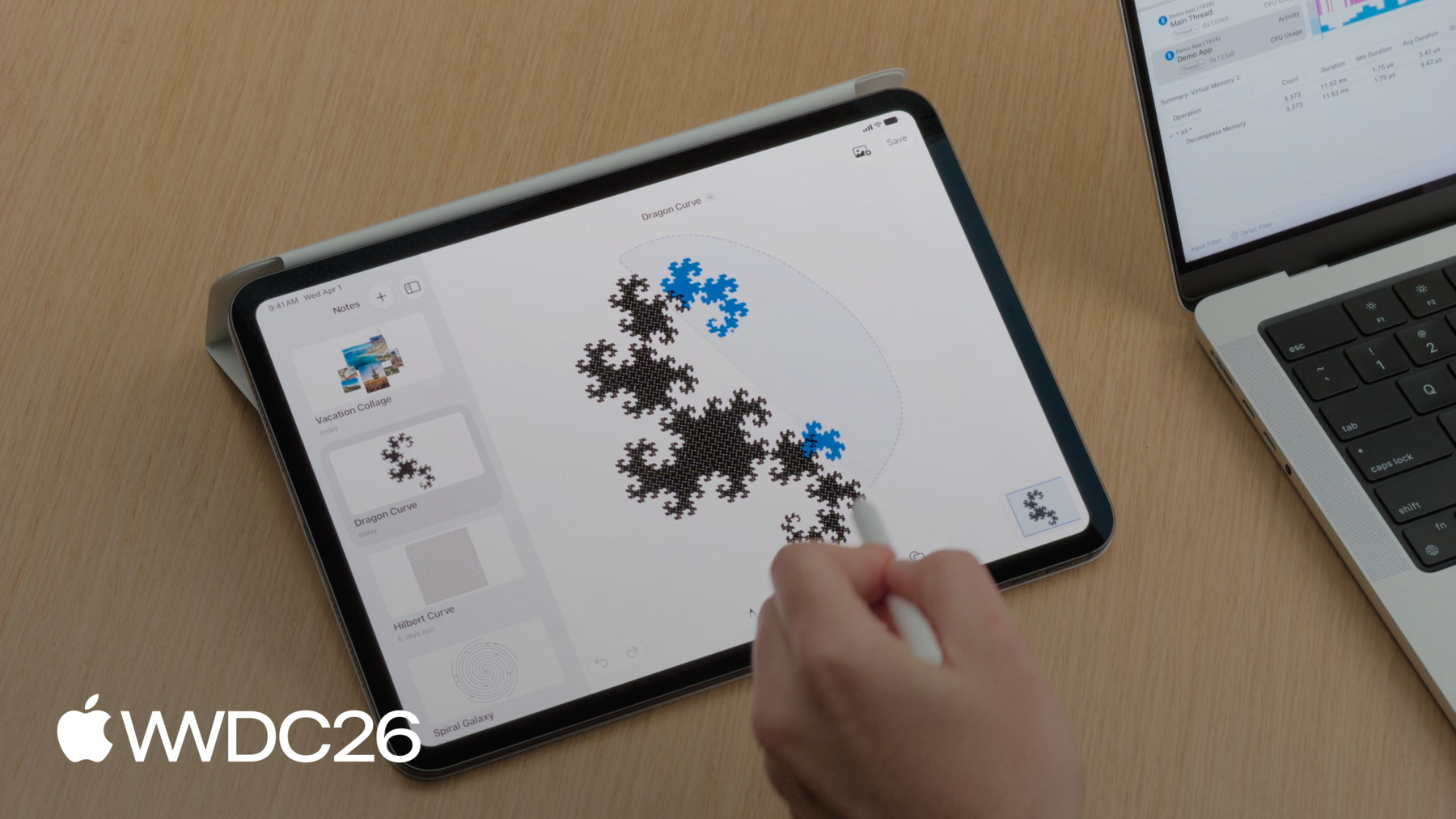
之后 操作系统委托 给底层平台 最终直接将执行 路由到物理硬件 值得注意的是 我在此列举的 只是一些常见组件 还有更多编译器 和系统特性在发挥作用 为帮你排查性能问题 我们将分享一个思维模型 来理解并优化 App的响应速度 首先 我们将了解CPU饱和度 并展示如何调查 系统高负载的时段 接下来 我们将讨论 采样数据可视化 探索如何解读 你的性能分析数据 然后 我们将了解 执行争用 并研究当任务缺乏 资源时会发生什么 最后 我们分析系统阻塞 找出导致App 停止处理的根本原因 在深入探讨之前 让我们建立诊断流程 当App掉帧 或卡死时 第一步是使用Time Profiler 它提供了所需的 高层级概述来帮助定位 接下来 问题是: CPU在卡死期间 在做什么? 如果CPU使用率高 则线程繁忙 任务耗时过长 这指向 代码性能瓶颈 当你在主线程 遇到性能问题时 有两种修复方法 第一种是代码优化: 重构算法以加快执行速度 但如果繁重的工作负载 不可避免 可将工作转移到 后台任务来解决 使用户界面保持响应 如果App卡死 但处理器处于空闲 优化算法将无济于事 这通常意味着 主线程被卡住了 等待某个资源被释放 这种阻塞可分为多种类别 常见的有: 等待文件I/O 等待同步锁 或等待进程间通信 由于Time Profiler 只监控活跃的CPU周期 它对这些事件 没有可见性 我们将使用一个 笔记应用来演示此工作流 该App正在原型开发中 这个App允许我绘图
添加图片
以及使用套索工具 移动元素 但我们在测试App时 注意到三个问题 让我们捕获一个性能分析 来定位这些问题 我们从Xcode开始 要开始性能分析 我将打开 Product菜单并选择Profile
这将创建我App的 Release版本 Debug版本以运行时性能 换取调试能力 因此Debug版本的 性能分析数据可能存在误导 对Release版本进行性能分析 对获取最有效数据至关重要 由于我的代码库 使用了Swift Concurrency 我将从选取器中 选择Swift Concurrency模板
在此模板中 我们仍可访问Time Profiler工具
我将开始录制 然后切换到iPad 来录制工作流 这些工作流在 测试期间出现了性能问题 当我保存笔记时 触控笔无法立即响应
当我滚动浏览笔记时 界面不流畅
使用套索工具时 我发现它会卡死
现在 我点击左上角 停止录制
我们得到了包含所有 这三次卡死信息的轨迹
Harjas 轨迹准备好了 我AirDrop给你 我们开始调查吧 谢谢 Art Instruments 27让你 能轻松读取和解读数据 顶部的时间轴 显示横向轨道 展示你的任务 Actor和执行器 这些轨道提供 资源使用和事件的高层级视图 时间轴下方是详情区域 此详情视图基于 时间轴中选定的轨道 每条轨道都提供 自己的一组详细信息 你可以通过更改 所选内容在它们之间切换 使用中间栏中的弹出按钮 右侧是 全新的检查器面板 它会呈现额外的详细信息 以及基于时间轴或 详情视图中选择的操作 首先 让我们调查 套索工具的问题 为何无法跟上触控笔 为了简化分析 我将使用OSSignpost工具 OSLog和OSSignpost提供 一组API来启用日志和追踪 我在套索选择周围添加了 os.signpost间隔 我通过使用 OSSignposter类型来实现 该类型提供API 来开始和停止追踪间隔 创建此signposter时 我将subsystem设置为 "Demo App"以标识我的App 我将category 设置为points of interest 以便Instruments 自动显示 此数据在points of interest轨道中 现在 我们可以在时间轴中 找到套索选择间隔
并使用间隔上的上下文菜单 将轨迹过滤到此时间段
Hangs工具显示 套索选择期间出现了多次卡死 这与Art的 实际体验相符 正如Art之前所说 我们应该检查卡死期间 主线程的CPU使用率 我们可以通过展开 进程轨道来找到它 从而显示此进程 的所有线程 主线程显示 CPU使用率很高 在此时间段内 保持在100%左右 这表明代码正在执行 但耗时过长 因此我们应该 使用Time Profiler进行调查 Art 你能介绍一下 有哪些方式 在Instruments中 可视化采样数据 当然可以 当你的App运行时 CPU每秒会产生 数千个采样点 Instruments专为 处理这种规模而设计 为不同类别的 性能分析提供可视化 让我们了解Time Profiler 如何将原始执行转换为调用树
它使用硬件计时器 来采样App的执行状态 以固定间隔进行 默认采样率 为1毫秒
计时器触发时 它会记录 每个核心的当前调用栈 在第一个采样中 main调用了saveNote 在调用树中 每个函数的权重为1 由于saveNote是 当前在栈底活跃执行的函数 其自身权重为1
1毫秒后 第二个采样触发 这次 我们采样main 调用renderCanvas 它调用了drawStroke函数 它们的权重也 被添加到树中
在第三个采样中 drawStroke已完成 因此我们采样main 和renderCanvas main的总权重增加到3 renderCanvas的权重 增加到2
注意这个快速的 swift_retain调用 由于它完全在两次采样之间 开始和结束 因此不会被记录 但值得注意的是 调用越频繁 就越可能被采样
此调用树是驱动 你调查的原始数据 但一眼解读 并不容易 为使这些数据更加直观 Instruments可以将其 渲染为火焰图 火焰图将整个树结构 映射为空间块 main权重为3 位于顶层 它调用的函数 renderCanvas和saveNote 按权重比例 向下级联 drawStroke节点 位于最底部
在此可视化图中 纵轴代表调用栈 调用方在上 被调用方向下延伸 横轴代表 总CPU时间 但它不是按时间顺序排列的 而是一个聚合视图 条形越宽 该函数出现的采样次数越多 让你一眼就能 找出高耗时的代码路径
然而 对于从许多地方 调用的代码 例如Swift运行时函数 和各种辅助工具 火焰图的结构视图 会分散它们的总成本 执行时间被 分散成小片段 分布在调用它们的 每个不同分支中 这种分布使得 难以回答 哪些特定函数 消耗了最多的CPU周期 为了回答这个问题 Instruments引入了 新的分析模式Top Functions 此新模式舍弃了调用层级 转而提取每一个 分散的节点 并将它们合并 形成一个块
这通过自身指标来评估 该指标计算执行指令 所消耗的时间 直接在该特定函数内部 Harjas 我认为我们 已经准备好查看数据了 谢谢 Art 在Instruments中查看 性能分析时 默认视图是 大纲式调用树显示 这在查看采样计数时 非常有用 但正如Art提到的 火焰图更容易浏览 并直观发现问题 使用调用树上方 栏中的分段控件 我们可以切换详情视图 以显示火焰图 快速浏览后发现 时间分散在 画布渲染代码中 不同的代码路径上 没有单一明显的 问题可以解决 而是这些不同的 代码路径叠加在一起 代价高昂到足以 导致卡死 我将在Instruments中 尝试新的Top Functions模式 因为它可能发现一些 在调用树或火焰图中 更难发现的内容 可以在之前使用的 同一控件中找到
左侧是所有Top Functions 按自身权重排序的列表 右侧显示一个火焰图 展示所有代码路径 这些路径调用了 选定的函数 套索选择期间的Top Function是 swift_project_boxed_opaque_existential
此运行时函数负责 解包existential 以便我们的代码可以对其操作 我将请求Xcode中的 编程助手重写我们的绘图代码 使用具体类型 和泛型来替代existentials
趁此运行时 我想解释 什么是existential 以及为何我让编程助手 进行此更改 在Swift中 我们经常 需要一个变量 它能持有任何 符合协议的类型 而无需在编译时 知道具体类型 一种实现方式是在 协议名称前使用any关键字 这被称为existential 由于可能的类型 大小各不相同 existentials可能需要 额外的工作来访问 并对底层值进行操作 这对于我们的用例来说 代价太高了 existentials有几种替代方案 当性能至关重要时 包括具体类型 泛型 以及某些情况下的枚举 这些方式为编译器 提供了更多信息 从而实现更好的优化 要了解更多关于 Swift泛型的内容 请观看WWDC22的 "Embrace Swift generics" 让我们看看助手的进度
编程助手似乎已 完成更改 我将把更新后的轨迹 发送给你 Art 谢谢你 Harjas 为验证我们所做的修复 我可以并排打开它们 在不同的窗口中 并比较Top Functions数据 但Instruments现在允许你 直接比较性能分析数据 在单个文档中跨运行比较 以加快确认更改的工作
Instruments全新功能 隆重推出Run Comparisons 它计算精确的性能差值 通过交叉引用基准轨迹和 优化轨迹的所有采样 它评估栈中的每个节点 为此 Instruments将你基准运行中的 函数旧版本进行匹配 直接与优化运行中的 新版本进行比较
匹配后 它计算差值 并根据性能差异进行排序 红色块表示 性能回退 绿色块表示性能提升 或运行时优化 让我们来试试吧 为确保准确比较 排除干扰 我们首先过滤两次运行 到套索选择的相同 os_signpost间隔
然后 为比较主线程的采样数据 我将选择主线程轨道
通过点击中间栏的 比较按钮 我可以从下拉菜单中 选择基准运行
这将在侧边栏中 添加一个比较标签页 你可以创建多个比较 并保存到文档中 以便于协作 比较树可以以文本 调用树的形式显示
在这里我们可以看到 总体执行时间 套索选择的时间已减少
切换到火焰图 我们可以看到 绿色显示的改进代码路径 以及红色显示的回退路径 当编程助手采用泛型时 引入了新函数 Run Comparisons 会将其标记为回退 在Top Functions视图中 我们现在可以看到 哪些改善最多 哪些回退最多 默认情况下 Run Comparisons中的回退排在顶部 这些回退是编程助手 添加的新函数 它在消除 existentials的使用过程中产生的
我们可以翻转排序方式 以查看改进项
这里 swift_project_boxed_opaque_existential 调用已被完全移除 总体而言 改进效果超过了回退 这证实了采用具体类型和泛型 成功消除了 这一特定的运行时开销 要了解有关优化CPU工作的更多内容 请观看WWDC25的 "Optimize CPU performance with Instruments" Harjas 搞定1个卡死 还剩2个 正是如此 既然我们已优化了绘图代码 可以返回基准运行 继续优化App的其他方面 还有几个卡死需要调查
遗憾的是 这些卡死在 points of interest轨道中没有日志 无法帮助了解 当时发生了什么 另一种了解上下文的方式 是查看这些卡死期间 Main Actor上有哪些任务 Instruments 27 新增了Swift executors工具
此工具可视化Main Actor 全局并发执行器 以及进程中的任何自定义执行器 对于每次卡死 Main Actor轨道显示了 对应的Swift任务renderThumbnail 我们可以选择此轨道 并获取Main Actor上 运行的所有任务摘要
我们有多个渲染缩略图任务 在Main Actor上运行 耗时数百毫秒
这有助于解释为何 滚动笔记列表不流畅 让我们遵循诊断流程 检查CPU使用率 我将把轨迹过滤到 其中一次卡死
并使用检查器 固定主线程
在此期间 Time Profiler显示 主线程的CPU使用率 约为100% 因此我们并非在等待 其他系统资源 这些任务在Main Actor上 运行时间过长 那么这为什么是个问题? 首先 让我们回顾一下 Main Actor是什么 然后讨论如何 解决此卡死问题 Main Actor负责处理 所有用户界面更新 和交互 应用异步渲染 所有缩略图 但由于此代码 是从SwiftUI调用的 它继承了Main Actor上下文 这些任务将与关键UI更新 争夺Main Actor 导致App无法 提供流畅的体验 要解决这个问题 我们必须 将缩略图渲染 路由到线程池 这将释放Main Actor 使待处理的UI事件能顺畅执行
这是负责生成缩略图的代码 我们可以通过添加 @concurrent属性来重构它 到任务初始化器 这将把缩略图渲染任务 从Main Actor移出 并移至全局执行器 Swift编译器将检查 此代码更改 是否引入了任何竞态条件 在更新后的轨迹中 Swift executors工具显示 缩略图渲染任务已移动 从Main Actor轨道 移至全局执行器轨道 将此任务移至全局并发执行器 不仅防止了UI卡死 还让我们得以 并行渲染这些缩略图
要了解更多关于 使用Swift Concurrency的信息 请观看WWDC25的 "Embracing Swift Concurrency" Art 还剩最后一个卡死! 我们来收尾吧
既然并发争用已解决 让我们返回基准运行 处理最后一个卡死 当我们点击保存时 用户界面会短暂卡死 我将使用 Write to File间隔 在points of interest轨道中 来定位此卡死
我将设置检查器范围 并通过点击上下文菜单中的 相应选项放大
此步骤中报告了 一个轻微卡死 再次检查CPU使用率
在这种情况下实际上相当低 徘徊在20%左右
诊断结果指向低CPU使用率 当界面在这些条件下冻结时 这表明主线程被阻塞了 正在等待系统资源 要准确了解为何 会发生这种情况 让我们了解线程 如何在状态间切换 低CPU使用率可能 具有误导性 因为这并不意味着 你的代码执行缓慢 而是表示线程已停止运行 System Trace模板 专为精确可视化 操作系统何时以及 为何暂停你的App而设计 此时主线程正在 CPU核心上活跃运行 操作系统提供大量系统调用 代表你完成工作 并控制硬件 但当资源无法立即可用时 线程进入阻塞状态 发生这种情况时 内核会将线程从处理器中逐出 只有当资源最终就绪时 线程才变为可运行状态 并返回到核心 更具体地说 当硬件最终完成任务时 线程不会立即开始执行 它首先进入可运行状态 即资源已就绪 但线程必须排队等待 操作系统调度器 为其分配空闲的CPU核心
现在 缩小视图 注意此处高亮显示的阻塞状态 它绝大多数时间都在 阻塞等待 外部依赖项的解决 当其解决后 线程短暂唤醒 以协调请求的下一阶段 这些短暂的执行时刻 正是导致 CPU使用率20%的原因
在此阶段 线程完全处于空闲状态 像这样的单个系统调用 往往依赖于 多个底层依赖项 迫使主线程等待 操作系统解决每一个依赖项 最终它返回到核心 完成工作 在这里优化算法 没有任何改善 因为没有代码在运行 可供优化 让我们一起来了解 Write to File间隔发生了什么
这是使用System Trace模板的 此次卡死的性能分析 使用System Trace 我们可以 精确看到线程在做什么 包括系统调用等 关键操作系统概念 我们可以使用检查器 固定主线程并放大
这表明在保存文件时 活动泳道显示大量空白 这表明线程被阻塞了 阻止了UI更新 你看到的紫色间隔 表示系统调用正在运行 然而 系统调用处于活跃状态 并不意味着线程 实际上在执行应用代码 我将选择其中一个间隔
注意 当我这样做时 不仅仅是我点击的那段 被高亮显示了 这可视化了一个 连续的写入系统调用 它横跨核心内和核心外时间 不透明段表示 在核心上活跃运行的时间 而半透明段是 它在核心外被阻塞的时段 要了解为何它 被阻塞了这么长时间 我们可以查看检查器 检查器为我们提供了 传递给此系统调用的确切参数 我们可以看到目标文件描述符 缓冲区的内存地址
最重要的是 其大小
它试图在主线程上 写入超过1.7 GB的数据 我们还可以看到性能成本 这一单个操作 耗时超过500毫秒 其中近300毫秒用于 在核心外等待磁盘 由于文件写入是在 主线程上同步发起的 应用会冻结 等待存储响应 为修复此问题 我将重构代码 将文件I/O移至后台 这是负责该工作流的代码片段 我们使用PropertyListEncoder类 来序列化数据 而瓶颈就在这一行 我们以同步方式 调用data.write方法 由于这个原子写入 直接在主线程上执行 这正是导致阻塞的原因 我们同样可以将此代码 包裹在Swift任务中 这样我们将编码 和文件写入推送到 并发线程池 并解除Main Actor的阻塞 这是另一个性能分析用于验证 我们在保存文件时 不再阻塞主线程 我已经导航到 使用Writing to File signpost间隔 主线程不再显示 写入系统调用
我们现在可以在后台线程中 找到相同的系统调用
这意味着使用Apple Pencil 应该现在感觉流畅了 让我们打开App确认效果 文件I/O正确路由后 文档保存现在已 在后台进行 允许与应用进行交互
由于我们还优化了CPU饱和度 和资源争用 使用套索工具和滚动笔记时 均保持响应
通过遵循数据 我们已成功消除 基准运行中的所有三种卡死 持续开发响应式应用 需要将你的性能分析工具 与特定的性能症状相匹配 当CPU过载时 使用Top Functions隔离 分散的软件开销 并使用Run Comparison 验证你的改进 当任务争夺资源时 使用Swift Concurrency工具 识别Actor拥塞
当线程空闲时 利用System Trace 和检查器面板 找出同步阻塞行为 例如文件I/O
当你将这些工作流 应用到自己的代码库时 确保你的性能分析准确 始终对Release版本进行性能分析 并利用os_signpost 确保你的运行比较间隔可靠 要更深入了解这些主题 我们强烈推荐 观看WWDC 2023的 "Analyze hangs with Instruments" 使用Instruments你永远不必 猜测该去哪里查找 经常进行性能分析 让数据讲述故事 感谢观看!
-
-
5:41 - Add signpost interval around Lasso Selection
// Add signpost interval around Lasso Selection import os.signpost let signposter = OSSignposter(subsystem: “Demo App", category: .pointsOfInterest) var lassoIntervalState: OSSignpostIntervalState? = nil func lassoSelectionUpdated() { lassoIntervalState = signposter.beginInterval("Lasso Selection") // Update selection in canvas… } func lassoSelectionEnded() { // Finalize lasso selection... signposter.endInterval("Lasso Selection", lassoIntervalState!) } -
12:11 - Existentials
// Existentials protocol Foo { } struct TypeA: Foo { } struct TypeB: Foo { } func bar(_ foo: any Foo) { } -
12:39 - Concrete Types
// Concrete types protocol Foo { } struct TypeA: Foo { } struct TypeB: Foo { } func bar(_ a: TypeA) { } func bar(_ b: TypeB) { } -
12:46 - Concrete Types + Generics
// Concrete types protocol Foo { } struct TypeA: Foo { } struct TypeB: Foo { } func bar(_ a: TypeA) { } func bar(_ b: TypeB) { } // Generics protocol Foo { } struct TypeA: Foo { } struct TypeB: Foo { } func bar<T: Foo>(_ generic: T) { } -
12:49 - Concrete Types + Generics + Enums
// Concrete types protocol Foo { } struct TypeA: Foo { } struct TypeB: Foo { } func bar(_ a: TypeA) { } func bar(_ b: TypeB) { } // Generics protocol Foo { } struct TypeA: Foo { } struct TypeB: Foo { } func bar<T: Foo>(_ generic: T) { } // Enums enum Foo { case a(TypeA) case b(TypeB) } struct TypeA { } struct TypeB { } func bar(_ enum: Foo) { } -
18:24 - Thumbnail Rendering
// Thumbnail rendering let drawingData = note.drawingData let canvasImages = note.decodeCanvas() thumbnail = await Task(name: "Render Thumbnail") { await renderThumbnail(drawingData: drawingData, canvasImages: canvasImages, size: CGSize(width: 300, height: 240)) }.value -
18:29 - Thumbnail Rendering Off Main Actor
// Thumbnail rendering off Main Actor let drawingData = note.drawingData let canvasImages = note.decodeCanvas() thumbnail = await Task(name: "Render Thumbnail") { @concurrent in await renderThumbnail(drawingData: drawingData, canvasImages: canvasImages, size: CGSize(width: 300, height: 240)) }.value -
24:12 - File Saving
// File saving let encoder = PropertyListEncoder() encoder.outputFormat = .binary guard let data = try? encoder.encode(snapshots) else { return } let id = signposter.beginInterval("Writing To File") try? data.write(to: fileURL, options: .atomic) signposter.endInterval("Writing To File", id) -
24:25 - File Saving off Main thread
// File saving

Task { @concurrent in
	let encoder = PropertyListEncoder()
	encoder.outputFormat = .binary
	guard let data = try? encoder.encode(snapshots) else { return }
	let id = signposter.beginInterval("Writing To File")
	try? data.write(to: fileURL, options: .atomic)
	signposter.endInterval("Writing To File", id)
}
-