

-
使用 Foveated Streaming 将沉浸式内容融入 visionOS
了解 Foveated Streaming 如何以高保真质量将远程渲染的场景传输到 Apple Vision Pro。探索这个框架如何通过完全无线的方式,将 visionOS 原生功能与第三方流媒体技术相结合,并通过 OpenXR 场景和 NVIDIA CloudXR 进行演示。了解 Foveated Streaming 框架、与 NVIDIA CloudXR SDK 的集成,以及动态注视点流式传输技术如何在保护隐私的同时带来种种好处。
章节
- 0:00 - 简介
- 4:08 - Foveated Streaming 的工作原理
- 4:46 - 设置流式传输端点
- 5:18 - 创建 visionOS 接收器 App
- 8:02 - 与流式传输端点集成
- 11:28 - 衡量性能
- 11:56 - 使用 visionOS 功能增强
- 13:56 - 后续步骤
资源
- Analyzing the performance of a foveated streaming session
- Establishing foveated streaming sessions with Apple Vision Pro
- Streaming a CloudXR application to Apple Vision Pro with foveation
- Creating a foveated streaming client on visionOS
- Foveated Streaming
- StreamingSession: Streaming immersive content from a CloudXR™ application to visionOS and iOS
相关视频
WWDC26
-
搜索此视频…
嗨,我是 Adrian, 我是 Apple 的一名工程师。
visionOS 让您可以将人们 带入全新的世界, 并创建丰富的空间应用程序。 一些现有的空间应用需要 外部设备,例如 PC。 或者它们是使用 OpenXR 等替代技术构建的。 现在有一种全新的方式 来增强这些应用以适配 Apple Vision Pro。 这就是 Foveated Streaming!
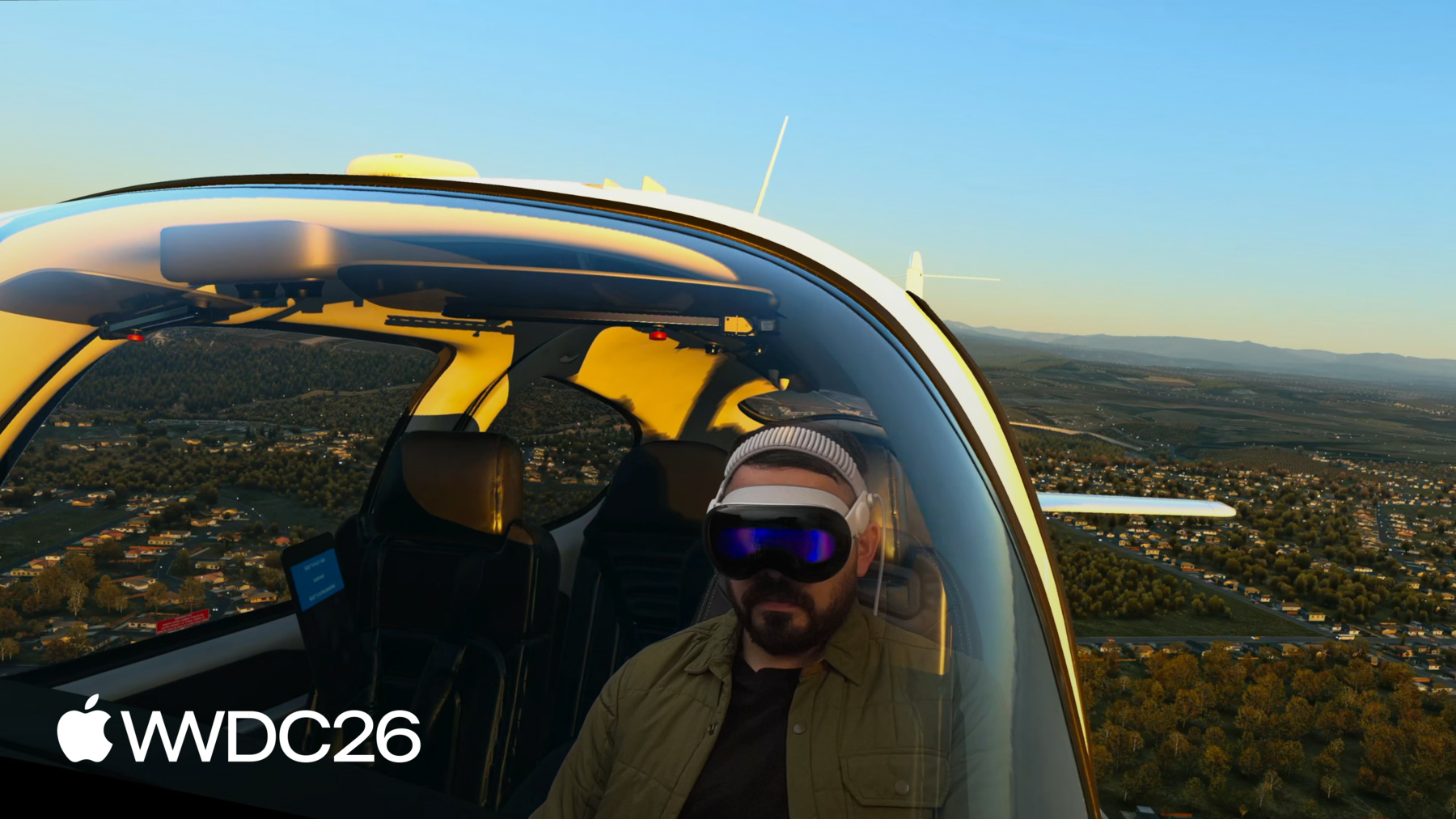
Foveated Streaming 帮助 Apple Vision Pro 连接到外部设备, 例如 PC, 以流式传输 OpenXR 内容。 visionOS 自动发送输入数据, 例如双手、控制器位置 和麦克风。 设备则将您的 OpenXR 内容 以视频和音频形式进行流式传输。 我们在 visionOS 26.4 中引入了 Foveated Streaming 框架, 开发者已经用它创造了 一些令人惊叹的体验。 例如,来自 Laminar Research 的 X-Plane 12 为 Apple Vision Pro 带来了 卓越的飞行模拟体验。 visionOS 上的 X-Plane 应用使用 ARKit 来理解您的空间和设备, 并从 PC 流式传输 模拟体验。 与真实飞行模拟器互动的同时 完全沉浸在虚拟世界中, 感觉令人难以置信。 您可以环顾驾驶舱, 或从侧窗向外望。 visionOS 无缝融合现实 与虚拟, 带来沉浸式且 高效的模拟体验。 iRacing 是一款 PC 赛车运动游戏, 在 Apple Vision Pro 上带来了 令人叹为观止的模拟赛车体验。 iRacing Connect 应用 使用 ARKit 手部追踪 将您真实赛车方向盘的位置 与虚拟驾驶舱匹配。 这样,您就能看到自己的双手 握着虚拟方向盘! Innoactive 将 Autodesk VRED 带到了 Apple Vision Pro。 这让设计师和工程师 能够可视化大型 3D 资产 和模拟效果。 在这段视频中,Kia 的设计师 使用这项技术 以 1:1 的比例查看他们的汽车, 并呈现严苛的细节。 因此,Foveated Streaming 已经能够 在 Apple Vision Pro 上实现 一些出色的体验。 视频质量令人惊叹, 因为我们的系统会智能优化 视频流。
Foveated Streaming 根据用户 注视的位置对视频进行压缩。 我们使用 Apple Vision Pro 中的 眼动追踪技术 以更高的清晰度流式传输 您所专注的内容。 这种复杂的流处理已内置于 visionOS 中, 因此我们已为您完成了繁重的工作。 这一切发生得如此迅速, 您甚至不会注意到! 在底层,visionOS 内置了 NVIDIA CloudXR™ 流式传输。 这意味着您的沉浸式内容 将通过 高性能流式传输协议 以最低延迟进行流式传输。 CloudXR™ 性能如此强大, 您可以在无任何线缆的情况下 通过 Wi-Fi 流式传输沉浸式内容。 它可以通过您的家庭网络 从本地 PC 流式传输内容, 也可以从云端流式传输。 您的应用还可以与原生的 visionOS 框架集成。 您可以使用 SwiftUI 构建用户界面, 使用 ARKit 将您的内容 与现实世界融合, 还可以将设备端的 RealityKit 渲染 与您的流式内容结合。 使用起来非常简单。 我们发现,您只需一天时间 即可开始流式传输 OpenXR 应用程序。 而在一周内, 您就可以用 仅在 visionOS 上才能找到的 功能来增强您的应用程序。 让我们来详细聊聊! 首先,我将介绍 Foveated Streaming 的工作原理, 并向您展示如何在几小时内 完成入门。 接下来,我们将设置一个 visionOS 应用 以显示流式内容。 然后我们将设置您的 OpenXR 客户端, 使其能够流式传输到 Apple Vision Pro。 最后,我将介绍如何使用 仅在 visionOS 上才能实现的功能 来增强您的应用程序。 让我们开始吧! 这是一个框图,概述了 您将构建于其上的框架, 既包括 visionOS 端, 也包括流式传输端点端。 您的 OpenXR 应用应实现 Apple 的 Foveated Streaming Protocol, 该协议负责管理与设备的配对。
此外,您的应用还应使用 OpenXR 运行时, 该运行时由 NVIDIA CloudXR™ SDK 提供。 在 visionOS 上,您的应用使用 FoveatedStreaming 框架 连接到流式传输端点。 您还可以与其他 visionOS 框架集成, 例如 ARKit、SwiftUI 和 RealityKit。 让我们先从设置 您的流式传输端点开始。 我们提供了一个开源的 端到端示例,托管在 Apple 的 Github 页面上。 我们的 Windows 示例代码包含 Apple 的 Foveated Streaming Protocol 的参考实现。 我们还提供了一个 示例 OpenXR 应用程序, 以及帮助您设置 NVIDIA CloudXR™ 运行时的实用指南。
因此,要开始使用, 请查看我们的 Github 页面。 欢迎随意复制 我们的参考实现! 这可以帮助您在一个下午内 完成所有设置。 接下来,让我们讨论如何构建 一个 visionOS 接收器应用。
您创建的 visionOS 应用 欢迎用户进入您的体验。 它使用 FoveatedStreaming.framework 连接到流式传输端点。 最重要的是,它通过利用 visionOS 中出色的框架, 为您的体验添加了 独特的功能。 要开始使用,请在 developer.apple.com 上 下载我们的 visionOS 示例。 您可以使用我们的示例代码, 无论是 visionOS 版本还是 Windows 版本, 在一个下午内让您的应用 开始进行流式传输。 在本次讲座的剩余部分, 我将深入介绍这些示例的工作原理。 首先,让我们进一步了解 接收器应用。 Foveated Streaming 框架使用 基于会话的 API。 因此,您的应用应创建一个 FoveatedStreamingSession。 当您调用 connect 时, 框架将自动呈现 一个端点列表, 供您的应用连接。 Apple Vision Pro 必须先与 您的端点配对, 然后才能开始流式传输。 为此,端点将呈现 一个包含配对信息的二维码。 稍后我们将详细介绍 如何正确呈现这个界面。 当二维码出现在屏幕上时, 框架会自动呈现 一个用于扫描的用户界面。 您只需看向二维码即可完成扫描。 连接成功后,就可以 呈现流式传输内容了。 您可以使用 SwiftUI 来实现这一点。 在 visionOS 上,您通过 ImmersiveSpace 呈现空间内容。 如果您将 FoveatedStreamingSession 传递给 ImmersiveSpace, 它将包含流式传输的内容。 您可以添加额外的窗口, 就像任何其他 SwiftUI 应用程序一样。 例如,我们的示例应用向场景中 添加了一个窗口, 用于暂停和恢复会话。 它还向 ImmersiveSpace 本身 添加了视图, 例如这个用于重新打开 主窗口的小组件。
最后,它配置了沉浸式空间, 使其具有渐进式沉浸风格。 渐进式沉浸非常适合 Foveated Streaming。 它允许用户通过一个 Portal 查看您的体验, 同时与其物理环境保持联系。 事实上,使用 Foveated Streaming 时, 您可以访问 SwiftUI 的所有功能。 因此,您的流式客户端可以 使用原生空间手势, 以及 visionOS 的外观和风格。 您可以在应用中添加 SwiftUI 窗口, 包括体积窗口。 您还可以使用沉浸风格, 例如渐进式沉浸。 如果您是 SwiftUI 新手, 有大量资源可以 帮助您快速入门。 我推荐 WWDC23 的讲座 《Get started with building apps for spatial computing》。 现在让我们看看您的流式传输端点 需要做什么, 才能与 Foveated Streaming 集成。 我之前提到,您的 OpenXR 应用 需要完成两件事。 首先,它应实现 Foveated Streaming Protocol, 该协议处理身份验证和配对。 其次,它应使用 NVIDIA CloudXR™ SDK 提供的 OpenXR 运行时。
让我们先来谈谈 Foveated Streaming Protocol。 这是一种轻量级的、 基于 TCP 的连接, 与流式传输连接 单独建立。 它有助于验证 安全 Foveated 流的身份。 它还在 visionOS 和端点之间 传递会话状态。 有关协议格式的详细信息, 请参阅我们在 developer.apple.com 上的文章。 我们还在 Github 页面上 提供了该协议的参考实现, 您可以使用它来开始。 您可以以此为起点。 例如,以下是当您的应用 调用 connect() 时发生的事情。 端点通过 Bonjour 在 您的本地网络上变得可见。 当有人选择它时, visionOS 建立连接。
然后,进行配对。 完成后,流式传输开始, connect() 返回。 让我们深入了解在 二维码配对期间 发送和接收的具体消息。 Foveated Streaming Protocol 中的 消息以 JSON 编码。 该协议使用 请求-确认模式。 首先,visionOS 请求连接, 如果尚未配对, 则请求配对条形码。 条形码同样以 JSON 编码。
它包含两项内容: 一个客户端令牌, 以及安全连接证书的哈希值。 这两者都由 NVIDIA CloudXR™ SDK 提供。
visionOS 将向您的端点 更新会话状态。
一旦端点报告内容已就绪, 流式传输便开始。 监控会话状态非常重要, 以确保稳定的用户体验。 例如,当您摘下设备时, 设备会进入睡眠状态。 在此之前,它会通知您的端点 流式传输会话已暂停。 在睡眠期间,所有连接都会断开。
您应保持端点可用, 以便用户在重新戴上设备时 能够重新连接。 现在,让我们谈谈 NVIDIA CloudXR™ 如何与您的 OpenXR 客户端集成。 NVIDIA CloudXR™ 为 Windows 提供了一个 OpenXR 运行时。 您的 OpenXR 应用程序 会自动连接到此运行时, CloudXR™ 负责处理 流式传输的细节。
CloudXR 会自动将 visionOS 输入数据 传递给 OpenXR。 例如,您可以使用 OpenXR 手部追踪扩展。 PlayStation VR2 Sense Controllers 也可以透传。 我们建议使用深度缓冲区 以获得最佳体验。 此外,提供 Alpha 通道以将 您的内容与用户的周围环境融合。 有关更多信息,请参阅我们在 developer.apple.com 上的文章。 您也可以查阅 我们在 Github 上的示例代码, 了解如何设置 NVIDIA 的运行时。 现在一切都已设置完毕, 让我们来谈谈如何评估 您的流式体验的性能。 我们在 Xcode 中提供了一个 Instrument 来测量流的统计数据。 Foveated Streaming Instrument 会告知您流的带宽, 姿态延迟、帧率等更多信息。 您可以使用它来诊断 流式内容的问题。 要了解更多信息,请参阅我们在 developer.apple.com 上的文章。 现在您的流式客户端 已经启动并运行, 我将介绍一些方法, 帮助您用 仅在 visionOS 上才有的功能 来增强体验。
如我们所见,您的流式体验 由两个应用组成: visionOS 上的接收器应用, 以及流式传输端点上的 宿主应用。
Foveated Streaming 框架 允许它们 通过消息通道 API 进行通信。
在 visionOS 上,消息通道是 FoveatedStreamingSession 的一个 API。 CloudXR 提供了用于消息通道的 OpenXR 扩展。
这些消息是完全不透明的 数据块, 因此您可以发送任何内容! 例如,您可以呈现一个 SwiftUI 界面 来选择游戏中的关卡, 并向 OpenXR 应用程序发送命令 以启动加载。 在加载过程中, OpenXR 应用可以报告其进度。 或者,您的 visionOS 应用可以发送 ARKit 数据, 以在用户的真实空间中 对齐场景。 X-Plane 12 就是一个很好的例子。 visionOS 应用使用 ARKit 来找到真实飞行模拟器的位置。 它使用消息通道 将此信息同步到 PC, 使现实与虚拟 完美对齐。 使用 ARKit 和消息通道 来增强您的 OpenXR 体验非常简单。 FoveatedStreamingSession 提供了一个 API, 用于在 OpenXR 和 ARKit 坐标系之间进行转换。 温馨提示, 控制器和手部追踪 已内置其中! 并使用 Alpha 通道, 将您的内容与 用户的环境融合。 您还可以将流式内容与 原生 RealityKit 渲染合成! 为此,只需在 ImmersiveSpace 中 添加一个 RealityView 即可。 RealityKit 内容可与您的 流式内容无缝合成。 如果您为 OpenXR 场景 提供深度信息, 内容甚至可以相互遮挡!
本次讲座到此结束。 欢迎您下载并查阅 我们的示例代码, 它能让您非常轻松地 快速入门。 尝试设置您自己的接收器应用, 并将您的 OpenXR 客户端 与我们的协议集成。
祝您玩得开心,享受 WWDC 的其余内容!
-
-
6:03 - Connect to a streaming endpoint
// Connect to a streaming endpoint import SwiftUI import FoveatedStreaming struct ConnectView: View { let session: FoveatedStreamingSession var body: some View { Button("Connect") { Task { try await session.connect() } } } } -
6:44 - Display a Foveated Streaming session in your immersive space
// Display a Foveated Streaming session in your immersive space import SwiftUI import FoveatedStreaming @main struct FoveatedStreamingSampleApp: App { private let session = FoveatedStreamingSession() var body: some SwiftUI.Scene { ImmersiveSpace(foveatedStreaming: session) } } -
6:55 - Compose SwiftUI content with Foveated Streaming
// Compose SwiftUI content with Foveated Streaming import SwiftUI import FoveatedStreaming @main struct FoveatedStreamingSampleApp: App { private let session = FoveatedStreamingSession() private let appModel = AppModel() var body: some SwiftUI.Scene { Window("Main", id: appModel.mainWindowId) { ContentView(session: session) .environment(appModel) .environment(session) // ... } ImmersiveSpace(foveatedStreaming: session) { SpatialContainer { ReopenMainWindowView().environment(appModel) TransformStreamWidgetView().environment(session) } } } } -
13:42 - Compose RealityKit content with Foveated Streaming
// Compose RealityKit content with Foveated Streaming

import SwiftUI
import RealityKit
import FoveatedStreaming

@main struct FoveatedStreamingSampleApp: App {
    private let session = FoveatedStreamingSession()
    private let appModel = AppModel()

    var body: some SwiftUI.Scene {
        ImmersiveSpace(foveatedStreaming: session) {
            RealityView { content in
                // ...
            }
        }

    }
}
-