

-
실시간 현황 기초
실시간 현황으로 앱 경험을 향상하세요. iPhone을 가로 방향으로 사용할 때 더 많은 정보를 제공하는 Dynamic Island의 새로운 스타일 등 실시간 현황이 표시되는 다양한 위치를 살펴보세요. 각 공간에 맞게 실시간 현황을 맞춤화하고, 콘텐츠와 데이터를 구성하며, ActivityKit과 푸시 알림을 사용하여 시작부터 끝까지 실시간 업데이트를 진행하는 방법을 알아보세요.
챕터
리소스
- Human Interface Guidelines: Live Activities
- Starting and updating Live Activities with ActivityKit push notifications
- ActivityKit
관련 비디오
WWDC24
WWDC23
-
비디오 검색…
안녕하세요, 저는 Adi입니다 System Experience Engineer예요 오늘은 Live Activities 구축을 위한 핵심 사항을 안내해 드릴게요 그리고 모든 화면에서 빛을 발하는 방법도요 먼저 Live Activities가 제공하는 경험 개요를 살펴보고 앱에서 Live Activities를 생성하는 방법을 설명할게요 그리고 최신 상태를 유지하는 방법도요 그런 다음 앱에 맞게 더욱 최적화하는 방법도 소개할게요
Live Activities는 앱이 적시에 유용한 정보를 제공할 수 있는 훌륭한 방법으로 지금 일어나는 일을 한눈에 보여줘요 MLB 앱의 이 Live Activity처럼요 즐겨 찾는 팀의 경기를 추적하고 경기 중일 때 Live Activity를 표시해요 잠금 화면에서 바로 점수, 현재 이닝, 주요 업데이트를 확인할 수 있어요 잠금 화면에서 바로요 홈 화면이나 앱을 사용할 때는 Dynamic Island에 바로 표시되어 아무것도 놓치지 않아요
Live Activities는 확장되어 Dynamic Island에서 더 많은 정보를 보여줄 수도 있어요 알림 업데이트가 발생하거나 길게 누를 때 확장돼요 확장된 뷰에는 더 넓은 공간이 제공되어 중요한 업데이트를 알릴 수 있어요
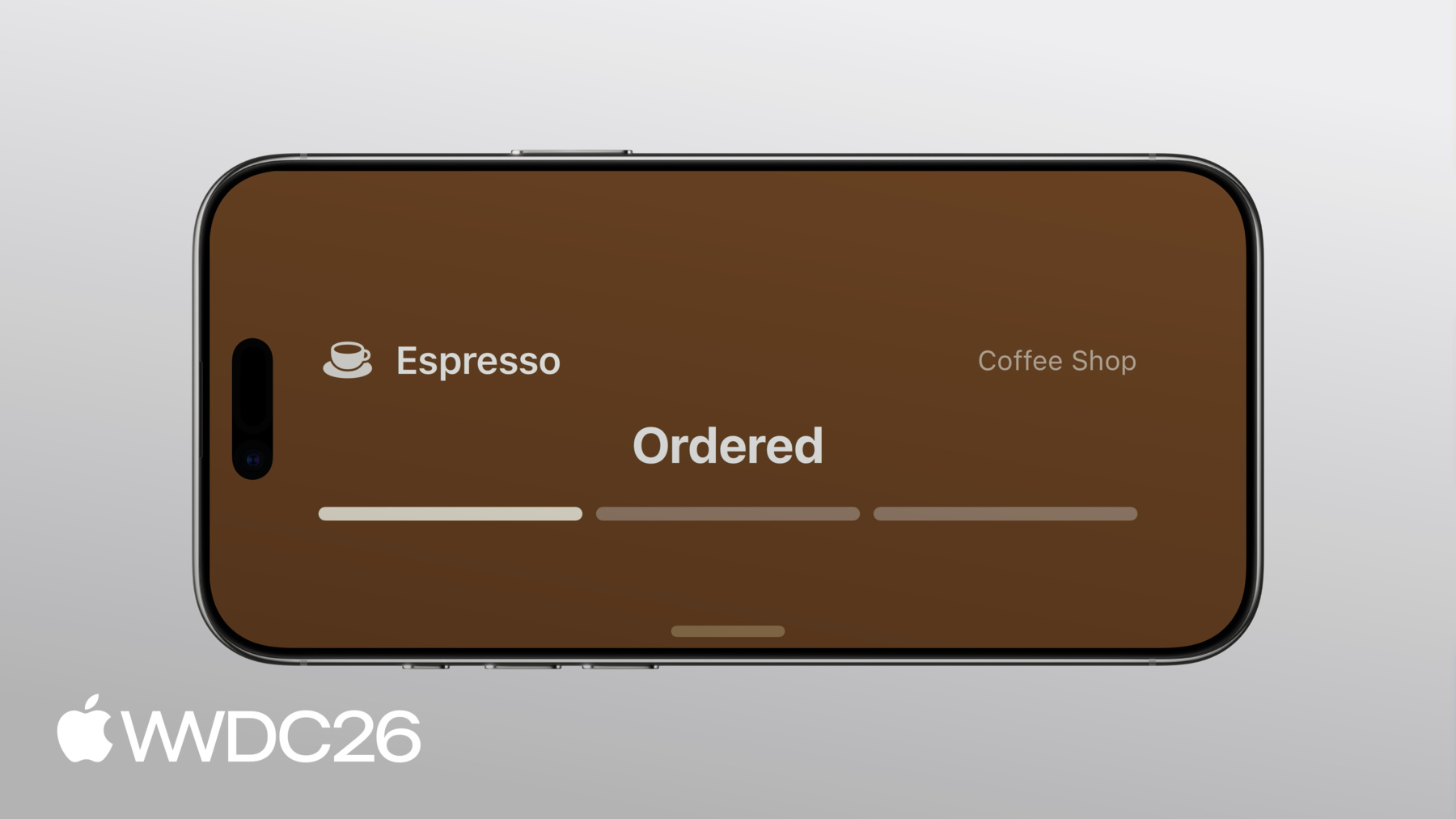
iOS 27에서는 세로 및 가로 방향 모두 Dynamic Island에서 Live Activities가 표시돼요
다른 곳에도 표시되는데요 iPhone이 가로로 충전 중일 때 StandBy에서도 볼 수 있어요
iPhone에서 앱이 Live Activity를 실행하면 자동으로 다른 Apple 기기에도 표시돼요 Apple Watch의 Smart Stack이나 macOS 메뉴 막대 또는 CarPlay 대시보드에도 표시돼요 어디에 있든 앱의 핵심 정보를 손쉽게 확인할 수 있어요 위치에 상관없이요 앱에 Live Activities를 추가하려면 생성 방법과 최신 상태를 유지하는 방법을 알아볼게요 먼저 데이터 모델 계획부터 시작해요 Live Activity의 업데이트가 빠르고 효율적으로 이루어지도록요 그런 다음 각 주요 프레젠테이션에 기본 뷰를 만들게요 마지막으로 앱 실행 중이거나 백그라운드의 푸시 알림을 통해 업데이트를 제공할게요 데이터 모델부터 시작할게요 방법을 알아보기 위해 제가 작업 중인 앱에 Live Activity를 추가해 볼게요 동네 커피숍에서 커피를 주문할 수 있는 앱이에요 좋아하는 음료를 골라 취향대로 커스터마이즈할 수 있어요 다 되면 픽업을 위해 매장에 주문을 전송해요 Live Activity 구축의 첫 번째 단계는 훌륭한 디자인을 구상하는 거예요
즉각적이고 한눈에 알아볼 수 있는 정보를 제공하기 위한 것이에요 디자인을 만들 때는 시간이 지남에 따라 사람들이 알아야 할 핵심 사항을 우선시해야 해요 영감을 얻으려면 Human Interface Guidelines에서 Live Activity 디자인 도움을 받거나 "Design dynamic Live Activities" 세션을 확인해 보세요 이 앱에서는 잠금 화면의 초기 디자인으로 데이터 모델 계획을 시작할게요 데이터 모델 계획을 시작해요 주문이 접수될 때, 처리 중일 때, 픽업 준비가 됐을 때 그리고 완료 후 피드백을 남길 짧은 기회 등 다양한 프레젠테이션이 있어요 데이터의 정적인 부분과 동적인 부분을 고려해야 해요 Live Activities는 효율적인 업데이트를 위해 정적 데이터와 동적 데이터를 다르게 처리하기 때문이에요 동적 데이터만 Live Activity의 생애 주기 동안 업데이트될 수 있어요 변하지 않는 데이터는 struct에 포함되어 ActivityAttributes 프로토콜을 준수해요 시간에 따라 변하는 값들은 별도의 ContentState struct에 있어요 커피 주문에는 정적이며 변하지 않는 항목들이 있어요 주문은 항상 같은 커피숍과 연결되어 있어서 매장 이름이 정적이에요 주문한 음료도 변하지 않아요 하지만 주문 상태와 남은 시간은 동적이에요 앱이 시간이 지남에 따라 해당 값들을 업데이트해요
이 Live Activity를 위한 데이터 모델을 만들려면 ActivityKit을 import하고 DrinkOrderAttributes struct를 만들어서 ActivityAttributes를 준수하게 해요 그런 다음 정적 데이터를 위한 프로퍼티를 추가해요 매장 이름과 주문 음료 그리고 서버가 각 주문을 추적하는 데 사용하는 고유 식별자예요
그런 다음 동적 데이터를 담을 ContentState struct를 추가해요
여기에는 주문 단계가 포함돼요 준비 중인지 아니면 픽업 준비가 됐는지 같은 상태요 예상 준비 시간과 주문에 대한 평점도 포함돼요
이게 전부예요! 데이터 모델이 준비됐으니 Live Activity의 뷰를 만들어 볼게요
Live Activity의 인터페이스는 WidgetKit으로 구축돼요 시작하려면 아직 없다면 앱에 위젯 확장 프로그램을 추가하세요 거기에 ActivityConfiguration을 제공하게 돼요 뷰를 설명하는 것이에요 Live Activity의 각 프레젠테이션은 SwiftUI 뷰로 제공된 attributes와 content state를 읽어요 SwiftUI가 처음이라면 "SwiftUI essentials" 영상을 확인해 보세요 음료 주문을 위해 먼저 ActivityConfiguration을 만들게요 위젯 확장에서요 DrinkOrderAttributes 타입을 지정하면 이 뷰들이 올바른 Live Activity와 연결돼요
content 클로저는 표시될 SwiftUI 뷰를 제공해요 이 경우에는 ActivityView라는 뷰를 사용해요 커피가 준비 중인지 완성됐는지 등 올바른 값을 표시하려면 context 파라미터를 사용해요 context에는 attributes가 포함되고 렌더링해야 할 가장 최근의 content state도 담겨 있어요 다음으로 Dynamic Island를 위한 뷰를 제공할게요
처음 세 가지는 compactLeading, compactTrailing, minimal 뷰예요 이 뷰들은 작으며 누군가 활발하게 상호작용하지 않을 때 나타나요 어떤 정보가 필수적인지 신중하게 고려하세요 더 큰 프레젠테이션에서 이 뷰에 표시할 것들이에요 커피 주문의 경우 leading 뷰에는 주문한 음료 종류의 심볼이 표시되고 trailing 뷰에는 주문 단계를 나타내는 레이블이 있어요 minimal 뷰도 제공할게요 이 뷰는 여러 Live Activities가 실행 중일 때 나타날 수 있어요
minimal 뷰는 가장 핵심적인 정보를 제공해야 해요 한눈에 볼 수 있도록요 이 주문에서는 남은 시간을 보여주는 원형 게이지를 제공해요
마지막으로 Dynamic Island의 확장 뷰를 만들게요 이 뷰는 훨씬 크고 더 많은 정보를 담을 수 있어요 잠금 화면 뷰와 비슷하게요 iPhone의 센서를 둘러싼 여러 영역으로 구성돼요 각 클로저에서 뷰를 제공해요 DynamicIslandExpandedRegion 블록에서 필요한 각 영역마다요
데이터 모델과 뷰가 준비됐으니 Live Activity를 시작하고 최신 상태를 유지할 차례예요
Live Activities는 여러 가지 방법으로 시작할 수 있어요 ActivityKit 프레임워크를 사용하면 앱이 포그라운드에서 실행 중일 때 언제든지 바로 시작할 수 있어요 또는 Live Activity를 특정 시간에 미리 시작하도록 예약할 수도 있어요 또한 푸시 알림으로 시작할 수도 있어요
가장 간단한 방법은 ActivityKit을 사용하는 거예요 제 앱에서는 먼저 Live Activities가 승인됐는지 확인할게요 그런 다음 주문에 대한 DrinkOrderAttributes struct 인스턴스를 만들게요 정적 데이터를 채울게요 커피숍 이름과 주문한 음료 등이에요 그런 다음 contentState를 구성해요 이 Live Activity의 동적 데이터의 초기 값을 담고 있어요
주문의 첫 번째 단계인 주문 접수 단계를 설정하고 대부분의 음료는 15분 내에 준비되니까 지금으로부터 15분 후를 초기 준비 시간으로 설정할게요 Live Activity의 contentState에는 staleDate도 있어요 staleDate를 사용하면 이 콘텐츠가 언제 만료되는지 지정할 수 있어요 콘텐츠가 만료되면 Live Activity 뷰에서 이를 표시할 수 있어요 지금은 커피 주문에 staleDate를 설정하지 않을게요
그런 다음 시스템에 Live Activity 시작을 요청할게요 정의한 attributes와 content를 사용해서요
Live Activity가 실행 중일 때 업데이트도 간단해요 새로운 ContentState로 activity의 .update 메서드를 호출하고 새로운 staleDate도 함께 전달해요 Live Activities는 푸시 알림으로도 업데이트할 수 있어요 두 가지 전략 중 하나를 선택할 수 있어요 첫 번째는 브로드캐스트 업데이트예요 수백, 수천 명 이상이 동일한 Live Activity를 동시에 실행할 때 좋은 선택이에요 이 전략에서는 서버가 브로드캐스트 채널을 통해 모든 사람에게 업데이트를 전송해요 그런 다음 Live Activity가 해당 채널을 구독하도록 설정해요 다른 전략은 푸시 알림을 사용하는 거예요 다른 모든 사용 사례에 적합해요 서버가 특정 기기를 대상으로 푸시 알림을 전송할 수 있어요 이 전략에서는 Live Activity의 푸시 토큰을 가져와서 각 업데이트 전송에 사용해요 자세한 내용은 문서에 훌륭한 가이드가 있어요 ActivityKit 푸시 알림 사용 방법에 관한 가이드예요 지금까지 Live Activities의 첫 번째 단계를 알아봤어요 다음으로 더 나아가 최적화하는 방법을 공유할게요 더 맞춤화된 프레젠테이션 추가와 뷰에 인터랙티비티 적용을 이야기할게요 먼저 프레젠테이션을 더 세밀하게 조정해 볼게요
iOS 27에서는 Dynamic Island의 compact 및 minimal 뷰가 세로 및 가로 방향 모두에서 표시돼요 세로 방향에서 compact 뷰는 너비가 유연하지만 가로 방향에서는 너비가 늘어날 공간이 없어요 Live Activity는 Dynamic Island의 너비가 제한될 때를 고려해야 해요 이렇게요 커피 주문의 CompactTrailingView 구현입니다 음료 주문의 예상 시간을 보여주는 SwiftUI 뷰로 시간이 있을 경우 또는 주문 단계의 레이블을 표시해요 "Ready" 같은 문자열이에요
먼저 isDynamicIslandLimitedInWidth environment 값을 추가하고 View 본문을 조정할게요 Dynamic Island의 너비가 제한될 때 대체 trailing 뷰를 표시해요 주문 진행 상황을 나타내는 아이콘을 보여주는 뷰예요 이제 새로운 trailing 뷰가 제한된 너비에 잘 맞아요
고려할 또 다른 프레젠테이션은 StandBy예요 iPhone이 가로로 충전 중일 때 나타날 수 있어요
이 프레젠테이션에서는 잠금 화면 뷰가 사용되며 200%로 확대돼요 잠금 화면에서 멋지게 보이는 그라데이션 배경이 StandBy에서는 활동을 작아 보이게 하고 화면을 채우지 않아서 여백이 많이 생겨요 이를 수정하려면 Live Activity의 뷰가 배경을 표시하는 방식을 조정할게요 showsWidgetContainerBackground @Environment 값을 뷰에 추가해요 잠금 화면에서는 이 값이 true이므로 그라데이션 .background를 적용해요 다음으로 뷰에 .activityBackgroundTint를 사용해서 그 외의 경우에는 인식하기 쉬운 배경 색상을 설정해요
이제 Live Activity가 StandBy에서 끝에서 끝까지 배경 색상 틴트를 표시해요 Live Activities는 Apple Watch의 Smart Stack에도 표시되고 CarPlay에도 표시돼요 이러한 위치에 맞게 커스터마이즈하려면 small 기기 패밀리 지원을 추가하면 돼요 Live Activities는 iPhone에서 CarPlay로 자동으로 전달되어 기본적으로 ActivityView를 사용해요 이 뷰는 잠금 화면에서 잘 보이지만 해당 공간에는 잘 맞지 않아요
이 레이아웃에 맞게 조정하려면 먼저 small activity 패밀리 지원을 선언하세요 이는 시스템에 뷰가 이 작은 형식에 맞게 조정됐음을 알려줘요
그런 다음 activityFamily @Environment 값을 뷰에 추가하고 이 프레젠테이션에 맞는 커스터마이즈된 뷰를 제공하세요 activityFamily 값이 .small일 때요 이제 Live Activity가 모든 곳에서 멋지게 표시돼요!
사람들은 이동 중에도 앱의 한눈에 볼 수 있는 정보에 접근하는 것을 좋아해요
small activity 패밀리에 맞게 뷰를 조정하는 방법에 대해 더 알아보려면 "Bring your Live Activity to Apple Watch" 세션을 확인해 보세요 Live Activities는 사람들이 빠르고 즉각적인 작업을 할 수 있는 훌륭한 기회예요 인터랙티비티를 추가하여 이를 제공할 수 있어요 커피 앱에서 주문이 완료되면 사람들이 주문을 평가하기 쉽게 만들고 싶어요 이를 위해 Live Activity의 각 버튼을 App Intent와 연결해요 버튼을 탭하면 시스템이 연결된 intent를 실행해요
구현에서 RateDrinkIntent는 LiveActivityIntent를 준수하고 주문 ID와 평점이 긍정적인지 여부를 나타내는 boolean의 두 파라미터를 받아요
perform 메서드에서 앱의 로직이 구현돼요 버튼 중 하나를 탭하면 이 함수가 실행돼요 앱에서 이 메서드를 구현하여 관련 모든 작업을 처리할 수 있어요 서버에 평점을 공유하고 데이터베이스를 업데이트하는 것처럼요
마지막으로 ratings Button View를 업데이트할게요 ActivityView와 DynamicIslandExpandedRegion 모두에 사용돼요 각 intent에 두 개의 버튼을 추가하고 각 작업에 대한 RateDrinkIntent를 만들 수 있어요
Live Activities는 실시간으로 일어나는 것들에 대해 사람들에게 최신 정보를 제공하는 훌륭한 방법이에요 이제 앱에서 시작할 준비가 됐어요
다음 단계는 ActivityKit과 WidgetKit 프레임워크로 Live Activities를 구축하고 attributes와 content state를 사용하여 정적 및 동적 데이터를 모델링하여 효율적인 업데이트를 실현하세요 잠금 화면에 탁월한 프레젠테이션을 만들고 Dynamic Island 등에도요 ActivityKit과 푸시 알림으로 적시에 데이터를 업데이트하고 가로 방향, StandBy, Apple Watch 등에서 각 경험을 세밀하게 조정하세요 시청해 주셔서 감사해요!
-
-
4:16 - Define initial Live Activity
// Define initial Live Activity. import ActivityKit import Foundation public struct DrinkOrderAttributes: ActivityAttributes { let shopName: String let drink: Drink let orderID: UUID public struct ContentState: Codable, Hashable { var phase: DrinkOrder.Phase = .waiting var estimatedReadyDate: Date var rating: DrinkOrder.Rating? } } -
5:35 - Create each Live Activity view
// Create each Live Activity view import ActivityKit import SwiftUI import WidgetKit struct DrinkOrderLiveActivity: Widget { var body: some WidgetConfiguration { ActivityConfiguration(for: DrinkOrderAttributes.self) { context in ActivityView(context: context) } dynamicIsland: { context in DynamicIsland { DynamicIslandExpandedRegion(.leading) { ExpandedLeadingView(context: context) } DynamicIslandExpandedRegion(.center) { ExpandedCenterView(context: context) } DynamicIslandExpandedRegion(.trailing) { ExpandedTrailingView(context: context) } DynamicIslandExpandedRegion(.bottom) { ExpandedBottomView(context: context) } } compactLeading: { CompactLeadingView(context: context) } compactTrailing: { CompactTrailingView(context: context) } minimal: { MinimalView(context: context) } } } } -
7:43 - Start and update a Live Activity
// Start a Live Activity func launchLiveActivity(order: DrinkOrder) throws { guard ActivityAuthorizationInfo().areActivitiesEnabled else { return } let attributes = DrinkOrderAttributes(shopName: "Coffee Shop", drink: order.drink, orderID: order.id) let estimatedReadyDate = Date.now + (15 * 60) let contentState = DrinkOrderAttributes.ContentState(phase: .waiting, estimatedReadyDate: estimatedReadyDate) let activityContent = ActivityContent(state: contentState, staleDate: nil) let activity = try Activity.request(attributes: attributes, content: activityContent) } // Update a Live Activity await activity.update( ActivityContent( state: DrinkOrderAttributes.ContentState( phase: .preparing, estimatedReadyDate: estimatedReadyDate ), staleDate: nil ) ) -
10:33 - Optimize for limited width in the Dynamic Island
// Optimize for limited width in the Dynamic Island struct CompactTrailingView: View { @Environment(\.isDynamicIslandLimitedInWidth) var isDynamicIslandLimitedInWidth var context: ActivityViewContext<DrinkOrderAttributes> var body: some View { if isDynamicIslandLimitedInWidth { StepProgressIconView(context: context) } else if context.state.phase.showsTimer { EstimatedReadyView(context: context, font: .system(.body).monospacedDigit()) .multilineTextAlignment(.trailing) .frame(maxWidth: maximumTimerLabelWidth) } else { OrderPhaseLabelView(context: context, font: .caption2.bold(), color: .brown) .multilineTextAlignment(.trailing) } } } -
11:34 - Extend background color in StandBy
// Extend background color in StandBy struct ActivityView: View { @Environment(\.showsWidgetContainerBackground) var showsWidgetContainerBackground var context: ActivityViewContext<DrinkOrderAttributes> var body: some View { DetailView(context: context) .background { if showsWidgetContainerBackground { LinearGradient.barista } } .activityBackgroundTint(.espresso) } } -
12:30 - Add support for activityFamily small
// Add support for activityFamily small import ActivityKit import SwiftUI import WidgetKit struct DrinkOrderLiveActivity: Widget { var body: some WidgetConfiguration { ActivityConfiguration(for: DrinkOrderAttributes.self) { context in ActivityView(context: context) } dynamicIsland: { context in DynamicIsland { DynamicIslandExpandedRegion(.leading) { ExpandedLeadingView(context: context) } DynamicIslandExpandedRegion(.center) { ExpandedCenterView(context: context) } DynamicIslandExpandedRegion(.trailing) { ExpandedTrailingView(context: context) } DynamicIslandExpandedRegion(.bottom) { ExpandedBottomView(context: context) } } compactLeading: { CompactLeadingView(context: context) } compactTrailing: { CompactTrailingView(context: context) } minimal: { MinimalView(context: context) } } .supplementalActivityFamilies([.small]) } } -
12:43 - Optimize for small family
// Optimize for small family struct ActivityView: View { @Environment(\.showsWidgetContainerBackground) var showsWidgetContainerBackground @Environment(\.activityFamily) var activityFamily var context: ActivityViewContext<DrinkOrderAttributes> var body: some View { contentView .background { if showsWidgetContainerBackground { LinearGradient.barista } } .activityBackgroundTint(.espresso) } @ViewBuilder var contentView: some View { if activityFamily == .small { SmallView(context: context) } else { DetailView(context: context) } } } -
13:36 - Add interactivity with App Intents
// Add interactivity with App Intents struct RateDrinkIntent: LiveActivityIntent { static var title: LocalizedStringResource = "Rate Drink" @Parameter(title: "Order ID") var orderID: String @Parameter(title: "Positive") var isPositive: Bool func perform() async throws -> some IntentResult { await updateLocalDatastore(rating: isPositive ? .great : .poor, dismissPolicy: .after(.now + 15)) return .result() } } -
14:06 - Associate an intent with a button
// Associate an intent with a button

struct RatingButtons: View {
    var context: ActivityViewContext<DrinkOrderAttributes>
    var body: some View {
        HStack(spacing: 12) {
            Button(intent: RateDrinkIntent(
                orderID: context.attributes.orderID.uuidString, isPositive: false)) {
                Label("Not Good", systemImage: "hand.thumbsdown.fill")
            }
            .buttonStyle(RatingButtonStyle(color: .red))

            Button(intent: RateDrinkIntent(
                orderID: context.attributes.orderID.uuidString, isPositive: true)) {
                Label("Great", systemImage: "hand.thumbsup.fill")
            }
            .buttonStyle(RatingButtonStyle(color: .green))
        }
    }
}
-