

-
visionOS 앱과 공간 웹을 위한 몰입형 환경 디자인하기
앱, 웹사이트, SharePlay 경험을 위해 사진처럼 사실적인 visionOS 환경을 어떻게 만들 수 있는지 알아보세요. 진정한 몰입형 환경을 만드는 디자인 원칙을 살펴보세요. 또한 참고 자료를 제작하거나 캡처하고, 고품질 CG 애셋을 준비하며, 모션 및 조명과 같은 실시간 효과를 제작하는 방법을 알아보세요.
챕터
리소스
-
비디오 검색…
안녕하세요 저는 Michael Breymann이며 Apple의 휴먼 인터페이스 디자이너입니다 visionOS의 시스템 환경을 담당하고 있습니다
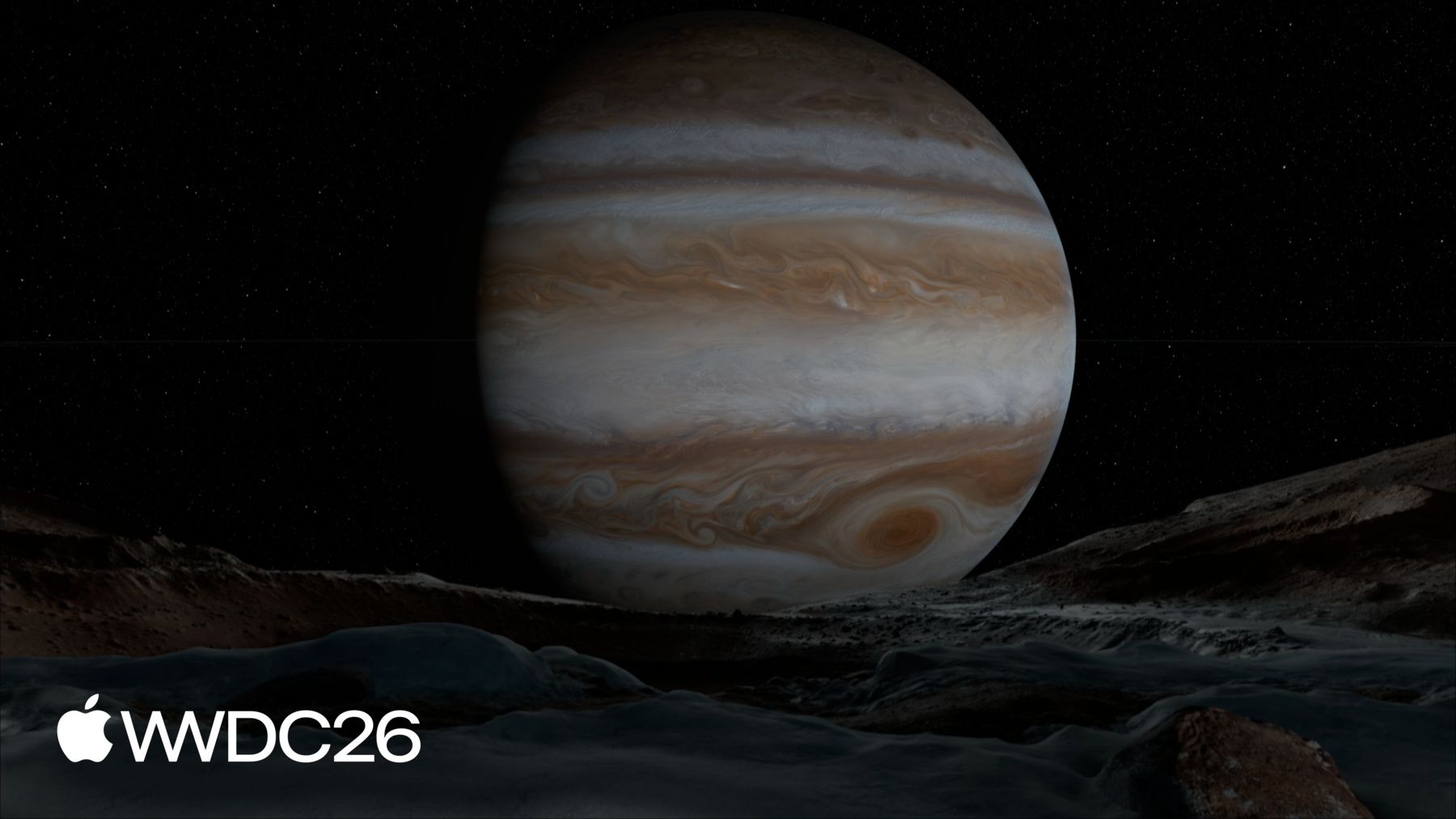
visionOS에서 시스템 환경은 단순한 배경 그 이상입니다 공간 컴퓨팅을 위해 설계된 사실적인 자연 경관으로 다른 시간과 장소로 여러분을 이동시킵니다 Haleakala에서는 구름 위 탁 트인 파노라마 뷰를 즐길 수 있습니다 하지만 평면 미디어나 파노라마 이미지와 달리 시점 변화에 반응하지 않는 것과 달리 이 환경은 실제 깊이와 시차 효과를 제공합니다 실제 세계에서 느끼는 것과 동일한 경험을 선사합니다 움직임과 음향이 더해지면 장면이 살아있는 듯 느껴지고 시청자는 그 공간에 완전히 몰입하게 됩니다 이번 세션에서 디자인 프로세스의 각 단계를 안내해 드리겠습니다 나만의 몰입형 환경을 만드는 방법으로 프리 프로덕션, 프로덕션, 포스트 프로덕션입니다 각 단계의 원칙과 개념을 공유하겠습니다 매력적인 몰입형 경험을 만들기 위해 필요한 것들을 visionOS 시스템 환경 중 여섯 가지 예시와 함께 살펴봅니다 Mount Hood, 달, 목성 Yosemite, Thorsmork, Bora Bora입니다 이제 프리 프로덕션부터 시작해 보겠습니다 팀에서 새 환경을 시작할 때 먼저 의도에 관한 몇 가지 질문을 파악하는 데 시간을 씁니다 이 특정 환경을 왜 만드는 걸까요? 어떤 특성을 살리고 싶으신가요? 시청자가 이 공간을 어떻게 활용할까요? 모두 프로젝트에 대해 스스로 물어봐야 할 중요한 질문입니다 예를 들어 팀이 시스템 환경의 사용 사례를 고민하기 시작할 때 대형 포맷으로 미디어를 시청하는 것이 특히 흥미롭게 다가왔습니다 미디어 경험이 영화 같은 느낌을 주길 원했기에 대형 화면에 맞게 지형을 조각하고 최적의 시청 중심선을 연구했습니다 Keynote 환경은 다른 목적으로 만들어졌습니다 사람들이 공개 발표를 연습할 수 있는 공간을 제공하기 위해 마치 실제 무대에서 라이브로 진행하는 것처럼요 여기서는 집중을 위해 의도적으로 소리가 없으며 조명은 무대에 집중되어 있습니다 관객 앞에서 발표하는 것처럼 느낄 수 있도록요 앱 콘텐츠의 배경으로 환경을 사용하고 싶거나 웹에서의 경험을 보여주고 싶을 수도 있습니다 어떤 것을 디자인하든 이 아이디어 발굴 단계는 환경 구축의 핵심 단계입니다 초기에 이 질문들에 답함으로써 시간을 절약하고 이후 프로덕션에서의 큰 실수를 방지합니다 Mount Hood처럼 실제 세계에 존재하는 환경을 디자인한다면 사전에 위치를 사전 답사하는 것이 매우 도움이 됩니다 주요 시점에서 시청자를 장면 어디에 배치할지 고려하고 뒤를 돌아봤을 때 무엇이 보일지도 생각해 보세요 visionOS에서 완전히 몰입했을 때 시청자는 약 81°의 장면을 봅니다 시야각 기준입니다 사전 답사는 또한 도움이 됩니다 환경에서 부각하고 싶지 않은 특성을 파악하는 데 있어서도요 상단 뷰의 파노라마는 Mount Hood 위치를 보여줍니다 카메라가 뒤쪽으로 돌아갈 때 도로와 울창한 식물이 보입니다 팀은 프로덕션에 들어가면 이것들을 교체하기로 표시했습니다 하단 뷰의 파노라마는 팀이 변경한 후의 결과를 보여줍니다 물론 때로는 만들고 싶은 환경이 실제 세계에서 쉽게 접근하기 어려울 수 있습니다 예를 들어 달 환경 작업 시 Apollo 탐사의 사진을 활용해 장면을 시각화했습니다 사진과 영상 같은 레퍼런스 자료는 이런 환경을 만들 때 필수적입니다 기존의 가정을 확인할 수 있고 불일치하는 부분도 조율할 수 있습니다 레퍼런스 자료를 활용해 지구의 특정 위치를 더 잘 이해할 수도 있습니다 예를 들어 팀은 조명 연구를 진행했습니다 Yosemite 계곡의 디지털 고도 모델과 지구 궤도를 활용해 촬영하고 싶은 정확한 날짜와 시간을 결정했습니다 처음부터 환경을 만들든 실제 위치에서 만들든 다음 프로덕션 단계를 계획할 때 고려할 사항이 있습니다 프로덕션의 다음 단계를 계획할 때입니다 환경을 레이어 측면에서 시각화해 보세요 배경에서 전경으로 쌓아올리는 방식으로요 어떤 장면 요소에 모션이 필요한지 파악하고 그에 연결할 공간 음향을 생각하기 시작하세요 이렇게 하면 에셋 제작을 방해할 수 있는 복잡한 문제들을 미리 파악할 수 있습니다 마지막으로 한 가지! 프리 프로덕션 중에 계획을 더 좋게 바꿀 발견을 하게 될 것입니다 예를 들어 Jupiter 환경에서 태양계 축소 모형을 만들었습니다 태양이 목성의 위성을 어떻게 비추는지 이해하기 위해서였습니다 이 과정에서 시간의 흐름을 가능하게 하는 시스템이 필요하다는 것을 깨달았고 이것이 최종 환경의 핵심 디자인 요구사항이 되었습니다
정리하자면 환경의 프리 프로덕션을 시작할 때 의도를 명확히 하세요 실제 위치를 방문하고 레퍼런스 자료를 수집해 장면을 사전 답사하세요 환경의 구성과 레이어링을 고려하고 제거하거나 변경하고 싶은 것들을 생각해 보세요 프리 프로덕션에서 얻은 모든 리소스를 활용해 반복 작업을 통해 아이디어를 발전시키세요 탄탄한 계획이 있으면 환경 구축에 어떻게 접근할지에 대한 다음 개발 단계인 프로덕션을 준비할 수 있습니다 복잡한 3D 장면을 구축하는 데는 시간이 걸립니다 하지만 작업을 더 쉽게 만들 수 있습니다 함께 일하는 분들도 마찬가지로 소스에서 고품질 사진을 촬영함으로써 가능합니다 Yosemite 환경이 좋은 예시입니다 팀의 사전 답사 중 원하는 정확한 시점을 찾아냈습니다 시청자는 Yosemite Valley에서 중경이 훤히 보이는 위치에 있습니다 이런 프레이밍은 환경에 이상적입니다 CG 요소로 전경에 디테일을 추가할 수는 있지만 시야를 가리는 것을 제거하기는 훨씬 어렵습니다 프로덕션에 들어갈 준비가 됐을 때 장비를 들고 계곡의 이 지점으로 돌아왔습니다 매우 상세한 촬영 일정과 함께요 계절, 날씨 심지어 시간대도 촬영 가능한 것을 크게 바꿀 수 있습니다 Yosemite 환경에서도 분명히 그랬습니다 일출과 일몰 주변에서는 특히 조명이 빠르게 변합니다 위치에서 더 많은 시간을 보내고 사진을 더 많이 찍도록 계획하세요 필요하다고 생각하는 것보다 더요 찍는 모든 이미지는 나중에 환경의 3D 에셋을 만드는 데 사용될 수 있으므로 바로 사용할 수 있는 소스 이미지를 캡처하는 것이 중요합니다 몇 가지 팁이 있습니다 삼각대를 사용해 카메라를 지면에서 1미터 높이로 수평을 맞추고 깊은 피사계 심도를 확보하세요 가능하다면 지면에서 2미터 높이에 다른 카메라를 설치해 동시에 촬영하세요 이 대체 뷰는 포스트 프로덕션에서 특히 유용합니다 주 뷰에서 보이지 않는 장면 부분을 채우는 데 도움이 됩니다 360° 환경을 만들고 있다는 것을 기억하세요 모든 뷰를 커버하는 리그와 렌즈가 필요합니다 최종적으로 이어 붙인 파노라마를 만들기 위해서입니다 환경의 다이나믹 레인지는 꽤 넓을 수 있습니다 태양부터 그림자까지 모든 디테일을 캡처하도록 브래킷 노출로 촬영하세요 목표 출력 디스플레이를 파악하고 필요하다고 생각하는 것보다 더 높은 해상도로 캡처하세요 visionOS에서 환경은 도당 40픽셀로 선명해야 하므로 14,400 x 7,200픽셀의 360° 파노라마가 이상적인 목표입니다 주 촬영 외에도 현장에서 참조 및 측정을 위한 보조 사진도 촬영하는 것이 좋습니다 레퍼런스와 측정을 위해서입니다 포토그래메트리와 LiDAR로 생성된 포인트 클라우드는 메시화하여 3D 에셋의 시작점으로 사용할 수 있습니다 데이터는 거리 측정에도 유용합니다 예를 들어 평평해 보이는 지형이 실제로는 경사가 있다는 것을 발견할 수 있습니다 그 정보를 바탕으로 3D 에셋 구성 방식에 대해 다른 선택을 할 수도 있습니다 조명 레퍼런스는 특히 유용합니다 CG 에셋을 환경에 자연스럽게 통합할 때 Macbeth 차트와 크롬 및 그레이 구는 주 촬영과 동시에 촬영해야 합니다
움직이는 장면 요소의 영상은 매우 귀중한 레퍼런스를 제공합니다 사실적인 셰이더 효과를 만들 때 도움이 됩니다 움직임과 관련된 소리가 있다면 주의를 기울여 두세요 적절한 음향을 소싱할 수 있도록요 사진 촬영으로 파노라마를 캡처하는 것이 불가능하다면 렌더링된 파노라마를 만들어야 합니다 선호하는 디지털 콘텐츠 제작 도구를 사용해서요 렌더링된 파노라마 제작의 장점은 어느 시점에서든 전체 장면을 완전히 제어할 수 있다는 것입니다 프로덕션은 여러분과 환경이 성공할 수 있도록 도와줍니다 신중한 준비는 최상의 사진을 캡처하는 데 도움이 됩니다 프로세스의 다음 단계를 위해서요 고품질 이미지는 여러분이나 테크니컬 아티스트에게 귀중한 작업 데이터를 제공합니다 보조 사진과 레퍼런스 자료는 장면에 대한 추가 정보를 제공해 3D 작업을 더 쉽게 만들어 줍니다 마지막으로 이것은 일률적인 프로세스가 아닙니다 리소스가 제한된 소규모 팀이라면 이 모범 사례들을 염두에 두고 프로덕션을 조정할 수 있습니다 프로덕션 단계 이후 고해상도 소스 파노라마를 만들기에 충분한 자료가 마련되어 있어야 합니다 이 자료와 레퍼런스 콘텐츠를 통해 이제 3D 에셋 디자인을 시작할 준비가 됐습니다 첫 번째 단계는 무엇일까요? 정리입니다 Thorsmork 환경의 주요 촬영물을 살펴보겠습니다 팀이 이 파노라마를 정리하는 데 어떻게 접근했는지 함께요 여기에는 몇 가지 명백한 것들이 있습니다 최종 환경에서는 원하지 않을 것들이죠 카메라 리그처럼요
발자국과 사람들도 마찬가지로 풍경을 해칩니다
하지만 정리 과정은 프리 프로덕션에서 작성한 메모가 도움이 되는 부분이기도 합니다 몇 가지 장면 요소를 살펴보겠습니다 이상적인 구성을 방해하는 것들입니다 여기처럼 중경의 식물이 너무 복잡합니다
이 덤불들은 프레임에서 너무 눈에 띕니다 제거하고 싶은 핵심 요소를 파악한 후 팀은 작업에 착수해 이미지를 다듬었습니다 디지털 매트 페인팅과 CG 에셋 렌더링의 반복 작업을 통해서입니다 이 과정 전반에 걸쳐 색 균형과 조명 일관성에 주의를 기울이는 것이 중요합니다 이 과정 내내요 포스트 프로덕션은 환경의 외관에 관한 다양한 크리에이티브한 결정을 포함합니다 하지만 이 단계의 또 다른 중요한 측면이 있습니다 최종 에셋을 준비할 때 시각적 충실도를 유지하는 것입니다 시차와 깊이감을 달성하기 위해 3D 메시가 필요하므로 정제된 파노라마를 UV 공간의 텍스처로 이동시킵니다 파노라마에서 보이지 않는 장면 부분을 채워야 합니다 여기서 보조 사진과 CG 렌더가 주 뷰를 보완합니다 이 과정에서 3D 에셋과 파노라마를 항상 A/B 비교하면 도움이 됩니다 텍스처 전송이 최고 품질을 유지하는지 확인하기 위해서입니다 모든 장면 요소의 선명도가 일관되도록 하세요 특히 주변 요소와 비교해 적절한 스케일을 전달하도록요 장면을 뒤집어 새로운 방식으로 바라보세요 포스트 프로덕션의 이 시점에서 같은 것을 너무 오래 봐서 눈이 익숙해졌을 수 있습니다 이 방법으로 구성이 여전히 잘 작동하는지 확인하세요 환경에 극단적인 감마 및 게인 값을 적용해 볼 수도 있습니다 이 기법은 색상과 값의 불일치를 드러낼 수 있습니다 텍스처 전송 중 발생하는 데이터 손실과 함께 다른 디스플레이에서 볼 때 더 명확하게 드러날 수 있는 문제들을요 포스트 프로덕션의 많은 부분은 크리에이티브한 선택과 관련이 있습니다 하지만 이 단계를 뒷받침하는 많은 기술적 아티스트리도 있습니다 환경을 실시간으로 렌더링하기 위해 필요한 것에 대해 더 알고 싶다면 "Optimize your custom environments for visionOS"를 확인하세요 이제 텍스처가 입혀진 메시가 생겼으니 환경의 시각적 기반이 완성되었습니다 하지만 몰입감을 완성하기 위해 몇 가지 요소가 더 필요합니다 음향과 모션입니다 음향은 몰입감 조성에 엄청난 영향을 미칩니다 공간 음향 소스를 배치해 그 효과를 증폭시킬 수 있습니다 예를 들어 이 환경에서 잔물결 소리가 연결된 이미터가 큰 바위 주변으로 물이 흐르는 강의 일부에 위치해 있습니다 공간 음향의 디자인과 구현은 그 자체로 큰 주제입니다 이 두 가지 훌륭한 세션을 확인하세요 음향이 몰입감을 어떻게 높이는지에 대해 환경 속에서 더 알아볼 수 있습니다 강 이야기가 나왔으니 강도 움직여야 합니다! 모션이 필요한 환경의 모든 측면에서 커스텀 셰이더는 최고의 시각효과를 만드는 데 도움이 됩니다 전력 효율도 유지하면서요 Thorsmork는 아북극 지역 풍경으로 여기서 디자인할 모션 요소가 많지 않습니다 남쪽으로 이동해 프랑스령 폴리네시아의 Bora Bora로 가보겠습니다 움직임이 풍부한 환경입니다 Bora Bora 같은 풍경에는 복잡한 모션과 빛의 상호작용이 많이 있습니다 더 잘 볼 수 있도록 시간의 흐름을 빠르게 하겠습니다 처음에는 정적으로 보이는 구름이 실제로는 진화하며 환경 전체에 그림자를 드리우고 있습니다 야자나무가 바람에 흔들리고 파도가 해안에 부딪힐 때마다 조금씩 다르게 부서집니다 이 모든 디테일이 환경에 사실감을 더합니다 하지만 모션과 빛은 렌더링하기에 가장 비용이 많이 드는 요소일 수 있습니다 Bora Bora 같은 장면에서 팀은 시각적 의도를 달성하는 방법에 대해 창의적으로 생각해야 했습니다 실시간 렌더링 예산을 초과하지 않으면서요 사용한 몇 가지 기법을 공유하겠습니다 환경에서 어떻게 활용할 수 있는지 설명해 드리겠습니다 장면에서 큰 부분을 차지하는 하늘부터 시작하겠습니다 구름이 마치 방향감을 가지며 계속 진화하는 것처럼 느껴지길 원했습니다 UV 플로우 맵이 이것을 적은 비용으로 가능하게 했습니다 하늘의 다른 부분에서 플로우 속도에 가중치를 주어 깊이와 규모를 가진 거대함이 느껴집니다 구름 그림자는 예상할 수 있는 렌더링된 빛이 아니라 지형 텍스처를 어둡게 하는 스크롤링 마스크로 구현됩니다 위의 구름의 방향과 속도가 매칭되어 있어 연결된 것처럼 느껴집니다 실제로는 그렇지 않지만요 실시간 속도로 돌아가서 환경의 다른 부분을 살펴보겠습니다 여기 야자나무 아래에서 더 밀도 있고 명확하게 정의된 그림자는 플립북 텍스처에 미리 렌더링되어 지형 텍스처를 어둡게 합니다 이런 방식으로 부드러운 그림자를 렌더링하는 비용을 사실적인 근사값으로 대체할 수 있습니다 직관에 반하지만 적을수록 많은 경우가 많습니다 복잡한 셰이딩 작업을 사전 계산된 데이터 텍스처로 오프로드하면 모션을 만들어 낼 수 있습니다 그렇지 않으면 실시간으로 렌더링하기에 너무 비쌀 것들을요 예를 들어 이 야자 잎은 메시 복잡도가 크게 줄었습니다 바람 모션은 UV 플로우 맵에서 나와 최종 효과를 만들어 냅니다 줄기와 잎이 작은 잎사귀보다 더 부드럽게 흔들리는 것도 주목하세요 이는 계층적 버텍스 애니메이션과 레이어드 사인파를 통해 구현됩니다 저주파와 고주파 모션을 쌓아올림으로써 반복되지 않는 다양한 변화를 만들 수 있습니다 사실 많은 비싼 렌더링을 줄일 수 있습니다 텍스처의 예술적인 레이어링과 합성 작업을 통해서요 물을 예로 들면 색조 채도와 밝기를 시간에 따라 변조할 수 있습니다 햇빛의 서브서피스 스캐터링을 시뮬레이션하기 위해서입니다 파도는 노말 맵과 스크롤링 텍스처의 레이어를 통해 이동할 수 있습니다 이러한 효과의 합은 부분의 합보다 큽니다 이 모든 효과가 함께 작동하며 같은 세계에 존재하는 것처럼 느껴지게 만드는 것은 아티스트리와 크리에이티브 디렉션이 필요합니다 셰이더에 적합한 기능과 컨트롤을 개발하고 있는지 확인하려면 시각적 레퍼런스가 훌륭한 리소스가 될 수 있습니다 무엇을 만들어야 하는지 명확히 하기 위해서요 정리해 보겠습니다 포스트 프로덕션에서 모든 계획, 레퍼런스, 사진을 가져와 환경에 생명을 불어넣습니다 파노라마를 정리하고 3D로 장면을 다듬어 요소들이 올바르게 느껴지는지 확인하고 음향과 모션 같은 지원 디테일을 추가해 몰입감을 완성합니다 몰입형 환경을 위한 디자인은 설득력 있는 결과를 만들어 내는 것입니다 진짜처럼 느껴지는 환상을 제시하는 것이죠 여러분이 이것을 통제하므로 프로덕션의 각 단계에서 크리에이티브 결정의 장점을 점검해야 합니다 마무리하며 환경 디자인을 시작할 때 이것들을 염두에 두세요 모든 것에 의도를 가지세요 추가하거나 제거하는 모든 것에 대해 이유를 설명할 수 있어야 합니다 잘 작동하는 구성을 만드세요 모든 장면 요소가 어디에 있든 자연스럽게 느껴져야 합니다 장면의 모든 측면은 음향과 모션으로 연결되어야 합니다 좋은 디자인은 여러분의 기술과 실행력을 더욱 강하게 만듭니다 개인이든 소규모 팀이든 대형 스튜디오든 마찬가지입니다 마지막 생각을 남기겠습니다 디자인이 잘 작동하는지 알아보는 가장 좋은 방법은 그것을 깨보는 것입니다 어떤 하나의 아이디어에 너무 집착하지 마세요 예상치 못한 것을 해보고 결과를 열린 마음으로 받아들이세요 여러분의 최고 작품 중 일부는 그 과정에서 맞닥뜨린 놀라운 것들에서 나옵니다 기꺼이 받아들이면서요
-