

-
Xcode 27의 새로운 기능
Xcode 27의 생산성 관련 최신 개선 사항을 살펴보세요. 맞춤 설정, 코딩 에이전트, Device Hub를 통해 개발 워크플로를 가속화하세요. 현지화, 성능, 테스트 도구의 업데이트를 살펴보고 앱을 더욱 향상해 보세요.
챕터
- 0:07 - 소개
- 1:01 - Workspace 및 Toolbar
- 2:13 - 테마
- 5:04 - 인라인 이슈
- 6:08 - 새로운 프로젝트 워크플로
- 8:40 - 편집기의 코딩 에이전트
- 9:37 - Device Hub
- 13:13 - 현지화
- 16:57 - Organizer
- 21:07 - Instruments 및 Top Functions
- 25:48 - Xcode Cloud
- 27:51 - 다음 단계
리소스
관련 비디오
WWDC26
- 프로파일링, 수정 및 확인: Instruments로 앱 반응성 향상하기
- Device Hub 최대한 활용하기
- Instruments로 에이전틱 앱 경험 디버깅 및 프로파일링하기
- Xcode, 에이전트 그리고 개발자
- Xcode Cloud로 빌드, 제공 및 자동화하기
- Xcode의 에이전트를 사용하여 앱 번역하기
WWDC25
WWDC24
-
비디오 검색…
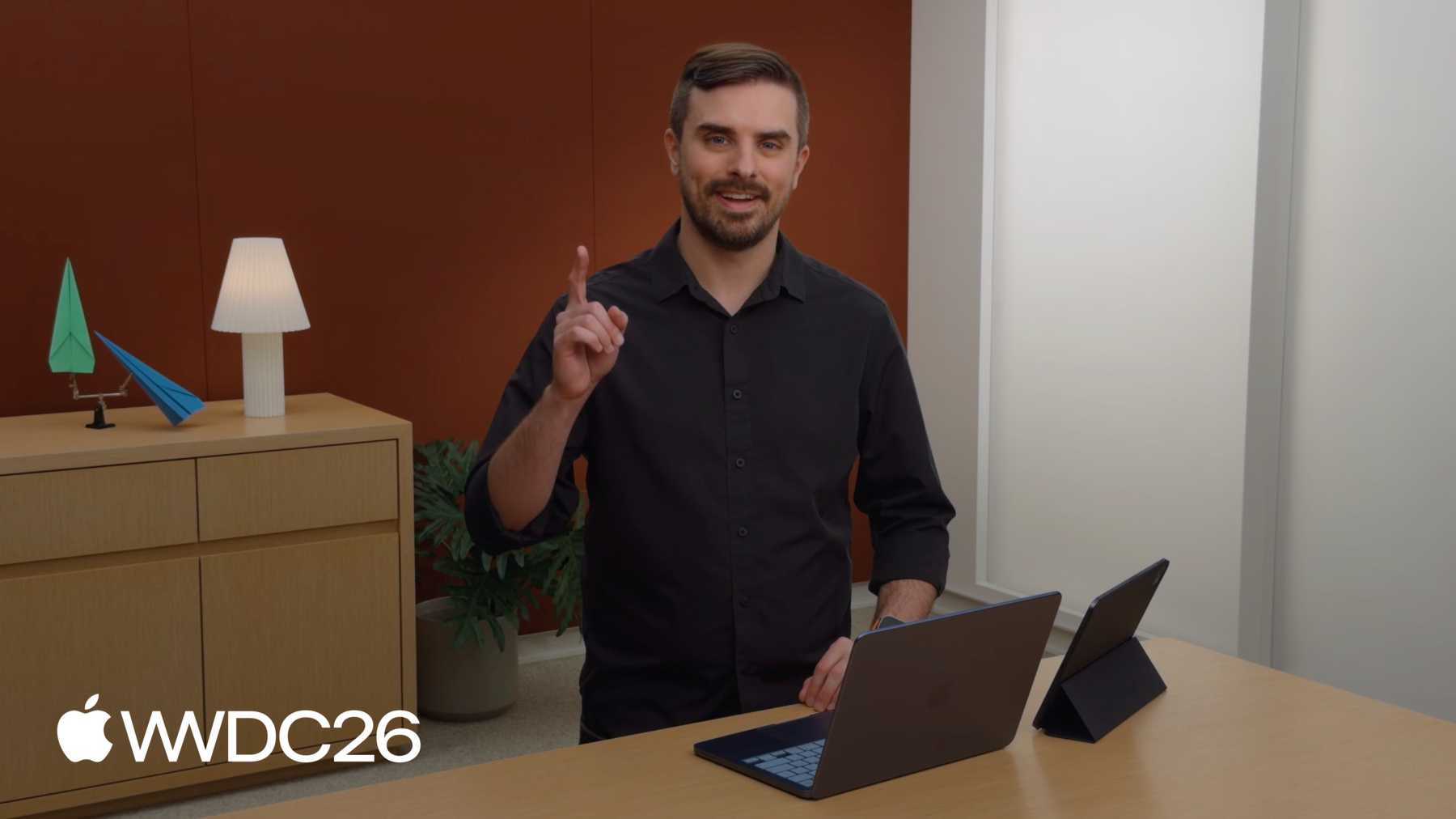
안녕하세요, 저는 Jake입니다 Xcode 팀의 디자이너예요 동료 Breckin과 함께 정말 기대되는 소식을 전해드리려 해요 Xcode 27의 새로운 기능을 소개해 드릴게요 저희는 요즘 종이비행기에 푹 빠져 있는데요 멋진 비행단을 관리할 앱을 만들어 왔어요 정말 재미있었답니다!
Xcode 27은 Coding Agents로 작업을 시작하기 아주 쉬워졌고 새 프로젝트 아이디어를 빠르게 반복할 수 있으며 워크스페이스 커스터마이징도 그 어느 때보다 풍부해졌어요! 새로운 기능들을 살펴볼게요 먼저 새 워크스페이스의 모습과 커스터마이징 방법부터 시작하겠습니다 다음으로 아이디어가 떠올랐을 때 새 프로젝트를 얼마나 쉽게 시작할 수 있는지 살펴볼게요 그런 다음 에디터에서 Coding Agents를 활용하는 멋진 새 업데이트를 자세히 알아보겠습니다
그 후에는 Device Hub가 기기와 시뮬레이터에서 앱을 얼마나 쉽게 평가할 수 있게 해주는지 살펴볼게요
그리고 Breckin이 출시 후에도 앱 경험을 높이 유지하는 방법을 공유해 드릴 거예요 워크스페이스부터 시작해 볼게요 Xcode의 Toolbar와 테마가 새롭게 개편되어 더 많은 커스터마이징이 가능해졌어요 코드 편집 중에는 인라인 이슈가 더 은은하게 표시되어 타이핑 중 방해를 최소화해 줍니다 Xcode 27 새 워크스페이스의 기본 화면이에요 Toolbar를 살펴볼게요 이전에 점프 바에 있던 일부 컨트롤이 기록 탐색, 에디터 컨트롤 등이 Toolbar로 이동했어요 이제 Toolbar 안으로 올라왔습니다 빌드 진행 상황 같은 활동 정보는 창 제목 아래에 표시돼요 가운데에는 Coding Agents와 작업하는 새 진입점이 있고 자세한 내용은 곧 이어서 설명해 드릴게요 그리고 익숙한 스킴과 목적지 선택기도 있어요
우측 상단에는 탭과 에디터 패인을 추가하는 컨트롤이 있고 에디터 설정을 커스터마이즈하거나 에디터 모드를 전환하는 3방향 선택기도 있어요 첫 번째 옵션은 캔버스에서 미리보기와 플레이그라운드를 표시해요 두 번째는 Assistant Editor에서 관련 콘텐츠를 보여주고요
마지막은 소스 컨트롤 변경 사항을 검토하는 모드로 진입합니다 아, 소스 컨트롤 얘기가 나왔으니 말인데요…
브랜치 선택기가 하단 바로 이동했어요 길고 멋진 브랜치 이름도 더 편하게 담을 수 있게 됐죠
하지만 새 Toolbar의 가장 좋은 점은 완전히 커스터마이즈할 수 있다는 거예요 이제 즐겨 사용하는 항목을 추가하거나 제거하고 원하는 대로 순서를 바꿀 수 있어요
워크스페이스 커스터마이징은 Toolbar에만 그치지 않아요 Xcode 27의 새 테마로 아름다운 프리셋 중에서 고를 수 있고 슬라이더 몇 개를 조작해서 나만의 테마를 만들 수도 있어요 보여드릴게요 Xcode 설정 창의 새 Appearance 패널에서 테마 구성에 필요한 모든 것을 찾을 수 있어요 기본 테마가 더 밝고 다채롭게 새롭게 바뀌었어요 여기서 첫 번째 슬라이더를 조작하면 텍스트 색상의 강도를 조절할 수 있어요
두 번째 슬라이더는 배경 강도를 높여줘요
전체 창 배경색을 확인할 수 있어요 강도를 계속 높여가면 배경이 생동감 넘치는 그레이디언트로 바뀌어요 물론 이 시작 색상에 고정될 필요는 없어요 배경에 분홍색 틴트처럼 다른 값을 선택하면 테마가 새 색상 팔레트에 맞게 자동으로 업데이트돼요
다른 테마를 선택하고 싶다면 프리셋 목록을 둘러볼 수 있어요
하늘을 가르는 기분에 어울리도록 Neon Noir처럼 파란 톤이 많은 테마를 사용할게요 배경 강도를 높이면 이 테마가 정말 멋지게 보여요
물론 색상을 직접 지정하고 싶다면 아래 전체 목록을 확인하세요 이 모든 값은 제가 편집해 온 기본 팔레트에서 생성돼요 키워드 색상을 분홍색으로 설정하는 등 값을 커스터마이즈하면 해당 선택이 고정돼요 팔레트를 수정해도 이 색상에는 더 이상 영향을 미치지 않아요 이 재설정 기능을 사용하면 쉽게 자동 색상으로 되돌릴 수 있어요 폰트도 비슷한 커스터마이징 시스템을 사용해요 코드, 산문, 콘솔용 기본 폰트가 팔레트 역할을 하며 다른 에디터에서 폰트가 어떻게 사용될지 결정해요 크기, 변형, 또는 서체를 변경하면 나머지 폰트도 자동으로 함께 업데이트돼요
이 테마에서 제가 특히 좋아하는 점은 전체 워크스페이스 창에 영향을 준다는 것으로 다른 에디터도 포함돼요 프로젝트 설정을 열어보면 배경에 테마의 은은한 색조가 배어 나오는 것을 볼 수 있어요
테마에 대해 한 가지 더 알아야 할 게 있어요 하나로 제한되지 않아요! 원하면 특정 워크스페이스에 별도의 테마를 선택할 수 있어요 폰트 설정은 별도로 저장되기 때문에 기분이나 워크플로에 따라 테마를 쉽게 바꿀 수 있어요
보셨듯이 종이 비행기 역학의 세계로 빠져들기 위해 종이비행기 프로젝트에는 Neon Noir 테마를 즐겨 사용해요 어떤 프로젝트인지 한눈에 알아볼 수 있거든요 나란히 놓였을 때 비슷해 보이는 프로젝트들을 빠르게 구분해야 한다면 너무 비슷해서 헷갈리는 프로젝트가 있다면 각각 고유한 테마를 사용해 보세요 밝은 외관용 테마는 은은한 느낌이지만 은은한 모습이지만 어두운 외관에서는 정말 생동감 있고 표현력이 풍부해요 배경 슬라이더를 마음껏 조작해 보세요 경고와 오류도 새 테마와 함께 동작하도록 새롭게 개편됐어요 예측형 또는 "라이브" 이슈는 더 은은한 새 모습으로 표시되어 타이핑 중 방해를 줄여줘요 빌드할 때 생기는 경고 및 오류와 구별하기 위해서예요 코드를 변경하면 Xcode가 새 빌드를 시작하는 것처럼 이슈를 자동으로 예측해 줍니다 이 예측은 테마에 자연스럽게 어우러지는 은은한 배경을 사용해 타이핑에 집중할 수 있도록 도와줘요 빌드하면 은은한 예측이 빌드 경고와 오류로 바뀌거나 완전한 강도의 색상으로 표시돼요 해결된 경우에는 해제됩니다
아! 코드 편집 얘기가 나왔는데 Breckin이 앱 아이디어를 보내줬어요 이 아이디어를 새 프로젝트에서 시험해 보고 싶어요 Xcode 27은 새 프로젝트를 쉽게 시작할 수 있게 해줘요 이런 새 아이디어를 테스트하거나 다음 멋진 앱의 기반을 만들 때도 유용하죠 한번 살펴볼게요
Xcode의 File 메뉴에서 프로젝트를 만들 수 있어요 그런 다음 시작점 목록에서 선택할 수 있어요 원하는 프로젝트 종류에 따라 선택하면 돼요 SwiftUI를 사용하려면 App이 좋은 선택이에요
UI가 필요 없다면 macOS Command Line Tool로 간단하게 할 수 있어요
다른 사람들이 쓸 수 있는 라이브러리를 만들고 싶다면 Swift package를 선택하세요 그리고 Playground 매크로가 있는 간단한 단독 Swift 파일만 필요할 때는 Playground가 좋은 선택이에요 저는 앱을 만들고 싶어요
아무 질문 없이 바로 새 제목 없는 프로젝트가 만들어져요 정말로요! 이 프로젝트에서 천천히 아이디어를 다듬을 수 있어요 준비가 되면 이름을 정하고 저장할 수 있고 아니면 프로젝트를 완전히 버릴 수도 있어요 이런 제목 없는 프로젝트로 빈 캔버스에서 쉽게 시험해 볼 수 있어요 오! Breckin한테서 또 뭔가 왔어요 이번엔 Swift 파일이에요 Swift 파일을 열면 새 작업 공간 창이 열려요 이 파일은 프로젝트의 일부가 아니지만 Xcode 27은 캔버스에서 playground 결과와 UI 미리보기를 보여줄 수 있어요! 이렇게 서로 간단한 아이디어를 쉽게 공유할 수 있어요 Breckin이 공유한 것은 아주 훌륭한 시작점처럼 보여요 앱에서 비행기 통계가 어떻게 표시될지에 대해서요 이런 내용을 실제 프로젝트에 추가하고 싶어요 코딩 에이전트가 정말 도움이 될 수 있어요 Xcode 27에서 코딩 에이전트와 함께 작업하는 것이 강화됐어요 병렬 에이전트 작업을 시작하고 관리하기가 그 어느 때보다 쉬워졌어요 대화도 마찬가지예요 트랜스크립트가 편집기 패널로 이동했어요 다른 편집기와 함께 구성할 수 있어요 탭이나 분할 등 워크플로에 맞는 방식으로요 편집기에는 에이전트가 변경한 내용을 쉽게 확인하는 기능도 있어요 생성된 아티팩트도 마찬가지예요 Toolbar의 그 멋진 버튼 기억하세요? 그 버튼으로 코딩 에이전트의 새 대화나 작업을 시작할 수 있어요 대화가 편집기로 나타나 탭, 분할 편집기 패널과 함께 작동해요 원하는 방식으로 작업 공간을 구성할 수 있어요 다양한 종류의 종이 비행기 디자인에 통계를 추가하는 Breckin의 아이디어가 정말 좋았어요 그래서 간단한 요청을 시작할 수 있어요 하지만 변경을 시작하기 전에 에이전트와 함께 기능이 어떻게 작동해야 하는지 파악하고 싶어요 plan 명령어를 사용하면 돼요 /plan을 사용하면 plan 도구가 실행돼요 에이전트가 고려해야 할 모든 세부 사항을 지정할 수 있어요 그러면 에이전트가 이 계획에 필요한 컨텍스트를 수집해요 아직 변경은 하지 않아요 탐색하는 동안 서브 에이전트를 병렬로 시작할 수 있어요 이 경우 문제 해결 방법에 대한 입력을 제공해야 해요 계획을 계속 만들어 나갈 수 있도록 몇 가지 지침을 제공할게요 계획이 완성되면 읽어보고 인라인 피드백을 줄 수 있어요 아니면 에이전트가 바로 구현을 진행하게 할 수 있어요
에이전트가 작업하면서 코드베이스에 가한 변경 사항이 오른쪽에 표시돼요 생성된 파일, 아티팩트, 스크린샷도 여기에 표시돼요 에이전트가 시뮬레이터와 미리보기에서 앱과 상호작용하면서 앱이 어떻게 발전하는지 확인하는 좋은 방법이에요 에이전트가 계획을 구현하는 동안 코딩 보조 사이드바를 열게요 코딩 어시스턴트 사이드바를 열게요 다른 에이전트 대화 목록이 포함되어 있어요 병렬로 진행 중인 작업도 있을 수 있어요 사이드바 목록으로 대화를 쉽게 확인할 수 있어요 입력이 필요하거나 읽지 않은 메시지가 있는지도 알 수 있어요 여기서 더 많은 것을 살펴보세요 세션을 확인해 보세요 "Xcode, agents, and you" Xcode 27의 에이전트 워크플로를 전체적으로 살펴보세요 계획이 구현됐으니 앱을 사용해 볼게요 시뮬레이터에서 앱을 실행하면 Device Hub의 새 창으로 열려요 이름에서 알 수 있듯이 Device Hub는 앱을 탐색하고 평가하는 좋은 방법을 제공해요 시뮬레이터와 실제 기기에서 살펴볼게요 iPhone 17 Pro 시뮬레이터에서 앱을 실행하면 Device Hub에서 새 창이 열려요 창이 컴팩트하고 기기에 맞게 크기가 조정된 것을 볼 수 있어요 홈으로 이동, 스크린샷 찍기 같은 빠른 작업이 있어요 기기 회전도 가능해요 창을 확장할 수도 있어요 더 많은 공간과 더 많은 컨트롤에 접근할 수 있어요
인스펙터를 열면 앱을 평가하는 더 많은 방법을 얻을 수 있어요 다양한 접근성 설정으로 앱을 테스트하는 것이 중요해요 예를 들어 대비를 높일 수 있어요
더 큰 dynamic type 크기를 선택할 수 있어요 다크 모드에서 앱을 시험해 볼 수 있어요
이 설정들에서 앱이 잘 보이네요 기본값으로 돌아가 볼게요
iPhone 앱의 경우 iPhone 미러링에서 어떻게 표시되는지도 중요해요 macOS 27에서는 iPhone 미러링 창의 크기를 조절할 수 있어요 새 크기 조절 모드에서 앱을 테스트하는 것도 좋은 생각이에요
다양한 화면 비율을 시험해 볼 수 있어요
콘텐츠 크기도 확인할 수 있어요
iPhone 앱은 이미 크기 조절을 잘 지원하고 있어요 이미 사용 중인 표준 SwiftUI 뷰 덕분이에요 커스텀 뷰와 레이아웃을 만들기 위해 이미 기울인 노력과 iPad와 Mac에서 크기 조절 가능한 창을 지원하는 덕분이에요 이미 훌륭하게 보이네요
Device Hub는 시뮬레이터 작업을 쉽게 만들어줘요 가장 멋진 점은 지금까지 공유한 내용이 실제 기기에서도 동작한다는 거예요! 사이드바를 열면 시뮬레이터와 기기가 합쳐진 목록이 보여요 이미 내 앱을 실행 중인 페어링된 iPad Pro가 있어요
Device Hub에서 바로 확인하고 제어할 수 있어요!
이제 Mac에서 다양한 폼 팩터로 앱을 테스트해 보세요! Device Hub는 매우 강력하며 멋진 워크플로를 제공해요 파일, 데이터 컨테이너, 앱 설정 검토 등 다양한 기능이 있어요 이에 대한 세션이 따로 있으니 "Get the most out of Device Hub"를 확인해 보세요 앱을 실행하면서 정말 즐거운 시간을 보냈지만 진정으로 훌륭한 앱을 출시하려면 프로토타이핑 세션 이상의 많은 것이 필요해요 초기 기능 구현을 넘어서야 하죠
동료 Breckin이 Xcode 27으로 출시 후에도 앱을 발전시키는 법을 알려드려요!
감사해요, Jake! 정말 멋진 내용이에요! 맞아요, 프로토타입과 완성된 앱 사이엔 큰 차이가 있죠 앱은 작동하지만 아직 세상에 선보일 준비가 안 됐어요 Xcode 27의 업데이트로 그 격차를 좁혀 봐요 먼저 앱 현지화로 출발 준비를 할게요 그다음 Organizer 업데이트로 날개를 점검해요 성능은 정말 중요하기 때문에 Instruments로 앱을 수평으로 유지하는 방법을 알아볼게요 마지막으로 Paper Airplanes가 계속 높이 날 수 있도록 Xcode Cloud로 연결해요 현지화부터 시작할게요 Jake와 저는 완벽하게 접힌 종이비행기의 즐거움을 전 세계 사람들에게 전하고 싶어요 현지화는 자연스러운 출발점이에요 Xcode 27에서는 코딩 에이전트가 많은 작업을 맡아줘요
앱을 현지화하면 모두가 이득이에요 더 많은 언어로 더 많은 사람에게 닿을 수 있으니까요 하지만 현지화는 큰 작업일 수 있어요 다행히 Xcode 27이 훨씬 쉽고 빠르게 현지화할 수 있게 해줘요 에이전트는 대규모 언어 모델이기 때문에 문자열에 적합한 번역을 제안하기에 딱이에요 새 대화를 시작했어요 에이전트에게 프로젝트의 현지화 설정을 부탁할게요 원하는 만큼 언어를 선택할 수 있어요 저는 스페인어부터 시작하기로 했어요 에이전트가 앱 코드를 읽으면서 문자열 리터럴이 현지화 참조 준비가 됐는지 확인하고 모든 UI 문자열이 담긴 String Catalog를 만들어요 몇 번의 대화만으로 앱이 번역 준비를 마쳐요
String Catalog를 열면 에이전트가 효율적인 묶음으로 목록을 처리하는 걸 볼 수 있어요 채팅으로 돌아가서 에이전트가 어떻게 진행 중인지 확인해요 완료됐어요! 에이전트가 앱을 분석하고 현지화에 필요한 코드 변경을 수행했어요 String Catalog를 만들고 모든 UI 문자열을 스페인어로 번역했어요 제가 요청한 대로요 에이전트가 번역을 생성할 때 프로젝트의 전체 컨텍스트를 활용하고 Xcode의 언어별 스타일 가이드도 참고해요 몇 분 만에 Paper Airplanes 앱의 현지화 빌드를 실행할 수 있어요 바로 테스트할 수 있어요 어색한 레이아웃이나 잘린 텍스트 같은 문제도 수정해요 String Catalog로 언어별 집중 작업을 즐겨 해요 스페인어 번역을 검토했는데 정말 좋았어요 간체 중국어 항목을 새로 추가했어요 왼쪽 하단의 + 버튼으로 언어를 추가할 수 있어요 Xcode 27의 새 기능으로 String Catalog에서 언어를 선택하면 번역 생성 버튼을 클릭할 수 있어요
에이전트가 백그라운드에서 작업을 시작해요 간체 중국어 현지화를 추가하면서요 에이전트 대화에서 직접 진행 상황을 언제든 확인할 수 있어요 String Catalog 항목이 채워지는 것을 보면서도요 에이전트가 완료되면 앱을 실행해서 변경 사항을 간단히 확인해 보세요 문제없으면 새 사용자에게 테스트용 업데이트를 배포해요 원어민이 우리 앱의 언어 지원을 검토하기엔 TestFlight가 최고예요! TestFlight 사용자는 번역 피드백을 제공할 수 있어요 앱의 다른 기능에 대한 피드백처럼요 Xcode의 현지화가 이렇게 쉽고 빠른 적은 없었어요 앱으로 더 많은 사람에게 닿기 위한 몇 가지 팁을 더 알려드려요 에이전트에게 코드의 기존 문자열이 현지화 준비가 됐는지 확인해 달라고 하세요 한두 가지 언어부터 시작하면 문제를 발견하기 쉬워요 모든 언어를 읽지 못해도 반드시 앱을 테스트해 보세요 어색한 레이아웃이나 잘린 텍스트 문제를 일찍 잡을 수 있어요 내부 테스트 외에도 기억하세요 TestFlight는 원어민에게 피드백을 받기에 딱 좋아요
오늘 다룬 것보다 현지화에는 훨씬 많은 내용이 있어요 번역 기능을 더 깊이 알고 싶다면 "Translate your app using agents in Xcode"를 보세요 앱 현지화의 세계에 완전히 빠져들고 싶다면 "Code-along: Explore localization with Xcode"를 보세요 Jake와 저는 Paper Airplanes 앱에 꽤 많은 언어를 접어 넣었어요 이제 거의 이륙 준비가 됐어요 Jake의 앞선 작업과 제 작업 덕분에 앱을 사람들에게 선보일 준비가 됐어요 TestFlight를 거쳐 App Store에 출시하면서요 하지만 출시는 결승선이 아니에요 앱이 실제 세상에서 어떻게 동작하는지 배우는 시작이에요 그래서 Organizer가 필요해요 앱과 사용자 사이의 대화는 App Store 출시 후에도 계속 이어지거든요 그 대화의 많은 부분이 Organizer에 있어요 Xcode 27에서는 보고서 수집 그 이상이에요 조치를 취하도록 도와주기도 해요 Organizer는 항상 사용자가 겪는 문제를 확인하는 곳이었어요 앱을 더 좋게 만들 수 있는 곳이죠 하지만… 문제를 보는 것과 어떻게 해결할지 파악하는 건 또 다른 문제예요 Xcode 27에서 Organizer는 한 걸음 더 나아가요 더 많은 문제를 발견하게 해주고 앱 멈춤 같은 일반적인 문제의 수정 방법도 추천해줘요 앱 멈춤은 우리 앱에서 그 차이를 만들어요 "행이 발생하고 있다"는 것과 "행이 발생한 위치와 다음 시도 방법"을 알 수 있죠
Xcode 27은 Organizer에 네 가지 새 기능을 추가했습니다 재설계된 Overview는 가장 영향이 큰 문제를 먼저 보여줘 주요 문제 지점에 바로 집중할 수 있게 해줍니다 Overview 페이지는 진단 정보와 메트릭을 같은 화면에 표시하죠 상단 메트릭 차트의 급등은 주의가 필요한 부분을 알려줍니다 아래 진단 정보는 코드에서 살펴봐야 할 위치를 보여줍니다 두 화면을 오가는 대신 하나의 화면으로 해결됩니다
저장 공간과 애니메이션 hitch에 대한 새 메트릭은 기존 메트릭이 감지하지 못했던 문제를 표시합니다 Xcode 27에는 새로운 저장 공간 메트릭이 있어서 앱과 앱 데이터가 차지하는 공간을 보여줍니다 기기 저장 공간은 모든 앱이 공유하기 때문에 한 앱이 과도하게 사용하면 다른 앱에도 영향을 줍니다 메트릭은 문서, 데이터, 바이너리 크기를 구분해 보여주죠 바이너리 크기는 셀룰러 다운로드와 실행 시간에 영향을 미칩니다 앱의 용량이 얼마나 되는지와 용량 절감 효과가 가장 큰 부분에 집중할 수 있게 해줍니다 앱 버전 1.0과 1.01이 상당히 컸다는 걸 볼 수 있죠 이를 통해 Jake와 저는 이미지를 압축해야 한다는 걸 알았습니다 App Size 차트는 이 작업이 큰 차이를 만들었음을 보여주고 사용자들도 그 차이를 느낄 수 있었습니다 Organizer는 한동안 애니메이션 성능을 추적해왔는데 스크롤 hitch 관점에서였습니다 새로운 hitch 메트릭은 스크롤 외의 더 많은 곳에서 문제를 찾고 앱이 Liquid Glass와 SwiftUI 뷰를 사용하는 방식도 파악합니다 업데이트된 메트릭은 더 완전한 정보를 제공하며 기존에 놓쳤던 애니메이션도 포함합니다 앱에서는 끊기는 애니메이션을 잡을 수 있는지 없는지의 차이입니다 그런데 버전 1.3에서 꽤 심각한 hitch가 발생한 것 같네요 버전 1.3에서요 Organizer 탐색을 마치면 살펴보도록 메모해 두겠습니다
Xcode 27에서는 앱 권장 사항이 Metric Goals로 바뀌었습니다 작년에 Organizer는 실행 시간에 대한 권장 사항을 표시하기 시작했는데 Xcode 27은 앱이 달성해야 할 더 많은 목표를 제공합니다 달성 가능하고 현실적이며 기술적, 기능적 유사성을 바탕으로 합니다 앱과 다른 앱 사이의 유사성을 비교하죠 더 많은 메트릭을 다룹니다: 행 발생률, 디스크 쓰기, 배터리 그리고 방금 설명한 저장 공간과 hitch 메트릭도 포함됩니다 목표는 내 앱에 맞게 조정되며 앱이 실제로 하는 일을 기반으로 유사한 앱과 비교됩니다 그리고 어떤 기술로 만들어졌는지도 고려합니다 이와 함께 비교에는 앱 자체의 과거 기준도 포함되어 성능이 좋아지고 있는지 예상치 못한 문제가 발생하는지 확인할 수 있습니다
Organizer는 사용자에게 영향을 미치는 문제 정보를 제공하는 데 탁월하지만 어떻게 해결해야 할지 궁금하실 수도 있습니다 Organizer의 새 기능으로 가이드 성능 분석을 받고 코딩 에이전트를 사용해 권장 사항을 생성할 수 있습니다
회귀에 많은 시간을 들이는 건 왜 발생했는지 파악하는 데 집중되죠 그리고 재현 방법을 찾는 것이기도 합니다 그 부분을 Generate Recommendation이 해결해 줍니다 Organizer에서 Generate Recommendations...를 클릭하고 프로젝트를 선택하면 에이전트가 진단 데이터를 함께 분석해 줍니다 다른 에이전트 도구처럼 반복 작업이 가능합니다 다른 접근법, 다른 수정 방법을 시도해 코드베이스에 맞는 것을 찾을 때까지요 Xcode 27 Organizer를 둘러봤습니다 하지만 훌륭한 앱은 단순히 작동하는 것 이상이어야 합니다 빠르게 작동하고 배터리도 아껴야 하죠 앱이 효율적일수록 사용자들이 더 오래 공원에 머물 수 있습니다 예정에 없는 충전을 위해 자리를 뜨지 않아도 되고요 앱 성능 튜닝은 앱 개발에서 제가 가장 좋아하는 부분입니다 빠르고 효율적인 앱은 사용자들이 더 오래 이용하게 해줍니다 바로 그 역할을 Instruments가 합니다 Xcode 27에서 Instruments는 나머지 작업과 바로 연결됩니다
모든 앱에는 다듬어야 할 부분이 있습니다 Paper Airplanes 앱도 마찬가지죠 바로 나타나는 것도 있고 더 깊이 파고들어야 하는 것도 있습니다 Organizer가 보여줬던 애니메이션 hitch처럼요 앱이 실제로 어떻게 동작하는지 알고 싶을 때 Instruments를 사용합니다 그리고 Xcode 27에서는 답을 찾는 시간이 훨씬 줄었습니다 앱이 느리게 느껴질 때 첫 번째 질문은 항상 시간이 어디에 쓰이는가입니다 성능 조사는 항상 탐정 작업처럼 느껴졌는데 Instruments는 제가 가장 좋아하는 파트너였습니다 Xcode 27의 새 기능 Top Functions는 패턴을 더 빠르게 파악하게 해줍니다 Organizer가 표시한 hitch를 재현해 보려고 합니다 Xcode 27에 앱 프로젝트를 열어 두었습니다 Simulator에서 실행하며 애니메이션 문제를 재현해 보겠습니다
오… 비행기에 엔진 문제가 생긴 것 같네요 다시 해보면서 어떤 일이 일어나는지 생각해 보겠습니다
각 프레임에 너무 많은 시간을 쓰고 있는 게 확실합니다 무엇이 잘못됐는지 짐작은 되지만 Instruments를 사용하면 추측할 필요가 없습니다
오 Jake가 Instruments 녹화 파일을 방금 보내줬습니다 Jake의 CPU 프로파일에 오른쪽에 많은 활동이 보입니다 그 시간 범위를 선택했습니다 Top Functions 버튼을 눌렀더니 앱의 여러 부분에서 많은 시간이 걸리는 것을 볼 수 있습니다 Top Functions는 여러 번 실행되는 비용이 큰 작업으로 인한 성능 문제를 찾는 데 매우 적합합니다 이 경우 애니메이션 파이프라인에서 많은 작업이 이루어지고 있습니다 상위 함수는 paperPhysics이고 실제로 매우 비용이 큰 것 같습니다 Xcode로 돌아가서 이 함수를 살펴보겠습니다
즐겨 쓰는 단축키 CMD+Shift+O로 Quick Open을 열겠습니다
파일을 열 수도 있고 함수 이름을 입력할 수도 있습니다 또는 다른 코드 이름도요
찾았습니다!
아! 이 루프에서 너무 많은 반복을 하고 있네요 이 애니메이션에서 비행기를 그렇게 정확히 시뮬레이션할 필요는 없습니다 이 코드는 디버깅 세션에서 실수로 남겨둔 코드입니다 원래 원하던 숫자인 5로 줄여서 수정하겠습니다
이것으로 문제가 해결될 것입니다 확인하기 위해 시뮬레이터에서 앱을 다시 실행하겠습니다
버벅임이 사라졌어요 Top Functions가 코드에서 가장 비용이 큰 부분을 바로 짚어줬어요 다행히 수정은 간단했고 곧 탑승자들이 훨씬 더 즐거워질 거예요 수정 후 Instruments에서 다시 실행을 기록했어요 훨씬 좋아졌어요 이제 Top Functions에 앱 메서드가 하나도 없어요 정말 좋은 신호예요! 다음 업데이트가 사용자를 기쁘게 할 것이라는 실질적 증거가 생겼어요 배터리까지도요 Instruments의 Top Functions는 어디서 시간이 소비되는지 앱의 실제 시간 사용처를 파악하게 해줘요 Instruments는 앱이 하는 일을 정확히 볼 수 있는 놀라운 도구예요 그리고 processor trace는 정말 최고예요 Instruments의 멋진 기능들을 이야기하다 보면 보여드리고 싶은 것이 훨씬 많아요 성능 실행 결과를 비교하는 방법도 포함해서요 코드 변경이 실제로 개선됐는지 나빠졌는지 알 수 있도록요 하지만 앱 업데이트를 출시해야 해요 다행히 성능 관련 세션이 많이 준비되어 있어요 앱이 에이전트 기능으로 강화됐다면 꼭 확인해 보세요 "Debug and profile agentic app experiences with Instruments"를요 더 깊이 알아보려면 다음 세션도 추천해요 "Profile, fix, and verify: Improve app responsiveness with Instruments"를요
지금 사람들이 우리 앱을 정말 좋아하고 있어요 그 경험을 해치고 싶지 않아요 모든 변경은 잘 작동하는 것을 망칠 수 있는 기회예요 회귀가 들어왔는지 모른 채 업데이트를 출시하는 건 아무도 시도하고 싶지 않은 스턴트 비행 같은 일이에요 다행히 Xcode 27이 그 부분도 든든히 지원해줘요 회귀를 잡아내는 건 앱 개발에서 직접 하고 싶지 않은 부분 중 하나예요 제가 추가하는 모든 수정과 새 기능은 이미 출시한 것을 망칠 가능성이 있어요 바로 그래서 Xcode Cloud가 등장해요! Xcode Cloud는 지속적 통합 및 배포 서비스예요 Xcode에 바로 내장돼 있고 Apple 플랫폼에 배포하는 개발자를 위해 만들어졌어요 클라우드에서 여러 기기에 걸쳐 병렬로 앱을 빌드하고 테스트해요 Xcode와 OS 버전도 다양하게요 Xcode 27에서는 그 어느 때보다 쉽고 빠르게 Xcode Cloud를 시작할 수 있어요
앱의 Unit 및 UI Test를 Xcode Cloud에서 자동으로 실행하도록 설정할게요 main이나 feature 브랜치에 변경이 생길 때마다요 각 실행은 잠재적 회귀를 파악하는 좋은 신호가 돼요 Get Started… 버튼을 눌러 설정을 시작할게요 앱과 개발자 팀이 맞으니 Next를 클릭할게요
Xcode Cloud를 원격 소스 코드 저장소에 연결할게요
이게 다예요! Start First Build를 클릭하면 빌드 및 테스트 워크플로가 모든 커밋에서 실행 준비가 돼요! Xcode Cloud 사용의 이점은 여기서 끝나지 않아요 Xcode Cloud는 앱을 사용자에게 배포하는 것도 도와줘요 TestFlight와 App Store와 원활하게 통합되면서요 오늘 보여드린 것 외에도 Xcode Cloud에는 훨씬 많은 기능이 있어요 더 깊이 알고 싶다면 "Build, deliver, and automate with Xcode Cloud"를 보세요 Xcode Cloud를 자체 서비스와 연동하는 방법 등을 더 알려면 "Extend your Xcode Cloud workflows" 세션을 보세요 오늘 다룬 작업은 제가 계속 돌아오게 되는 작업이에요 새 기능 배포부터 기존 기능이 계속 잘 작동하도록 보장하는 것까지요 만들든 다듬든 Xcode 27이 함께해요 Jake, 이제 제어권을 돌려드릴게요 Breckin, 감사해요! 보셨듯이 Xcode 27은 항상 여러분 곁에 있어요 앱 라이프사이클의 모든 단계에서요 초기 아이디어를 프로토타입으로 구체화하는 것부터 에이전트와 협업하고 앱을 현지화하고 현장 문제를 해결하는 것까지 Xcode는 진정으로 중요한 것에 집중할 수 있게 해줘요 특별한 것을 만드는 일이요 새로운 것을 공유하게 돼서 즐거웠지만 발견할 것이 더 많아요 Xcode 27을 다운로드하고 워크플로에 맞게 커스터마이즈하세요 새 기능들도 탐색해 보세요 릴리스 노트와 이 세션의 리소스에서 더 많은 정보를 확인하세요 이미 추천한 것 외에도 다른 세션이 많이 있어요 아직 확인해 보길 추천한 것들 외에도요 탐색할 멋진 것들이 가득하니 WWDC를 마음껏 즐기세요!
-