借助 App Store 上的全新素材展示你的 App
2026 年 10 月 5 日
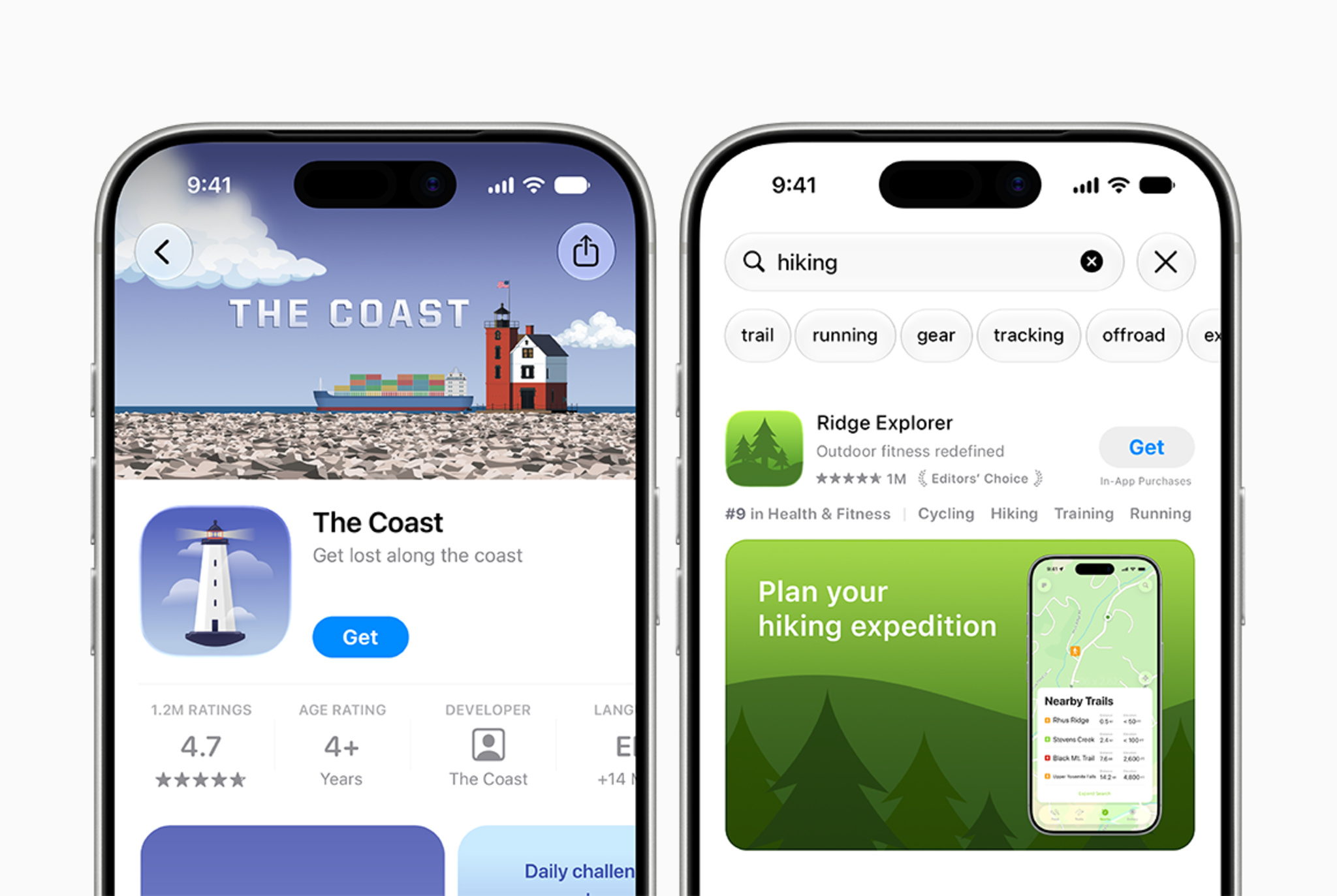
借助 App Store 上的全新创意素材和 App Store Connect 中的素材管理工具,让你的 App 和游戏脱颖而出。
以全新方式推广你的 App 或游戏
在产品页面顶部横幅和搜索结果素材中使用新的创意素材,以突出你的品牌、推广季节性优惠、展示新内容等。这些全新的图片和视频素材能让现有 App 预览和截屏锦上添花,进一步提升 App 在整个 App Store 中的曝光度。利用设计指南和可下载的模板,打造引人入胜的视觉效果。
直观查看你的素材在 App Store 各处的呈现效果
使用 App Store Connect 中新的预览工具,在提交之前预览创意素材、截屏和其他元数据在产品页面和搜索结果中的呈现效果。预览工具支持深色模式以及不同的设备和屏幕方向,有助于确保你的 App 在 App Store 各处呈现最佳效果。
在 App Store Connect 中管理素材
通过 App Store Connect 中全新的素材库,简化素材管理流程。在一个集中位置上传并整理创意素材、截屏和 App 预览,你甚至可以在实际使用之前就能提前规划。例如,你可以现在就可以为未来的季节性广告系列提交创意素材以供审核,以后在你准备就绪时即可投入使用。