

-
使用 Reality Composer Pro 3 加速你的空间工作流程
探索如何完全在 Reality Composer Pro 内,利用其强大的图形化工具套件来构建丰富的交互功能和惊艳的视觉效果。了解如何使用 Shader Graph 制作动态材质、将骨骼动画与 Animation Graph 相融合,并使用 Compute Graph 模拟粒子效果。你还将深入探索如何通过 Script Graph 实现 App 交互、使用 Sequencer 协调场景事件,并利用 Behavior Trees 来设计智能的 NPC 行为——所有操作都无需离开编辑器。
章节
- 0:00 - 简介
- 2:10 - Animation Graph
- 6:21 - Behavior Tree
- 11:22 - Script Graph
- 14:46 - Navigation Mesh
- 17:08 - Compute Graph
- 19:43 - Shader Graph 增强功能
- 21:12 - 后续步骤
资源
相关视频
WWDC26
- 使用 Reality Composer Pro 3 加速空间场景迭代
- 使用 Reality Composer Pro 3 设计无代码游戏
- 使用 Xcode 扩展 Reality Composer Pro 3 的功能
- 利用 visionOS 27 打造新一代体验
- 探索 RealityKit 的新进展
WWDC23
-
搜索此视频…
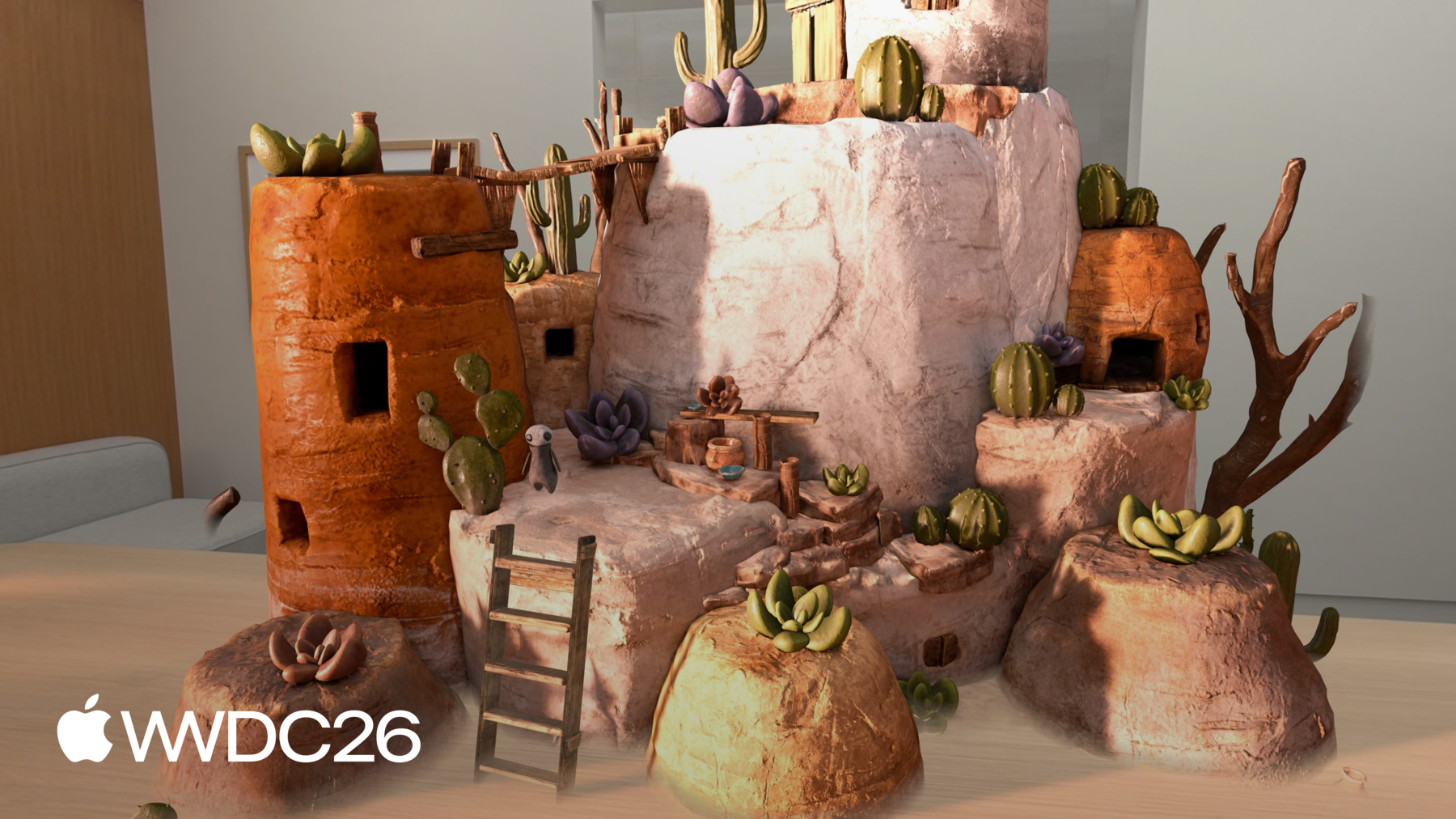
大家好 我是Vincent 我是一名Reality Composer Pro工程师 今天我将展示 Reality Composer Pro中的可视化节点工具 如何提升你的空间工作流效率 这些工具让你能创作功能 动画 粒子特效 并在编辑器中直接 自定义场景外观 让原型制作和 创意迭代更加高效 Reality Composer Pro是一款 用于构建3D场景的可视化编辑器 可创建材质 添加视觉效果 设置灯光 构建交互功能 以及更多内容 Reality Composer Pro 能做的事情非常多 今年它的功能 将变得更加强大 若要深入了解 其中一些功能 请观看讲座 《Iterate Your Spatial Scenes Faster with Reality Composer Pro 3》 这是Chaparral Village游戏 它完全使用 Reality Composer Pro 3和Swift构建 并运用了众多 最新功能 今天 我将带你了解 这款游戏中的炼金区域场景 并通过一个可交互角色 和大锅粒子效果 让场景活起来
我希望炼金师角色 能执行一套流程 走向桌子 准备材料 然后等待 当有人点击炼金师时 它会转身走向大锅 开始炼制药水 为了实现这一目标 我将从Animation Graph开始 在角色移动时 融合待机和行走动画 我将设置Behavior Tree 来定义角色的移动方式 使其在炼金区域自主移动 我将连接Script Graph 来添加交互功能 使场景能响应 用户的点击操作 之后 我将展示 Navigation Mesh组件 如何让角色绕过障碍物进行寻路 并在复杂环境中导航 我将展示如何使用 Compute Graph构建 大锅的粒子效果 最后 我将介绍Reality Composer Pro 3 中Shader Graph的一些增强功能 让我们从Animation Graph开始 Reality Composer Pro 3中的Animation Graph 是一款可视化节点编辑器 用于控制角色 在运行时的动画表现 它支持广泛的功能 从运动变形到混合空间 再到逆运动学等众多特性
为让炼金师自然移动 我将使用State Machine 一些Animation片段 和过渡条件 以及运行时参数来混合 炼金师的待机和行走动画 让我们来看看
这是Animation Graph工作区 我可以在此定义动画 Animation Graph默认 以Final Pose节点开始 流入此节点的任何姿势 都是角色所展示的状态 我将从Final Pose节点的输入拖拽 并连接一个State Machine节点
State Machine决定 在任意时刻哪个动画处于激活状态 接下来 我将双击 State Machine节点进入内部 这将打开State Machine编辑器 在这里可以定义状态和过渡 画布初始为空 角色需要两个状态 我将添加两个Animation State节点 并命名为Idle和Walk
状态设置完成后 我将添加过渡 这两个状态目前是独立的 没有任何切换方式 我将从Idle拖拽到Walk 创建一个过渡
然后做同样的操作 从Walk返回Idle 这样角色完成行走后 就能回到Idle状态 过渡已设置好 但还没有任何条件 没有条件 State Machine就无法判断 何时在状态之间切换 在添加条件之前 我需要定义它们将引用的输入 我将进入Inputs Inspector 并添加一个名为isWalking的布尔值
这是我将在运行时设置的参数 用于告知角色何时行走
现在我可以添加条件了 我将选择从Idle到Walk的过渡 在Inspector中 我将点击 条件部分的Add按钮 选择Bool Condition 并设置为检查 isWalking是否为true
对于Walk到Idle的过渡 条件相同但取反 我将选择该过渡 添加Bool Condition 并设置为检查 isWalking是否为false
我将点击返回箭头 回到Main Graph
State Machine节点 现在显示两个状态输入 一个用于Idle 一个用于Walk 每个输入都需要一个动画源 我将从Idle输入拖拽 并添加一个Animation Clip节点
在Inspector中 我将时间线 设置为待机动画 并将节点名称设为"Idle"
然后对Walk输入做同样的操作 拖拽创建 另一个Animation Clip节点 并将其设置为行走动画 重命名为"Walk"
让我测试一下 我将点击工作区顶部 的Play按钮
视图中的角色 开始播放待机动画 在Inspector中 我可以手动 切换isWalking布尔值 将其设为true 角色会混合进入行走动画
将其设回false 角色会完成 当前的行走循环 然后混合回待机状态 切换isWalking布尔值时 注意图形编辑器的变化 激活的状态节点会高亮显示 反映角色在状态之间的过渡
这使得实时追踪 State Machine的运行状态变得容易 在调试更复杂的情况时 尤为有用 特别是有很多状态时 角色现在可以在 待机和行走动画之间平滑混合 但它还不知道 该去哪里 或何时开始移动 为给炼金师制定 完整的炼金区域巡逻流程 我将使用Behavior Tree 定义其移动的每个步骤
Reality Composer Pro中的Behavior Tree 让你能在编辑器中创作自主的 多步骤行为 例如 一个在区域内巡逻 对事件做出反应 或遵循固定流程的角色
如图所示 Behavior Tree通常由 结构化的节点层级组成 这些步骤可以 按任意顺序排列 所有内容都可以 无需编写代码即可测试 Behavior Tree将实体的行为 描述为节点层级结构 树从上到下进行评估 当节点处于同一层级时 从左到右进行评估 更高层级和最左侧的节点 始终优先被评估 节点有两种类型 Composite节点和Action节点 Composite节点控制流程 Action节点执行实际工作 Action节点作为子节点 绑定到Composite节点 Composite节点决定 它们运行的顺序和条件 Reality Composer Pro中的Behavior Tree 提供三种Composite节点 用于控制流程 Sequence按顺序 逐个运行其子节点 如果任何操作失败 整个序列会立即停止
Selector评估其子节点 直到某个成功 然后停止
Parallel同时运行 其所有子节点
Behavior Tree提供 一系列内置Action节点 为构建炼金师的流程 我将使用Move To节点 让角色走向目标位置 Rotate To Face节点 让角色朝向目标 Wait节点在步骤之间暂停 以及Parameter Setter节点 在过程中更新实体参数 在我的App中 我将只使用几个内置节点 但编辑器中还有 许多其他Action节点可以使用 让我们回到编辑器 构建Behavior Tree 帮助炼金师角色 完成炼金区域的巡逻流程 这是Behavior Tree工作区 我将在此定义炼金师的流程 我希望炼金师角色 转身朝向桌子 走向桌子 稍作等待 以准备材料 这些动作需要按顺序执行 所以我将使用Sequence Composite节点 在Sequence内部 我将添加Rotate To Face节点 Move To节点 和Wait节点 我将等待时间设为1秒
Rotate和Move节点 都需要目标位置和速度 我将添加tablePosition rotationRate和movementRate输入 然后将它们连接到节点
在角色开始移动之前 Animation Graph需要了解这一情况 我将为Animation Graph 添加isWalking输入 然后在Rotate To Face之前 添加Parameter Setter 将isWalking设为true
并在Move To之后 再添加一个Parameter Setter 将isWalking重置为false
现在行走动画仅在 角色移动时播放 炼金师还需要按照相同的 模式走向大锅 步骤完全相同 只是目的地不同 我已提前构建 完整的图形 两个子序列均已连接好 这是我构建的内容 大锅子序列 遵循相同的结构 包含自己的Rotate To Face Move To 和Parameter Setter节点 指向cauldronPosition输入 让我创建一个Parent Sequence节点 将两个子序列 都连接到父序列 这样炼金师先访问桌子 然后再前往大锅 Behavior Tree定义了 角色的流程 但目前还无法运行 为了让角色 执行其流程 即转身走向大锅 并开始酿造 我需要使用Script Graph Script Graph允许你为场景中的实体 定义交互功能 和各种功能逻辑 它是一个可视化脚本系统 让你定义场景中的实体行为 以及它们之间的交互方式 它是事件驱动的 Script Graph响应事件运行 无论是在场景层级 还是在特定实体上 由于一切都是可视化的 原型制作和迭代速度很快 团队中的任何人都可以 直接在编辑器中构建和测试行为 无需构建周期 若要了解Script Graph如何 赋能你的工作流 请观看讲座 "Design no-code games with Reality Composer Pro 3" 让我们跳回编辑器 设置桌子和大锅的位置 并使用Script Graph添加 点击手势交互 这就是Script Graph 在这里我将定义一些逻辑 来与炼金师角色进行交互 我将从On Initialize节点开始
这会在Scripting组件 首次初始化时发送事件 是放置设置逻辑的好地方 Behavior Tree需要 桌子和大锅的位置 我将使用子图来提供这些位置 子图是一段可复用的逻辑 像函数一样工作 我的团队成员已经在 Project Browser中构建了 Setup Behavior Tree Position子图 它在场景中找到 桌子和大锅实体 并将它们的世界位置 设置到实体参数上 我将从Project Browser 将子图拖拽到画布上 然后将其事件输入 连接到On Initialize节点的事件输出
好了……让我们试试看! 我将点击顶部的Play按钮 炼金师转向桌子 准备了一会儿材料 然后直接走向大锅 整个流程从头到尾 完整地播放了出来 正如我们在Behavior Tree中定义的那样 但我在想 如果炼金师能响应点击交互 会更加吸引人
让炼金师一直待在桌子旁准备材料…… 直到有人点击它 表示是时候酿制药水了 为了实现这一点 让我们跳回Behavior Tree 首先 我将删除 桌子子序列中的Wait节点 炼金师现在应该无限等待 直到收到继续的指令 在Inputs Inspector中 我将添加一个名为readyToBrew的布尔输入 默认值为false 接下来 我将选择 大锅子序列 在Inspector中 我将添加一个Precondition 并选择Bool Condition
设置完成后 炼金师 被配置为待在桌子旁 直到readyToBrew变为true 之后它才移向大锅 现在我将回到Script Graph 连接点击交互 使我们的新行为完全可用 我将使用Mac Virtual Display 配合Live Preview功能 在Reality Composer Pro 3中 这样我就能在Apple Vision Pro上 沉浸式地处理场景 让我展示一下 效果如何 我将添加一个On Tap节点 此节点监听 实体上的点击手势事件 我还需要 一个Set Entity Parameter节点 这个节点帮助我设置 前提条件参数 即之前在 Behavior Tree中定义的参数 在名称字段中 我将参数名称 定义为"readyToBrew" 与我在Behavior Tree中 定义的名称匹配 这个参数将告知角色 何时应该移向大锅 我将启用切换开关 将其设为true 最后 我将连接 On Tap节点的事件输出 到Set Entity Parameter节点 我已在Apple Vision Pro上 启动了实时预览session 使用Reality Composer Pro 配套App
炼金师转向桌子 并在那里准备材料 当我点击角色时 它转身走向大锅开始酿造 场景现在可以交互了!
炼金师现在能够制作动画 遵循固定流程 并响应交互 全部在编辑器中以可视化方式创作 结合了Animation Graph Behavior Tree和Script Graph 接下来 我想让角色 沿着自主路径移动 甚至绕过场景中的障碍物 为此 我将使用 全新的Navigation Mesh功能 Navigation Mesh定义了 场景中的可行走区域 导航控制器使用 Navigation Mesh 将角色从一点 引导到另一点 自动绕过障碍物 如图中所示的树木和水域 当网格之间 自然没有连接时 比如右边的这座桥 可以创建网格外连接 将它们链接起来
让我向你展示Chaparral Village项目 中的村庄场景 如何使用Navigation Mesh 引导角色在村庄中移动 这是我为村庄场景 设置的Navigation Mesh组件 从Shapes部分开始 这里定义了 网格生成的包围盒 包围盒决定场景中 哪些部分的网格几何体 应该在计算 Navigation Mesh时被包含 场景中包围盒内的 任何部分 都将用于生成 Navigation Mesh资源 接下来是Off-Mesh Connections部分 可帮助定义区域之间的链接 这些区域在网格中原本并不相连 比如这里的梯子 让角色能爬上建筑屋顶 每个连接都有 起点和终点 你可以直接使用 视图中的操控器调整位置 这使得设置和重新定位连接 变得快速便捷 随着场景的演进 接下来是Generation Parameters部分 这些参数控制 场景几何体的采样方式 例如 cell size设置 采样时使用的体素大小 较小的值能捕获更精细的细节 而较大的值则产生 更近似的网格
还有更多参数可用于 精细调整Navigation Mesh 完整参考资料请查看 developer.apple.com上的文档 若要了解如何在代码中 使用Navigation Mesh 请查看Dennis的讲座 《Explore Advances in RealityKit》 Navigation Mesh设置完成后 你可以将其与Behavior Tree配合使用 Animation Graph 或你自定义的Swift系统 通过导航组件 引导角色穿越场景 就像这里村庄中的角色一样 自主导航到点击位置 同时绕过途中的障碍物 通过梯子上的 网格外连接 角色甚至知道 可以爬上屋顶 接下来 让我展示我如何使用Compute Graph 为大锅构建烟雾粒子效果 使用Compute Graph Compute Graph是一个 可视化节点工具 用于构建 GPU驱动的粒子模拟 由Metal支持 直接在Reality Composer Pro中使用 它让你完全控制 粒子的生成 模拟和渲染 并支持自定义着色器 Compute Graph 被组织成四个阶段 每个阶段处理 粒子生命周期的不同阶段 第一个阶段是Emitter Phase 控制粒子 如何以及何时生成 无论是连续生成 爆发式生成 还是单次生成 第二个阶段是Initialize Phase 它在粒子生成时每个粒子运行一次 设置初始值 如速度 生命周期和大小 接下来是Simulate Phase 它每帧运行一次 施加重力和湍流等力 使粒子随时间演变
最后一个阶段是Output Phase 控制粒子在 屏幕上的外观 定义它们随着老化 和在空间中移动时的视觉表现 让我带你了解 我为大锅烟雾效果构建的Compute Graph 每个Compute Graph都以 这四个阶段作为模板开始 对于Emitter Phase 我使用了Continuous Emit节点 这提供了密集 滚动的粒子流 同时控制 每帧的生成数量 在Initialize Phase中 我首先设置大小 使每个粒子以正确的比例开始 并带有一些随机变化 然后我随机化生命周期 使粒子不会同时消失 让烟雾感觉更自然 接下来 Spawn in Sphere节点 在球形体积内分布粒子 这个节点来自 自定义Compute Graph包 请查看链接 了解如何使用包 编写自定义Compute Graph节点 最后 Set Position节点 将Y坐标钳制为零 将生成区域压平 到球面上 这样粒子在圆形区域内生成 如同烟雾从 液体表面升起 在Simulate Phase中 我施加了负重力 这让烟雾粒子 向上飘动 就像大锅中升起的蒸汽一样
最后 在Output Phase中 粒子在生命周期内淡入淡出 随着上升而缩小 并根据高度变换颜色 在渲染方面 Compute Graph使用Shader Graph材质 这里我使用了一个 在广告牌上绘制圆形的材质 呈现更圆润的外观
就这些! 粒子效果在 我的场景中非常美观 感谢Reality Composer Pro 中的Compute Graph功能!
接下来 我想分享 Shader Graph的一些增强功能 Shader Graph今年 获得了一些强大的更新 例如次表面散射效果 你可能在 Jupiter环境中见过 它提升了 卫星表面冰层的真实感 除了次表面散射效果之外 今年Shader Graph还有 许多其他增强功能 RealityKit PBR Surface 2 现已在Shader Graph中可用 它扩展了原有的 RealityKit PBR surface节点 新增了光泽等 新表面属性 次表面散射 以及更精确的 漫反射和遮蔽着色
Hair surface是专用于 渲染头发和毛发的表面着色器 它模拟光线沿着 细丝反射和散射的方式 呈现真实的效果 Portal surface和Portal Geometry Modifier 也在Shader Graph中可用 你现在可以修改 Portal surface的逐像素不透明度 并驱动顶点动画的Portal几何体 让你在Portal的 外观和行为上拥有更大的灵活性 如果你是Shader Graph新手 我推荐你观看Niel的讲座 《Explore materials in Reality Composer Pro》 以上就是我在session中 介绍的一些令人兴奋的新功能 我向你展示了如何使用 可视化节点工具让场景活起来 在Reality Composer Pro 3中 通过构建角色动画 来提升你的工作流效率 定义复杂行为 甚至为场景添加 交互功能和粒子效果 而这只是你能用 Reality Composer Pro 3实现的 冰山一角 在结束之前 我强烈建议你 下载Reality Composer Pro 3 从developer.apple.com获取 并开始构建你自己的交互体验 若要深入了解 还有一些相关讲座值得观看 《Design No-Code Games with Reality Composer Pro 3》 深入介绍了使用 Script Graph构建游戏
"Explore Advances in RealityKit" 涵盖了RealityKit功能 这些功能驱动了今天展示的 许多工具 感谢观看 我迫不及待地想看到你用 Reality Composer Pro构建的作品!
-