

-
Exploring Tinted Graphic Complications
Many Watch faces in watchOS 6 allow for customizing the tint color of content, allowing for even more personalization of Apple's most personal device. Discover how you can use ClockKit data providers to offer full color and tint-ready options for each complication family type. This gives customers the ability to get up to date, important information at a glance, no matter which Watch face they choose.
리소스
관련 비디오
Tech Talks
-
비디오 검색…
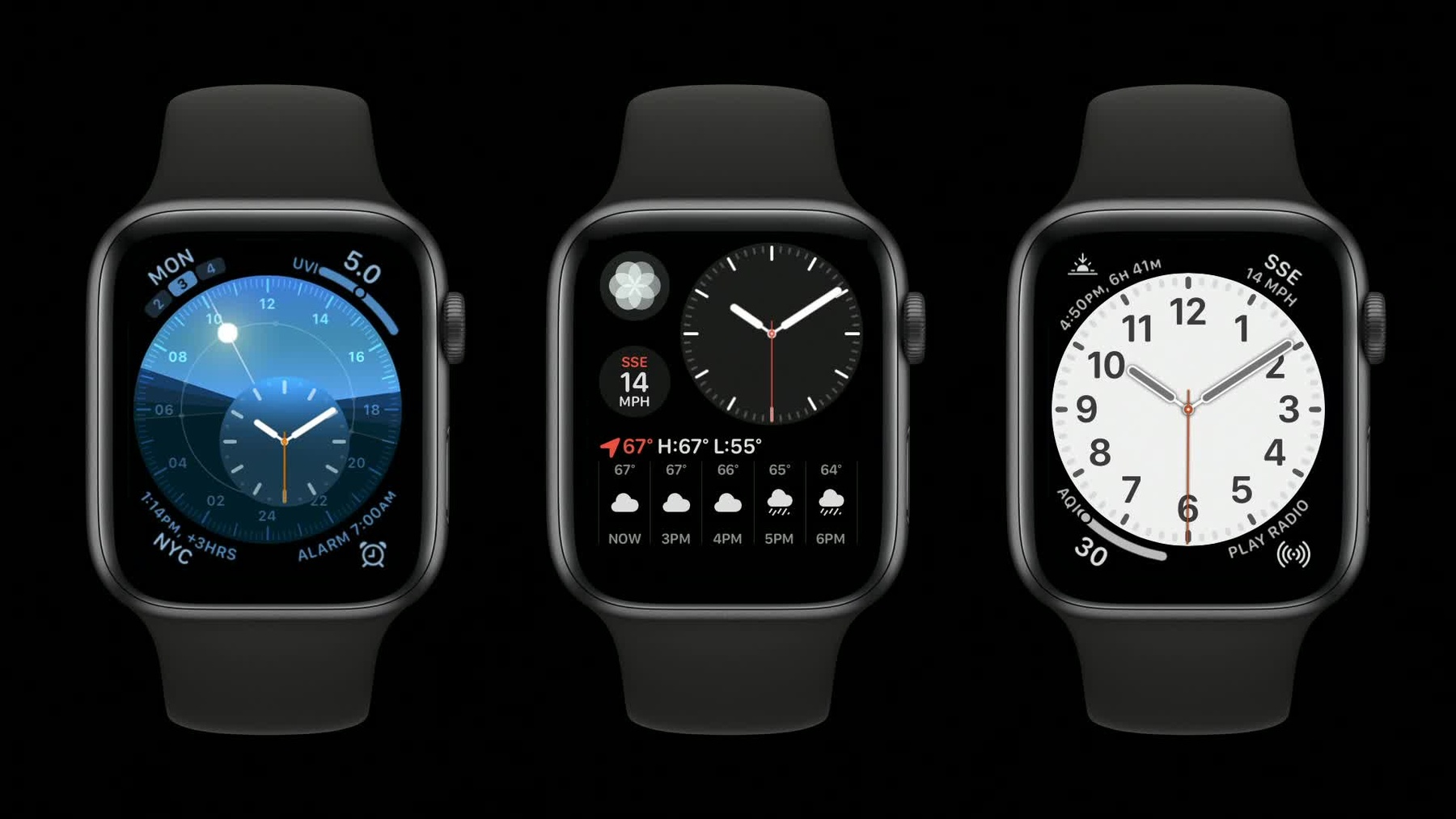
Hi. My name is Jared McGann. I'm an engineering manager in watchOS. In watchOS 5, Apple released the new Infograph clock faces with graphic complications. In watchOS 6, we've enhanced graphic complications with a new tinted mode. Any clock face with graphic complications supports tinted complications. Here's some more examples from our new watch faces in watchOS 6. These graphic complications are composed of three data types; gauges, text, and images. The system alters the appearance of each into contexts. Let's walk through each one. In tinted context, gauges are displayed as a solid color rather than a color gradient.
The color of the gauge is determined by the system, as informed by the customer's color selection. If your complication relies on color to communicate information within the gauge, you may need to reconsider how you display that information in your complication.
Text is also displayed with a single color in tinted contexts. Again, the color is determined by the system, based on the customer's color choice. Multicolor text providers are reduced to a single color, as seen in the activity rings complication.
Lastly, images are desaturated by default in tinted contexts, but we also have new API to provide alternate images in this mode.
Before we dive into the new API, I'd like to take a step back and talk about data providers generally. ClockKit includes a number of data providers for complications. These providers manage the data you supply to ClockKit for display within a complication.
Let's take a look at the full color image provider.
The image property specifies a full-color image to be displayed by a complication.
Then there's an accessibility label property, which is a succinct label that identifies the purpose of the image. So how do you provide an alternate image for tinted contexts? In watchOS 6 there's a new property in CLKFullColorImageProvider called tintedImageProvider. It's an optional property where you can provide a separate image for tinted contexts if you don't want the full color image to be desaturated. This property is of the type CLKImageProvider. We chose this class because it allows you to provide both one-piece and two-piece template images for tinted contexts.
Let's take a closer look at CLKImageProvider, which has been around since watchOS 2. The first thing to note is that CLKFullColorImageProvider is not derived from CLKImageProvider. These are two distinct classes. This class, CLKImageProvider, manages template images for display in a complication. The clock face displaying the complication determines how to display the image and what tint color to apply.
The first property is one-piece image, which is a single template image. This is the only required property.
Next up is tint color. In some classic complication contexts, this color is applied to the template image within a complication. In graphic complications, tint color is ignored because color is determined by the system as influenced by the customer's color selection.
Then, there are two-piece images, which are composed of the two-piece image background and two-piece image foreground properties.
Classic complications use two-piece images in multicolor contexts, as seen here. Graphic complications use two-piece images in some tinted contexts. When applicable, two-piece images take priority over one-piece images. A two-piece image consists of a foreground image layered on top of a background image. Both images are template images. In classic complications, the color and the tint color property is applied to the background image and white to the foreground image. In tinted graphic complications, as previously mentioned, tint color is ignored. The system will determine the foreground and background colors as informed by the customer's color selection.
Let's walk through a few scenarios for displaying images within a tinted graphic complication. The first is for the full color image to appear desaturated in tinted contexts. Here, we see the full color image desaturated, more or less gray scale on the right. To achieve this in code, merely initialize a CLKFullColorImageProvider without a tintedImageProvider, as seen here. When the tintedImageProvider property is nil, the system displays a desaturated version of the full color image.
In other scenarios, you may want to display an alternate template image in tinted contexts. Perhaps your full color image doesn't desaturate well, or maybe you're concerned about a logo being displayed in undesirable colors.
To do this in code, create a CLKImageProvider with the desired one-piece template image. Then supply that in the CLKFullColorImageProvider initializer alongside the full color image. In full color context, ClockKit will utilize the full color image. In tinted contexts, the one-piece image from the CLKImageProvider will be utilized.
It's worth noting that you can also provide the same full color image within the tintedImageProvider, and that image will be templatized instead of desaturated. We use this technique in many of the standard watchOS complications.
Lastly, you may want to provide an alternate two-piece image in tinted contexts.
To achieve this, create a CLKImageProvider with both one-piece and two-piece template images. Then supply this object in the CLKFullColorImageProvider initializer alongside the full color image. In tinted contexts, ClockKit will determine if the one-piece or two-piece image should be utilized.
Here's a chart from the Human Interface Guidelines with various graphic complication layouts.
And here you can see the same layouts in a tinted environment.
Remember that ClockKit will alter the appearance of complications in tinted contexts. Tint color in tinted graphic complications is determined by the system, as informed by the customer's color selection. And lastly, we've supplied new API that allows you to provide alternate template images to be displayed in tinted contexts.
If you're new to complications or would like to learn more, check out these videos on developer.apple.com.
-