

View in English

  • Apple Developer
    • 시작하기

    시작하기 탐색

    • 개요
    • 알아보기
    • Apple Developer Program

    알림 받기

    • 최신 뉴스
    • Hello Developer
    • 플랫폼

    플랫폼 탐색

    • Apple 플랫폼
    • iOS
    • iPadOS
    • macOS
    • tvOS
    • visionOS
    • watchOS
    • App Store

    피처링

    • 디자인
    • 배포
    • 게임
    • 액세서리
    • 웹
    • 홈
    • CarPlay
    • 기술

    기술 탐색

    • 개요
    • Xcode
    • Swift
    • SwiftUI

    피처링

    • 손쉬운 사용
    • 앱 인텐트
    • Apple Intelligence
    • 게임
    • 머신 러닝 및 AI
    • 보안
    • Xcode Cloud
    • 커뮤니티

    커뮤니티 탐색

    • 개요
    • Apple과의 만남 이벤트
    • 커뮤니티 주도 이벤트
    • 개발자 포럼
    • 오픈 소스

    피처링

    • WWDC
    • Swift Student Challenge
    • 개발자 이야기
    • App Store 어워드
    • Apple 디자인 어워드
    • 문서

    문서 탐색

    • 문서 라이브러리
    • 기술 개요
    • 샘플 코드
    • 휴먼 인터페이스 가이드라인
    • 비디오

    릴리즈 노트

    • 피처링 업데이트
    • iOS
    • iPadOS
    • macOS
    • watchOS
    • visionOS
    • tvOS
    • Xcode
    • 다운로드

    다운로드 탐색

    • 모든 다운로드
    • 운영 체제
    • 애플리케이션
    • 디자인 리소스

    피처링

    • Xcode
    • TestFlight
    • 서체
    • SF Symbols
    • Icon Composer
    • 지원

    지원 탐색

    • 개요
    • 도움말
    • 개발자 포럼
    • 피드백 지원
    • 문의하기

    피처링

    • 계정 도움말
    • 앱 심사 지침
    • App Store Connect 도움말
    • 새로 추가될 요구 사항
    • 계약 및 지침
    • 시스템 상태
  • 빠른 링크

    • 이벤트
    • 뉴스
    • 포럼
    • 샘플 코드
    • 비디오
 

비디오

메뉴 열기 메뉴 닫기
  • 컬렉션
  • 주제
  • 전체 비디오
  • 소개

WWDC23 컬렉션으로 돌아가기

  • 소개
  • 코드
  • Mac에 게임 가져오기, 2부: 셰이더 컴파일하기

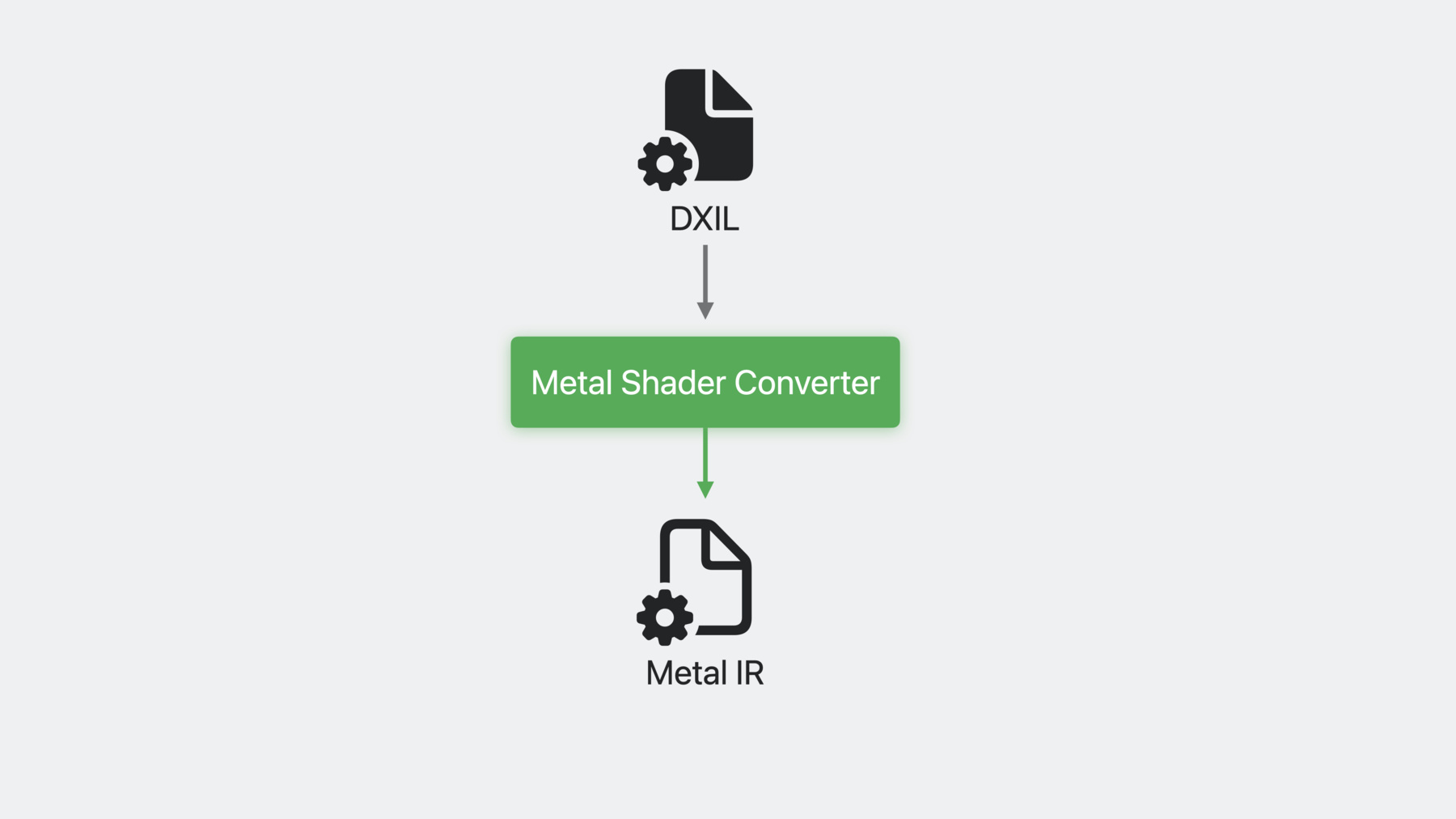
    3부로 구성된 ‘Mac에 게임 가져오기' 두 번째 세션에서는 HLSL 셰이더를 Metal로 가져올 때 Metal 셰이더 컨버터로 능률을 높이는 방법을 살펴보겠습니다. DXIL로 빠르고 통합적인 셰이더 파이프라인을 빌드하는 방법도 알려 드립니다. 해당 셰이더 파이프라인은 모든 셰이더 스테이지를 지원하며, Apple GPU의 고급 기능을 활용할 수 있습니다. 그리고 오프라인 컴파일러로 GPU 바이너리를 생성해 앱 시작 시간과 끊김 현상을 줄이는 방법도 알아보세요. 이번 세션을 최대한 활용하려면 'Mac에 게임 가져오기, 1부: 게임 플랜 만들기'를 먼저 시청하시기 바랍니다. 다음 단계를 살펴볼 준비가 되었다면 'Mac에 게임 가져오기, 3부: Metal로 렌더링하기' 세션도 확인해 보세요.

    챕터

    • 0:00 - Intro
    • 0:49 - New Metal compiler tools
    • 1:54 - Convert your shaders
    • 12:27 - Finalize GPU binaries
    • 18:20 - Wrap-Up

    리소스

    • Get started with Metal shader converter
    • Download the Metal shader converter (Mac and Windows)
    • Download the game porting toolkit
    • Metal
      • HD 비디오
      • SD 비디오

    관련 비디오

    WWDC23

    • 게임을 Mac으로 가져오기, 1단계: 기본 계획 세우기
    • Mac에 게임 가져오기, 3부: Metal로 렌더링하기

    Tech Talks

    • iPhone 15 Pro에서 고사양 게임 선보이기
    • M3 및 A17 Pro의 GPU 개선 사항 알아보기

    WWDC22

    • Metal 3로 바인드리스 구현
    • Metal 3를 통한 GPU 바이너리 타겟팅 및 최적화

    WWDC21

    • Discover compilation workflows in Metal

    WWDC20

    • Build GPU binaries with Metal
  • 비디오 검색…
    • 14:28 - Json Metal Script

      {“libraries": {
          "paths": [
         {"path": “ba.metallib”, "label": "myMetalLib"}
      
          ]
        },
        "pipelines": {
          "render_pipelines": [{
            "vertex_function": "alias:myMetalLib#v",
            "fragment_function": "alias:myMetalLib#f",
            "raster_sample_count": 2,
            "color_attachments": [{
                "pixel_format": "BGRA8Unorm"
            }],
            "depth_attachment_pixel_format":      
              "Depth32Float"
          }]
        }
      }
    • 16:30 - Testing Binary Archive hit

      // Create Pipeline Descriptor
      MTLComputePipelineDescriptor *computeDesc = [MTLComputePipelineDescriptor new];
      computeDesc.binaryArchives = @[existingBinaryArchive];
      computeDesc.computeFunction = computeFn;
      id<MTLComputePipelineState> computePS = 
                           [device newComputePipelineStateWithDescriptor:computeDesc
                                           options:MTLPipelineOptionFailonBinaryArchiveMiss
                                           error:&err];                                                                                        
      
      if(computePS == nil)
      {
          // Binary archive is missing compiled shader.
      }
    • 17:03 - Loading appropriate Binary Archive

      // Load OS-specific binary archives
      
      
      MTLComputePipelineDescriptor *computeDesc = [MTLComputePipelineDescriptor new];
      
      if (@available(macOS 14, *)) {
          computeDesc.binaryArchives = @[binaryArchive_macOS14];
      } else {
          computeDesc.binaryArchives = @[binaryArchive_macOS13_3];
      }  
      computeDesc.computeFunction = computeFn;
      id<MTLComputePipelineState> computePS = 
                           [device newComputePipelineStateWithDescriptor:computeDesc
                                           options:nil
                                           error:&err];

Developer Footer

  • 비디오
  • WWDC23
  • Mac에 게임 가져오기, 2부: 셰이더 컴파일하기
  • 메뉴 열기 메뉴 닫기
    • iOS
    • iPadOS
    • macOS
    • tvOS
    • visionOS
    • watchOS
    메뉴 열기 메뉴 닫기
    • Swift
    • SwiftUI
    • Swift Playground
    • TestFlight
    • Xcode
    • Xcode Cloud
    • SF Symbols
    메뉴 열기 메뉴 닫기
    • 손쉬운 사용
    • 액세서리
    • Apple Intelligence
    • 앱 확장 프로그램
    • App Store
    • 오디오 및 비디오(영문)
    • 증강 현실
    • 디자인
    • 배포
    • 교육
    • 서체(영문)
    • 게임
    • 건강 및 피트니스
    • 앱 내 구입
    • 현지화
    • 지도 및 위치
    • 머신 러닝 및 AI
    • 오픈 소스(영문)
    • 보안
    • Safari 및 웹(영문)
    메뉴 열기 메뉴 닫기
    • 문서(영문)
    • 튜토리얼
    • 다운로드
    • 포럼(영문)
    • 비디오
    메뉴 열기 메뉴 닫기
    • 지원 문서
    • 문의하기
    • 버그 보고
    • 시스템 상태(영문)
    메뉴 열기 메뉴 닫기
    • Apple Developer
    • App Store Connect
    • 인증서, 식별자 및 프로파일(영문)
    • 피드백 지원
    메뉴 열기 메뉴 닫기
    • Apple Developer Program
    • Apple Developer Enterprise Program
    • App Store Small Business Program
    • MFi Program(영문)
    • Mini Apps Partner Program
    • News Partner Program(영문)
    • Video Partner Program(영문)
    • Security Bounty Program(영문)
    • Security Research Device Program(영문)
    메뉴 열기 메뉴 닫기
    • Apple과의 만남
    • Apple Developer Center
    • App Store 어워드(영문)
    • Apple 디자인 어워드
    • Apple Developer Academy(영문)
    • WWDC
    최신 뉴스 읽기 Apple Developer 앱 받기
    Copyright © 2026 Apple Inc. 모든 권리 보유.
    약관 개인정보 처리방침 계약 및 지침