

-
visionOS에서 몰입형 웹사이트 환경 살펴보기
JavaScript의 새로운 Immersive API를 사용하여 Apple Vision Pro의 가상 환경으로 웹사이트 방문자를 이동시키세요. 인라인 모델 요소에서 몰입형 전환을 요청하고, 비디오 도킹과 같은 기능을 사용하여 매력적인 몰입형 경험을 선사하며, 실제 규모의 풍부한 경험을 위해 성능을 최적화하는 방법을 살펴보세요. 이 모든 것을 웹사이트에서 실행되는 코드 몇 줄만으로 구현할 수 있습니다.
챕터
- 0:00 - 소개
- 1:46 - 몰입형 API 소개
- 4:16 - 환경 인라인 미리보기
- 7:01 - 몰입형으로 전환
- 12:04 - 경험 최적화
- 17:17 - 이미지 컨트롤
- 18:09 - 다음 단계
리소스
- Download - Immersive model add-on for Blender
- WebKit.org - Theater Ticket Sales immersive website environment demo for Apple Vision Pro
- WebKit.org - Escape Game immersive website demo for Apple Vision Pro
- GitHub: Spatial Backdrop explainer
- WebKit.org – Report issues to the WebKit open-source project
- Submit feedback
관련 비디오
WWDC26
WWDC25
-
비디오 검색…
안녕하세요, 저는 Jean입니다. visionOS Safari 팀의 엔지니어입니다. 이번 세션에서는 몰입형 환경으로 여러분의 웹사이트를 한 단계 높이는 방법을 소개하겠습니다. 관객에게 이야기를 전달하는 완전히 새로운 방식이자 고객을 전례 없는 방식으로 참여시키는 기회입니다. 이 티켓 판매 웹사이트를 살펴보세요. 방문자가 좌석을 선택하면 선택한 좌석의 인라인 미리보기를 인라인으로 확인할 수 있습니다. 뿐만 아니라, 몰입형 환경으로 극장에 직접 들어가 몰입형 환경에서 자신이 선택한 자리에 실제로 서볼 수 있습니다. 그것도 모두 Safari의 웹페이지 하나에서 가능합니다! 자, 오늘 제가 만드는 방법을 보여드릴 경험 중 하나입니다! 하지만 이것만이 아닙니다… 이것도 보세요. 이것은 visionOS 방탈출 게임 앱의 마케팅 웹사이트입니다. 방문자를 게임의 방탈출 방 중 하나로 이동시킵니다. TV 화면에 미스터리 영상이 재생되는 어둑한 공간입니다. 영상이 재생되면서 방문자들에게 이 문 너머에 무엇이 있는지 탐험하도록 유도하고 앱을 다운로드해 직접 확인해 보도록 이끕니다. 앞으로 몇 분 안에 여러분이 알아야 할 모든 것을 배우게 됩니다. 첫 번째 웹사이트 환경을 구축하기 시작하는 데 필요한 내용입니다. 먼저 웹을 위한 몰입형 API의 개요를 설명하겠습니다. 그런 다음 페이지 내에서 인라인으로 환경을 미리 보는 방법을 다루겠습니다. 그 후에는 몰입형으로 전환하는 방법, 즉 인라인 미리보기에서 인라인 미리보기에서 극장으로 들어가는 방법을 보여드리겠습니다. 방탈출 방도 마찬가지입니다. 마지막으로 비디오, 애니메이션, 그림자 렌더링을 통해 경험을 최적화하는 방법을 안내하겠습니다. 비디오, 애니메이션, 그림자 렌더링을 활용하면서도 뛰어난 런타임 성능을 유지하는 방법을 소개합니다.
자, 이 몰입형 API를 소개해 드리겠습니다.
모든 것은 HTML model 요소에서 시작됩니다. 이 요소를 사용하면 웹사이트에 3D 모델을 표시할 수 있습니다. 사용하려면 3D 에셋 리소스를 지정해야 합니다. 여기서는 주전자를 나타내는 USDZ 파일입니다. 그리고 환경 맵도 사용할 수 있습니다. 환경 맵은 360도 이미지로 장면 주변의 조명을 포착한 것입니다. 환경 맵을 사용하면 극적인 반사 효과와 이 주전자 같은 반짝이는 물체의 조명을 추가할 수 있습니다. 3D 모델과 환경 맵 에셋은 다양한 도구로 제작할 수 있습니다. 저는 이 세션 뒷부분에서 Blender를 사용할 것이지만 USDZ 파일을 내보낼 수 있는 도구라면 무엇이든 사용할 수 있습니다.
이 HTML 요소에 대해 더 알고 싶다면 "Get started with the HTML Model Element" 세션을 확인해 보세요. 해당 세션은 요소 자체와 모든 플랫폼에서의 동작에 대해 더 깊이 다룹니다. 이제 몰입형 부분으로 넘어가겠습니다! JavaScript Fullscreen API에 익숙하다면 바로 이해가 될 것입니다. 익숙하지 않더라도 곧 익숙해질 것입니다. 왜냐하면 몰입형 API는 이미 널리 사용되는 Fullscreen API 패턴을 따르고 있기 때문입니다. requestFullscreen JavaScript API를 통해 비디오를 전체 화면으로 요청하는 것처럼
model 요소를 몰입형으로 requestImmersive JavaScript API를 통해 몰입형 모드를 요청합니다. 매우 유사한 방식으로 몰입형 프레젠테이션을 종료하거나 기능 사용 가능 여부를 감지하거나 현재 몰입형 요소가 있는지 확인하거나 변경 사항을 수신하거나 오류 이벤트를 처리할 수 있습니다. CSS 의사 클래스를 사용해 스타일시트에서 레이아웃을 직접 커스터마이징할 수도 있습니다. 하지만 Fullscreen API와 달리 Fullscreen API는 제공된 요소로 웹 페이지 콘텐츠를 대체하는 반면 몰입형 API는 페이지를 유지하면서 model 요소를 브라우저 경계 너머로 이동시킵니다. 두 API는 동시에 활성화될 수 있으므로 전체 화면 비디오 플레이어를 사용하면서 가상 환경에 몰입할 수도 있습니다. 이 API의 아름다운 점은 매우 간단하게 model 요소에 요청 한 번만 호출하거나 model 요소에 요청 한 번만 호출하거나 다른 API와 결합해 깊이 있게 활용할 수 있다는 것입니다. 놀라운 경험을 만들어낼 수 있습니다. 앞서 보여드린 몰입형 웹사이트들처럼요. 지금 바로 그 내용으로 들어가겠습니다. 먼저 환경의 인라인 미리보기를 제공하는 공연장 티켓 판매 웹사이트부터 시작합니다. 환경의 인라인 미리보기를 제공하는 웹사이트입니다.
인라인 미리보기는 첫 번째 단계로 방문자에게 환경을 소개하는 환경을 소개하는 훌륭한 방법입니다. 지금 바로 매력적인 미리보기를 만드는 방법을 보여드리겠습니다. 시뮬레이터에서 로컬로 실행 중인 웹사이트입니다. 방문자가 좌석을 선택하면 이 모델이 나타나는데, 지금은 비워둔 상태입니다. 여기에 인라인 미리보기를 추가하고 싶습니다! 그래서 이 빈 HTML div에 model 요소를 추가하겠습니다. 극장 모델 USDZ 파일과 라이팅 맵을 제공합니다.
이제 인라인 미리보기에 외부에서 본 전체 극장 모델이 표시됩니다. 기본적으로 모델이 요소 범위에 맞게 스케일 조정되기 때문입니다. 이 경우에는 보여주기에 그다지 흥미로운 뷰가 아닙니다. 극장 내부에서 바라본 모습을 보여주는 것이 낫겠습니다! 이 기본 맞춤 동작을 없애기 위해 엔티티 변환을 커스터마이징해야 합니다. 엔티티 변환은 모델의 위치, 회전, 스케일을 제어합니다. 코드에서 model 요소를 가져온 후 로드되어 준비될 때까지 기다립니다. 그런 다음 항등 행렬을 생성합니다. 이것을 모델의 엔티티 변환으로 설정합니다. 이렇게 하면 모델에서 모든 변환이 효과적으로 제거됩니다. 이제 모델의 바닥이 레이어의 중앙에 위치합니다. 극장 모델의 원점이 바닥에 있기 때문입니다. 하지만 목표는 사람의 눈높이에서 환경을 보여주는 것입니다. 그래서 모델을 1미터 아래로 이동시킵니다. 이는 일반 의자에 앉은 제 룸메이트의 눈높이를 실측한 값입니다.
훨씬 나아 보입니다! 하지만 지금은 무대에서 바라본 뷰가 표시되고 있습니다. WEBVTT 솔직히 꽤 멋진 모습이지만 미리보기의 시점이 실제 좌석 선택과 일치했으면 합니다. 이를 위해 각 좌석을 극장 내 위치에 매핑하는 JSON 파일을 만들었습니다. 각 항목에는 모델 원점에서의 이동 정보와 좌석 바닥까지의 이동 정보 그리고 무대를 향한 좌석의 방향을 나타내는 각도가 포함되어 있습니다. 값은 웹에서 사용하는 규약인 오른손 Y-up 좌표 시스템으로 표현됩니다. 이것이 웹에서 사용하는 규약입니다. 웹사이트 코드로 돌아가서 올바른 변환을 생성하기 위한 새로운 함수를 만들었습니다. 현재 눈높이에서 모델을 미리 보기 위한 이동 정보가 포함되어 있습니다. 이제 현재 선택된 좌석을 매개변수로 추가할 수 있습니다. 해당 좌석의 회전을 적용하고 좌석의 시점과 일치하도록 이동을 적용합니다. 바로 이렇게 됩니다. 좌석을 선택하면 모델이 해당 좌석 위치에서 바라본 시점을 정확히 보여줍니다. 그리고 이 인라인 미리보기는 macOS와 iOS 같은 다른 플랫폼에서도 작동합니다! 이미 정말 멋진 경험이라고 생각합니다.
하지만 진정한 마법은 이제부터 시작됩니다. 티켓 구매자가 극장 안으로 들어갈 수 있을 때입니다! 이것이 visionOS 같은 공간 플랫폼의 전체 잠재력을 여는 순간입니다. 자, 몰입형으로 전환해 보겠습니다!
먼저 몰입형 API가 사용 가능한지 확인합니다. 이 속성을 통해 현재 브라우저가 몰입형 프레젠테이션을 지원하는지 알 수 있습니다. 이를 확인한 후 자신 있게 '몰입형 미리보기' 버튼을 표시할 수 있습니다. 그러면 기능이 실제로 지원되는 곳에서만 나타납니다. 그런 다음 모델에 몰입형 전환을 요청하고자 합니다. 이것은 반드시 사용자 인터랙션에 대한 응답으로 실행되어야 합니다. 제 경우에는 몰입형 버튼을 탭하는 것입니다. 한 가지 중요한 점은 인라인 모델과 몰입형 모델이 서로 다른 참조 프레임을 갖는다는 것입니다. 원점도 다르고 스케일도 다릅니다. 인라인 상태에서는 방금 보셨듯이 model 요소의 원점이 인라인 레이어의 중앙에 있고 스케일은 CSS 규약을 따릅니다. 하지만 몰입형에서는 원점이 사람의 발 아래 바닥에 있고 스케일은 실제 세계와 동일합니다. 또한 몰입형 환경은 Safari 창 뒤에서 열린다는 점을 명심하세요. 따라서 모델의 주요 포커스가 창을 재배치하지 않고도 보이도록 유지하세요. 제 경우 빌드 변환 함수로 돌아가서 두 번째 매개변수를 추가합니다. 모델이 몰입형으로 표시되는지 아닌지를 알려주는 매개변수입니다. 페이지 내 인라인으로 표시되는 것과 반대입니다. 몰입형일 때 약간의 회전을 추가합니다. 주요 포커스인 무대가 Safari 창 뒤에 숨겨지지 않도록 합니다. 또한 눈높이 이동은 페이지 내 인라인으로 모델을 표시할 때만 수행되도록 합니다. 엔티티 변환이 모델의 몰입형 상태에 따라 달라지므로 모델이 몰입형 상태에 들어가고 나올 때마다 업데이트해야 합니다. model 요소의 몰입형 변경 이벤트를 수신하는 것이 이를 처리하는 올바른 방법입니다. 현재 문서의 몰입형 상태를 확인하고 올바른 플래그로 엔티티 변환을 재계산합니다. 그 김에 현재 상태를 반영하도록 페이지 레이아웃도 업데이트합니다. 현재 상태를 반영합니다. 제 경우 몰입형으로 전환할 때 모델 인터페이스를 조정하고 종료 버튼을 표시합니다. 몰입형 경험에 명확한 종료 수단을 제공하는 것은 항상 좋은 방법입니다. 몰입형 경험을 위해서입니다. 하지만 Apple Vision Pro를 사용하는 방문자는 언제든지 Digital Crown을 사용해 몰입형 환경을 종료할 수 있다는 점도 기억하세요. 그래서 UI가 몰입형 상태에 따라 달라진다면 몰입형 상태 변경 사항을 수신하고 그에 맞게 레이아웃을 업데이트하는 것이 중요합니다. 이렇게 해서 티켓 구매자를 극장 안으로 이동시키는 경험을 만들었습니다. 선택한 좌석에 앉아 있는 경험입니다. 주위를 둘러보고 무대 뷰를 확인하고 발코니에서 기댈 수도 있습니다… 오, 이런! 꽤 높군요. 거기서 떨어지면 안 되겠죠. 안전 난간을 꼭 잡으세요……. 뭐라고요?! 여기 안전 난간은 어디 갔죠? 아.. 죄송합니다, 주제에서 벗어났네요. 이 경험은 너무 몰입적입니다. 자, 방향을 바꿔서 좀 더 미스터리한 것으로 들어가 보겠습니다. visionOS 방탈출 게임 앱을 만들었다고 가정해 보세요. 이 게임을 위해 놀라운 환경을 만드는 데 수많은 시간을 쏟아부었습니다. 몰입형 API를 사용하면 그 동일한 환경 모델을 활용해 잊을 수 없는 마케팅 경험을 만들 수 있습니다. Safari에서 웹사이트를 통해 바로요. 어떻게 만들었는지 보여드리겠습니다. 코드가 얼마나 적게 필요한지 놀라웠습니다. 여기서는 model 요소로 인라인 미리보기를 쉽게 만들 수 있지만 인라인 미리보기를 쉽게 만들 수 있지만 놀라움을 유지하고 싶습니다. HTML 코드에 model 요소를 추가할 때 display를 none으로 설정하기만 합니다. 이렇게 하면 페이지에서 인라인 레이어가 숨겨지지만 몰입형으로 모델을 요청하는 것은 여전히 가능합니다. 이 방식으로 인라인 미리보기를 숨기면 실용적인 이점이 있습니다. 실제로 에셋이 다운로드되거나 디코딩되지 않습니다. 몰입형 요청이 실제로 발생할 때까지는요. 무거운 환경 모델의 경우 방문자가 환경에 실제로 들어가지 않는다면 상당한 대역폭과 메모리를 절약할 수 있습니다. 다음으로 할 일은 버튼의 클릭 이벤트에서 방탈출 방 모델을 몰입형으로 요청하는 것입니다. 모델이 인라인으로 미리 로드되지 않으므로 몰입형 요청에 잠시 시간이 걸릴 수 있습니다. 특히 무겁고 복잡한 에셋일수록요. 나중에 에셋을 최적화해서 로딩 시간을 줄이는 방법을 보여드리겠습니다. 에셋을 최적화해서요. 하지만 지금은 WEBVTT 최소한 무언가 진행 중이라는 피드백을 방문자에게 제공하겠습니다. 흥미로운 로딩 애니메이션으로요.
코드에서는 몰입형 요청 전에 표시하고 완료되면 숨깁니다. 환경에 들어가는 방법은 이것으로 끝입니다! 꽤 간단하죠!
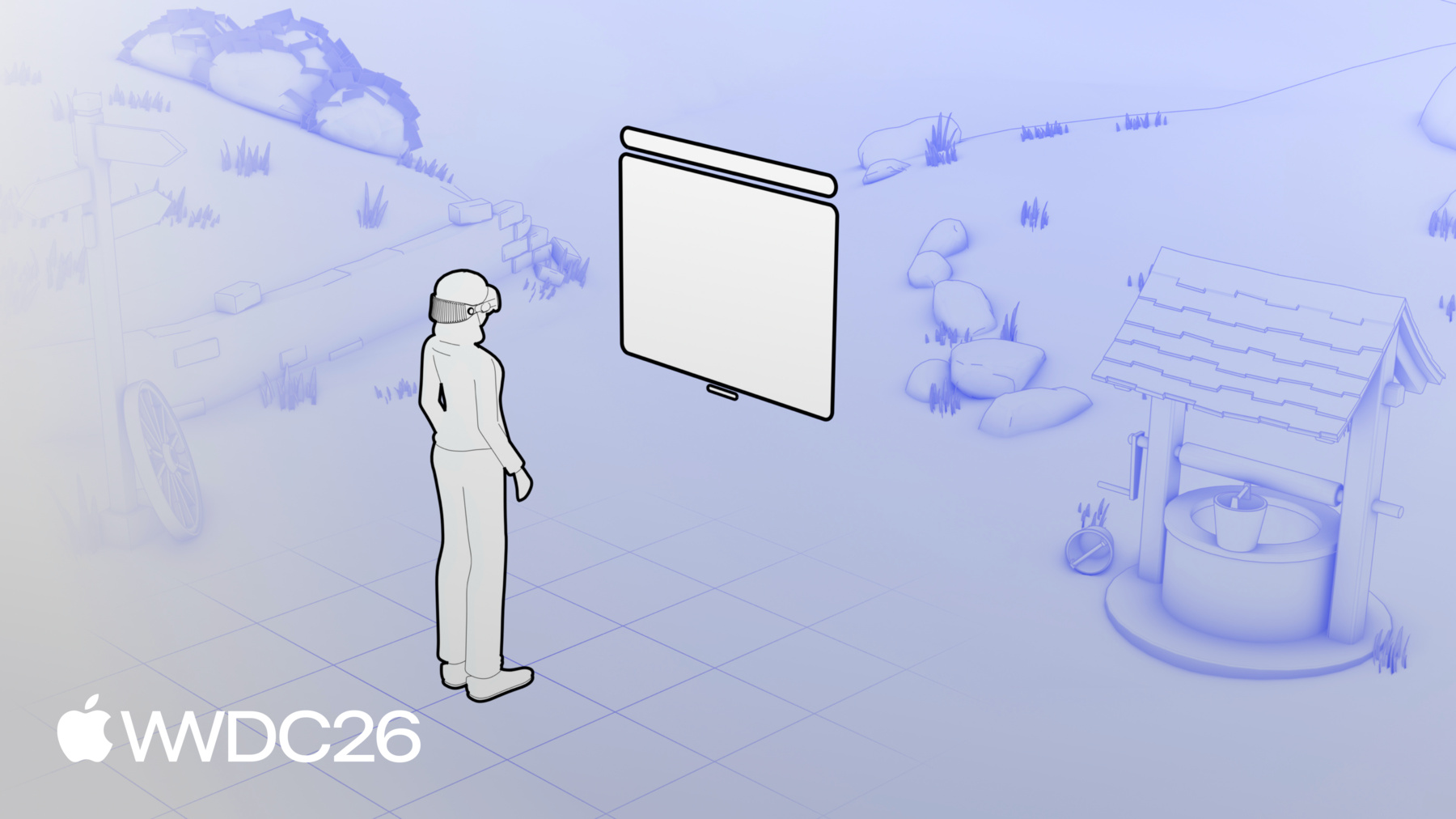
이제 이 방탈출 방을 visionOS에서 살아있게 만드는 기능들에 대해 이야기하겠습니다. 단순한 경험을 훨씬 풍부하게 만드는 작은 디테일들입니다. 비디오부터 시작하겠습니다. 웹사이트 내에서 인라인으로 비디오를 재생하는 대신 비디오 도킹 기능이 비디오를 높여 환경 안에 직접 배치합니다. TV 화면, 프로젝터, 또는 빌보드 위에 여러분의 이야기에 가장 잘 맞는 표면에요. 또한 빛을 분산시키거나 비디오에서 나오는 빛을 반사하는 재질을 추가할 수 있습니다. 이렇게 하면 장면의 일부처럼 느껴집니다. 이 경험을 만들기 위해서는 USDZ 파일에 사용자 지정 RealityKit 주석을 추가해야 합니다. 아직 표준은 아니지만 저는 Blender를 좋아합니다. 그래서 환경을 만들면서 이 컴포넌트들을 직접 추가할 수 있는 작은 플러그인을 만들었습니다. 여기서 TV 화면을 태그로 지정합니다. 장면의 비디오 도킹 영역으로 설정하기 위해서입니다. 그리고 같은 Blender 확장 기능을 사용해 비디오 빛이 내 재질에 번지는 효과를 베이킹하는 것을 쉽게 합니다. 이제 새로운 속성들을 적용해 에셋을 내보내면 다음으로 할 일은 비디오에 전체 화면 전환을 요청하는 것입니다. 여기서는 demoButton을 클릭할 때 이것을 요청합니다. 이렇게 하면 비디오가 환경 내 올바른 위치로 자동으로 이동하고 Safari 창이 숨겨집니다! 비디오가 환경에 완전히 통합됩니다. TV에서 나오는 빛이 바닥과 벽에 퍼지면서 공간의 현실감을 극적으로 높입니다. 이제 반전 부분입니다. 이 미스터리한 문을 슬라이드로 여는 방법을 보여드리겠습니다.
Blender에서 이 문 열기 애니메이션을 만들었습니다. 모델을 내보내기 바로 전에요. 그래서 남은 것은 적절한 시점에 재생하는 것뿐입니다. 이 몇 줄의 코드로 비디오의 ended 이벤트를 수신하고 전체 화면 비디오를 종료한 다음 비디오 도킹을 해제하고 웹사이트를 다시 표시합니다. 마지막으로 모델 애니메이션을 재생합니다. 바로 이렇게 됩니다. 방이 변하고 문이 슬라이드로 열리며 미스터리는 계속 깊어집니다. 모델 애니메이션은 꽤 강력합니다. 전체 애니메이션 타임라인을 만들 수도 있습니다. 그리고 모델의 currentTime 속성을 사용해 타임라인을 탐색하면서 여러 단계를 거쳐 환경을 변화시킬 수 있습니다. 더 알고 싶다면 "What's new for the spatial web" 세션을 확인해 보세요. 이 가능성들에 대해 좀 더 깊이 다루고 있습니다. 한 가지를 더 재미있게 살펴보겠습니다. Safari 창이 환경에 그림자를 드리우는 방법을 보여드리고 싶습니다. 저는 이 디테일이 정말 중요하다고 생각합니다. 이 그림자가 사람들이 공간 내 창의 위치를 이해하는 데 도움을 주고 공간 내 창의 위치를 이해하는 데 도움을 주어 환경의 일부처럼 느껴지게 합니다. 이것을 활성화하려면 RealityKit 주석도 필요합니다. 같은 Blender 확장 기능으로 그림자를 받아야 하는 메시를 태그로 지정합니다. Scene Understanding 컴포넌트로요. 이를 위해 최적화된 전용 로우 폴리 메시를 만들었습니다. 복잡한 메시에서 그림자를 계산하면 많은 리소스를 소비할 수 있기 때문입니다. 이제 성능에 대한 간단한 메모로 이 세션을 마무리하겠습니다. 환경 모델은 더 무겁고 더 복잡하게 렌더링되는 경향이 있습니다. 단순한 오브젝트 모델보다요. 에셋을 최적화하기 위해 할 수 있는 방법을 보여드리겠습니다. 렌더링을 더 부드럽고 다운로드를 더 빠르게 만드는 방법입니다. 먼저 에셋의 버텍스 수를 줄이세요. 방탈출 방에서는 원점에 서 있는 시청자에게 보이지 않는 메시는 내보내지 않도록 했습니다. 이렇게 해서 버텍스 수를 대폭 줄였습니다. 아무도 눈치채지 못하게요. 그런 다음 엔티티 수를 줄이세요. 제 경우 책상과 모든 장식을 합쳐서 엔티티가 너무 많아지지 않도록 했습니다. 적절한 경우 로우 폴리 메시를 사용하세요. Scene Understanding 컴포넌트에 사용한 것처럼 저렴한 비용으로 그림자 렌더링을 구현하기 위해서입니다. 셰이더를 최대한 단순하게 유지하세요. 방탈출 방에서는 모든 조명을 재질에 베이킹했습니다. 즉 빛과 그림자를 텍스처에 직접 칠해서 언릿 재질로 만들 수 있게 했습니다. 런타임에 무거운 셰이딩 연산을 건너뛸 수 있습니다. 마지막으로 usdcrush 도구를 사용해 USDZ의 텍스처를 압축하세요. Mac의 커맨드 라인 도구로 사용할 수 있습니다. 모델의 크기를 상당히 줄이는 데 도움이 되며 이는 직접적으로 더 빠른 로딩 시간으로 이어집니다. 느린 연결을 사용하는 사람들에게요. WWDC 세션을 확인해 보시길 권장합니다. "Optimize your custom environments for visionOS" 3D 에셋 최적화에 대해 훨씬 더 깊이 다루고 있습니다. 자, 이제 마무리할 시간입니다. 여러분은 이제 자신만의 경험을 만들 준비가 됐습니다. 고객을 여러분의 환경 속으로 이동시킬 준비가요. 단지 model 요소와 몇 가지 API 호출만으로 방문자가 웹사이트와 상호작용하는 방식을 재정의할 수 있습니다.
그리고 저는 여기서 표면만 긁었을 뿐입니다. 결합할 수 있는 다른 API가 훨씬 많이 있습니다. 웹사이트에 몰입형 차원을 더하기 위해서요. 그 중 하나가 이미지 컨트롤 API입니다. 여기 이미지 요소에 controls 속성만 추가하면 브라우저가 네이티브 컨트롤을 제공합니다. 플랫폼별 기능에 대한 적절한 사용자 인터페이스를 제공하는 것입니다. visionOS에서는 사람들이 이 파노라마를 전체 화면으로 만들 수 있게 해주고 공간에서 주변을 둘러싸도록 감싸줍니다. WEBVTT 그리고 이것은 공간 사진에서도 작동합니다. Apple Vision Pro나 iPhone에서 직접 촬영할 수 있습니다. model 요소와 몰입형 API처럼 이미지 컨트롤을 사용하면 코드에서 작은 것 하나가 큰 효과를 발휘합니다. 창의성만이 유일한 한계입니다. 다음으로 해보시길 권장하는 것들입니다.
Apple Vision Pro로 webkit.org의 온라인 데모를 체험해 보세요. 기능의 영향을 이해하는 데 있어 직접 경험하는 것보다 더 좋은 방법은 없습니다. 첫 번째 웹사이트 환경을 만들어 보세요. 더 도움이 될 수 있도록 이 세션에 리소스를 첨부했습니다. API 사양 등을 확인해 보세요! 마지막으로, 자신만의 경험을 구축하는 동안 bugs.webkit.org에서 기능 요청이나 버그 보고서를 제출해 주세요. 그리고 이 세션도 확인해 보세요. "Design immersive environments for visionOS apps and the spatial web" 뛰어난 포토리얼리스틱 환경을 만드는 높은 수준의 원칙들을 탐구합니다. 여러분이 어떤 몰입형 경험을 만들지 개인적으로 기대하겠습니다. 이 세션에 참여해 주셔서 정말 감사합니다. 즐거우셨기를 바랍니다! 즐거운 WWDC 되세요!
-
-
1:51 - Basic model element
<model src="teapot.usdz"> </model> -
2:06 - Model element with environment map
<model src="teapot.usdz" environmentmap="kitchen.hdr"> </model> -
4:40 - Adding the environment model on the page for inline preview
<div class="seat-preview"> <model id="theater" src="theater-model.usdz" environmentmap="theater-lighting.hdr"> </model> </div> -
5:14 - Reset the model entity transform
const theater = document.getElementById("theater"); async function updateModelTransform() { // Make sure the model is loaded await theater.ready; // Create a transform matrix const identity = new DOMMatrix(); // Apply the transform matrix to the model theater.entityTransform = identity; } updateModelTransform(); -
5:42 - Translate the model down
const theater = document.getElementById("theater"); async function updateModelTransform() { // Make sure the model is loaded await theater.ready; // Create a transform matrix const transform = new DOMMatrix(); // Translate model down, for eye level preview transform.translateSelf( 0, // x -1.0, // y 0 // z ); // Apply the transform matrix to the model theater.entityTransform = transform; } updateModelTransform(); -
6:40 - Build the seat transform
function buildTransform(seat) { const transform = new DOMMatrix(); const { x, y, z, ry } = seat; // Rotate and translate the model to match // the seat's origin and orientation transform.rotateSelf(0, -ry, 0); transform.translateSelf(-x, -y, -z); // Translate the model down, for eye level preview transform.translateSelf(0, -1.0, 0); return transform; } -
7:16 - Detect feature availability
if (document.immersiveEnabled) { immersiveButton.hidden = false; } -
7:34 - Request the immersive transition on the model
immersiveButton.addEventListener("click", async () => { await model.requestImmersive(); }); -
8:24 - Build immersive transform
function buildTransform(seat, immersive) { const transform = new DOMMatrix(); // [...] Seat transform logic if (immersive) { // Rotate to the left transform.rotateSelf( 0, // x 45, // y 0 // z ); } else { // [...] Eye level translation } return transform; } -
9:01 - Update the entity transform and the layout on immersive state updates
theater.addEventListener("immersivechange", () => { const isImmersive = !!document.immersiveElement; const transform = buildTransform(isImmersive, currentSeat); theater.entityTransform = transform; document.body.classList.toggle("immersive", isImmersive); }); -
10:53 - Hide the inline preview
<model id="escapeRoom" src="escape-room.usdz" environmentmap="room-lighting.hdr" style="display: none"> </model> -
11:25 - Request an immersive transition on the escape room model
const enterButton = document.getElementById("enterButton"); const escapeRoom = document.getElementById("escapeRoom"); enterButton.addEventListener("click", () => { await escapeRoom.requestImmersive(); }); -
11:52 - Handle the request result and show a loading animation
enterButton.addEventListener("click", async () => { showLoadingAnimation(); try { await escapeRoom.requestImmersive(); } catch (error) { console.log(error); } finally { hideLoadingAnimation(); } }); -
13:16 - Dock the video in the environment with the fullscreen API
const trailerVideo = document.getElementById("trailerVideo"); const demoButton = document.getElementById("demoButton"); demoButton.addEventListener("click", async () => { await trailerVideo.requestFullscreen(); }); -
14:01 - Play the model animation
const trailerVideo = document.getElementById("trailerVideo"); const escapeRoom = document.getElementById("escapeRoom"); trailerVideo.addEventListener("ended", async () => { await document.exitFullscreen(); escapeRoom.play(); }); -
16:38 - Compress your USDZ with usdcrush
usdcrush model.usdz -o optimized.usdz
-