

-
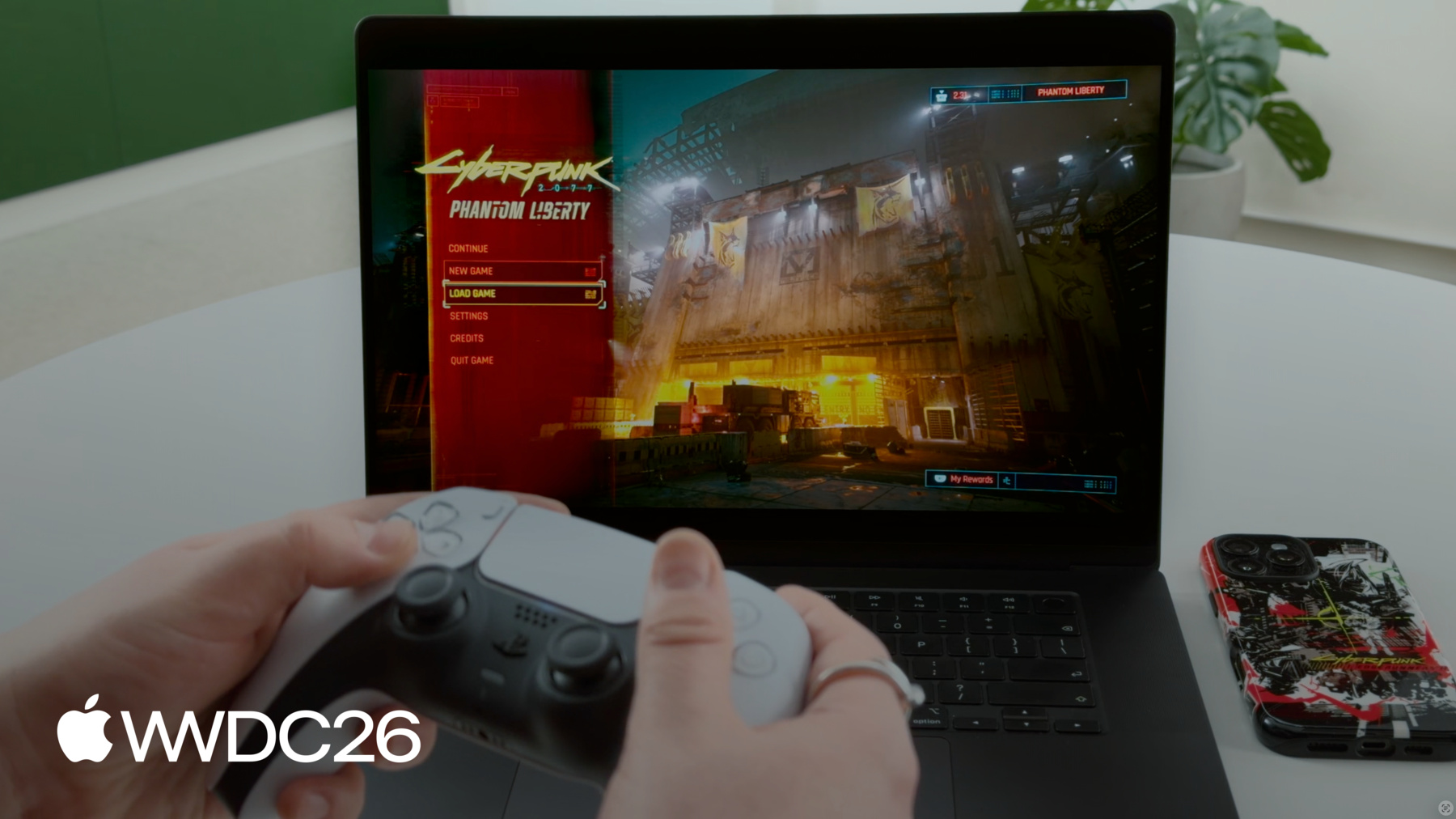
Mac에서 Cyberpunk 2077 제공하기
어떻게 Mac에서 Cyberpunk 2077을 제공하여 macOS에서 AAA 게임의 새로운 기준을 정립했는지 CD PROJEKT RED의 비하인드 스토리를 통해 알아보세요. 해당 팀이 어떻게 Apple의 강력한 하드웨어, 소프트웨어, 개발 도구를 활용하여 고품질 경험을 구현했는지 살펴보세요. 유사한 기법을 게임에 어떻게 적용할 수 있는지 알아보세요. 혁신적인 ‘For this Mac' 프리셋이 어떻게 그래픽 설정을 자동으로 최적화하여 Mac 라인업 전반에서 시각적 충실도와 프레임률의 균형을 맞추는지 살펴보세요.
챕터
- 0:00 - 소개
- 0:44 - Cyberpunk 2077이란?
- 2:57 - Mac으로 포팅하는 이유
- 3:45 - Mac으로 포팅한 방법
- 4:50 - Game Porting Toolkit 평가
- 13:05 - 차별화를 위해 한 일
- 13:16 - ‘For this Mac’ 프리셋
- 26:59 - 다음 단계
리소스
- Performing your own tone mapping
- Personalizing spatial audio in your app
- Download the Game Porting Toolkit
관련 비디오
WWDC26
-
비디오 검색…
안녕하세요, 환영합니다 저는 Garrett Austin입니다 저는 Apple 게임 퍼포먼스 팀의 엔지니어입니다 오늘은 특별 게스트와 함께합니다 Paweł Sasko, CD PROJEKT RED 부 게임 디렉터입니다 Paweł는 Cyberpunk 2077: Ultimate Edition을 소개해 주실 예정입니다 Mac에서 이룬 놀라운 성과입니다 독특한 플랫폼 기능을 활용하여 다양한 Mac 기기에서 뛰어난 성능을 제공합니다 이제 Paweł께서 Mac에서의 구현 과정을 소개해 주실 것입니다 그리고 어떻게 두드러지게 만들었는지도 알려주실 겁니다 Paweł? 고마워, 내 친구! 여러분과 더 많은 이야기를 나눠드리겠습니다 Cyberpunk 2077을 Mac으로 가져온 경험에 대해서요
Cyberpunk 2077 자체에 대한 개요부터 시작하겠습니다 Mac 개발 과정에 어떻게 접근했는지 살펴보고 마지막으로 마무리 작업들을 Mac에서 Cyberpunk 2077을 돋보이게 한 요소들을 공유하겠습니다 그렇다면 Cyberpunk 2077은 무엇인가요? V를 주인공으로 하는 오픈 월드 RPG입니다 Night City를 활동 무대로 하는 사이버펑크 용병이죠 플레이어는 도시와 주변을 탐험하며 캐릭터들을 만납니다 관계를 쌓고 다양한 결정을 내리죠 그 중 일부는 예상치 못한 결과를 낳기도 합니다 이 게임은 정말 대단합니다 방대한 세계, 로딩 화면 없이 끊임없이 처리해야 할 방대한 데이터가 있습니다 하지만 처음부터 게임은 확장 가능하도록 설계되었습니다 다양한 하드웨어에서 실행될 수 있도록 이것이 Mac에 가져올 때 큰 도움이 되었습니다 오늘날에도 Cyberpunk 2077은 업계 벤치마크로 남아 있으며 새로운 하드웨어가 출시될 때마다 사용됩니다 거기에는 몇 가지 이유가 있습니다 Night City는 다양한 동적 요소로 가득 차 있습니다 군중, 교통, AI, 물리, 애니메이션, 퀘스트 그리고 모든 시스템 상호작용이 병렬로 실행됩니다 이 부하의 대부분은 CPU에 집중됩니다 Cyberpunk 2077은 어디에나 복합 조명이 있습니다 네온, 간판, 물웅덩이, 반사면 헤드라이트, 발광 조명, 볼류메트릭 이 모두가 같은 장면에 함께 있습니다 Ray Tracing, Path Tracing 같은 고급 그래픽 모드도 지원합니다 이는 게임의 요구 사항을 크게 높이고 GPU 성능에 따라 크게 확장됩니다 아마도 아시겠지만 저희는 정기적으로 업데이트해 왔습니다 Cyberpunk 2077 출시 이후 Ultimate Edition을 출시하고 Metro 시스템을 도입했습니다 로맨스 확장, 차량 커스터마이징 그리고 훨씬 더 많은 콘텐츠를 게임에 추가했습니다 저희가 게임을 개발할 때 항상 게임을 관련성 있고 새롭게 유지하려 노력합니다 자연스럽게 다른 플랫폼을 찾기 시작했습니다 게임을 출시할 수 있는 곳을요 그래서 다음 질문으로 이어집니다
Cyberpunk 2077을 Mac으로 가져오기로 어떻게 결정했을까요? 그리고 왜 이 시점에 타당한 선택이었을까요? CD PROJEKT RED는 Apple 플랫폼에 오랜 출시 역사가 있습니다 저희는 그 전통을 이어가고 싶었습니다 Apple Silicon이 발전함에 따라 하드웨어 성능이 충분히 발전하여 Cyberpunk 규모의 게임을 Mac에 가져올 수 있게 됐습니다 단순히 실행하는 것뿐 아니라 높은 품질 수준을 목표로 합니다 Apple Silicon을 통해 저희는 확신할 수 있었습니다 자신 있게 이름을 붙일 수 있는 결과물을 만들 수 있다고 물론 Mac으로 게임을 가져오는 것은 더 많은 플레이어에게 다가갈 기회입니다 저희는 항상 기쁘게 하는 일입니다 "네, 할 가치가 있습니다"라는 합의에 이른 후 다음 질문은
Mac에서 Cyberpunk 2077을 위한 "제대로 하는 것"이 무엇인지였습니다 저희는 스스로 품질 기준을 정했습니다 그리고 세 가지 주요 구성 요소가 있습니다 게임의 시각적 충실도와 정체성 유지가 핵심이었습니다 외관, 조명, 재질 이 모든 것은 Cyberpunk의 핵심에 깊이 연결되어 있습니다 또 다른 요소는 안정적인 성능입니다 CPU와 GPU 사용량이 높은 시나리오를 살펴보는 것이 중요합니다 대규모 군중, 화면 공간 반사, 밀집 지역 주행, 전투 무거운 장면에서 성능을 평가하고 모든 것이 원활하게 실행되도록 합니다 그리고 마지막으로 중요한 것은 경험을 네이티브하게 느끼게 하는 마무리 작업들입니다 저희는 항상 플랫폼 기능을 최대한 활용하려 합니다 macOS에서 두드러지는 경험을 원했습니다 플레이어가 좋아하는 네이티브 기능과 동작으로 Mac에서 Cyberpunk 2077의 네이티브 경로 구축을 시작하기 전에
Apple의 Game Porting Toolkit을 사용했습니다 macOS의 변환 환경에서 Windows 빌드를 평가하기 위해 코드 작성 전에 귀중한 통찰력을 얻을 수 있었습니다 예를 들면, "Cyberpunk 2077을 Mac으로 가져오는 게 가능한가?" 저희가 정한 품질 기준에서요? CPU, GPU, 아니면 특정 시스템 중 어디에 부하가 집중될까요? 그리고 처음으로 집중해야 할 실제 영역은 무엇인가요? 목표는 최종 성능 수치가 아니었습니다 정보였습니다 프레임 시간이 어디에 쓰이는지 실제 게임플레이에서 성능 과제는 무엇인지 네이티브로 전환 시 무엇을 먼저 개발해야 하는지
평가 데이터를 유용하게 만들기 위해 미리 정해진 핫스팟 시퀀스를 실행했습니다 평가 환경에서 각 테스트 실행마다 세 가지 관점에서 데이터를 확인했습니다 통계적 프레임 시간 데이터 실행을 일관되게 비교할 수 있도록 엔진 내부 프로파일러에서 수집했습니다 Metal HUD로 장면에서 수행 중인 작업과 트레이스에서 보이는 것을 연관 지었습니다 로딩, 셰이더 변환 또는 게임 저장 같은 알려진 이벤트들 그리고 스레드별로 분류한 엔진 내부 프로파일링 CPU 시스템이 언제 활성화되는지 확인하기 위해 핫스팟과 스파이크를 파악하기 위해서입니다 나중에 네이티브 빌드를 실행한 후 Metal HUD를 사용하기 시작했습니다 Mac에서 기본 프레임 시간 캡처 도구로 이를 통해 다양한 기기에서 비교 가능한 측정값을 수집할 수 있었고 가장 중요하게는 디버그 없는 빌드에서 또는 프로파일링 설정 없이 가능한 가장 신뢰성 있는 데이터를 수집할 수 있었습니다 그 접근 방식이 자리잡히자 신호가 꽤 명확해졌습니다 고사양 하드웨어에서는 초기부터 GPU 시간이 양호했습니다 사실 이는 즐거운 놀라움이었습니다 기준선으로 삼을 만큼 안정적이었습니다 그리고 현실적인 경로가 있음을 시사했습니다 Metal 렌더링 파이프라인이 네이티브화되면 성능 목표를 달성할 무거운 게임플레이에서는 CPU 압박이 경험에 영향을 미쳤습니다 예를 들어, 도시 주행 시나리오에서 GPU가 병목인 최적의 경우와 CPU 시간이 급격히 상승하는 핫스팟 경우도 볼 수 있었습니다 교통, 군중, 액션으로 장면이 복잡해질 때 이 단계에서 몇 가지 패턴을 발견했습니다 이는 평가 환경의 아티팩트였습니다 하나는 라이브 셰이더 변환으로 인한 프레임 시간 진동이었습니다 다른 하나는 오디오 미들웨어였는데 일부 시나리오에서 부하가 높았습니다 네이티브 바이너리로 전환하면서 두 가지 모두 해결되었습니다 Game Porting Toolkit이 이를 식별해 주었기에 네이티브 구현 초기에 조사해야 한다는 걸 알았습니다 신호를 파악한 후 평가를 제품 로드맵으로 전환했습니다 첫 번째는 Mac을 실제 타겟으로 만드는 것이었습니다 네이티브 빌드와 라이브러리, 조정된 데이터 파이프라인 그 다음 플레이 가능한 빌드를 목표로 Metal API로 렌더링과 셰이더 경로를 구축하여 Metal shader converter와 함께 그것이 완성되자 나머지는 즐거운 작업, 출시 가능하게 만드는 것이었습니다 플랫폼 네이티브 기능 추가 성능 최적화와 더 많은 완성도 향상 파이프라인에서 Mac을 실제 타겟으로 만드는 세 가지 핵심 요소가 있었습니다 첫 번째, macOS에서 네이티브 빌드 macOS 툴체인으로 생성된 Apple Silicon 빌드가 필요했습니다 게임 실행 파일뿐만 아니라 개발 과정에서 사용하는 개발 도구들도 포함하여 다음은 데이터 파이프라인입니다 내부적으로 Cyberpunk 2077은 완전한 빌드 파이프라인이 있었습니다 지원하는 모든 플랫폼에 대해 macOS를 또 다른 병렬 플랫폼으로 추가했습니다 동일한 프로세스를 따라 아카이브, 셰이더 캐시 등 플랫폼별 출력물은 이미 존재하는 파이프라인에 따라 생성해야 했습니다 마지막으로 아키텍처 브리지입니다 게임과 엔진은 다른 CPU 아키텍처에 기반한 오랜 가정들이 있었습니다 그래서 프로세스 초기에 유닛 테스트로 작동 여부를 검증하고 Apple Silicon에서 잘 실행되기 위해 필요한 변경 사항을 파악했습니다 이 단계 후 셰이더 파이프라인으로 넘어갈 수 있었습니다 프레임을 표시할 수 있는 기본 Metal 경로가 생기자 Metal shader converter 덕분에 셰이더를 빠르게 폭넓게 확보했습니다 의미 있는 장면을 렌더링할 수 있었죠 실제로 이 프로세스를 반복 작업으로 처리했습니다 Metal shader converter를 셰이더 빌드에 통합하고 Metal 셰이더 출력이 일반 빌드의 일부로 생성되도록 했습니다 재현 가능한 장면을 검증하고 차이점을 찾습니다 조명 반응, 재질, 포스트 이펙트에서 소수의 고급 셰이더를 개선하고 변환 결과가 예상과 다른 엣지 케이스를 처리합니다 이후 빌드 및 테스트 파이프라인의 일부로 이 과정을 반복합니다 Metal shader converter로 셰이더를 온라인화하는 동시에 네이티브 Metal 렌더링 기반을 구축했습니다 유닛 테스트로 시작하여 Metal 백엔드를 단계적으로 구축하면서 복잡도를 높이기 전에 기본 출력을 꼼꼼히 확인했습니다 기본 레이어가 안정되자 게임 내 정적 장면으로 넘어갔습니다 그곳에서 검증할 수 있습니다 유닛 테스트가 잘 커버하지 못하는 부분들을 조명 스택, 포스트 이펙트, 장면 수준의 동작 이후 동적 장면으로 이동했습니다 카메라 이동, 스트리밍이 게임플레이에서 실제 엣지 케이스를 노출하기 시작합니다 Ray Tracing과 Path Tracing을 구현할 때 성능을 최적화하면서 다음을 검증했습니다 시각적 출력이 다른 플랫폼과 동일하게 유지되는지 게임의 정체성과 외관을 보존하기 위해 네이티브 Metal 기반이 안정되자 다음 과제는 다양한 Mac에서 성능을 확장하는 것이었습니다 바로 여기서 MetalFX Upscaling이 해결책으로 등장합니다 기본적으로 MetalFX는 낮은 내부 해상도로 렌더링하고 더 짧은 시간 안에 더 높은 해상도 출력을 복원합니다 실용적인 이점은 꽤 명확했습니다 무거운 장면에서 더 많은 성능 여유를 제공했습니다 전체적인 품질을 낮추지 않고 Dynamic Resolution Scaling도 사용하여 다양한 Mac 하드웨어에서 부하 시 안정적인 성능을 유지했습니다 시간적 업스케일러로서 움직임 중에 이미지를 안정적으로 유지해 줬습니다 특히 빠른 이동 및 VFX 집약적인 장면에서 그 시점에 Mac에서 전체 게임을 완성했고 작동하는 빌드로 실행되었으며 예측 가능한 방식으로 렌더링되었습니다 플레이도 가능했습니다 그 시점부터 스스로에게 물어봐야 했습니다 "이제 실제로 출시 준비가 되려면 무엇이 필요한가?" 저희에게는 몇 가지 추가 구성 요소가 있었습니다 기본 설정이 있습니다 처음 게임을 실행할 때 어떻게 보이는지 그리고 이 버전의 게임을 어떻게 차별화할지 플랫폼 네이티브 기능으로 그리고 마지막으로 훌륭한 전반적인 경험을 위한 게임 다듬기
이제 구축한 것을 Mac에서 진정으로 돋보이는 첫 실행 경험으로 만들 때였습니다 모든 Mac의 첫 실행에서 훌륭한 성능을 제공하고 싶었습니다
바로 여기서 "For this Mac" 프리셋이 등장합니다 "For this Mac"은 기기 기반의 그래픽 프리셋 시스템입니다 Mac의 하드웨어를 감지하여 기기에 맞는 최적 설정을 자동으로 구성합니다 어떤 지원 Mac을 사용하든 게임을 실행하면 바로 안정적이고 즐거운 시작점을 경험할 수 있습니다
저희는 설정 선택부터 시작했습니다 각 지원 Mac 기기의 이미지 충실도를 유지하는 설정을 선택했습니다 목표 FPS를 30 또는 60으로 설정하고 MetalFX를 Dynamic Resolution Scaling과 함께 사용했습니다 최소 및 최대 해상도 경계를 조정하여 목표 FPS를 달성했습니다
"For this Mac" 프리셋에만 해당하는 비디오 설정도 조정했습니다 여기서 최종 출력 해상도를 설정했는데 Dynamic Resolution Scaling이 이 범위 내에서 작동합니다 목표 FPS에 맞는 프레임 페이싱을 위해 VSync를 설정했습니다 디스플레이 성능에 따라 HDR도 활성화했습니다 각 Mac에 대해 게임의 모든 설정을 하나씩 추가로 조정했습니다 성능뿐 아니라 아름답게도 유지되도록 했습니다 플레이어가 게임을 다운로드하고 처음 실행할 때 자신의 Mac에 최적화되어 있다는 믿음을 가질 수 있습니다 튜닝 과정에서 특히 도움이 된 것은 일관된 여러 장면을 사용하는 것이었습니다 CPU, GPU, 스트리밍 시스템에 각각 다른 방식으로 부하를 주는 장면들 그런 다음 성능 데이터를 수집하고 설정을 개선했습니다 전 제품 라인업을 순환하며 반복 재검증하면서 각 Mac에 이상적인 설정을 찾을 때까지 흥미로운 점은 Mac에 Cyberpunk 2077 출시 이후 다른 개발자들도 채택하기 시작했다는 것입니다 자신들의 게임에도 "For this Mac" 설정을 이는 생태계에 꽤 긍정적이라 생각합니다 보게 되어 정말 기쁩니다 이제 게임에서 "For this Mac"을 살펴보겠습니다
여기 "For this Mac" 프리셋이 있습니다 M5 Max 칩이 탑재된 MacBook Pro에서 Ultra 프리셋을 기본으로 사용합니다 여기서 나머지 설정을 확인할 수 있습니다
Dynamic Resolution Scaling을 사용하는 MetalFX 업스케일링부터 시작합니다 초당 60프레임을 목표로 목표 출력 해상도의 50~80%로 렌더링합니다 더 세밀하게 조정된 설정을 더 깊이 살펴볼 수 있습니다 M5 Max에는 많은 조정이 필요하지 않았습니다 꽤 강력한 칩이니까요
"For this Mac" 프리셋의 일부로 비디오 설정도 조정합니다 여기서는 VSync로 60 FPS 고정을 목표로 합니다 해상도 상한선이 설정되어 있으며 내부 디스플레이에 2336x1460이 선택되었습니다 MacBook Pro의 디스플레이가 HDR을 지원하므로 HDR이 기본 활성화됩니다 Apple의 EDR API를 사용해 HDR이 자동으로 보정되므로 플레이어가 보정 화면을 방문할 필요가 없습니다 나중에 이야기할 정말 훌륭한 기능입니다 이제 게임에서 가장 무거운 구역 중 하나로 이동하겠습니다 네, 이 구역은 Dogtown의 일부입니다
Phantom Liberty를 플레이했다면 스토리는 스포하지 않겠습니다 다만 Black Market으로 이동하겠습니다 플레이어가 처음으로 이 공간에 들어서는 순간입니다 기하학, 조명, 반사, 캐릭터가 매우 밀집되어 있습니다 게임 전체에서 가장 무거운 구역 중 하나입니다 다시 한번, 이것은 앞서 말씀드린 품질 기준의 일부입니다 앞서 말씀드린 것들입니다 특히 프레임 시간 안정성을 강조하고 싶었습니다 게임에서 가장 어려운 장면들에서 물론 Cyberpunk에는 로딩 화면이 없습니다 원하는 방식으로 자유롭게 장면을 이동할 수 있습니다 모든 것이 원활하게 로드되고 이 주변을 돌아다니면 다양한 네온과 조명들이 있습니다 정말 매우 밀집되어 있는데 초당 60프레임으로 모두 원활히 실행됩니다 기본 설정으로요 아, 이 두 분은 사실 저희 창업자들입니다 Marcin Iwiński와 Michał Kiciński입니다 저희 회사는 밴에서 시작했습니다 90년대 말 폴란드에서 비디오 게임을 판매하던 시절에요 그래서 그분들을 스캔해 게임에 넣었습니다
게임의 모든 현지화 버전에서 폴란드어를 사용합니다 직접 성우 역할도 하고 계십니다 이것은 저희가 숨겨둔 이스터에그 중 하나입니다 저희는 단순히 설정 최적화에서 멈추지 않았습니다 많은 플랫폼별 기능들도 채택했습니다 윈도잉, 앱 전환, 게임 컨트롤러, 입력 장치 디스플레이, 오디오, 어디서나 플레이할 수 있는 클라우드 저장 기술 현대 게임은 멀티태스킹과 교차합니다 플레이어는 다양한 시나리오에서 플레이하며 컨텍스트를 전환합니다 macOS는 이런 일이 발생할 때 알려줄 수 있습니다 플레이어를 위한 원활한 시스템 경험을 만들고 싶었습니다 macOS는 활용 가능한 NSNotification으로 이벤트를 브로드캐스트합니다 게임에서 NSNotification 이벤트에 응답하는 것이 게임이 시스템에 네이티브하게 느껴지도록 했습니다 앱 전환을 처리하고 디스플레이 구성 변경에 반응합니다 포커스가 없을 때 게임의 CPU 및 GPU 활동도 줄였습니다 다음으로 이러한 동작들 중 일부를 안내해 드리겠습니다 첫째, 게임이 백그라운드에 있을 때 활동을 줄였습니다 게임이 보이지 않을 때는 렌더링이 필요 없으므로 플레이어를 위해 CPU 및 GPU 리소스를 절약할 수 있습니다 이를 위해 NSWindowDidChangeOcclusionStateNotification을 수신하여 변경 사항을 확인해야 할 때를 파악하고 NSWindow의 occlusionState를 확인하여 렌더링을 일시 중지할지 또는 다시 시작할지 결정합니다 다음은 디스플레이 설정입니다 플레이어가 멀티태스킹 중에 디스플레이 설정을 변경할 수 있습니다 게임 윈도우가 이러한 변경 사항을 인식할 수 있도록 합니다 화면을 올바르게 채울 수 있도록 NSApplicationDidChangeScreenParametersNotification을 수신하면 새 화면 해상도를 가져오고 게임 윈도우도 그에 맞게 갱신합니다 디스플레이 설정 변경뿐 아니라 플레이어가 게임을 옮길 수도 있죠 완전히 새로운 디스플레이로 NSWindowDidChangeScreenNotification을 수신한 후 새 디스플레이에 대한 세부 정보를 수집합니다 예를 들어 디스플레이 ID, 해상도, 미러 모드, 화면 이름이 포함됩니다 이를 기반으로 게임 윈도우를 어떻게, 언제 업데이트할지 파악합니다 게임 스타일에 맞는 커스텀 커서를 사용합니다 원활한 시스템 경험을 위해 두 가지 알림을 수신합니다 게임 윈도우가 포커스를 잃을 때 커서를 관리하기 위해서입니다 예를 들어 게임 오버레이를 열면 게임 커서가 사라지고 원활한 시스템 경험을 위해 시스템 커서가 나타납니다 게임 오버레이를 닫으면 시스템 커서가 사라지고 게임 커서가 다시 나타나 게임으로 돌아갑니다 NSWindowDidResignKeyNotification이 저희의 신호입니다 시스템 커서를 표시하고 게임 커서를 숨기는 반대로 NSWindowDidBecomeKeyNotification은 저희의 신호입니다 시스템 커서를 숨기고 게임 커서를 표시하는 알림 외에도 주목할 것이 Game Mode입니다 Game Mode는 Apple의 시스템 기능으로 게임에 CPU 및 GPU에 대한 높은 우선 접근권을 부여합니다 백그라운드 작업의 영향을 줄입니다 더 원활한 경험을 제공합니다
무선 액세서리의 응답성도 개선합니다 Bluetooth 샘플링 속도를 두 배로 늘려 무선 게임 컨트롤러의 지연 시간을 줄입니다 AirPods 오디오 지연 시간도 마찬가지로
그리고 좋은 소식입니다 Game Mode는 앱에 대해 자동으로 활성화됩니다 게임으로 분류된 저희 검증 결과 플레이어가 받는 이점이 확인되었습니다 다음으로 입력에 대해 이야기하겠습니다 Apple 플랫폼에서 Game Controller 프레임워크를 통해 네이티브 지원을 쉽게 구현했습니다 다양한 서드파티 컨트롤러에 대해 고급 컨트롤러 기능도 지원합니다 터치패드, 어댑티브 트리거 등 기존 구현을 쉽게 연결할 수 있었습니다 게임 내 이러한 기능들을 Apple의 네이티브 입력 장치도 지원합니다 Magic Mouse와 트랙패드 예를 들어 모든 Mac 노트북에는 트랙패드가 있으므로 컨트롤 옵션을 설계할 때 현재 입력에 맞게 조정하세요 저희는 자동으로 감지합니다 그리고 Toggle Aiming을 활성화합니다 마우스 가운데 버튼 대안과 수정 키와 마우스 클릭을 사용하여
이제 디스플레이에 집중할 시간입니다 Apple의 고급 디스플레이는 Cyberpunk가 실행된 것 중 최고 중 하나입니다 Night City는 대비로 만들어졌습니다 네온 하이라이트, 어두운 골목, 밝은 간판 HDR에서 정말 놀랍게 보입니다 Apple의 Extended Dynamic Range 파이프라인을 통해 HDR을 구현했습니다 이를 통해 고유하게 정보에 접근할 수 있습니다 디스플레이에 대한 정보를 통해 HDR 출력을 자동으로 보정합니다 플레이어에게 정말 훌륭한 이점입니다 최고의 HDR 프레젠테이션을 누릴 수 있고 HDR 설정을 수동으로 조정할 필요가 없습니다 Apple 디스플레이의 보정 화면에서 HDR 출력을 동적으로 보정하기 위해 단순히 maximumExtendedDynamicRangeColorComponentValue를 폴링합니다 현재 디스플레이의 최대 EDR 값을 가져오고 이를 톤 매퍼로 전송합니다 이 값은 동적으로 변경될 수 있습니다 디스플레이 하드웨어 성능과 기타 조건에 따라 따라서 이를 톤 매퍼의 최대 HDR 출력에 활용하면 Apple 디스플레이에서 항상 최상의 HDR 렌더링을 얻을 수 있습니다 EDR 여유 공간이 충분한 HDR 디스플레이를 자동으로 활성화합니다 Apple의 XDR 디스플레이 등 이를 위해 확인합니다 maximumPotentialExtended- DynamicRangeColorComponentValue를 디스플레이의 최대 잠재적 EDR 값이 2.0을 초과하는지 확인합니다 그렇다면 원활한 경험을 위해 기본적으로 HDR을 활성화합니다 오디오는 Apple 플랫폼이 특별함을 제공하는 또 다른 영역입니다 Cyberpunk 2077의 사운드스케이프는 공간 음향을 위해 설계되었습니다 Apple의 Spatial Audio API를 활용할 수 있었습니다 AirPods를 사용하는 플레이어에게 헤드 트랙킹 공간 음향을 제공합니다 게임 몰입감을 높이는 진정으로 독특한 방법입니다 추가 설정 없이 기본적으로 활성화됩니다 저희 게임은 오디오 미들웨어를 통해 공간 음향을 이미 지원하고 있습니다 오디오 미들웨어가 구현합니다 Apple의 Spatial Audio API를 AVAudioEngine을 통해 AirPods에 대한 헤드 트랙킹을 활성화했습니다 AVAudioEnvironmentNode의 listenerHeadTrackingEnabled 속성을 true로 설정하여 마지막으로 플레이어를 위해 마찰을 줄이고 싶었습니다 새 플랫폼에 게임을 소개할 때 Mac에서 iCloud Drive 통합을 지원하여 Apple 기기 간에 저장 파일을 이전할 수 있습니다 자체 크로스 진행 솔루션이 있어 플레이어는 플랫폼을 넘어 저장 데이터를 이어갈 수 있습니다
어디서든 시작하고 Mac에서 계속하거나 그 반대도 가능합니다 그렇다면 결과는 무엇인가요? Apple Silicon Mac 전반에 걸친 네이티브 Cyberpunk 경험 플랫폼 기능이 통합된 방식으로 저희 품질 기준을 지원하는 모든 플랫폼에서 3,500만 장을 판매했고 Phantom Liberty는 추가로 1,000만 장을 판매했습니다
App Store의 플레이어들로부터 매우 호평받았으며 이에 매우 감사합니다 Cyberpunk 2077: Ultimate Edition은 Mac 올해의 게임으로 선정됐습니다 Apple의 2025 App Store Awards에서 이 인정에 정말, 정말 감사합니다 정말 많은 작업이었지만 진심으로 그럴 가치가 있었습니다 결국 중요한 것은 얼마나 많은 작업을 쏟아부었느냐가 아니라 플레이어에게 어떤 결과를 가져다주느냐입니다 자, 저희 이야기는 여기까지입니다 친구 정말 감사합니다! 여러분과 나눌 수 있어 영광이었습니다 감사합니다, Paweł 이 특별한 발표를 즐기셨으면 합니다
영감을 받으셨다면 Game Porting Toolkit의 평가 환경을 사용해 보세요 다음 게임이 macOS에서 어떻게 실행되는지 확인해 보세요 코드 작성이 필요 없으며 설정도 빠릅니다 Metal HUD를 사용하여 게임 성능을 평가하세요 Game Porting Toolkit 내에서 그런 다음 훌륭한 첫 실행 경험으로 게임을 돋보이게 만드세요 플레이어를 위한 최적화된 설정을 제공하고 EDR 같은 플랫폼 네이티브 기능을 활성화하세요 그리고 AirPods를 통한 헤드 트랙킹 공간 음향도 "Speedrun your game port with agentic coding"을 확인하세요 Game Porting Toolkit 4의 새로운 에이전틱 기술을 알아보세요 마지막으로 강력한 분석 도구를 발견할 수 있습니다 "Find and fix performance issues in your Metal games"에서 시청해 주셔서 감사합니다 Apple 플랫폼에서 여러분의 게임을 즐기기를 기대합니다
-