

-
Reality Composer Pro 3로 공간 워크플로 강화하기
Reality Composer Pro의 강력한 그래프 기반 도구 모음을 사용하여 완전히 Reality Composer Pro 내에서 풍부한 상호작용과 놀라운 시각 효과를 빌드하는 방법을 살펴보세요. Shader Graph로 동적 머티리얼을 제작하고, Animation Graph로 골격 애니메이션을 블렌딩하며, Compute Graph로 입자 효과를 시뮬레이션하는 방법을 알아보세요. Script Graph로 앱 상호작용을 연결하고, Sequencer로 장면 이벤트를 조율하며, Behavior Trees로 지능형 NPC 동작을 설계하여 한 걸음 더 나아가세요. 편집기를 벗어나지 않고도 이 모든 작업을 수행할 수 있습니다.
챕터
- 0:00 - 소개
- 2:10 - Animation Graph
- 6:21 - Behavior Tree
- 11:22 - Script Graph
- 14:46 - Navigation Mesh
- 17:08 - Compute Graph
- 19:43 - Shader Graph 개선 사항
- 21:12 - 다음 단계
리소스
관련 비디오
WWDC26
- Reality Composer Pro 3로 더 빠르게 공간 장면 반복하기
- Reality Composer Pro 3로 코드 없는 게임을 디자인하기
- RealityKit의 개선 사항 살펴보기
- visionOS 27으로 차세대 경험 빌드하기
- Xcode로 Reality Composer Pro 3 기능 확장하기
WWDC23
-
비디오 검색…
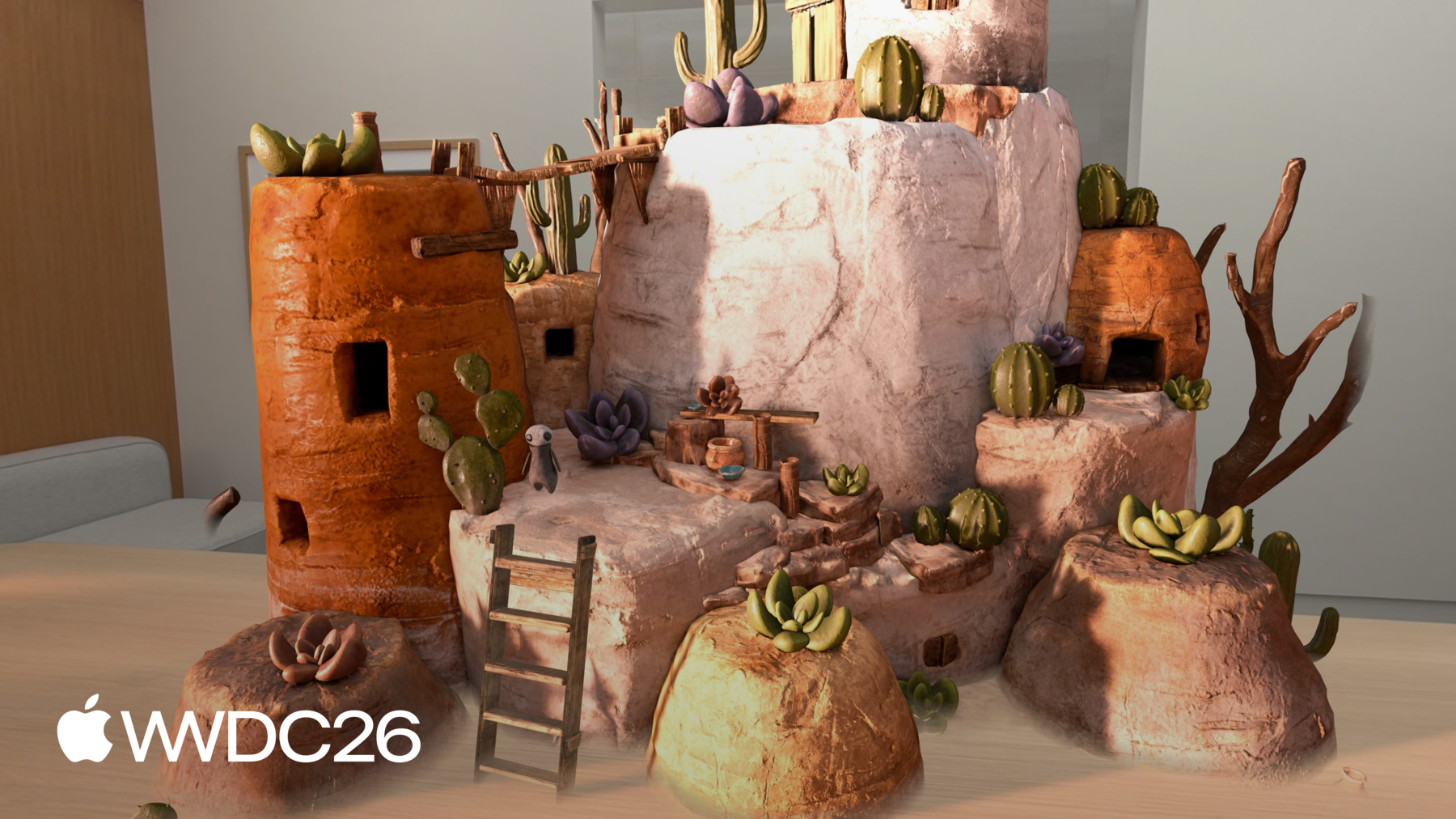
안녕하세요, 저는 Vincent입니다 Reality Composer Pro 엔지니어입니다 오늘은 Reality Composer Pro의 비주얼 노드 기반 도구를 활용해 공간 작업 흐름을 향상하는 방법을 소개하겠습니다 이 도구들로 기능, 애니메이션, 파티클 효과를 제작하고 에디터 내에서 바로 씬의 모습을 커스터마이즈할 수 있습니다 아이디어를 빠르게 프로토타입하고 반복할 수 있게 해 줍니다 Reality Composer Pro는 3D 씬 구성을 위한 비주얼 에디터로 머티리얼 생성, 비주얼 이펙트 추가, 라이팅 설정 등을 지원합니다 인터랙티비티 구성 등 훨씬 더 많은 기능을 제공합니다 Reality Composer Pro로 할 수 있는 일이 매우 많은데 올해는 더욱 강력해졌습니다 이러한 기능들을 더 깊이 살펴보려면 다음 세션을 확인해 보세요 "Reality Composer Pro 3으로 공간 씬을 더 빠르게 반복하기" 이것은 Chaparral Village 게임으로, 전체가 Reality Composer Pro 3과 Swift로 제작되었습니다 최신 기능들을 다양하게 활용하고 있습니다 오늘은 이 게임의 연금술 지역 씬을 살펴보며 인터랙티브 캐릭터로 생동감을 불어넣겠습니다 그리고 가마솥에 파티클 효과를 추가하겠습니다
연금술사 캐릭터가 루틴을 수행하도록 만들고 싶습니다 테이블로 걸어가 재료를 준비하고 대기하는 루틴입니다 그리고 누군가 연금술사를 탭하면 방향을 돌아 가마솥 쪽으로 걷고 포션을 끓이기 시작합니다 이를 구현하기 위해 먼저 Animation Graph로 시작합니다 캐릭터가 이동할 때 idle과 walk 애니메이션을 블렌드합니다 Behavior Tree를 설정해 캐릭터가 이동하는 방식을 정의합니다 연금술 지역을 자율적으로 이동하도록 합니다 Script Graph를 연결해 인터랙티비티를 추가합니다 누군가 탭했을 때 씬이 반응하도록 합니다 그다음에는 Navigation Mesh 컴포넌트를 소개합니다 장애물 주변을 길 찾기하고 복잡한 환경을 탐색할 수 있게 해 줍니다 Compute Graph로 가마솥의 파티클 효과를 어떻게 구성했는지 보여드리겠습니다 마지막으로, Reality Composer Pro 3의 Shader Graph 개선 사항을 소개합니다 Animation Graph부터 시작하겠습니다 Reality Composer Pro 3의 Animation Graph는 비주얼 노드 기반 에디터입니다 런타임에 캐릭터가 애니메이션되는 방식을 제어합니다 모션 워핑부터 블렌드 스페이스, 역운동학까지 다양한 기능을 지원합니다 그리고 훨씬 더 많은 기능이 있습니다
연금술사를 자연스럽게 움직이게 하려면 State Machine을 사용합니다 Animation 클립, Transition 조건들과 함께 런타임 파라미터로 idle과 walk 애니메이션을 블렌드합니다 확인해 보겠습니다
여기는 Animation Graph 워크스페이스로 애니메이션을 정의하는 곳입니다 Animation Graph는 기본적으로 Final Pose 노드로 시작합니다 이 노드로 들어오는 포즈가 캐릭터에 표시됩니다 Final Pose 노드의 입력에서 드래그해 State Machine 노드를 연결합니다
State Machine은 어떤 애니메이션이 활성화될지 결정합니다 다음으로, State Machine 노드를 더블 클릭해 내부로 들어갑니다 State Machine 에디터가 열리고 상태와 전환을 정의할 수 있습니다 캔버스가 빈 상태로 시작되고 캐릭터에는 두 가지 상태가 필요합니다 Animation State 노드 두 개를 추가해 Idle과 Walk로 이름을 지정합니다
상태를 배치했으면 전환을 추가합니다 두 상태는 지금 독립적이어서 서로 전환하는 방법이 없습니다 Idle에서 Walk로 드래그해 전환을 만들겠습니다
그런 다음 Walk에서 Idle로도 같은 작업을 합니다 걷기를 마쳤을 때 캐릭터가 Idle로 돌아올 수 있습니다 전환이 설정되었지만 아직 조건이 없습니다 조건 없이는 State Machine이 언제 상태를 전환할지 알 수 없습니다 조건을 추가하기 전에 참조할 입력을 정의해야 합니다 Inputs Inspector로 이동해 isWalking이라는 boolean을 추가합니다
이것은 런타임에 설정할 파라미터입니다 캐릭터에게 언제 걷도록 할지 알립니다
이제 조건을 추가할 수 있습니다 Idle에서 Walk로의 전환을 선택합니다 Inspector에서 조건 섹션의 Add를 클릭하고 Bool Condition을 선택합니다 isWalking이 true인지 확인하도록 설정합니다
Walk에서 Idle로의 전환도 조건은 같지만 반전됩니다 해당 전환을 선택하고 Bool Condition을 추가해 isWalking이 false인지 확인하도록 설정합니다
뒤로 화살표를 클릭해 Main Graph로 돌아갑니다
State Machine 노드에 이제 두 개의 상태 입력이 표시됩니다 하나는 Idle이고 하나는 Walk입니다 각 입력에는 애니메이션 소스가 필요합니다 Idle 입력에서 드래그해 Animation Clip 노드를 추가합니다
Inspector에서 타임라인을 idle 애니메이션으로 설정하고 노드 이름을 "Idle"로 설정합니다
Walk 입력도 같은 작업을 합니다 드래그해서 Animation Clip 노드를 하나 더 만들고 walk 애니메이션으로 설정하고 이름을 "Walk"로 변경합니다
테스트해 보겠습니다 워크스페이스 상단의 Play 버튼을 누릅니다
뷰포트의 캐릭터가 idle 애니메이션을 재생하기 시작합니다 Inspector에서 isWalking boolean을 수동으로 토글할 수 있습니다 true로 설정하면 캐릭터가 walk 애니메이션으로 블렌드됩니다
false로 돌아가면 캐릭터가 현재 Walk 사이클을 마치고 Idle로 블렌드됩니다 isWalking boolean을 토글할 때 Graph Editor를 확인해 보세요 캐릭터가 상태를 전환할 때 활성 상태 노드가 강조 표시됩니다
State Machine의 동작을 실시간으로 쉽게 파악할 수 있습니다 더 복잡한 상태가 많은 경우를 디버깅할 때 특히 유용합니다 많은 상태가 있는 경우에요 이제 캐릭터가 idle과 walk 애니메이션 사이를 부드럽게 블렌드할 수 있습니다 하지만 어디로 가야 하는지, 언제 움직여야 하는지는 모릅니다 연금술사에게 연금술 지역 전체의 루틴을 부여하려면 Behavior Tree로 이동의 각 단계를 정의하겠습니다
Reality Composer Pro의 Behavior Tree는 자율적이고 여러 단계의 행동을 에디터에서 직접 제작할 수 있습니다 예를 들어, 지역을 순찰하고 이벤트에 반응하거나 루틴을 따르는 캐릭터를 만들 수 있습니다
여기에 표시된 것처럼 Behavior Tree는 일반적으로 노드의 구조적 계층으로 구성됩니다 이것들은 어떤 순서로도 재배치할 수 있는 단계들이며 코드 없이도 모든 것을 테스트할 수 있습니다 Behavior Tree는 엔티티의 행동을 노드의 계층으로 설명합니다 트리는 위에서 아래로 평가됩니다 같은 레벨의 노드들은 왼쪽에서 오른쪽으로 평가됩니다 상위 노드와 가장 왼쪽 노드가 항상 먼저 평가됩니다 노드의 종류는 두 가지입니다 Composite 노드와 Action 노드입니다 Composite 노드는 흐름을 제어합니다 Action 노드는 실제 작업을 수행합니다 Action 노드는 Composite 노드의 자식으로 연결되며 Composite 노드가 실행 순서와 조건을 결정합니다 Reality Composer Pro의 Behavior Tree는 세 가지 Composite 노드를 제공합니다 흐름을 제어하기 위한 것입니다 Sequence는 자식들을 순서대로 하나씩 실행합니다 어떤 액션이 실패하면 전체 시퀀스가 즉시 중단됩니다
Selector는 하나가 성공할 때까지 자식들을 평가하고 멈춥니다
Parallel은 모든 자식들을 동시에 실행합니다
Behavior Tree는 다양한 내장 Action 노드를 제공합니다 연금술사의 루틴 구성을 위해 Move To Action 노드를 사용해 캐릭터를 목적지까지 걷게 합니다 Rotate To Face 노드로 목표 방향으로 회전합니다 Wait 노드로 단계 사이에 일시 중지합니다 Parameter Setter 노드로 엔티티 파라미터를 업데이트합니다 저는 이 앱에서 몇 가지 내장 노드만 사용할 예정입니다 하지만 에디터에서 다양한 Action 노드를 더 찾을 수 있습니다 에디터로 돌아가서 Behavior Tree를 구성합니다 연금술사 캐릭터가 연금술 지역에서 루틴을 수행하도록 합니다 여기는 Behavior Tree 워크스페이스로 연금술사의 루틴을 정의합니다 연금술사 캐릭터가 테이블 방향으로 회전하고 걸어가서 잠시 대기하며 재료를 준비하도록 하겠습니다 이 액션들은 순서대로 수행되어야 하므로 Sequence Composite 노드를 사용합니다 Sequence 안에 Rotate To Face 노드를 추가하고 Move To 노드와 Wait 노드를 추가합니다 대기 시간을 1초로 설정합니다
Rotate와 Move 노드 모두 목표 위치와 속도가 필요합니다 tablePosition, rotationRate, movementRate 입력을 추가하고 노드에 연결합니다
캐릭터가 이동을 시작하기 전에 Animation Graph가 이를 알아야 합니다 Animation Graph를 위한 isWalking 입력을 추가합니다 그런 다음 Rotate To Face 앞에 Parameter Setter를 추가해 isWalking을 true로 설정합니다
Move To 뒤에는 또 다른 Parameter Setter를 추가해 isWalking을 다시 false로 설정합니다
이제 캐릭터가 이동 중일 때만 walk 애니메이션이 재생됩니다 연금술사는 같은 패턴으로 가마솥까지 걸어가야 합니다 단계는 동일하며 목적지만 다릅니다 전체 그래프를 미리 구성해 두었습니다 두 개의 서브 시퀀스가 이미 연결되어 있습니다 구성된 내용입니다 가마솥 서브 시퀀스도 같은 구조를 따릅니다 Rotate To Face, Move To가 있고 Parameter Setter 노드들이 cauldronPosition 입력을 가리킵니다 Parent Sequence 노드를 만들어 두 서브 시퀀스를 부모 시퀀스에 연결합니다 연금술사가 먼저 테이블을 방문한 다음 가마솥으로 이동합니다 Behavior Tree가 캐릭터의 루틴을 정의했지만 아직 작동하지는 않습니다 캐릭터가 루틴을 수행하게 하려면 방향을 돌아 가마솥으로 걸어가서 끓이기를 시작하도록 합니다 Script Graph를 사용해야 합니다 Script Graph로 씬의 엔티티에 인터랙티비티와 기능을 정의할 수 있습니다 씬의 엔티티들에 대해서요 비주얼 스크립팅 시스템으로 씬의 엔티티가 어떻게 동작하고 서로 상호작용할지 정의합니다 이벤트 기반으로 작동하며 Script Graph는 이벤트에 반응해 실행됩니다 씬 레벨이나 특정 엔티티에서요 모든 것이 비주얼이기 때문에 프로토타입과 반복이 빠릅니다 팀원 누구나 에디터에서 바로 동작을 구성하고 테스트할 수 있습니다 빌드 사이클 없이요 Script Graph가 워크플로를 어떻게 활용하는지 확인하려면 다음 세션을 참고하세요 "Reality Composer Pro 3으로 코드 없이 게임 디자인하기" 에디터로 돌아가서 테이블과 가마솥 위치를 설정하겠습니다 Script Graph를 사용해 탭 제스처 인터랙션을 추가합니다 여기가 Script Graph입니다 연금술사 캐릭터와 상호작용할 로직을 정의하겠습니다 On Initialize 노드로 시작합니다
Scripting 컴포넌트가 처음 초기화될 때 이벤트를 전송합니다 설정 로직을 배치하기 좋은 곳입니다 Behavior Tree에는 테이블과 가마솥 위치가 필요합니다 서브그래프를 사용해 제공하겠습니다 서브그래프는 함수처럼 작동하는 재사용 가능한 로직입니다 팀원이 이미 Setup Behavior Tree Position 서브그래프를 만들어 두었습니다 Project Browser에 있습니다 씬에서 테이블과 가마솥 엔티티를 찾아 월드 위치를 엔티티 파라미터에 설정합니다 Project Browser에서 서브그래프를 캔버스로 드래그합니다 그런 다음 이벤트 입력을 On Initialize 노드의 이벤트 출력에 연결합니다
이제 시작해 보겠습니다 상단의 play 버튼을 클릭합니다 연금술사가 테이블 방향으로 돌아서 잠시 재료를 준비합니다 그런 다음 가마솥으로 바로 이동합니다 전체 루틴이 처음부터 끝까지 재생됩니다 Behavior Tree에서 정의한 대로요 하지만 연금술사가 탭 인터랙션에 반응하면 훨씬 더 흥미로울 것 같습니다
연금술사가 테이블에서 재료를 준비하며 대기하다가… 포션을 끓일 시간이 되었다고 탭하면 이동하도록 만들겠습니다 설정하려면 Behavior Tree로 돌아가겠습니다 먼저 테이블 서브 시퀀스의 Wait 노드를 삭제합니다 연금술사는 이동 명령이 있을 때까지 무한정 대기해야 합니다 Inputs Inspector에서 readyToBrew라는 Boolean 입력을 추가합니다 기본값은 false입니다 다음으로 가마솥 서브 시퀀스를 선택합니다 Inspector에서 Precondition을 추가하고 Bool Condition을 선택합니다
설정이 완료되면 연금술사는 테이블에서 대기하도록 구성됩니다 readyToBrew가 true가 될 때까지요 그 이후에는 가마솥으로 이동합니다 Script Graph로 돌아가서 탭 인터랙션을 연결합니다 새로운 동작이 완전히 작동하도록 합니다 Mac Virtual Display와 함께 Live Preview 기능을 사용합니다 Reality Composer Pro 3에서 Apple Vision Pro에서 씬을 몰입형으로 작업할 수 있습니다 어떤 모습인지 보여드리겠습니다 On Tap 노드를 추가합니다 이 노드는 엔티티의 탭 제스처 이벤트를 감지합니다 Set Entity Parameter 노드도 필요합니다 이 노드로 사전 조건 파라미터를 설정합니다 Behavior Tree에서 이전에 정의한 파라미터입니다 name 필드에 파라미터 이름을 "readyToBrew"로 정의합니다 Behavior Tree에서 정의한 이름과 일치해야 합니다 이 파라미터는 캐릭터에게 언제 가마솥으로 이동할지 알립니다 토글을 활성화해 true로 설정합니다 마지막으로 On Tap 노드의 이벤트 출력을 연결합니다 Set Entity Parameter 노드에 연결합니다 Apple Vision Pro에서 라이브 프리뷰 세션을 시작했습니다 Reality Composer Pro Companion App을 사용해서요
연금술사가 테이블 방향으로 돌아서서 재료를 준비하며 대기합니다 캐릭터를 탭하면 방향을 돌아 가마솥으로 걸어가 끓이기를 시작합니다 씬이 이제 인터랙티브합니다
연금술사가 이제 애니메이션되고 루틴을 따르며 인터랙션에 반응합니다 Animation Graph의 조합으로 에디터에서 모두 비주얼로 제작했습니다 Behavior Tree와 Script Graph로요 다음으로 캐릭터가 자율적인 경로로 이동하게 하겠습니다 씬의 장애물도 피할 수 있도록 합니다 이를 위해 새로운 Navigation Mesh 기능을 사용합니다 Navigation Mesh는 씬에서 이동 가능한 표면을 정의합니다 내비게이션 컨트롤러는 Navigation Mesh를 사용해 캐릭터를 한 지점에서 다른 지점으로 안내합니다 여기 보이는 나무와 물처럼 장애물을 자동으로 피합니다 메시가 자연스럽게 연결되지 않으면 오른쪽의 이 다리처럼 오프 메시 연결을 제작해 연결할 수 있습니다
Chaparral Village 프로젝트의 마을 씬에서 어떻게 사용하는지 보여드리겠습니다 Navigation Mesh로 마을 주변의 캐릭터를 안내합니다 마을 씬을 위해 설정한 Navigation Mesh 컴포넌트입니다 Shapes 섹션부터 시작합니다 메시 생성을 위한 바운딩 박스를 정의하는 곳입니다 바운딩 박스는 씬의 메시 지오메트리 중 어떤 부분을 Navigation Mesh 계산에 포함할지 결정합니다 바운딩 박스 안의 씬 부분은 Navigation Mesh 리소스 생성에 사용됩니다 다음은 Off-Mesh Connections 섹션으로 영역 간 링크를 정의합니다 메시가 연결하지 못하는 영역들 사이를요 여기 사다리처럼 캐릭터가 건물 지붕으로 올라갈 수 있습니다 각 연결에는 시작점과 끝점이 있습니다 뷰포트의 기즈모를 사용해 위치를 직접 조정할 수 있습니다 씬이 발전함에 따라 연결을 빠르게 설정하고 재배치할 수 있습니다 씬이 변화해도 유연합니다 다음은 Generation Parameters 섹션입니다 씬 지오메트리의 샘플링 방식을 제어합니다 예를 들어, cell size는 샘플링 시 사용하는 복셀 크기를 설정합니다 작은 값은 더 세밀한 디테일을 캡처합니다 큰 값은 더 근사적인 메시를 생성합니다
Navigation Mesh 미세 조정을 위한 더 많은 파라미터를 사용할 수 있습니다 전체 참조 정보는 developer.apple.com의 문서를 확인하세요 코드에서 Navigation Mesh를 사용하는 방법은 Dennis의 세션을 확인하세요 "RealityKit의 발전 사항 살펴보기" Navigation Mesh가 설정되면 Behavior Tree와 함께 사용할 수 있습니다 Animation Graph나 자체 커스텀 Swift 시스템과도 사용할 수 있습니다 내비게이션 컴포넌트를 통해 씬에서 캐릭터를 안내합니다 여기 마을의 캐릭터처럼 탭한 위치로 자율적으로 내비게이션하며 장애물을 피합니다 그리고 사다리에 오프 메시 연결이 있어 캐릭터가 지붕으로 올라갈 수 있다는 것도 알고 있습니다 다음으로 Compute Graph를 사용해 가마솥의 연기 파티클 효과를 어떻게 구성했는지 보여드리겠습니다 Compute Graph는 비주얼 노드 기반 도구입니다 GPU 기반 파티클 시뮬레이션을 구성합니다 Metal이 지원하며 Reality Composer Pro에서 직접 작동합니다 스폰, 시뮬레이션, 렌더링에 완전한 제어권을 제공합니다 커스텀 셰이더도 지원합니다 Compute Graph는 네 가지 단계로 구성됩니다 각 단계는 파티클 생애의 다른 단계를 처리합니다 첫 번째 단계는 Emitter Phase입니다 파티클이 언제, 어떻게 생성되는지 제어합니다 지속적으로, 버스트로, 또는 단발성으로 생성됩니다 두 번째 단계는 Initialize Phase로 파티클 생성 시 한 번 실행됩니다 속도, 수명, 크기 같은 시작 값을 설정합니다 다음은 Simulate Phase입니다 매 프레임 실행되며 중력과 난류 같은 힘을 적용해 시간에 따라 파티클을 변화시킵니다
마지막 단계는 Output Phase입니다 파티클이 화면에 어떻게 보이는지 제어합니다 시간이 지나고 공간을 이동하면서 시각적 외관을 정의합니다 가마솥의 연기 효과를 위해 만든 Compute Graph를 안내해 드리겠습니다 모든 Compute Graph는 이 네 단계를 템플릿으로 시작합니다 Emitter Phase에서는 Continuous Emit 노드를 사용합니다 밀도 있고 연속적인 파티클 흐름을 제공하며 각 프레임의 스폰 수를 적절히 유지합니다 Initialize Phase에서는 먼저 크기를 설정해 각 파티클이 올바른 크기로 시작하게 합니다 약간의 무작위 변형을 줍니다 수명을 무작위화해 파티클이 모두 같은 순간에 사라지지 않도록 합니다 연기에 더 자연스러운 느낌을 줍니다 Spawn in Sphere 노드로 파티클을 구형 볼륨 안에 분산합니다 이 노드는 커스텀 Compute Graph 번들에서 가져온 것입니다 링크를 확인해 주세요 번들을 사용해 커스텀 Compute Graph 노드를 작성하는 방법을 안내합니다 마지막으로 Set Position 노드가 Y 위치를 0으로 고정합니다 스폰 영역을 구의 표면으로 평탄화합니다 이렇게 파티클이 원형으로 스폰됩니다 액체 표면에서 연기가 피어오르는 모습처럼요 Simulate Phase에서는 음의 중력 힘을 적용합니다 연기 파티클이 위로 떠오르게 합니다 가마솥에서 증기가 올라오는 것처럼요
마지막으로 Output Phase에서는 파티클이 수명에 따라 서서히 나타났다 사라집니다 올라갈수록 크기가 줄어들고 높이에 따라 색상이 변합니다 렌더링에서 Compute Graph는 Shader Graph 머티리얼을 사용합니다 빌보드에 원을 그려 더 둥근 모양으로 보이게 하는 머티리얼을 사용합니다
이게 전부입니다 파티클 효과가 씬에서 아름답게 보입니다 Reality Composer Pro의 Compute Graph 기능 덕분입니다 다음으로 Shader Graph의 몇 가지 개선 사항을 소개하겠습니다 Shader Graph가 올해 강력한 업데이트를 받습니다 서브서피스 스캐터링 효과처럼요 Jupiter 환경에서 보셨을 수도 있는 기능으로 달 표면의 얼음 사실감을 향상합니다 서브서피스 스캐터링 효과 외에도 올해 Shader Graph에는 다양한 개선 사항이 있습니다 RealityKit PBR Surface 2가 Shader Graph에서 이제 사용 가능합니다 기존 RealityKit PBR surface 노드를 확장합니다 쉰 같은 새로운 표면 속성과 함께 서브서피스 스캐터링, 더 정확한 Diffuse와 Occlusion 셰이딩을 추가합니다
Hair surface는 머리카락과 털 렌더링을 위한 전용 표면 셰이더입니다 빛이 가는 가닥을 따라 반사되고 통과하며 산란되는 방식을 모델링합니다 사실적인 결과를 위해서요 Portal surface와 Portal Geometry Modifier도 Shader Graph에서 사용할 수 있습니다 Portal surface의 픽셀당 불투명도를 이제 수정할 수 있습니다 버텍스 애니메이션 포털 지오메트리를 구동할 수 있습니다 포털의 모습과 동작에 대해 훨씬 더 많은 유연성을 제공합니다 Shader Graph가 처음이시라면 Niel의 세션을 추천합니다 "Reality Composer Pro에서 머티리얼 살펴보기" 이번 세션에서 다룬 흥미로운 새 기능들이었습니다 비주얼 노드 기반 도구를 사용해 씬에 생동감을 불어넣는 방법을 보여드렸습니다 Reality Composer Pro 3에서 캐릭터 애니메이션 구성으로 작업 흐름을 향상하고 복잡한 동작을 정의하고 씬에 인터랙티비티와 파티클 효과를 추가하는 것까지 다루었습니다 그리고 이것은 할 수 있는 것의 표면만 살짝 긁은 것입니다 Reality Composer Pro 3으로요 마무리하기 전에 꼭 권해드립니다 Reality Composer Pro 3을 다운로드하세요 developer.apple.com에서 다운로드해 나만의 인터랙티브 경험을 만들어 보세요 더 깊이 알고 싶다면 관련 세션도 확인해 보세요 "Reality Composer Pro 3으로 코드 없이 게임 디자인하기" Script Graph로 게임을 만드는 방법을 더 깊이 다룹니다
"RealityKit의 발전 사항 살펴보기"는 RealityKit 기능을 다룹니다 오늘 보여드린 많은 도구를 지원합니다 시청해 주셔서 감사합니다 Reality Composer Pro로 여러분이 만드실 것이 정말 기대됩니다
-