Cannot find ''ContentView' in scope'. The error I recieve when using WKWebView

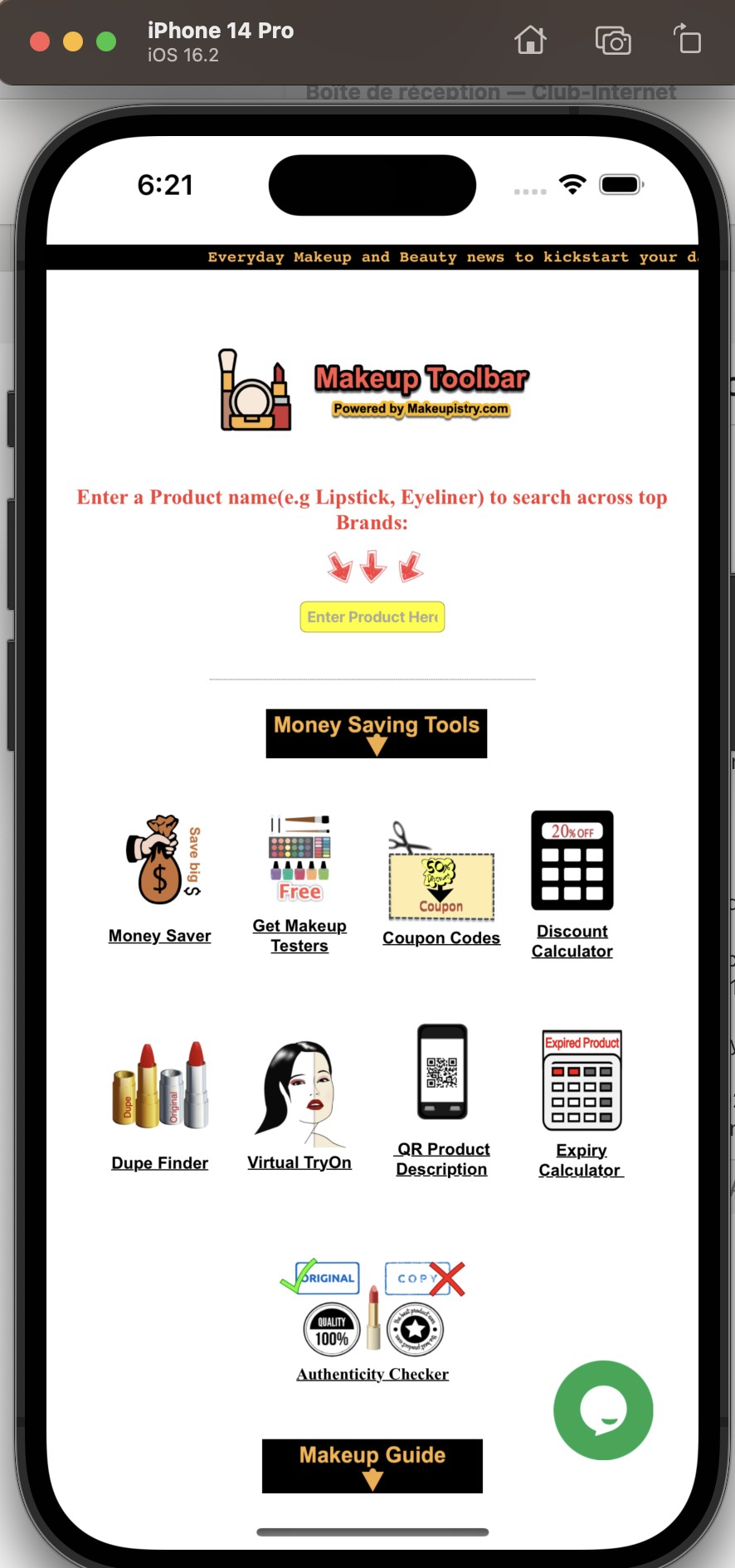
Below is the code for my ContentView.swift file:

import UIKit import WebKit

class ViewController: UIViewController, WKUIDelegate {       var webView: WKWebView!       override func loadView() {     let webConfiguration = WKWebViewConfiguration()     webView = WKWebView(frame: .zero, configuration: webConfiguration)     webView.uiDelegate = self     view = webView   }

  override func viewDidLoad() {     super.viewDidLoad()           let myURL = URL(string:"https://www.makeupistry.com/toolbar")     let myRequest = URLRequest(url: myURL!)     webView.load(myRequest)   } }

Below is the code for my app file:

Import SwiftUI

@main struct Makeup_ToolbarApp: App {   var body: some Scene {     WindowGroup {       ContentView() <<<Recieve the error here     }   } }

Welcome to the forum.

Please format code with code formatter, that will make it much easier to read.

You are mixing UIKit and SwiftUI and you are missing several points:

  • Where did you define ContentView struct ?
  • you need to make your ViewController UIViewControllerRepresentable

See how to organize all this here: https://sarunw.com/posts/uiviewcontroller-in-swiftui/

Here is the complete code to make it work. @main is unchanged.

import SwiftUI
import UIKit
import WebKit

class MyViewController: UIViewController, WKUIDelegate {
    
    var webView: WKWebView!
    
    override func loadView() {
        let webConfiguration = WKWebViewConfiguration()
        webView = WKWebView(frame: .zero, configuration: webConfiguration)
        
        webView.uiDelegate = self
        view = webView
    }
    override func viewDidLoad() {
        super.viewDidLoad()
        let myURL = URL(string:"https://www.makeupistry.com/toolbar")
        let myRequest = URLRequest(url: myURL!)
        webView.load(myRequest)
    }
}

struct MyView: UIViewControllerRepresentable {

    typealias UIViewControllerType = MyViewController
    
    func makeUIViewController(context: Context) -> MyViewController {
        let vc = MyViewController()
        // Do some configurations here if needed.
        return vc
    }
    
    func updateUIViewController(_ uiViewController: MyViewController, context: Context) {
        // Updates the state of the specified view controller with new information from SwiftUI.
    }

}

struct ContentView: View {
    var body: some View {
        MyView()
    }
}

struct ContentView_Previews: PreviewProvider {
    static var previews: some View {
        ContentView()
    }
}
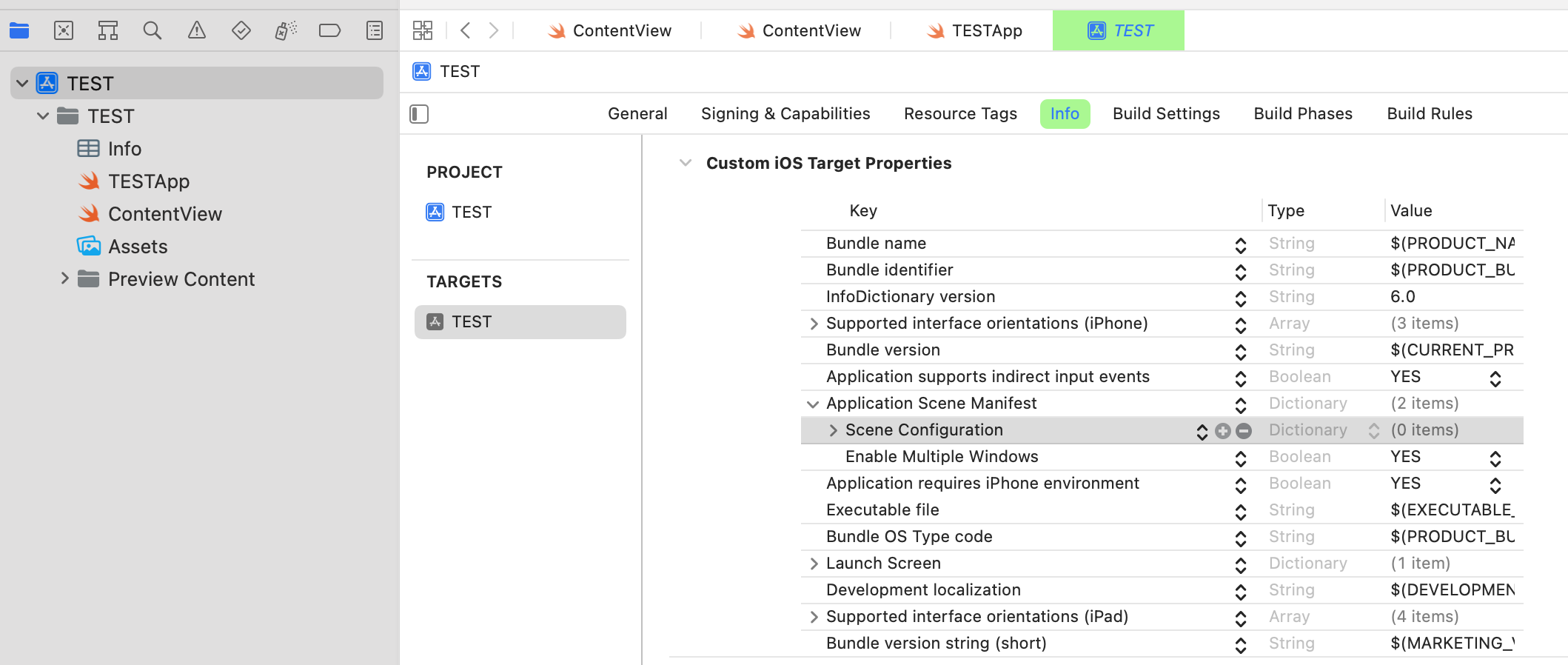
To avoid warnings, you should set SceneConfiguration as shown below (you can also do it directly in the Info file):
You may face another problem with WKWebView when loading and get the following error of just a blank screen: 2023-02-02 18:20:09.429496+0100 TEST[7508:3721208] [Security] This method should not be called on the main thread as it may lead to UI unresponsiveness.

That's a long standing issue: https://developer.apple.com/forums/thread/712074

Thanks, @Claude31. It really worked. But my info.plist file looks like following. it doesn't have the scene configuration

Another point. Why do you override loadView and not do it in viewDidLoad ?

class MyViewController: UIViewController, WKUIDelegate {
    
    var webView: WKWebView!
    
//    override func loadView() {
//        let webConfiguration = WKWebViewConfiguration()
//        webView = WKWebView(frame: .zero, configuration: webConfiguration)
//
//        webView.uiDelegate = self
//        view = webView
//    }
    
    override func viewDidLoad() {
        super.viewDidLoad()

        let webConfiguration = WKWebViewConfiguration()
        webView = WKWebView(frame: .zero, configuration: webConfiguration)
        
        webView.uiDelegate = self
        let myURL = URL(string:"https://www.makeupistry.com/toolbar")
        let myRequest = URLRequest(url: myURL!)
        webView.load(myRequest)
        self.view = webView
    }
}

In the info.plist, you have an entry for Application Scene Manifest

Add an item in this dictionary for Scene Configuration.

And leave this new dictionary empty (0 item) as shown in my screen shot.

Does it work now ? If so, don't forget to close the thread, otherwise, what is the remaining issue ?

I am new to IOS dev. So don't know the difference between overriding loadview and overriding ViewDidLoad, Another question in mind. When I set the launchscreen.storyboard, it doesn't show my splash screen on app startup.

@Dev_ADIL launchscreen is a completely different question. You should start a new thread (please explain exactly how you set the launchscreen.storyboard) after closing this one by marking the correct answer.

.

So don't know the difference between overriding loadView and overriding ViewDidLoad

As in all OO languages, you can override (in most cases unless marked as final) a func to change its behaviour.

That's what we do quasi systematically with viewDidLoad as there are always some specific init to do when class is loaded.

You can override also the predefined loadView, but that is not really necessary. You can put its code in viewDidLoad. And there are some caveats to override loadView (see documentation).

Cannot find ''ContentView' in scope'. The error I recieve when using WKWebView
 
 
Q
