

View in English

  • Apple Developer
    • Get Started

    Explore Get Started

    • Overview
    • Learn
    • Apple Developer Program

    Stay Updated

    • Latest News
    • Hello Developer
    • Platforms

    Explore Platforms

    • Apple Platforms
    • iOS
    • iPadOS
    • macOS
    • tvOS
    • visionOS
    • watchOS
    • App Store

    Featured

    • Design
    • Distribution
    • Games
    • Accessories
    • Web
    • Home
    • CarPlay
    • Technologies

    Explore Technologies

    • Overview
    • Xcode
    • Swift
    • SwiftUI

    Featured

    • Accessibility
    • App Intents
    • Apple Intelligence
    • Games
    • Machine Learning & AI
    • Security
    • Xcode Cloud
    • Community

    Explore Community

    • Overview
    • Meet with Apple events
    • Community-driven events
    • Developer Forums
    • Open Source

    Featured

    • WWDC
    • Swift Student Challenge
    • Developer Stories
    • App Store Awards
    • Apple Design Awards
    • Apple Developer Centers
    • Documentation

    Explore Documentation

    • Documentation Library
    • Technology Overviews
    • Sample Code
    • Human Interface Guidelines
    • Videos

    Release Notes

    • Featured Updates
    • iOS
    • iPadOS
    • macOS
    • watchOS
    • visionOS
    • tvOS
    • Xcode
    • Downloads

    Explore Downloads

    • All Downloads
    • Operating Systems
    • Applications
    • Design Resources

    Featured

    • Xcode
    • TestFlight
    • Fonts
    • SF Symbols
    • Icon Composer
    • Support

    Explore Support

    • Overview
    • Help Guides
    • Developer Forums
    • Feedback Assistant
    • Contact Us

    Featured

    • Account Help
    • App Review Guidelines
    • App Store Connect Help
    • Upcoming Requirements
    • Agreements and Guidelines
    • System Status
  • Quick Links

    • Events
    • News
    • Forums
    • Sample Code
    • Videos
 

Vídeos

Abrir menu Fechar menu
  • Coleções
  • Todos os vídeos
  • Sobre

Mais vídeos

  • Sobre
  • Código
  • Modern cell configuration

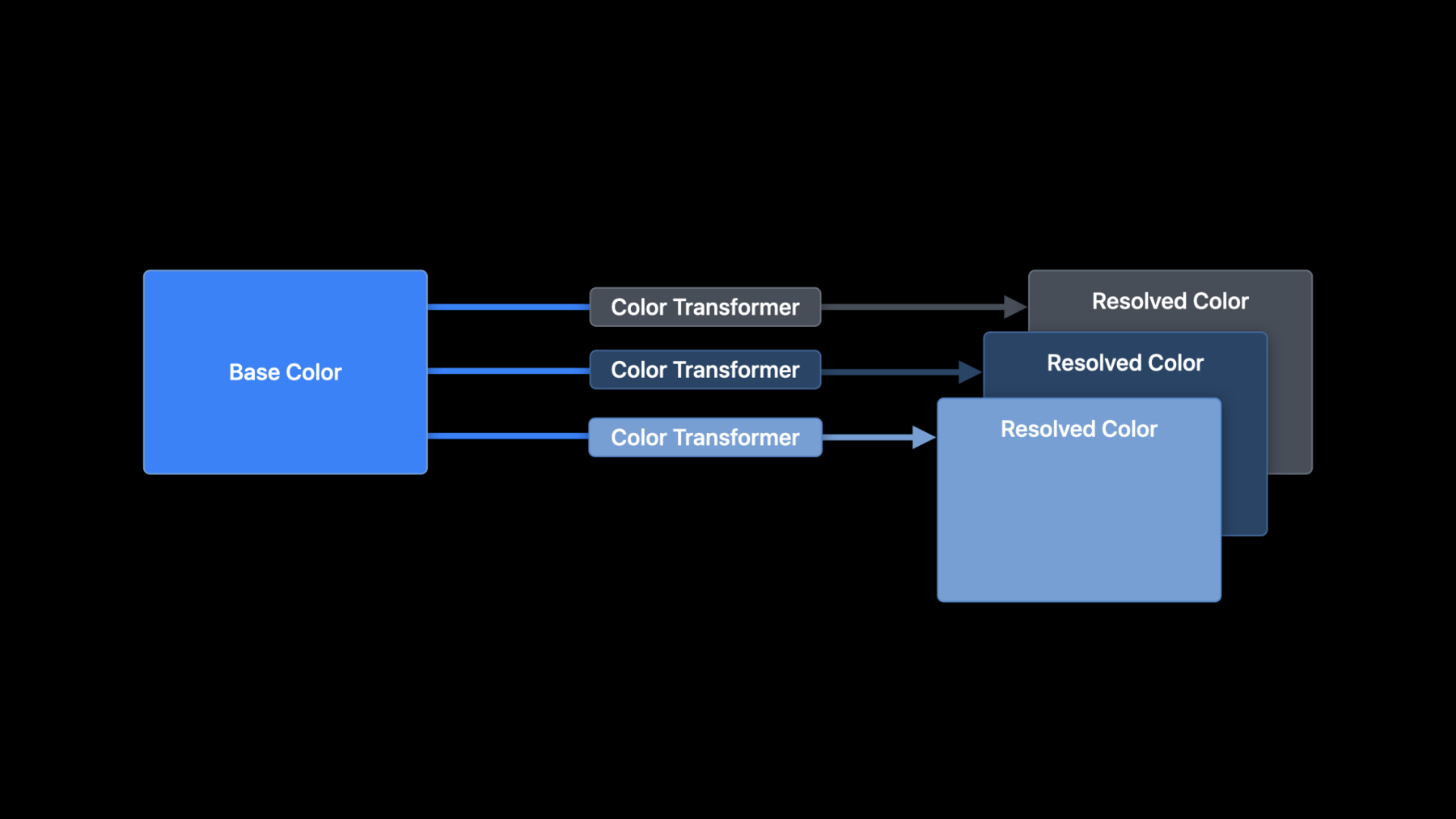
    Discover new techniques for configuring collection view and table view cells to quickly build dynamic interfaces in your app. Explore configuration types you can use to easily populate cells with content and apply common styles. Take advantage of powerful APIs to customize the appearance of cells for different states. Find out about patterns and best practices that simplify your code, eliminate bugs, and improve performance.

    Recursos

    • Implementing modern collection views
      • Vídeo HD
      • Vídeo SD

    Vídeos relacionados

    WWDC22

    • Use SwiftUI with UIKit

    WWDC21

    • Deliver a great playback experience on tvOS
    • Focus on iPad keyboard navigation

    WWDC20

    • Advances in diffable data sources
    • Advances in UICollectionView
    • Build for iPad
    • Lists in UICollectionView
  • Buscar neste vídeo...
    • 1:31 - Configuring a UITableViewCell

      cell.imageView?.image = UIImage(systemName: "star")
      cell.textLabel?.text = "Hello WWDC!"
    • 1:59 - Configuring a UITableViewCell Using a Content Configuration

      var content = cell.defaultContentConfiguration()
      
      content.image = UIImage(systemName: "star")
      content.text = "Hello WWDC!"
      
      cell.contentConfiguration = content
    • 13:10 - Updating Configurations

      let updatedConfiguration = configuration.updated(for: state)
    • 16:33 - Customizing Appearance for Different States

      override func updateConfiguration(using state: UICellConfigurationState) {
          var content = self.defaultContentConfiguration().updated(for: state)
          
          content.image = self.item.icon
          content.text = self.item.title
       
          if state.isHighlighted || state.isSelected {
              content.imageProperties.tintColor = .white
              content.textProperties.color = .white
          }
       
          self.contentConfiguration = content
      }
    • 19:45 - Default Configurations

      var background = UIBackgroundConfiguration.listSidebarCell()
      
      var content = UIListContentConfiguration.sidebarCell()
    • 26:23 - Creating a List Content View

      var content = UIListContentConfiguration.cell()
      
      // Set up the content configuration as desired...
      
      let contentView = UIListContentView(configuration: content)

Developer Footer

  • Vídeos
  • WWDC20
  • Modern cell configuration
  • Open Menu Close Menu
    • iOS
    • iPadOS
    • macOS
    • tvOS
    • visionOS
    • watchOS
    • App Store
    Open Menu Close Menu
    • Swift
    • SwiftUI
    • Swift Playground
    • TestFlight
    • Xcode
    • Xcode Cloud
    • Icon Composer
    • SF Symbols
    Open Menu Close Menu
    • Accessibility
    • Accessories
    • Apple Intelligence
    • Audio & Video
    • Augmented Reality
    • Business
    • Design
    • Distribution
    • Education
    • Games
    • Health & Fitness
    • In-App Purchase
    • Localization
    • Maps & Location
    • Machine Learning & AI
    • Security
    • Safari & Web
    Open Menu Close Menu
    • Documentation
    • Downloads
    • Sample Code
    • Videos
    Open Menu Close Menu
    • Help Guides & Articles
    • Contact Us
    • Forums
    • Feedback & Bug Reporting
    • System Status
    Open Menu Close Menu
    • Apple Developer
    • App Store Connect
    • Certificates, IDs, & Profiles
    • Feedback Assistant
    Open Menu Close Menu
    • Apple Developer Program
    • Apple Developer Enterprise Program
    • App Store Small Business Program
    • MFi Program
    • Mini Apps Partner Program
    • News Partner Program
    • Video Partner Program
    • Security Bounty Program
    • Security Research Device Program
    Open Menu Close Menu
    • Meet with Apple
    • Apple Developer Centers
    • App Store Awards
    • Apple Design Awards
    • Apple Developer Academies
    • WWDC
    Read the latest news.
    Get the Apple Developer app.
    Copyright © 2026 Apple Inc. All rights reserved.
    Terms of Use Privacy Policy Agreements and Guidelines