

View in English

  • Apple Developer
    • Get Started

    Explore Get Started

    • Overview
    • Learn
    • Apple Developer Program

    Stay Updated

    • Latest News
    • Hello Developer
    • Platforms

    Explore Platforms

    • Apple Platforms
    • iOS
    • iPadOS
    • macOS
    • tvOS
    • visionOS
    • watchOS
    • App Store

    Featured

    • Design
    • Distribution
    • Games
    • Accessories
    • Web
    • Home
    • CarPlay
    • Technologies

    Explore Technologies

    • Overview
    • Xcode
    • Swift
    • SwiftUI

    Featured

    • Accessibility
    • App Intents
    • Apple Intelligence
    • Games
    • Machine Learning & AI
    • Security
    • Xcode Cloud
    • Community

    Explore Community

    • Overview
    • Meet with Apple events
    • Community-driven events
    • Developer Forums
    • Open Source

    Featured

    • WWDC
    • Swift Student Challenge
    • Developer Stories
    • App Store Awards
    • Apple Design Awards
    • Apple Developer Centers
    • Documentation

    Explore Documentation

    • Documentation Library
    • Technology Overviews
    • Sample Code
    • Human Interface Guidelines
    • Videos

    Release Notes

    • Featured Updates
    • iOS
    • iPadOS
    • macOS
    • watchOS
    • visionOS
    • tvOS
    • Xcode
    • Downloads

    Explore Downloads

    • All Downloads
    • Operating Systems
    • Applications
    • Design Resources

    Featured

    • Xcode
    • TestFlight
    • Fonts
    • SF Symbols
    • Icon Composer
    • Support

    Explore Support

    • Overview
    • Help Guides
    • Developer Forums
    • Feedback Assistant
    • Contact Us

    Featured

    • Account Help
    • App Review Guidelines
    • App Store Connect Help
    • Upcoming Requirements
    • Agreements and Guidelines
    • System Status
  • Quick Links

    • Events
    • News
    • Forums
    • Sample Code
    • Videos
 

Vídeos

Abrir menu Fechar menu
  • Coleções
  • Todos os vídeos
  • Sobre

Mais vídeos

  • Sobre
  • Código
  • Adopt the new look of macOS

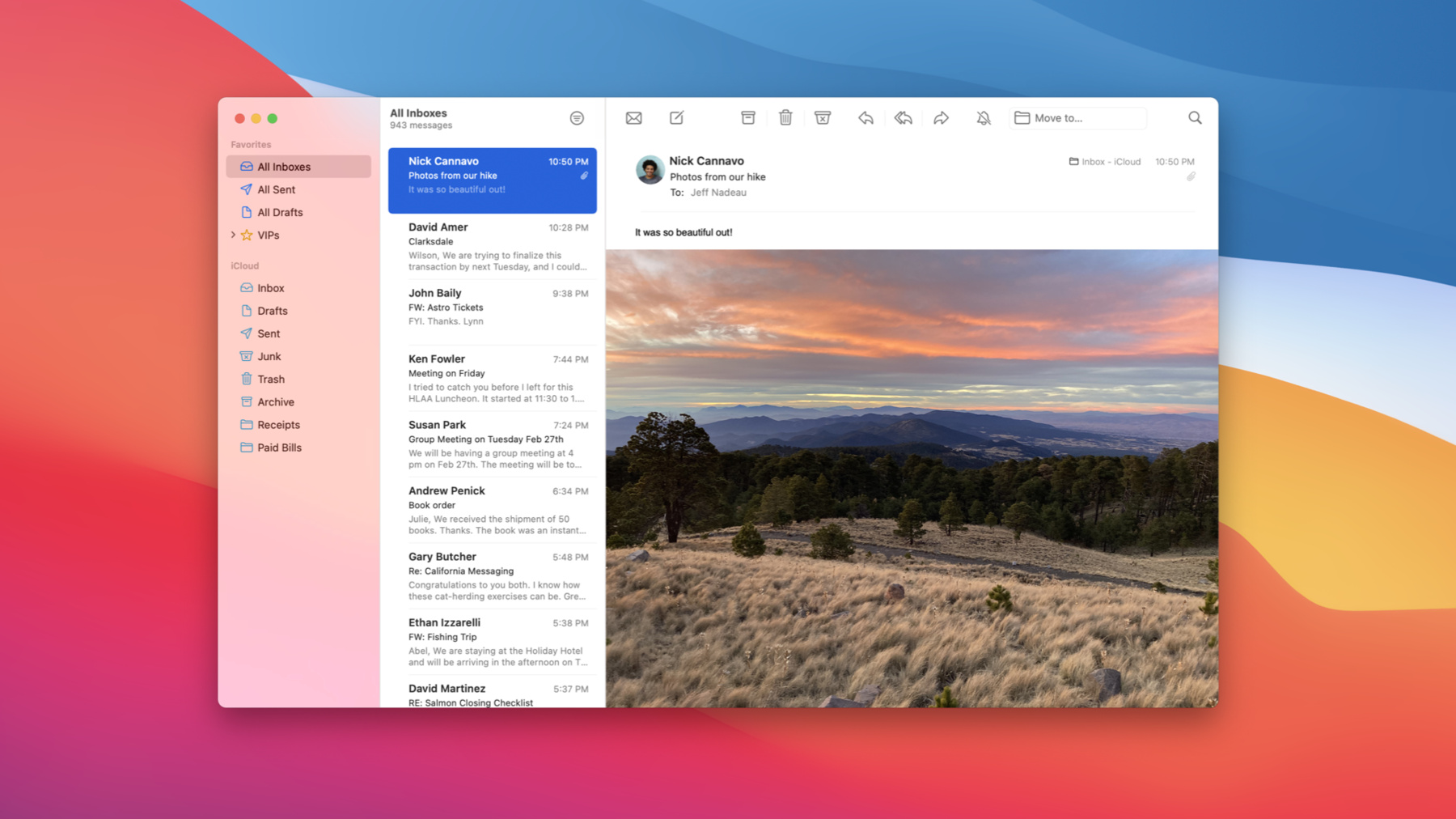
    Make over your Mac apps: Discover how you can embrace the new design of macOS Big Sur and adopt its visual hierarchy, design patterns, and behaviors. We'll explore the latest updates to AppKit around structural items and common controls, and show you how you can adapt more customized interfaces with just a bit of adoption work. And find out how you can incorporate custom accent colors and symbols to further personalize your app.

    To get the most out of this session, you should be familiar with AppKit and SF Symbols. For additional information on symbols, watch "SF Symbols 2.0”.

    Recursos

      • Vídeo HD
      • Vídeo SD

    Vídeos relacionados

    WWDC20

    • SF Symbols 2
    • What's new in Mac Catalyst

    WWDC19

    • Introducing SF Symbols
  • Buscar neste vídeo...
    • 3:45 - Using a monochrome tint for "secondary" sidebar groups

      func outlineView(_ outlineView: NSOutlineView, tintConfigurationForItem item: Any) -> NSTintConfiguration? {
        if case let sectionItem as SectionItem = item {
          /* 
             This outline view uses a type called "SectionItem" to populate its top-level sections.
             Here we choose a tint configuration based on a hypothetical `isSecondarySection` property on that type.
           */
          return sectionItem.isSecondarySection ? .monochrome : .default
        }
        // For all other cases, a return value of `nil` indicates that the item should inherit a tint from its parent.
        return nil
      }
    • 11:32 - Adopting NSSearchToolbarItem

      var searchItem = NSSearchToolbarItem(itemIdentifier: searchIdentifier)
      searchItem.searchField = searchField
    • 13:30 - Creating a split view tracking toolbar item

      var trackingItem = NSTrackingSeparatorToolbarItem(itemIdentifier: identifier,
                                                        splitView: splitView,
                                                        dividerIndex: 1)
    • 18:39 - Creating a large push button

      let button = NSButton(title: "Get Started", 
                            target: self, 
                            action: #selector(finishOnboarding(_:)))
      button.controlSize = .large
    • 24:35 - Instantiating a system symbol image

      /* 
        Symbol image names are literal descriptions of the symbol glyph, so we must
        include an accessibility description to provide semantic meaning to the image.
       */
      let newFolderImage = NSImage(systemSymbolName: "plus.rectangle.on.folder"
                                   accessibilityDescription: "New Folder")

Developer Footer

  • Vídeos
  • WWDC20
  • Adopt the new look of macOS
  • Open Menu Close Menu
    • iOS
    • iPadOS
    • macOS
    • tvOS
    • visionOS
    • watchOS
    • App Store
    Open Menu Close Menu
    • Swift
    • SwiftUI
    • Swift Playground
    • TestFlight
    • Xcode
    • Xcode Cloud
    • Icon Composer
    • SF Symbols
    Open Menu Close Menu
    • Accessibility
    • Accessories
    • Apple Intelligence
    • Audio & Video
    • Augmented Reality
    • Business
    • Design
    • Distribution
    • Education
    • Games
    • Health & Fitness
    • In-App Purchase
    • Localization
    • Maps & Location
    • Machine Learning & AI
    • Security
    • Safari & Web
    Open Menu Close Menu
    • Documentation
    • Downloads
    • Sample Code
    • Videos
    Open Menu Close Menu
    • Help Guides & Articles
    • Contact Us
    • Forums
    • Feedback & Bug Reporting
    • System Status
    Open Menu Close Menu
    • Apple Developer
    • App Store Connect
    • Certificates, IDs, & Profiles
    • Feedback Assistant
    Open Menu Close Menu
    • Apple Developer Program
    • Apple Developer Enterprise Program
    • App Store Small Business Program
    • MFi Program
    • Mini Apps Partner Program
    • News Partner Program
    • Video Partner Program
    • Security Bounty Program
    • Security Research Device Program
    Open Menu Close Menu
    • Meet with Apple
    • Apple Developer Centers
    • App Store Awards
    • Apple Design Awards
    • Apple Developer Academies
    • WWDC
    Read the latest news.
    Get the Apple Developer app.
    Copyright © 2026 Apple Inc. All rights reserved.
    Terms of Use Privacy Policy Agreements and Guidelines