

-
Your guide to keyboard layout
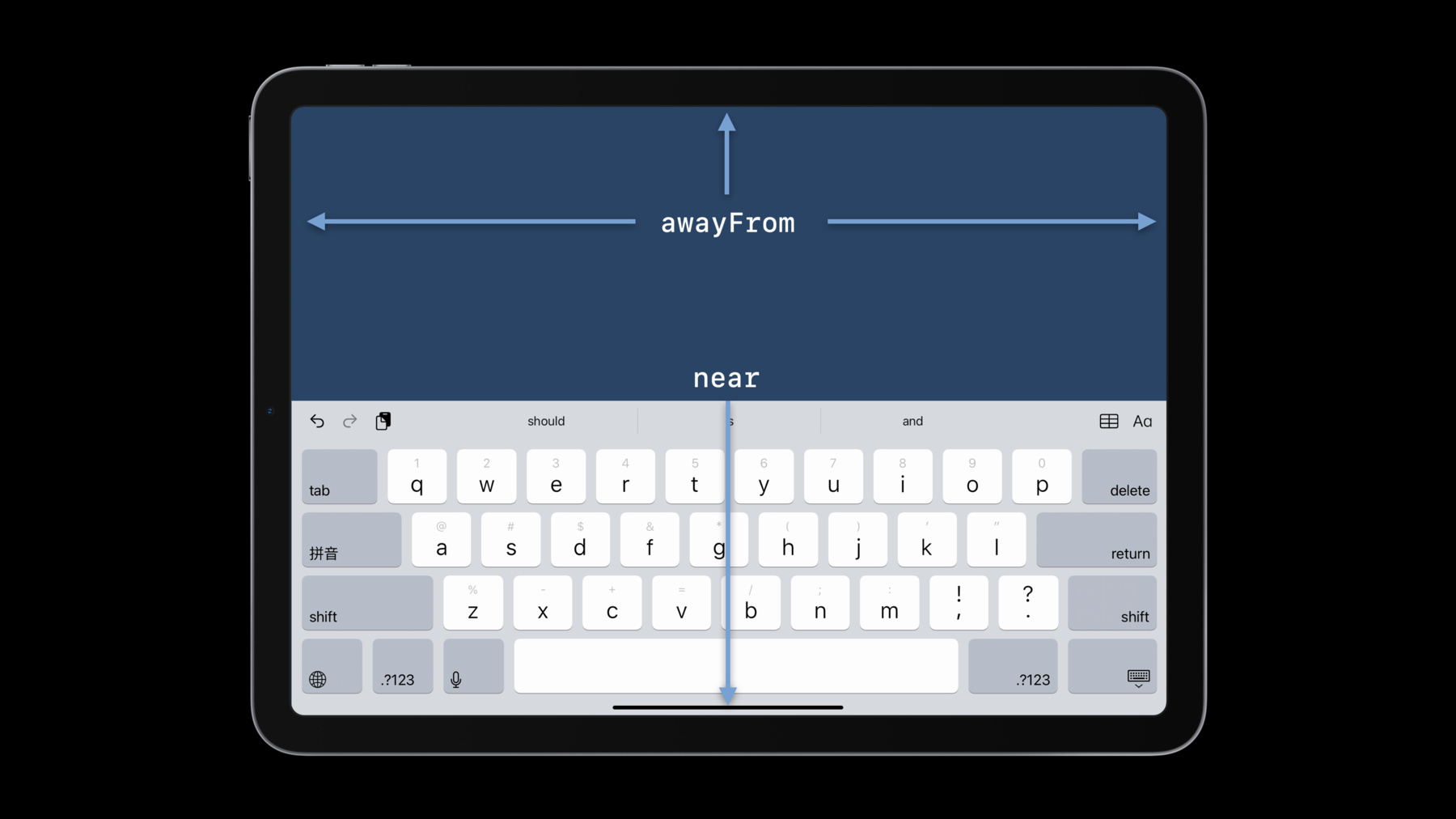
Discover how you can use the Keyboard Layout Guide to manage how keyboards work within your iOS or iPadOS app. Learn how you can avoid writing lengthy code blocks when you use UIKeyboardLayoutGuide and UITrackingLayoutGuide to integrate the keyboard into your interface, helping people have a smoother, more enjoyable experience whenever they use the on-screen keyboard within your app.
To get the most out of this session, we recommend familiarity with both Auto Layout and UILayoutGuide.Recursos
Vídeos relacionados
WWDC23
WWDC21
-
Buscar neste vídeo...
-
-
1:31 - Using notifications with a custom layout guide
... keyboardGuide.bottomAnchor.constraint(equalTo: view.bottomAnchor).isActive = true keyboardGuide.topAnchor.constraint(equalTo: textView.bottomAnchor).isActive = true keyboardHeight = keyboardGuide.heightAnchor.constraint(equalToConstant: view.safeAreaInsets.bottom) NotificationCenter.default.addObserver(self, selector: #selector(respondToKeyboard), name: UIResponder.keyboardWillShowNotification, object: nil) } @objc func respondToKeyboard(notification: Notification) { let info = notification.userInfo if let endRect = info?[UIResponder.keyboardFrameEndUserInfoKey] as? CGRect { var offset = view.bounds.size.height - endRect.origin.y if offset == 0.0 { offset = view.safeAreaInsets.bottom } let duration = info?[UIResponder.keyboardAnimationDurationUserInfoKey] as? TimeInterval ?? 2.0 UIView.animate(withDuration: duration, animations: { self.keyboardHeight.constant = offset self.view.layoutIfNeeded() }) } } -
3:09 - Transitioning to keyboardLayoutGuide
view.keyboardLayoutGuide.topAnchor.constraint(equalToSystemSpacingBelow: textView.bottomAnchor, multiplier: 1.0).isActive = true -
6:46 - Vertical positioning
let awayFromTopConstraints = [ view.keyboardLayoutGuide.topAnchor.constraint(equalTo: editView.bottomAnchor), ] view.keyboardLayoutGuide.setConstraints(awayFromTopConstraints, activeWhenAwayFrom: .top) let nearTopConstraints = [ view.safeAreaLayoutGuide.bottomAnchor.constraint(equalTo: editView.bottomAnchor), ] view.keyboardLayoutGuide.setConstraints(nearTopConstraints, activeWhenNearEdge: .top) -
7:44 - Horizontal positioning
let awayFromSides = [
    view.keyboardLayoutGuide.centerXAnchor.constraint(equalTo: editView.centerXAnchor),
    imageView.centerXAnchor.constraint(equalTo: view.centerXAnchor),
]
view.keyboardLayoutGuide.setConstraints(awayFromSides, activeWhenAwayFrom: [.leading, .trailing])


let nearTrailingConstraints = [
    view.keyboardLayoutGuide.trailingAnchor.constraint(equalTo: editView.trailingAnchor),
    imageView.leadingAnchor.constraint(
        equalToSystemSpacingAfter: view.safeAreaLayoutGuide.leadingAnchor, multiplier: 1.0)
]
view.keyboardLayoutGuide.setConstraints(nearTrailingConstraints, activeWhenNearEdge: .trailing)

let nearLeadingConstraints = [
    editView.leadingAnchor.constraint(equalTo: view.keyboardLayoutGuide.leadingAnchor),
    view.safeAreaLayoutGuide.trailingAnchor.constraint(
        equalToSystemSpacingAfter: imageView.trailingAnchor, multiplier: 1.0)
]
view.keyboardLayoutGuide.setConstraints(nearLeadingConstraints, activeWhenNearEdge: .leading)
-