

View in English

  • Apple Developer
    • Get Started

    Explore Get Started

    • Overview
    • Learn
    • Apple Developer Program

    Stay Updated

    • Latest News
    • Hello Developer
    • Platforms

    Explore Platforms

    • Apple Platforms
    • iOS
    • iPadOS
    • macOS
    • tvOS
    • visionOS
    • watchOS
    • App Store

    Featured

    • Design
    • Distribution
    • Games
    • Accessories
    • Web
    • Home
    • CarPlay
    • Technologies

    Explore Technologies

    • Overview
    • Xcode
    • Swift
    • SwiftUI

    Featured

    • Accessibility
    • App Intents
    • Apple Intelligence
    • Games
    • Machine Learning & AI
    • Security
    • Xcode Cloud
    • Community

    Explore Community

    • Overview
    • Meet with Apple events
    • Community-driven events
    • Developer Forums
    • Open Source

    Featured

    • WWDC
    • Swift Student Challenge
    • Developer Stories
    • App Store Awards
    • Apple Design Awards
    • Apple Developer Centers
    • Documentation

    Explore Documentation

    • Documentation Library
    • Technology Overviews
    • Sample Code
    • Human Interface Guidelines
    • Videos

    Release Notes

    • Featured Updates
    • iOS
    • iPadOS
    • macOS
    • watchOS
    • visionOS
    • tvOS
    • Xcode
    • Downloads

    Explore Downloads

    • All Downloads
    • Operating Systems
    • Applications
    • Design Resources

    Featured

    • Xcode
    • TestFlight
    • Fonts
    • SF Symbols
    • Icon Composer
    • Support

    Explore Support

    • Overview
    • Help Guides
    • Developer Forums
    • Feedback Assistant
    • Contact Us

    Featured

    • Account Help
    • App Review Guidelines
    • App Store Connect Help
    • Upcoming Requirements
    • Agreements and Guidelines
    • System Status
  • Quick Links

    • Events
    • News
    • Forums
    • Sample Code
    • Videos
 

Vídeos

Abrir menu Fechar menu
  • Coleções
  • Todos os vídeos
  • Sobre

Mais vídeos

  • Sobre
  • Código
  • Create macOS or Linux virtual machines

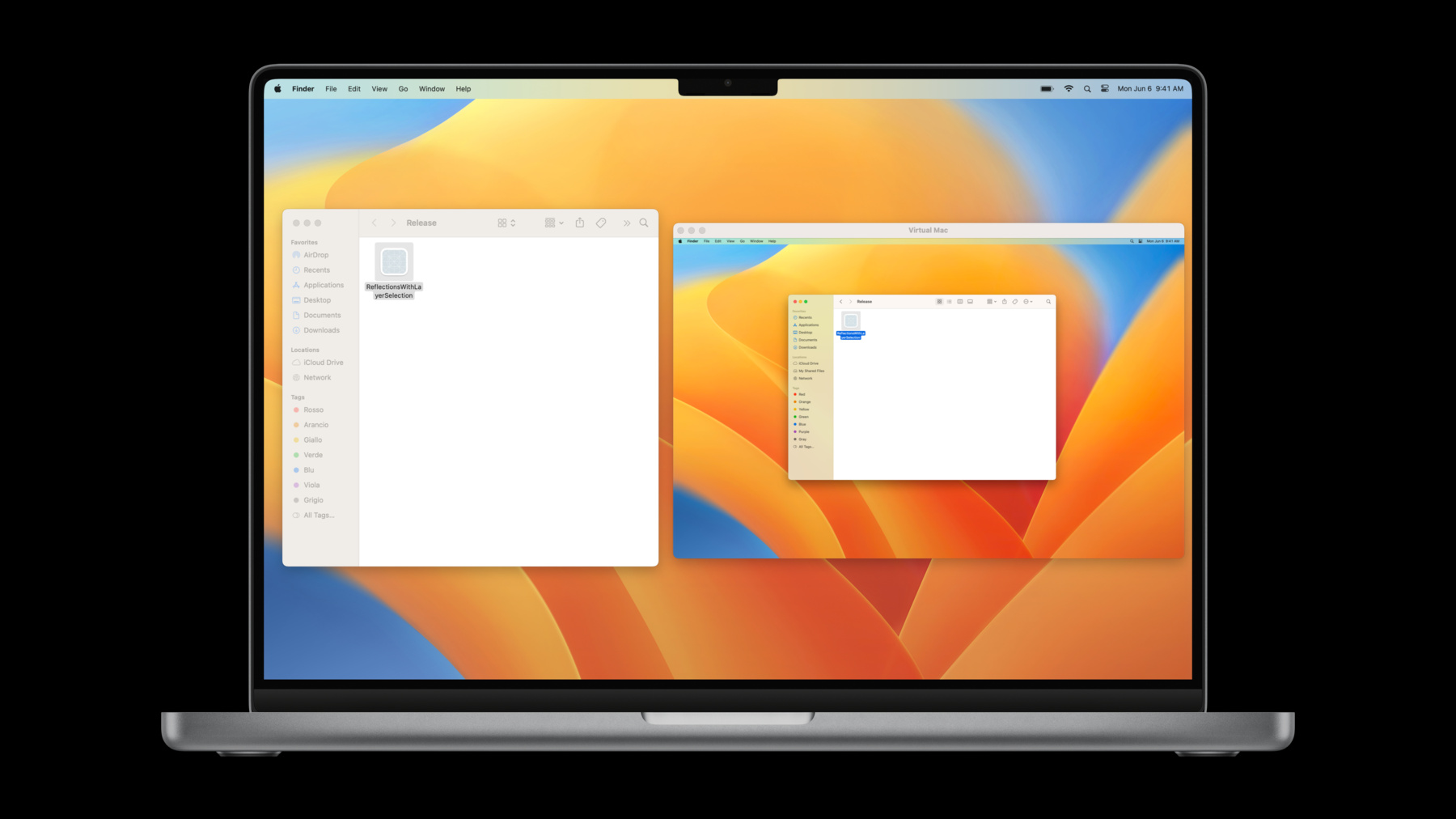
    Learn how you can use the Virtualization framework to quickly create virtual machines on your Mac. We'll show you how to create a virtual Mac and quickly test changes to your app in an isolated environment. We'll also explore how you can install and run full Linux distributions on Apple silicon, and share how you can take advantage of Rosetta 2 to run x86-64 Linux binaries.

    Recursos

    • Hypervisor
    • Running GUI Linux in a virtual machine on a Mac
    • Virtualization
      • Vídeo HD
      • Vídeo SD

    Vídeos relacionados

    WWDC23

    • Create seamless experiences with Virtualization
  • Buscar neste vídeo...
    • 4:11 - Running the virtual machine

      let virtualMachine = VZVirtualMachine(configuration: configuration)
      try await virtualMachine.start()
    • 4:33 - Showing the virtual machine’s display

      let virtualMachineView = VZVirtualMachineView()
      virtualMachineView.virtualMachine = virtualMachine
    • 7:43 - Start from the base

      var configuration = VZVirtualMachineConfiguration()
      configuration.cpuCount = 4
      configuration.memorySize = (4 * 1024 * 1024 * 1024) as UInt64
      configuration.storageDevices = [newBlockDevice()]
      configuration.pointingDevices = [newPointingDevice()]
    • 7:47 - Set up the platform

      let platform = VZMacPlatformConfiguration()
      
      let hardwareModel = VZMacHardwareModel(dataRepresentation: savedHardwareModel)
      platform.hardwareModel = hardwareModel!
      
      let auxiliaryStorage = VZMacAuxiliaryStorage(contentsOf: auxiliaryStorageURL)
      platform.auxiliaryStorage = auxiliaryStorage
      
      let machineIdentifier = VZMacMachineIdentifier(dataRepresentation: savedIdentifier)
      platform.machineIdentifier = machineIdentifier!
      
      configuration.platform = platform
    • 8:31 - Boot loader

      configuration.bootLoader = VZMacOSBootLoader()
    • 9:16 - 1. Getting an image

      let restoreImage = try await VZMacOSRestoreImage.latestSupported
      
      try await download(restoreImage.url)
    • 9:29 - 2. Create a compatible configuration

      let requirements = restoreImage.mostFeaturefulSupportedConfiguration
      
      guard let requirements = requirements else {
          // No compatible configuration.
          return
      }
      
      platform.hardwareModel = requirements.hardwareModel
      
      configuration.cpuCount = requirements.minimumSupportedCPUCount
      configuration.memorySize = requirements.minimumSupportedMemorySize
    • 10:10 - 3. Install macOS

      let virtualMachine = VZVirtualMachine(configuration: configuration)
      
      let installer = VZMacOSInstaller(virtualMachine: virtualMachine,
                                       restoringFromImageAt: imageURL)
      try await installer.install()
    • 10:58 - Setting up GPU acceleration

      let graphicsConfiguration = VZMacGraphicsDeviceConfiguration()
      graphicsConfiguration.displays = [
          VZMacGraphicsDisplayConfiguration(widthInPixels: 1920,
                                            heightInPixels: 1200,
                                            pixelsPerInch: 80)
      ]
      
      configuration.graphicsDevices = [graphicsConfiguration]
    • 11:48 - Setting up the Mac trackpad

      let trackpad = VZMacTrackpadConfiguration()
      configuration.pointingDevices = [trackpad]
    • 12:33 - Share a folder

      let sharedDirectory = VZSharedDirectory(url: directoryURL, readOnly: false)
      let share = VZSingleDirectoryShare(directory: sharedDirectory)
      
      let tag = VZVirtioFileSystemDeviceConfiguration.macOSGuestAutomountTag
      let sharingDevice = VZVirtioFileSystemDeviceConfiguration(tag: tag)
      sharingDevice.share = share
      
      configuration.directorySharingDevices = [sharingDevice]
    • 16:10 - Setting up USB Mass Storage device configuration

      let diskImageURL = URL(fileURLWithPath: "linux.iso")
      let attachment = try! VZDiskImageStorageDeviceAttachment(url: diskImageURL, readOnly: true)
      let usbDeviceConfiguration = VZUSBMassStorageDeviceConfiguration(attachment: attachment)
      
      configuration.storageDevices = [usbDeviceConfiguration, createBlockDevice()]
    • 17:27 - Booting Linux

      let efi = VZEFIBootLoader()
      efi.variableStore = VZEFIVariableStore(creatingVariableStoreAt: storeURL,
                                             options: [])
      configuration.bootLoader = efi
    • 18:24 - Setting up Virtio graphics

      let virtioGPU = VZVirtioGraphicsDeviceConfiguration()
      virtioGPU.scanouts = [
          VZVirtioGraphicsScanoutConfiguration(widthInPixels: 1280, heightInPixels: 720)
      ]
      
      configuration.graphicsDevices = [virtioGPU]
    • 21:02 - Setting up Rosetta

      let rosettaDirectoryShare = try! VZLinuxRosettaDirectoryShare()
      let directorySharingDevice = VZVirtioFileSystemDeviceConfiguration(tag: "RosettaShare")
      directorySharingDevice.share = rosettaDirectoryShare
      
      configuration.directorySharingDevices = [directorySharingDevice]
    • 21:37 - Setting up Linux

      mount -t virtiofs RosettaShare /mnt/Rosetta
      
      sudo /usr/sbin/update-binfmts --install rosetta /mnt/Rosetta/rosetta \
        --magic "\x7fELF\x02\x01\x01\x00\x00\x00\x00\x00\x00\x00\x00\x00\x02\x00\x3e\x00" \
        --mask "\xff\xff\xff\xff\xff\xfe\xfe\x00\xff\xff\xff\xff\xff\xff\xff\xff\xfe\xff\xff\xff" \
        --credentials yes --preserve no --fix-binary yes

Developer Footer

  • Vídeos
  • WWDC22
  • Create macOS or Linux virtual machines
  • Open Menu Close Menu
    • iOS
    • iPadOS
    • macOS
    • tvOS
    • visionOS
    • watchOS
    • App Store
    Open Menu Close Menu
    • Swift
    • SwiftUI
    • Swift Playground
    • TestFlight
    • Xcode
    • Xcode Cloud
    • Icon Composer
    • SF Symbols
    Open Menu Close Menu
    • Accessibility
    • Accessories
    • Apple Intelligence
    • Audio & Video
    • Augmented Reality
    • Business
    • Design
    • Distribution
    • Education
    • Games
    • Health & Fitness
    • In-App Purchase
    • Localization
    • Maps & Location
    • Machine Learning & AI
    • Security
    • Safari & Web
    Open Menu Close Menu
    • Documentation
    • Downloads
    • Sample Code
    • Videos
    Open Menu Close Menu
    • Help Guides & Articles
    • Contact Us
    • Forums
    • Feedback & Bug Reporting
    • System Status
    Open Menu Close Menu
    • Apple Developer
    • App Store Connect
    • Certificates, IDs, & Profiles
    • Feedback Assistant
    Open Menu Close Menu
    • Apple Developer Program
    • Apple Developer Enterprise Program
    • App Store Small Business Program
    • MFi Program
    • Mini Apps Partner Program
    • News Partner Program
    • Video Partner Program
    • Security Bounty Program
    • Security Research Device Program
    Open Menu Close Menu
    • Meet with Apple
    • Apple Developer Centers
    • App Store Awards
    • Apple Design Awards
    • Apple Developer Academies
    • WWDC
    Read the latest news.
    Get the Apple Developer app.
    Copyright © 2026 Apple Inc. All rights reserved.
    Terms of Use Privacy Policy Agreements and Guidelines