

-
What's new in web accessibility
Discover techniques for building rich, accessible web apps with custom controls, SSML, and the dialog element. We'll discuss different assistive technologies and help you learn how to use them when testing the accessibility of your web apps.
Recursos
Vídeos relacionados
WWDC22
WWDC21
-
Buscar neste vídeo...
-
-
3:06 - PizzaControl class with click event listener
class PizzaControl { constructor(id) { this.control = document.getElementById(id); this.sliceCount = 4; this.control.addEventListener("click", (event) => { const newSliceCount = this.computeSliceCount(event); this.update(newSliceCount); }); } } -
4:23 - PizzaControl HTML markup
<div id="pizza-input" role="slider" tabindex="0" aria-valuemin="0" aria-valuemax="8" aria-valuenow="4" aria-valuetext="4 slices"> </div> -
5:15 - PizzaControl class with keydown event listener
class PizzaControl { constructor(id) { this.control = document.getElementById(id); this.sliceCount = 4; // …click event listener… this.control.addEventListener("keydown", (event) => { const key = event.key; if (key === "ArrowRight" || key === "ArrowUp") this.update(this.sliceCount + 1); else if (key === "ArrowLeft" || key === "ArrowDown") this.update(this.sliceCount - 1); }); } } -
5:41 - PizzaControl class update function
class PizzaControl { // …constructor… update(newSliceCount) { this.sliceCount = Math.max(0, Math.min(newSliceCount, 8)); // Visually re-render `this.sliceCount` slices // … // Update the ARIA representation of the control this.control.setAttribute("aria-valuenow", this.sliceCount); const sliceModifier = this.sliceCount === 1 ? "slice" : "slices"; this.control.setAttribute("aria-valuetext", `${this.sliceCount} ${sliceModifier}`); } } -
7:52 - SSML examples
<speak> Breathe in <break time="3s"/> and breathe out. </speak> <speak> <phoneme alphabet="ipa" ph="təˈmeɪtoʊ">tomato</phoneme> <phoneme alphabet="ipa" ph="təˈmɑːtəʊ">tomato</phoneme> </speak> <speak> <prosody pitch="-2st" rate="slow" volume="loud"> Hello world! </prosody> </speak> -
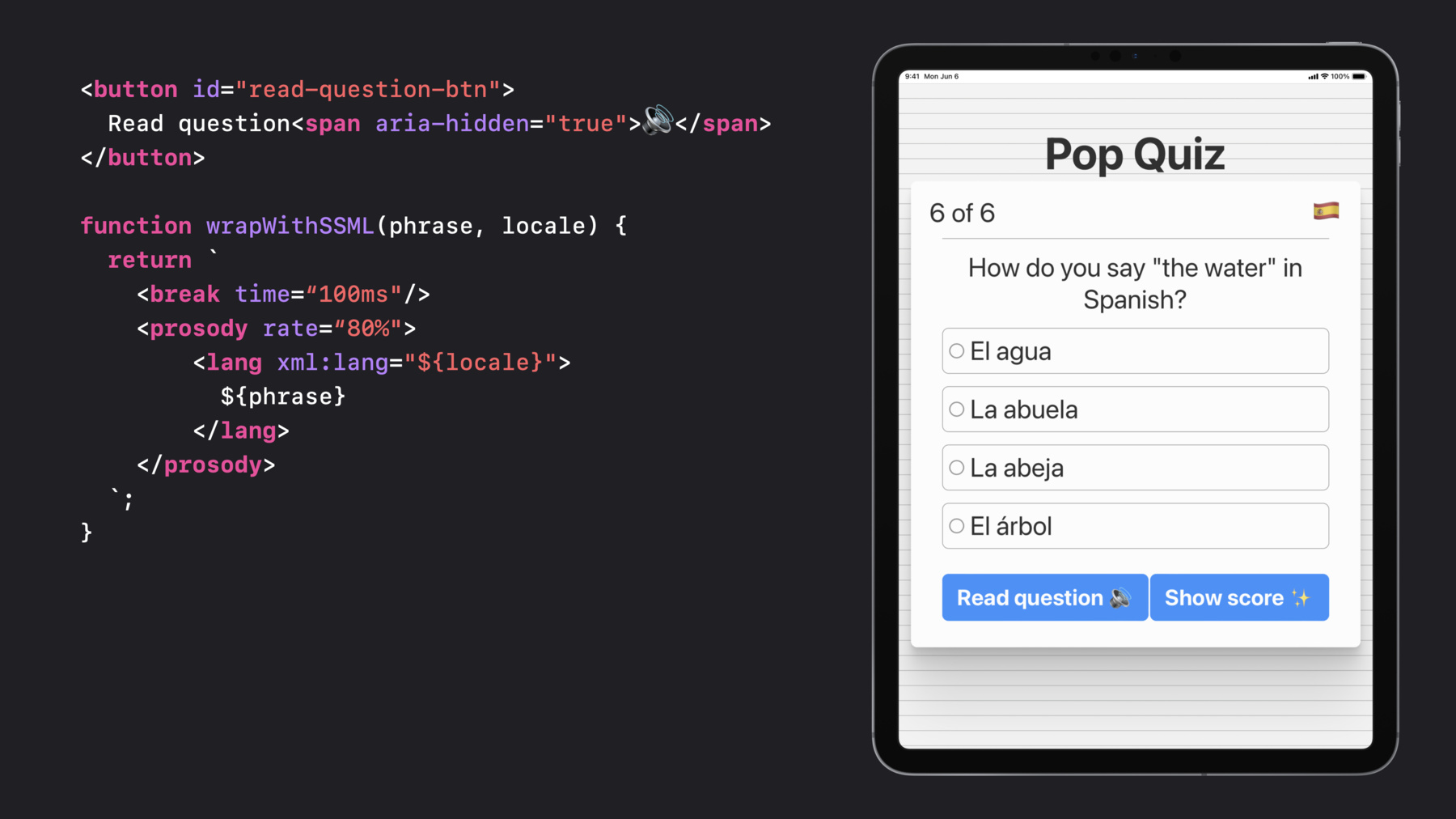
8:45 - "Read question" button HTML markup
<button id="read-question-btn"> Read question<span aria-hidden="true">🔊</span> </button> -
8:57 - wrapWithSSML JavaScript function
function wrapWithSSML(phrase, locale) { return ` <break time=“100ms"/> <prosody rate=“80%"> <lang xml:lang="${locale}"> ${phrase} </lang> </prosody> `; } -
9:24 - Read question button click event listener
const readQuestionButton = document.getElementById("read-question-btn"); readQuestionButton.addEventListener("click", () => { const ssml = ` <speak> How do you say ${wrapWithSSML("the water", "en-US")} in Spanish? ${wrapWithSSML("El agua", "es-MX")} ${wrapWithSSML("La abuela", "es-MX")} ${wrapWithSSML("La abeja", "es-MX")} ${wrapWithSSML("El árbol", "es-MX")} </speak> `; const utterance = new SpeechSynthesisUtterance(ssml); window.speechSynthesis.speak(utterance); }); -
11:33 - Show score dialog HTML markup
<dialog id="show-score-modal"> <form method="dialog"> You got all six questions correct. Great work! <button type="submit">Close</button> </form> </dialog> -
11:51 - JavaScript to open show score dialog
const showScoreButton = document.getElementById("show-score-btn"); showScoreButton.addEventListener("click", () => { document .getElementById("show-score-modal") .showModal(); }); -
13:23 - Show score dialog with autofocus and aria-labelledby attribute
<dialog id="show-score-modal" aria-labelledby="modal-content">
  <form method="dialog">
    <span id="modal-content">
      You got all six questions correct. Great work!
    </span>
    <button type="submit" autofocus>Close</button>
  </form>
</dialog>
-