

-
Explore AirPlay with interstitials
Learn how you can use HLS Interstitials with AirPlay to create seamless transitions for your video content between advertisements. We'll share best practices and tips for creating a great experience when sharing content from Apple devices to popular smart TVs.
Capítulos
- 0:00 - Overview
- 0:02 - Navigation restrictions
- 0:04 - Optimize AirPlay playback
- 0:06 - Interstitials localization
- 0:08 - Testing
- 0:10 - Example VOD plan
Recursos
- AirPlay-Enabled TVs and Video Accessories
- Media playback
- Supporting AirPlay in your app
- Getting Started with HLS Interstitials
Vídeos relacionados
WWDC23
-
Buscar neste vídeo...
-
-
9:19 - Example: Navigation restriction client driven
let player = AVPlayer(url: movieURL) //no ads in primary let controller = AVPlayerInterstitialEventController( primaryPlayer: player ) let ad1Item = [AVPlayerItem(url: ad1Url)] let ad1event = AVPlayerInterstitialEvent( primaryItem: player.currentItem, time: CMTime(seconds: 5, preferredTimescale: 1) ) ad1event.identifier = "ad1" ad1event.templateItems = ad1Item //set SKIP restriction on ad1 ad1event.restrictions = [.requiresPlaybackAtPreferredRateForAdvancement] controller.events = [ad1event] code snippet. -
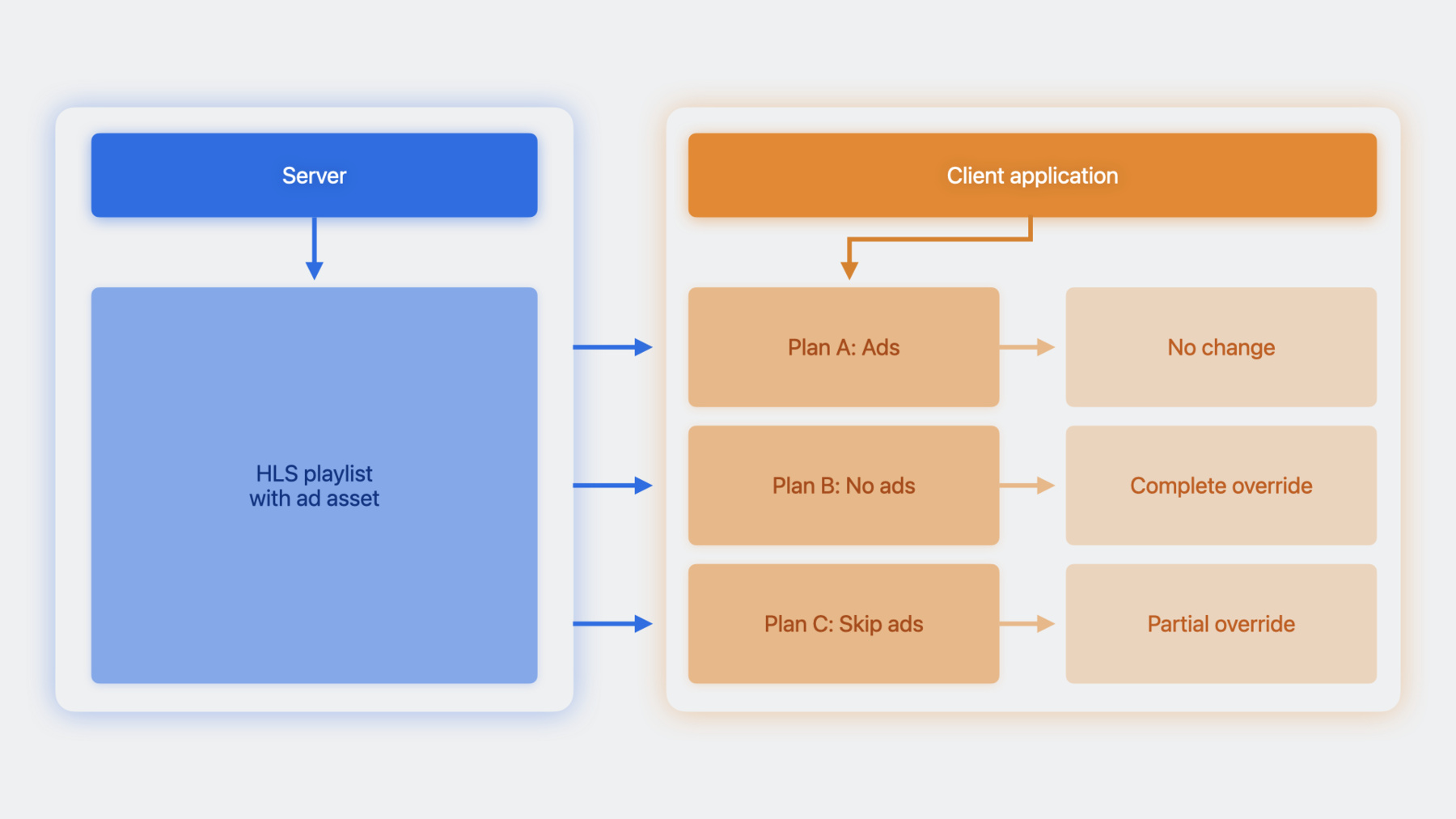
15:44 - Plan C: Sample code to override the restrictions
let player = AVPlayer( url: movieURL )
let controller = AVPlayerInterstitialEventController( primaryPlayer: player )

let ad1Event = controller.events[0]
let ad2Event = controller.events[1]

let newEvent  = ad2Event.copy() as! AVPlayerInterstitialEvent
//clear the restrictions on ad2 event
newEvent.restrictions = []

//set the original ad1 Event and modified ad2 Event on controller
controller.events = [ad1Event, newEvent]
-