

View in English

  • Apple Developer
    • Get Started

    Explore Get Started

    • Overview
    • Learn
    • Apple Developer Program

    Stay Updated

    • Latest News
    • Hello Developer
    • Platforms

    Explore Platforms

    • Apple Platforms
    • iOS
    • iPadOS
    • macOS
    • tvOS
    • visionOS
    • watchOS
    • App Store

    Featured

    • Design
    • Distribution
    • Games
    • Accessories
    • Web
    • Home
    • CarPlay
    • Technologies

    Explore Technologies

    • Overview
    • Xcode
    • Swift
    • SwiftUI

    Featured

    • Accessibility
    • App Intents
    • Apple Intelligence
    • Games
    • Machine Learning & AI
    • Security
    • Xcode Cloud
    • Community

    Explore Community

    • Overview
    • Meet with Apple events
    • Community-driven events
    • Developer Forums
    • Open Source

    Featured

    • WWDC
    • Swift Student Challenge
    • Developer Stories
    • App Store Awards
    • Apple Design Awards
    • Apple Developer Centers
    • Documentation

    Explore Documentation

    • Documentation Library
    • Technology Overviews
    • Sample Code
    • Human Interface Guidelines
    • Videos

    Release Notes

    • Featured Updates
    • iOS
    • iPadOS
    • macOS
    • watchOS
    • visionOS
    • tvOS
    • Xcode
    • Downloads

    Explore Downloads

    • All Downloads
    • Operating Systems
    • Applications
    • Design Resources

    Featured

    • Xcode
    • TestFlight
    • Fonts
    • SF Symbols
    • Icon Composer
    • Support

    Explore Support

    • Overview
    • Help Guides
    • Developer Forums
    • Feedback Assistant
    • Contact Us

    Featured

    • Account Help
    • App Review Guidelines
    • App Store Connect Help
    • Upcoming Requirements
    • Agreements and Guidelines
    • System Status
  • Quick Links

    • Events
    • News
    • Forums
    • Sample Code
    • Videos
 

Vídeos

Abrir menu Fechar menu
  • Coleções
  • Todos os vídeos
  • Sobre

Mais vídeos

  • Sobre
  • Resumo
  • Código
  • Amplie a funcionalidade do Reality Composer Pro 3 com o Xcode

    Descubra como o Reality Composer Pro 3 permite que você desenvolva projetos espaciais maiores e mais ambiciosos. Aprenda a criar plug-ins específicos do projeto que permitem editar componentes personalizados, executar sistemas personalizados e criar seus próprios nós do ScriptGraph, proporcionando controle total sobre seu fluxo de trabalho de criação espacial.

    Capítulos

    • 0:00 - Introduction
    • 2:00 - Extending the editor
    • 4:51 - Custom components and systems
    • 10:32 - Controlling the water surface
    • 13:19 - Custom animation actions
    • 17:12 - Custom Script Graph nodes
    • 21:16 - Next steps

    Recursos

      • Vídeo HD
      • Vídeo SD

    Vídeos relacionados

    WWDC26

    • Acelere a iteração de cenas espaciais com o Reality Composer Pro 3
    • Crie jogos sem programação com o Reality Composer Pro 3
    • Explore os avanços do RealityKit
    • Melhore seus fluxos de trabalho espaciais com o Reality Composer Pro 3
  • Buscar neste vídeo...
    • 6:08 - Cauldron component

      // Add a component to represent the water level
      
      import RealityKit
      
      public struct Cauldron: Component, Codable {
          public var waterLevel: Float
      
          enum CodingKeys: CodingKey {
              case waterLevel
          }
      }
    • 6:42 - CauldronSystem

      // Add a system to control the water level
      
      import RealityKit
      
      public struct CauldronSystem: System {
          let query = EntityComponentQuery(Cauldron.self)
          public init(scene: Scene) {}
      
          public func update(context: SceneUpdateContext) {
              for (entity, cauldron) in context.entities(matching: query) {
                  guard let water = entity.findEntity(named: "Cauldron_Water_mesh")
                      else { continue }
                  water.setPosition(SIMD3<Float>(0, 1, 0) * cauldron.waterLevel, relativeTo: entity)
              }
          }
      }
    • 7:00 - RCPCustomComponentsPlugin

      // Make sure that Reality Composer Pro 3 knows about the Cauldron and CauldronSystem
      
      import RealityComposerPro
      
      final class RCPCustomComponentsPlugin: RealityComposerProPlugin {
          public func setup(context: any RealityComposerProContext) {
              context.registerComponent(Cauldron.self)
              context.registerSystem(CauldronSystem.self)
          }
      }
      
      @_cdecl("createRealityComposerProPlugin")
      public func createRealityComposerProPlugin() -> UnsafeMutableRawPointer {
          return RCPCustomComponentsPlugin().passRetained()
      }
    • 10:49 - Cauldron component with vortex properties

      // Properties to control water surface
      
      import RealityKit
      
      public struct Cauldron: Component, Codable {
          public var waterLevel: Float
          public var rotationSpeed: Float
          public var minWaterLevel: Float
          public var maxWaterLevel: Float
          public var vortexCoeff: Float
      }
    • 11:05 - CauldronSystem update with ShaderGraph

      public func update(context: SceneUpdateContext) {
          for (entity, cauldron) in context.entities(matching: query) {
              guard let water = entity.findEntity(named: "Cauldron_Water_mesh") else { continue }
              water.setPosition(SIMD3<Float>(0, 1, 0) * cauldron.waterLevel, relativeTo: entity)
      
              guard var model = water.components[ModelComponent.self] else { continue }
              guard var mat = model.materials.first as? ShaderGraphMaterial else { continue }
              let surface = computeSurface(cauldron: cauldron)
              try? mat.setParameter(name: "Level Radius", value: .float(surface.levelRadius))
              try? mat.setParameter(name: "Lowest Point",
                  value: .float(cauldron.waterLevel - surface.lowestPoint))
              try? mat.setParameter(name: "Height Change", value: .float(surface.heightChange))
              try? mat.setParameter(name: "Level Coeff", value: .float(surface.levelCoeff))
              try? mat.setParameter(name: "Is Level", value: .bool(surface.isLevel))
              model.materials[0] = mat
              water.components.set(model)
          }
      }
    • 13:25 - SetWaterLevelAction

      // Custom action for setting the water level of the Cauldron
      
      import RealityKit
      
      public struct SetWaterLevelAction: EntityAction, Codable {
          // Parameters for the action
          public let startWaterLevel: Float
          public let endWaterLevel: Float
      
          // Required by EntityAction protocol
          public var animatedValueType: (any AnimatableData.Type)? { Transform.self }
      }
    • 14:05 - SetWaterLevelAction subscribe

      extension SetWaterLevelAction {
          static func subscribe() {
              Task { @MainActor in
                  SetWaterLevelAction.subscribe(to: .updated) { event in
                      let normalizedTime = (event.playbackController.time - event.startTime) /
                          event.duration
                      let action = event.action
                      let currentLevel = action.startWaterLevel +
                          Float(normalizedTime) * (action.endWaterLevel - action.startWaterLevel)
                      guard let entity = event.targetEntity else { return }
                      guard var cauldron = entity.components[Cauldron.self] else { return }
                      cauldron.waterLevel = currentLevel
                      entity.components.set(cauldron)
                  }
              }
          }
      }
    • 14:56 - RCPCustomComponentsPlugin with action

      // Make sure that Reality Composer Pro 3 knows about the SetWaterLevelAction
      
      import RealityComposerPro
      
      final class RCPCustomComponentsPlugin: RealityComposerProPlugin {
          public func setup(context: any RealityComposerProContext) {
              context.registerComponent(Cauldron.self)
              context.registerSystem(CauldronSystem.self)
      
              context.registerAction(SetWaterLevelAction.self)
              SetWaterLevelAction.subscribe()
          }
      }
      
      @_cdecl("createRealityComposerProPlugin")
      public func createRealityComposerProPlugin() -> UnsafeMutableRawPointer {
          return RCPCustomComponentsPlugin().passRetained()
      }
    • 17:32 - Cauldron with @Scriptable macro

      // Expose Cauldron to Script Graphs
      
      import RealityKit
      import RealityKitScripting
      import RealityKitScriptingMacros
      
      @Scriptable
      public struct Cauldron: Component, Codable {
          public var waterLevel: Float
          public var rotationSpeed: Float
          public var minWaterLevel: Float
          public var maxWaterLevel: Float
          public var vortexCoeff: Float
      }
    • 18:08 - Register scripting module

      // Register scripting module
      
      public func setup(context: any RealityComposerProContext) {
          context.registerComponent(Cauldron.self)
          context.registerSystem(CauldronSystem.self)
      
          context.registerAction(SetWaterLevelAction.self)
          SetWaterLevelAction.subscribe()
      
          Task { @MainActor in
              let config = RKS.Configuration(id: "ChaparralVillage")
                  .onInitialize { _ in
                  [
                      Module("ChaparralVillage") {
                          Cauldron.SchemaProvider.schema
                      }
                  ]
              }
              try! RKS.addConfiguration(config)
          }
      }
    • 0:00 - Introduction
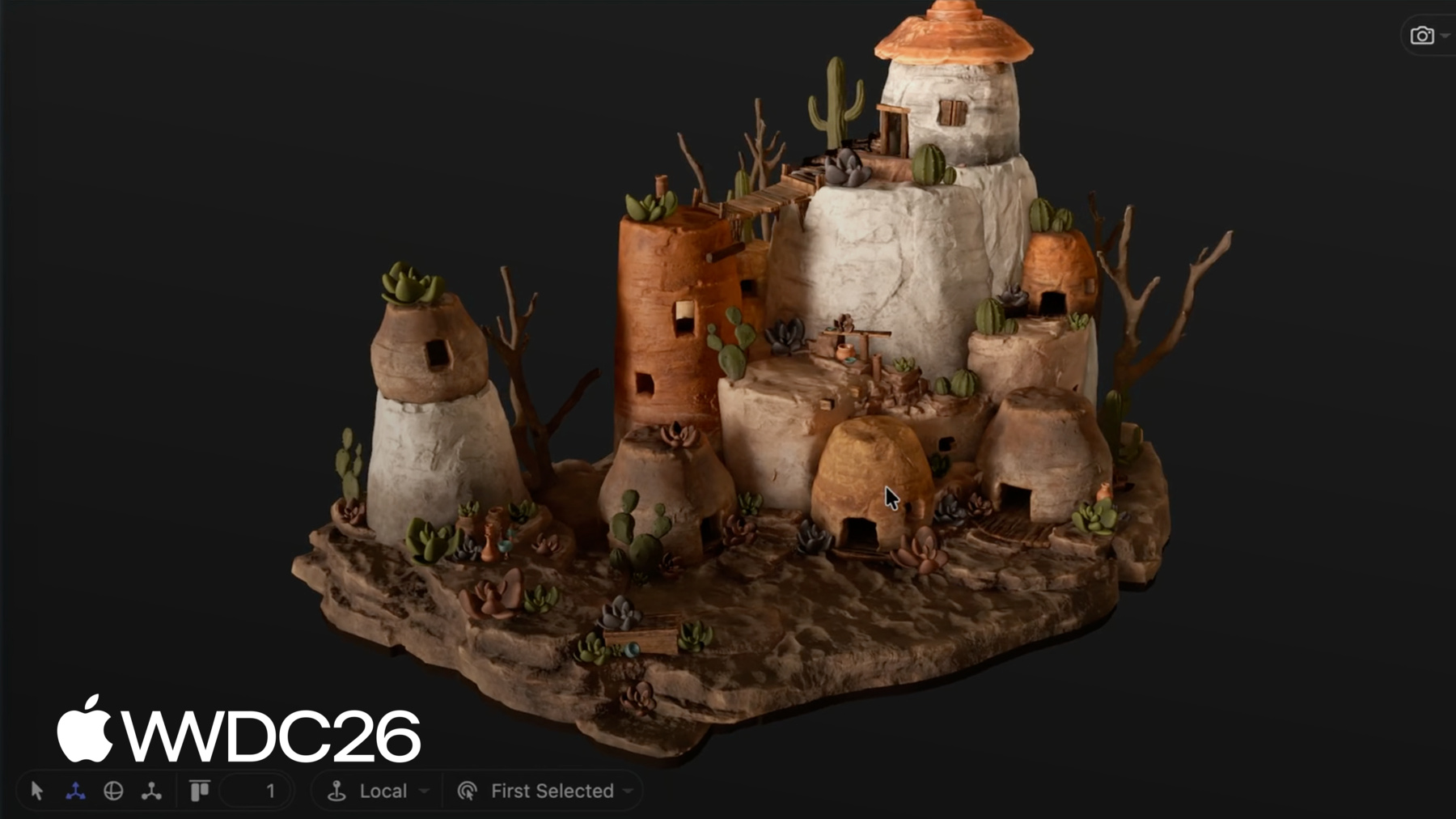
    • An overview of the Reality Composer Pro 3 plugin system, showing how Xcode and the editor share a project to let engineers and artists collaborate — with custom components, systems, animation actions, and Script Graph nodes all running live inside the editor.

    • 2:00 - Extending the editor
    • Learn how the Reality Composer Pro 3 plugin system works: how the editor and Xcode share a single git repository, how custom Swift code is compiled into a dynamic library, and how the editor loads and trusts plugins at runtime.

    • 4:51 - Custom components and systems
    • Build a Cauldron component and CauldronSystem using RealityKit, expose them to the editor via a RealityComposerProPlugin, and see the water level property update in real time as artists adjust values in the inspector.

    • 10:32 - Controlling the water surface
    • Extend the Cauldron component with vortex shader properties and update the system to drive a ShaderGraphMaterial at runtime, enabling artists to control vortex depth and rotation speed directly from the Reality Composer Pro 3 inspector.

    • 13:19 - Custom animation actions
    • Implement the EntityAction protocol to create a SetWaterLevelAction that animates the cauldron water level on the sequencer timeline, subscribe to animation update events to interpolate the level, and register the action with the editor plugin.

    • 17:12 - Custom Script Graph nodes
    • Use the @Scriptable macro to expose a custom component to Reality Composer Pro 3 Script Graphs, register a scripting module in the plugin setup, and see the generated nodes appear in the Script Graph editor for no-code artist workflows.

    • 21:16 - Next steps
    • Recap of the plugin capabilities covered — custom components, systems, animation actions, and Script Graph nodes — with recommendations to explore the Explore Advances in RealityKit and Supercharge Your Spatial Workflows sessions.

Developer Footer

  • Vídeos
  • WWDC26
  • Amplie a funcionalidade do Reality Composer Pro 3 com o Xcode
  • Open Menu Close Menu
    • iOS
    • iPadOS
    • macOS
    • tvOS
    • visionOS
    • watchOS
    • App Store
    Open Menu Close Menu
    • Swift
    • SwiftUI
    • Swift Playground
    • TestFlight
    • Xcode
    • Xcode Cloud
    • Icon Composer
    • SF Symbols
    Open Menu Close Menu
    • Accessibility
    • Accessories
    • Apple Intelligence
    • Audio & Video
    • Augmented Reality
    • Business
    • Design
    • Distribution
    • Education
    • Games
    • Health & Fitness
    • In-App Purchase
    • Localization
    • Maps & Location
    • Machine Learning & AI
    • Security
    • Safari & Web
    Open Menu Close Menu
    • Documentation
    • Downloads
    • Sample Code
    • Videos
    Open Menu Close Menu
    • Help Guides & Articles
    • Contact Us
    • Forums
    • Feedback & Bug Reporting
    • System Status
    Open Menu Close Menu
    • Apple Developer
    • App Store Connect
    • Certificates, IDs, & Profiles
    • Feedback Assistant
    Open Menu Close Menu
    • Apple Developer Program
    • Apple Developer Enterprise Program
    • App Store Small Business Program
    • MFi Program
    • Mini Apps Partner Program
    • News Partner Program
    • Video Partner Program
    • Security Bounty Program
    • Security Research Device Program
    Open Menu Close Menu
    • Meet with Apple
    • Apple Developer Centers
    • App Store Awards
    • Apple Design Awards
    • Apple Developer Academies
    • WWDC
    Read the latest news.
    Get the Apple Developer app.
    Copyright © 2026 Apple Inc. All rights reserved.
    Terms of Use Privacy Policy Agreements and Guidelines