

View in English

  • Apple Developer
    • Get Started

    Explore Get Started

    • Overview
    • Learn
    • Apple Developer Program

    Stay Updated

    • Latest News
    • Hello Developer
    • Platforms

    Explore Platforms

    • Apple Platforms
    • iOS
    • iPadOS
    • macOS
    • tvOS
    • visionOS
    • watchOS
    • App Store

    Featured

    • Design
    • Distribution
    • Games
    • Accessories
    • Web
    • Home
    • CarPlay
    • Technologies

    Explore Technologies

    • Overview
    • Xcode
    • Swift
    • SwiftUI

    Featured

    • Accessibility
    • App Intents
    • Apple Intelligence
    • Games
    • Machine Learning & AI
    • Security
    • Xcode Cloud
    • Community

    Explore Community

    • Overview
    • Meet with Apple events
    • Community-driven events
    • Developer Forums
    • Open Source

    Featured

    • WWDC
    • Swift Student Challenge
    • Developer Stories
    • App Store Awards
    • Apple Design Awards
    • Apple Developer Centers
    • Documentation

    Explore Documentation

    • Documentation Library
    • Technology Overviews
    • Sample Code
    • Human Interface Guidelines
    • Videos

    Release Notes

    • Featured Updates
    • iOS
    • iPadOS
    • macOS
    • watchOS
    • visionOS
    • tvOS
    • Xcode
    • Downloads

    Explore Downloads

    • All Downloads
    • Operating Systems
    • Applications
    • Design Resources

    Featured

    • Xcode
    • TestFlight
    • Fonts
    • SF Symbols
    • Icon Composer
    • Support

    Explore Support

    • Overview
    • Help Guides
    • Developer Forums
    • Feedback Assistant
    • Contact Us

    Featured

    • Account Help
    • App Review Guidelines
    • App Store Connect Help
    • Upcoming Requirements
    • Agreements and Guidelines
    • System Status
  • Quick Links

    • Events
    • News
    • Forums
    • Sample Code
    • Videos
 

Vídeos

Abrir menu Fechar menu
  • Coleções
  • Todos os vídeos
  • Sobre

Mais vídeos

  • Sobre
  • Resumo
  • Código
  • Crie um app de câmera responsivo de rápida inicialização

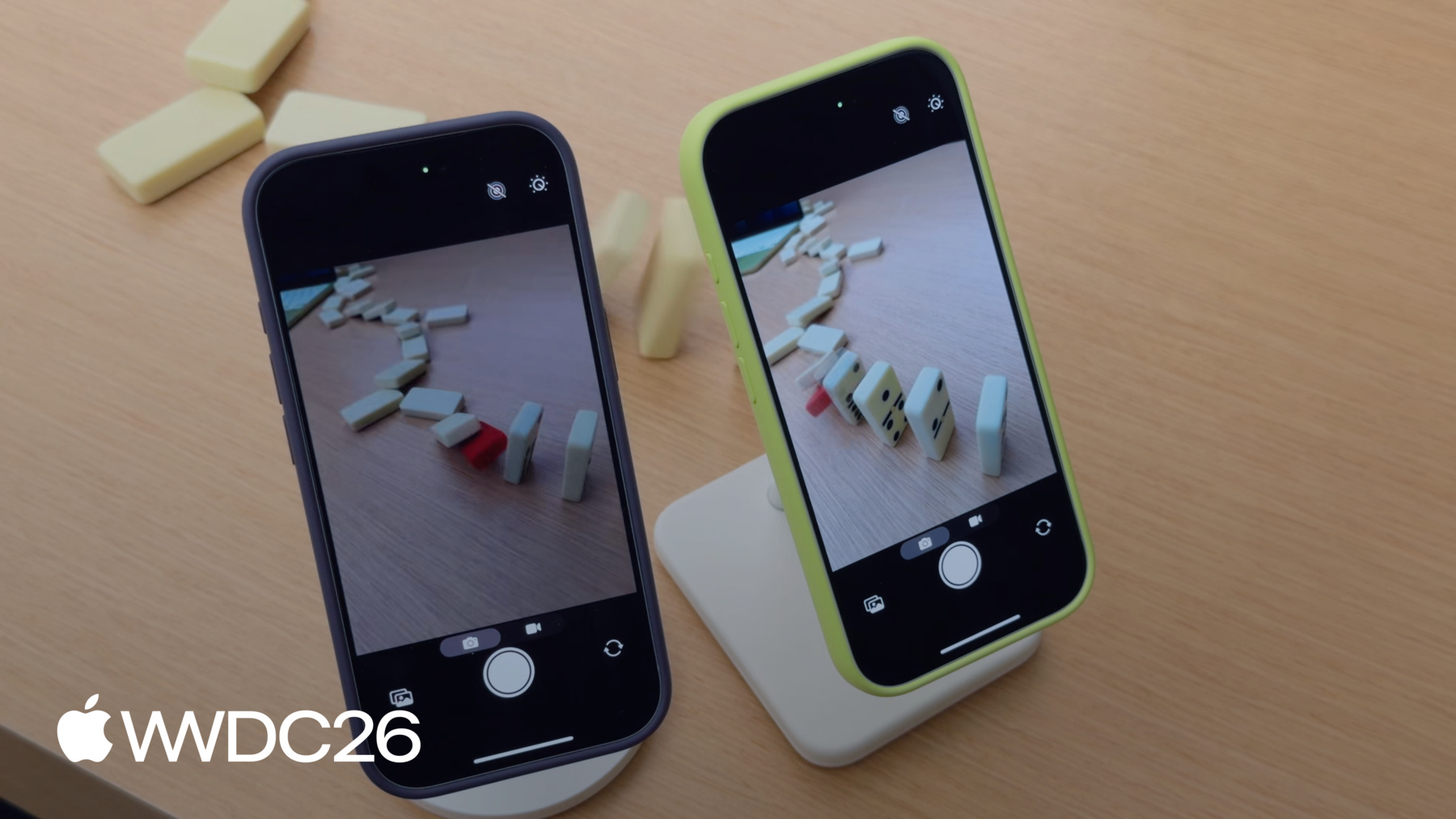
    Descubra como desenvolver um app de câmera que oferece inicialização instantânea, para que as pessoas nunca percam a foto perfeita. Saiba como otimizar toda a sequência de abertura da câmera, desde a inicialização do app até o primeiro quadro de pré-visualização. Garanta que seu app ofereça uma experiência de câmera refinada, conhecendo as novas APIs que proporcionam inicializações mais rápidas e as práticas recomendadas para uma pré-visualização fluida e manutenção de um desempenho sustentável.

    Capítulos

    • 0:00 - Introduction
    • 2:02 - Fast Launch
    • 6:52 - Adopt deferred start
    • 15:06 - Steady preview
    • 18:04 - Sustained performance
    • 21:14 - Deterministic file writing

    Recursos

    • Performance and metrics
    • AVCam: Building a camera app
      • Vídeo HD
      • Vídeo SD

    Vídeos relacionados

    WWDC26

    • Implemente a captura de fotos em alta resolução

    WWDC23

    • Create a more responsive camera experience
  • Buscar neste vídeo...
    • 9:14 - Automatic deferred start delegate

      import AVFoundation
      
      class DeferredStartDelegate: NSObject, AVCaptureSessionDeferredStartDelegate {
          func sessionWillRunDeferredStart(_ session: AVCaptureSession)
          {
              // This is called before deferred start begins for the deferred outputs
          }
      
          func sessionDidRunDeferredStart(_ session: AVCaptureSession)
          {
              // This is called after deferred start completes for all outputs
          }
      }
    • 9:46 - Adopt automatic deferred start

      import AVFoundation
      
      let captureSession = AVCaptureSession()
      captureSession.beginConfiguration()
      captureSession.automaticallyRunsDeferredStart = true
      
      let videoPreviewLayer = AVCaptureVideoPreviewLayer(session: captureSession)
      videoPreviewLayer.isDeferredStartEnabled = false
      
      let photoOutput = AVCapturePhotoOutput()
      photoOutput.isDeferredStartEnabled = true
      captureSession.addOutput(photoOutput)
      
      captureSession.setDeferredStartDelegate(deferredStartDelegate, deferredStartDelegateCallbackQueue: sessionQueue)
      
      captureSession.commitConfiguration()
      captureSession.startRunning()
    • 11:30 - Adopt manual deferred start

      import AVFoundation
      
      let captureSession = AVCaptureSession()
      captureSession.beginConfiguration()
      captureSession.automaticallyRunsDeferredStart = false
      
      let videoOutput = AVCaptureVideoDataOutput()
      captureSession.addOutput(videoOutput)
      videoOutput.isDeferredStartEnabled = false
      
      let photoOutput = AVCapturePhotoOutput()
      photoOutput.isDeferredStartEnabled = true
      captureSession.addOutput(photoOutput)
      
      captureSession.setDeferredStartDelegate(deferredStartDelegate, deferredStartDelegateCallbackQueue: sessionQueue)
      
      captureSession.commitConfiguration()
      captureSession.startRunning()
    • 11:53 - Manage runDeferredStartWhenNeeded

      import AVFoundation
      import QuartzCore
      
      private var firstFramePresented = false
      guard let drawable = layer.nextDrawable()
      if (!firstFramePresented) {
          drawable.addPresentedHandler({ drawable in
              // Set up postponed UI elements
              captureSession.runDeferredStartWhenNeeded()
          })
          firstFramePresented = true
      }
    • 14:07 - Enable responsive capture

      import AVFoundation
      
      func configurePhotoOutput(for session: AVCaptureSession, device: AVCaptureDevice) {
          let photoOutput = AVCapturePhotoOutput()
      
          guard session.canAddOutput(photoOutput) else { return }
          session.addOutput(photoOutput)
      
          photoOutput.maxPhotoQualityPrioritization = .quality
          // Responsive capture lets the photo output capture immediately
          photoOutput.isResponsiveCaptureEnabled = photoOutput.isResponsiveCaptureSupported
      }
    • 20:16 - Monitor for system pressure

      import AVFoundation
      
      let captureSession = AVCaptureSession()
      let device = activeVideoInput?.device
      captureSession.beginConfiguration()
      // ...
      captureSession.commitConfiguration()
      
      guard captureSession.hardwareCost <= 1.0 else {
          print("hardwareCost \(captureSession.hardwareCost) — cannot start session. Reconfiguring.")
          setupLowCostConfiguration()
      }
      
      captureSession.startRunning()
      let systemPressureObserver = device?.observe(\.systemPressureState,
                                                     options: [.initial, .new],
                                                     changeHandler: { /* Handle state change */ })
    • 22:17 - Manage pro video storage

      import AVFoundation
      
      func configureProVideoStorage() {
          guard AVProVideoStorage.isSupported else { return }
          let storage = AVProVideoStorage.shared
          guard storage.remainingCapacity != 0 else {
              storage.openSettings()
              return
          }
      }
    • 22:43 - Adopt AVProVideoStorage for deterministic file write speeds

      import AVFoundation
      
      guard AVProVideoStorage.isSupported else { return }
      guard let pvs = AVProVideoStorage.shared else { return }
      
      // Configure and set up AVCaptureSession, AVCaptureConnections and format
      // ...
      let movieOutput = AVCaptureMovieFileOutput()
      
      guard movieOutput.isProVideoStorageSupported else { return }
      guard !pvs.isBusy else { return }
      
      let movieFileURL = FileManager.default.temporaryDirectory
                  .appendingPathComponent(UUID().uuidString)
                  .appendingPathExtension("mov")
      
      movieOutput.usesProVideoStorage = true // Also available with AVAssetWriter
      movieOutput.startRecording(to: movieFileURL, recordingDelegate: delegate)
    • 0:00 - Introduction
    • Why a fast-appearing preview frame is the single biggest factor in a camera launch feeling responsive, and what the session covers — accelerating launch, rendering best practices, and capturing the moment without missing it.

    • 2:02 - Fast Launch
    • Learn how to minimize UI overhead and explore best practices for creating and configuring AVCaptureSession to get the camera preview on screen faster.

    • 6:52 - Adopt deferred start
    • Discover the deferred start API that allows you to defer the initialization of expensive capture outputs until after the preview is running, featuring both automatic and manual modes.

    • 15:06 - Steady preview
    • Explore best practices for rendering preview frames, comparing the simplicity of AVCaptureVideoPreviewLayer against the flexibility of AVCaptureVideoDataOutput.

    • 18:04 - Sustained performance
    • Learn how to assess hardware cost and adapt to system pressure using new APIs to maintain a smooth and responsive camera experience under demanding conditions.

    • 21:14 - Deterministic file writing
    • Adopt the AVProVideoStorage API to achieve sustained high-bandwidth input/output required for high data-rate video captures like ProRes.

Developer Footer

  • Vídeos
  • WWDC26
  • Crie um app de câmera responsivo de rápida inicialização
  • Open Menu Close Menu
    • iOS
    • iPadOS
    • macOS
    • tvOS
    • visionOS
    • watchOS
    • App Store
    Open Menu Close Menu
    • Swift
    • SwiftUI
    • Swift Playground
    • TestFlight
    • Xcode
    • Xcode Cloud
    • Icon Composer
    • SF Symbols
    Open Menu Close Menu
    • Accessibility
    • Accessories
    • Apple Intelligence
    • Audio & Video
    • Augmented Reality
    • Business
    • Design
    • Distribution
    • Education
    • Games
    • Health & Fitness
    • In-App Purchase
    • Localization
    • Maps & Location
    • Machine Learning & AI
    • Security
    • Safari & Web
    Open Menu Close Menu
    • Documentation
    • Downloads
    • Sample Code
    • Videos
    Open Menu Close Menu
    • Help Guides & Articles
    • Contact Us
    • Forums
    • Feedback & Bug Reporting
    • System Status
    Open Menu Close Menu
    • Apple Developer
    • App Store Connect
    • Certificates, IDs, & Profiles
    • Feedback Assistant
    Open Menu Close Menu
    • Apple Developer Program
    • Apple Developer Enterprise Program
    • App Store Small Business Program
    • MFi Program
    • Mini Apps Partner Program
    • News Partner Program
    • Video Partner Program
    • Security Bounty Program
    • Security Research Device Program
    Open Menu Close Menu
    • Meet with Apple
    • Apple Developer Centers
    • App Store Awards
    • Apple Design Awards
    • Apple Developer Academies
    • WWDC
    Read the latest news.
    Get the Apple Developer app.
    Copyright © 2026 Apple Inc. All rights reserved.
    Terms of Use Privacy Policy Agreements and Guidelines