Since ios 16 Calendar App is getting google shared calendar notifications non stop

Hello!

Thanks for helping. This is driving me crazy.

Since ios 16 Calendar App is getting notifications from shared calendar in the "inbox" bottom right like crazy.

These invite are not related to my personnal calendar.

How do I stop these ??

thanks in advance guys I have looked everywhere.

Exact same here, and it all started with iOS 16. Apple, please fix this ASAP!!!

Hi there,

You might have better luck asking this question over in Apple Support Communities run by Apple Support.

Until they fix this, I suggest that you unsubscribe from all shared Google calendars in https://calendar.google.com/, then refresh the iOS Calendar app. That's the only "fix" that I know of

I found three workarounds for now. The first, super simple, just change Google Calendar sharing to "See all event details". Drawback... keeps it read only so you won't be able to make changes to the calendar.

The second is to use the mentioned link above https://www.google.com/calendar/iphoneselect to hide the shared Google Calendar from iOS. Then get the "Secret address in iCal format" from Google Calendar sharing (ex: https://calendar.google.com/calendar/ical/email%40gmail.comprivate-fjdsk2839j2189vACfsjkd/basic.ics) and subscribe to the calendar in Calendars | Add Calendar | Add Subscription Calendar. That will be a read only calendar so you won't receive any invites, but you can still modify events through Google Calendar on your desktop.

The third is a little more complicated and I only use it because the shared Google Calendar I had was so massive that it didn't allow sharing (it kept saying "Insecure Connection" when attempting to add the iCal subscription). It involves using CalDAV and creating an intermediary Google account that only has "See all event details" to the shared Google Calendar. This prevents it from modifications to the Calendar so you don't get any invites. Google's CalDAV authentication uses Google's app passwords so you need to generate one for use to sign in with CalDAV. Add the CalDAV calendar to you iPhone through Settings | Mail | Accounts | Add Account | Other | Add CalDAV Account. For the server use https://www.google.com/calendar/dav//user then put your Gmail address and the app password.

I’m getting notifications for Outlook calendar items that were set to ‘no alert’. The calendar entries have been updated. But in Outlook they have not changed. Sync issue?

It’s worse than I thought. The Outlook calendar entries with ‘no alert’ have the default alert from Apple (15 mins). The entries with a notification in Outlook now have two alerts. Apple default at 15 mins and Outlook alert at 10 mins. In short, every entry has a new alert at 15 mins.

Same issue here since iOS16 update.

Please fix this!!! Its been over 6 weeks now. This issue is so annoying and the only way around it is to not use the calendar app and use Google Calendar instead. Not cool. Fix required ASAP please

Hi there,

You might have better luck asking this question over in Apple Support Communities run by Apple Support.

As a humble owner of a company that now has invested quite heavily in apples ecosystem.... This is just not okay.. going insane soon

6 months and still not resolved?? This is SO annoying... Especially since the notifications often happen when late at night when trying to quietly go to bed...

I have the same issue. Upgraded to IOS 6.3.1 and now get a whole lot of calendar messages from calendars I am not subscribed to. Didnt happen on IOS 5

Has anyone found a fix to this yet? I'm bombarded with my colleagues invites on my apple calendar - a problem that isn't on goggle mail either on the app or on the desktop. Been using google calendar app on my phone as a get around and stopped using apple calendar, but actually much prefer it, and would like to go back to using it. I never had this problem at my old workplace which was also using google workspace.

I too am afflicted by this issue that was introduced in iOS 16 . It was not an issue in any operating systems prior. I’ve tried literally every setting Apple has provided and nothing works. I hoped since iOS 16.0 that one of the many eventual version updates would fix this but now we’re on iOS 16.4.1 with zero attention to this massive issue.

I’ve turned off the iOS Calendar App toggle for ‘Event Alerts’ & ‘Events Affect Availability’ for every shared Google Calendar I’m subscribed to. And after a minute the iOS turns them all right back on again without any word to me that my settings are being ignored and overwritten.

My phone’s battery is now suffering because of this. Many times per day my iPhone will start vibrating with notifications that don’t even pertain to me and it will vibrate for minutes on end. There was a time that it vibrated with Calendar notifications for a hour… using up 25% of my battery.

My wife thinks I’m having an affair with another woman because my iPhone will start vibrating with dozens of notifications at midnight and/or 3am. At first she thought it was true that there’s a calendar bug. But now it’s been going on for a year and it’s just not believable to my wife that such an established company like Apple would let it go on for so long. She’s convinced it’s another woman and I’m just covering it up somehow as a ‘software glitch’. She called me a ‘spineless liar’.

I hadn’t considered moving to android devices until now. But if that is what will save my marriage then I have to pick what is most important. I can’t buy a new wife but I can buy a new phone.

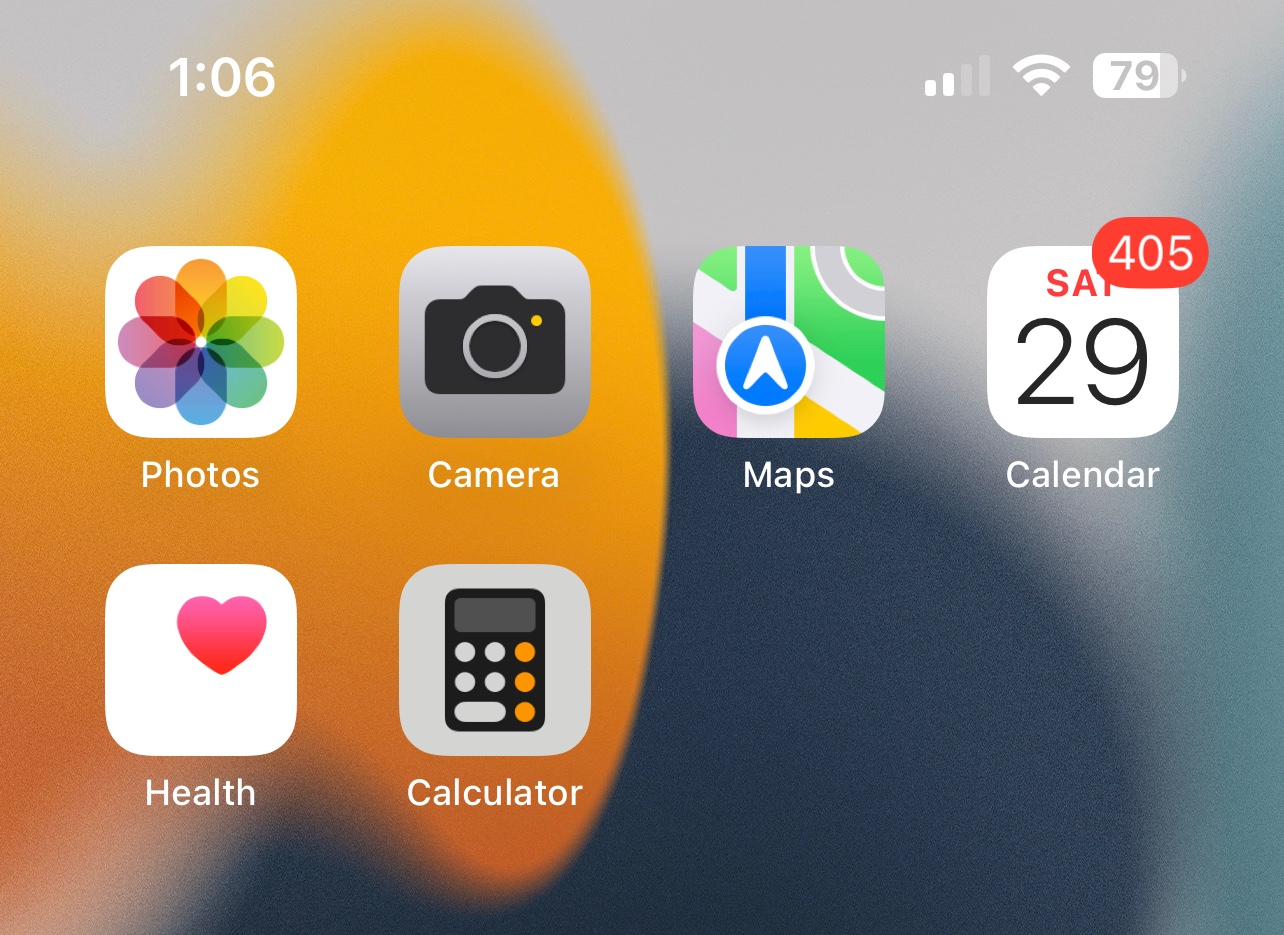
I’ve attached a screenshot of over four hundred notifications today and none of them are from calendars I’m even involved in.
Since ios 16 Calendar App is getting google shared calendar notifications non stop
 
 
Q

