I was able to replicate this issue in a very simple way, within a new project created with the standard Xcode template, to which I added a Swift Package as a library (MyLibrary).
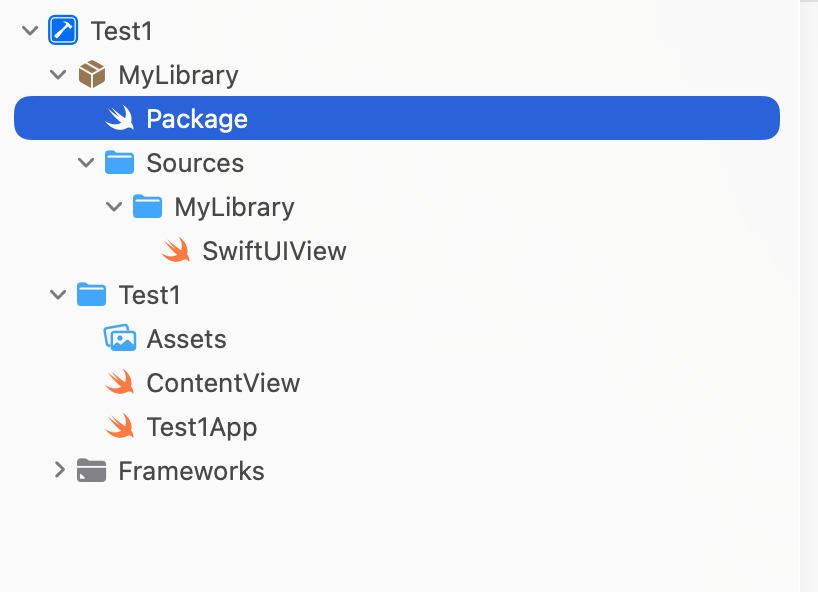 This is the Package definition:
// swift-tools-version: 6.3
// The swift-tools-version declares the minimum version of Swift required to build this package.

import PackageDescription

let package = Package(
    name: "MyLibrary",
    platforms: [.iOS(.v18)],
    products: [
        // Products define the executables and libraries a package produces, making them visible to other packages.
        .library(
            name: "MyLibrary",
            targets: ["MyLibrary"]
        ),
    ],
    targets: [
        // Targets are the basic building blocks of a package, defining a module or a test suite.
        // Targets can depend on other targets in this package and products from dependencies.
        .target(
            name: "MyLibrary",
            path: "Sources/MyLibrary"
        ),

    ],
    swiftLanguageModes: [.v6]
)
If the target name is equal to library name (MyLibrary) the preview of SwiftUIView works as expected.
If I change the target name (for example MyLibrary1), the preview does not work any longer.
The Diagnostics dialog reports that:
== PREVIEW UPDATE ERROR:
GroupRecordingError

Error encountered during update group #64

==================================

|  NoBuiltTargetDescriptionFoundForTranslationUnit: Could not find target description for “SwiftUIView.swift”
|
|  The list of source files that produce object files did not contain this file to be previewed.
|
|  Check to make sure it is not excluded using the `EXCLUDED_SOURCE_FILE_NAMES` build setting.
|
|  sourceIdentifier: file:///Users/fabiani/Projects/Test/xcode/Test1/MyLibrary/Sources/MyLibrary/SwiftUIView.swift -> SwiftUIView.swift
|  builtTargetDescriptions:
|  static-MyLibrary1