

-
Handle interruptions and alerts in UI tests
Learn how to anticipate potential interruptions to your app's interface and build smart tests to identify them. UI interruptions often appear indeterminately, typically during onboarding or first launch, which can make them hard to track down. Learn how to understand interruptions, write stronger tests with UI interruption handlers, and manage expected alerts.
To learn more about the latest improvements for testing your app in Xcode, check out “XCTSkip your tests”, “Get your test results faster”, and “Triage test failures with XCTIssue”.Ressources
Vidéos connexes
WWDC20
-
Rechercher dans cette vidéo…
-
-
5:04 - Interruption Handler Skeleton
addUIInterruptionMonitor(withDescription: "Handle recipe update failures") { element -> Bool in // TODO: Use this handler to retry the update action return false } -
5:16 - UI Test Method Body
func testRecipeDetailsNavigation() throws { let app = XCUIApplication() app.launch() let pancakeRecipe = app.cells.staticTexts["Fluffy Pancakes"].firstMatch pancakeRecipe.tap() // In the detail view let detailTitle = app.navigationBars.staticTexts["Fluffy Pancakes"].firstMatch XCTAssert(detailTitle.waitForExistence(timeout: 30)) let expectedImage = app.images["Fluffy Pancakes Image"].firstMatch XCTAssert(expectedImage.exists) let ingredientsTitle = app.staticTexts["Ingredients Title"].firstMatch XCTAssert(ingredientsTitle.exists) let ingredientsContent = app.textViews["Ingredients Content"].firstMatch XCTAssert(ingredientsContent.exists) XCTAssert((ingredientsContent.value as! String).count > 0) let instructionsTitle = app.staticTexts["Instructions Title"].firstMatch XCTAssert(instructionsTitle.exists) let instructionsTextView = app.textViews["Instructions Content"].firstMatch XCTAssert(instructionsTextView.exists) XCTAssert((instructionsTextView.value as! String).count > 0) // Make sure we received the latest instructions: let expectedInstructions = """ 1. Mix the flour, sugar, baking powder and salt. 2. Pour the milk, melted butter and egg into a well in the center and mix. 3. Heat a frying pan (don't forget to add a little bit of oil, grandson!), and fry until they're golden. 4. Optionally add maple syrup and/or fruits (they're healthy!). """ XCTAssertEqual((instructionsTextView.value as! String), expectedInstructions) // Go back to the list of recipes let backButton = app.navigationBars.buttons["Grandma's Recipes"].firstMatch backButton.tap() XCTAssert(pancakeRecipe.waitForExistence(timeout: 30)) } -
6:20 - Modified Interruption Handler
addUIInterruptionMonitor(withDescription: "Handle recipe update failures") { element -> Bool in let retryButton = element.buttons["Retry"].firstMatch if element.elementType == .alert && retryButton.exists { retryButton.tap() return true } else { return false } } -
7:37 - Handle Expected Alerts
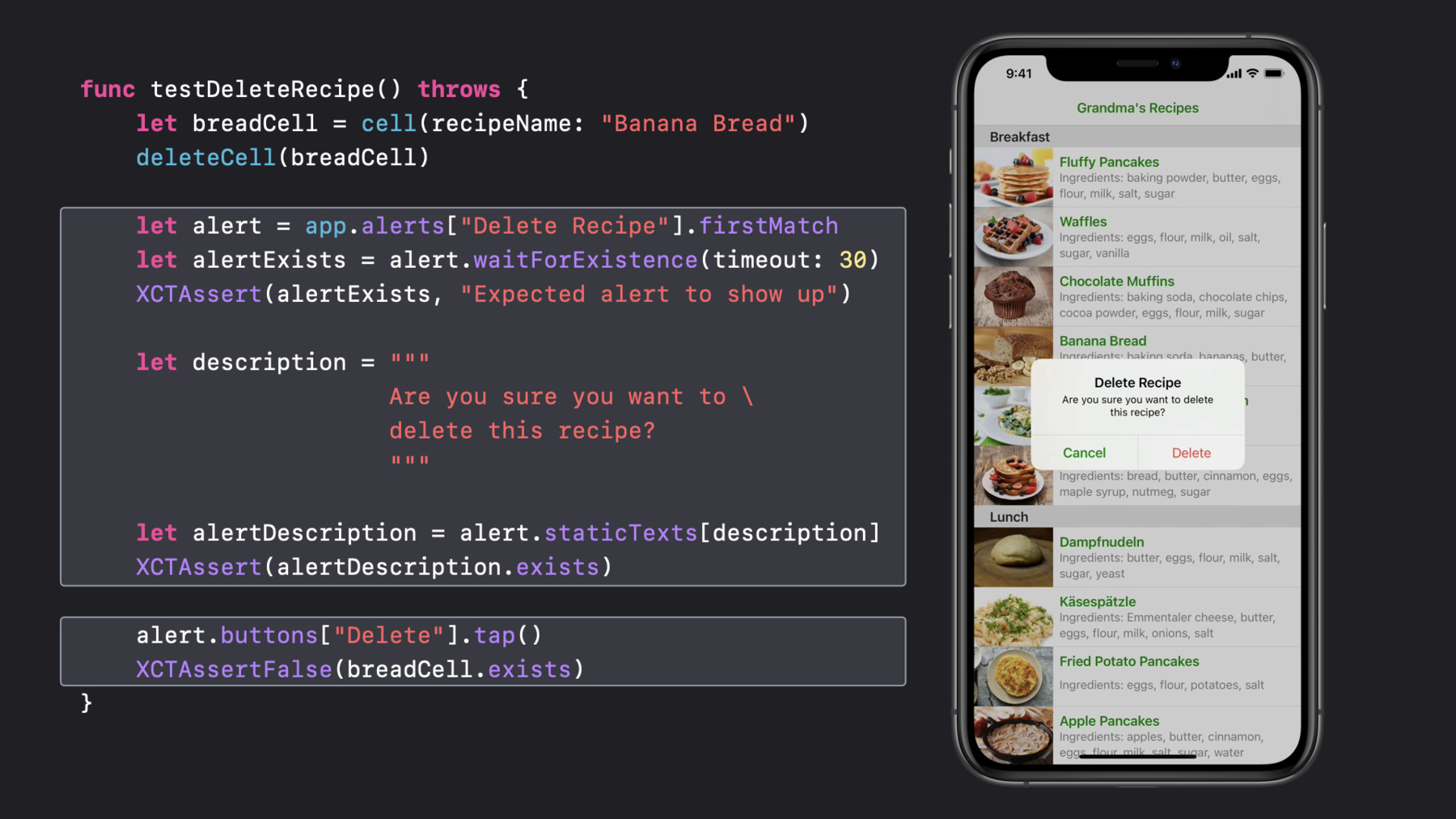
func testDeleteRecipe() throws { let breadCell = cell(recipeName: "Banana Bread") deleteCell(breadCell) let alert = app.alerts["Delete Recipe"].firstMatch let alertExists = alert.waitForExistence(timeout: 30) XCTAssert(alertExists, "Expected alert to show up") let description = """ Are you sure you want to \ delete this recipe? """ let alertDescription = alert.staticTexts[description] XCTAssert(alertDescription.exists) alert.buttons["Delete"].tap() XCTAssertFalse(breadCell.exists) } -
10:29 - Reset the Authorization Status of Protected Resources
func testAddingPhotosFirstTime() throws {
    let app = XCUIApplication()
    app.resetAuthorizationStatus(for: .photos)

    app.launch()

    // Test code…
}
-