

View in English

  • Apple Developer
    • Get Started

    Explore Get Started

    • Overview
    • Learn
    • Apple Developer Program

    Stay Updated

    • Latest News
    • Hello Developer
    • Platforms

    Explore Platforms

    • Apple Platforms
    • iOS
    • iPadOS
    • macOS
    • tvOS
    • visionOS
    • watchOS
    • App Store

    Featured

    • Design
    • Distribution
    • Games
    • Accessories
    • Web
    • Home
    • CarPlay
    • Technologies

    Explore Technologies

    • Overview
    • Xcode
    • Swift
    • SwiftUI

    Featured

    • Accessibility
    • App Intents
    • Apple Intelligence
    • Games
    • Machine Learning & AI
    • Security
    • Xcode Cloud
    • Community

    Explore Community

    • Overview
    • Meet with Apple events
    • Community-driven events
    • Developer Forums
    • Open Source

    Featured

    • WWDC
    • Swift Student Challenge
    • Developer Stories
    • App Store Awards
    • Apple Design Awards
    • Apple Developer Centers
    • Documentation

    Explore Documentation

    • Documentation Library
    • Technology Overviews
    • Sample Code
    • Human Interface Guidelines
    • Videos

    Release Notes

    • Featured Updates
    • iOS
    • iPadOS
    • macOS
    • watchOS
    • visionOS
    • tvOS
    • Xcode
    • Downloads

    Explore Downloads

    • All Downloads
    • Operating Systems
    • Applications
    • Design Resources

    Featured

    • Xcode
    • TestFlight
    • Fonts
    • SF Symbols
    • Icon Composer
    • Support

    Explore Support

    • Overview
    • Help Guides
    • Developer Forums
    • Feedback Assistant
    • Contact Us

    Featured

    • Account Help
    • App Review Guidelines
    • App Store Connect Help
    • Upcoming Requirements
    • Agreements and Guidelines
    • System Status
  • Quick Links

    • Events
    • News
    • Forums
    • Sample Code
    • Videos
 

Vidéos

Ouvrir le menu Fermer le menu
  • Collections
  • Toutes les vidéos
  • À propos

Plus de vidéos

  • À propos
  • Code
  • Meet Shortcuts for macOS

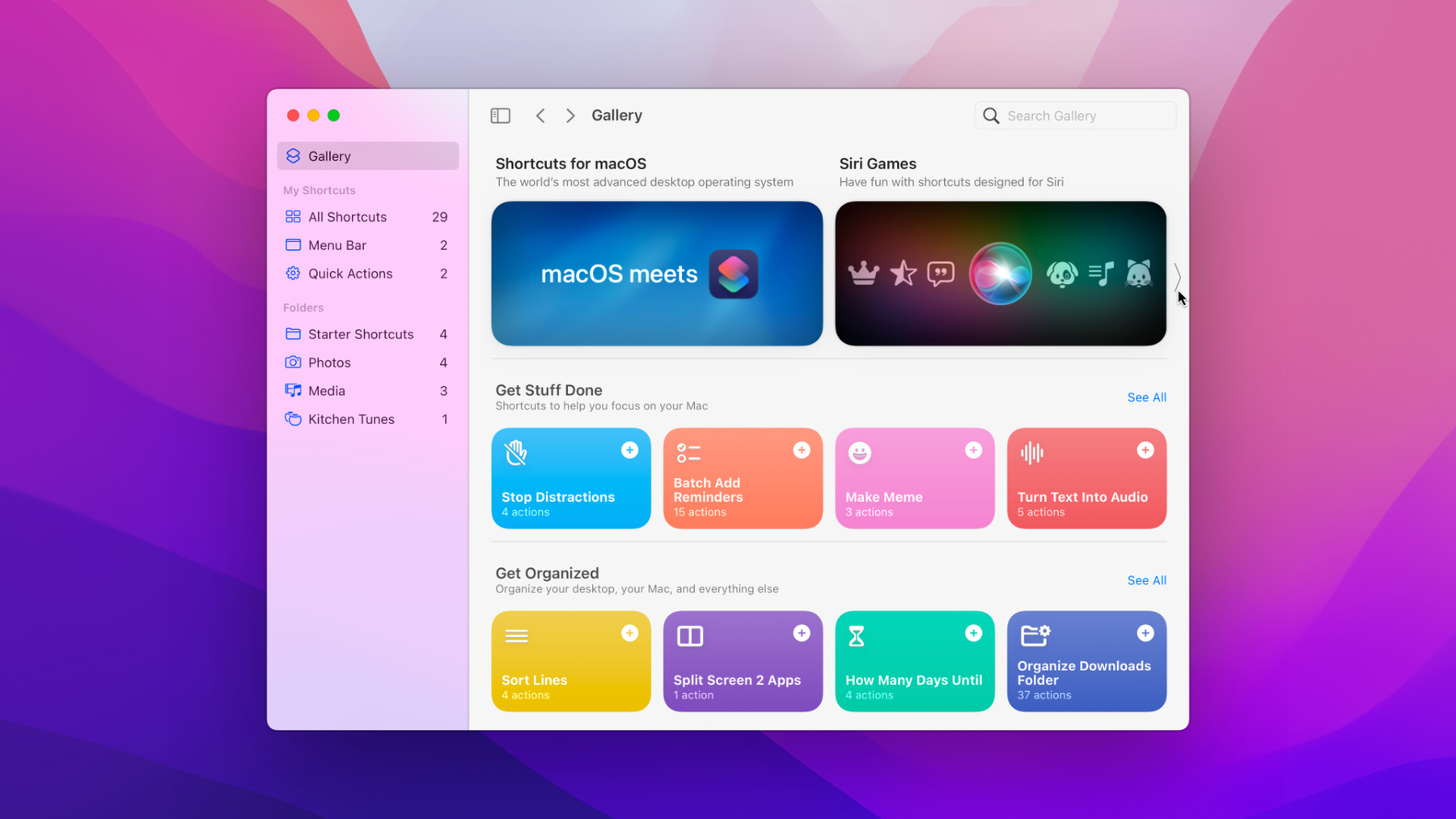
    Shortcuts is coming to macOS, and your apps are a key part of that process. Discover how you can elevate the capabilities of your app by exposing those features as Shortcuts actions. We'll show you how to build actions for your macOS apps built with Catalyst or AppKit, deploy actions across platforms, publish and share shortcuts, and enable your app to run shortcuts from other apps. We'll also take you through how Shortcuts fits in with existing Mac automation technologies like Automator and AppleScript.

    Ressources

    • Dispatching intents to handlers
    • Offering Actions in the Shortcuts App
      • Vidéo HD
      • Vidéo SD

    Vidéos connexes

    Tech Talks

    • Prepare your organization for macOS Monterey

    WWDC21

    • Design great actions for Shortcuts, Siri, and Suggestions
    • Qualities of great iPad and iPhone apps on Macs with M1
    • What's new in Mac Catalyst
    • What's new in SwiftUI
  • Rechercher dans cette vidéo…
    • 17:10 - Adding Intent dispatch method in SwiftUI

      import SwiftUI
      import Intents
      
      @main
      struct SouperTaskApp: App {
          @NSApplicationDelegateAdaptor(AppDelegate.self) var appDelegate
          
          var body: some Scene {
              WindowGroup {
                  ContentView()
              }
          }
      }
      
      class AppDelegate: NSObject, NSApplicationDelegate {
          func application(_ application: NSApplication, handlerFor intent: INIntent) -> Any? {
      
          }
      }
    • 18:32 - Resolve intent

      class IntentHandler: NSObject, CreateTaskIntentHandling {
          func resolveTitle(for intent: CreateTaskIntent, with completion: @escaping (INStringResolutionResult) -> Void) {
              guard let title = intent.title, !title.isEmpty else {
                  return completion(.needsValue())
              }
              return completion(.success(with: title))
          }
          
          func resolveDueDate(for intent: CreateTaskIntent, with completion: @escaping (CreateTaskDueDateResolutionResult) -> Void) {
              guard let dateComponents = intent.dueDate else {
                  return completion(.needsValue())
              }
              return completion(.success(with: dateComponents))
          }
      
          ...
      }
    • 19:37 - Date range validation in dueDate resolve method

      func resolveDueDate(for intent: CreateTaskIntent, with completion: @escaping (CreateTaskDueDateResolutionResult) -> Void) {
              guard
                  let dateComponents = intent.dueDate,
                  let dueDate = Calendar.current.date(from: dateComponents)
              else {
                  return completion(.needsValue())
              }
              if dueDate < Date() {
                  return completion(.unsupported(forReason: .invalidDate))
              }
              return completion(.success(with: dateComponents))
          }
    • 20:40 - Handle intent

      class IntentHandler: NSObject, CreateTaskIntentHandling {
          func handle(intent: CreateTaskIntent, completion: @escaping (CreateTaskIntentResponse) -> Void) {
              let title = intent.title!
              let dueDate = intent.dueDate!
              
              let task = createTask(name: title, due: dueDate)
              
              let response = CreateTaskIntentResponse(code: .success, userActivity: nil)
              response.task = task
              completion(response)
          }
      }
    • 25:39 - Running Shortcut from AppleScript

      tell application "Shortcuts Events"
      	run the shortcut whose name is "Make GIF"
      end tell
    • 25:49 - Using scripting bridge

      import ScriptingBridge
      
      @objc protocol ShortcutsEvents {
          @objc optional var shortcuts: SBElementArray { get }
      }
      @objc protocol Shortcut {
          @objc optional var name: String { get }
          @objc optional func run(withInput: Any?) -> Any?
      }
      
      extension SBApplication: ShortcutsEvents {}
      extension SBObject: Shortcut {}
      
      guard 
          let app: ShortcutsEvents = SBApplication(bundleIdentifier: "com.apple.shortcuts.events"),
          let shortcuts = app.shortcuts else {
          print("Couldn't access shortcuts")
          return
      }
      
      guard let shortcut = shortcuts.object(withName: "Make GIF") as? Shortcut else {
          print("Shortcut doesn't exist")
          return
      }
      
      _ = shortcut.run?(withInput: nil)

Developer Footer

  • Vidéos
  • WWDC21
  • Meet Shortcuts for macOS
  • Open Menu Close Menu
    • iOS
    • iPadOS
    • macOS
    • tvOS
    • visionOS
    • watchOS
    • App Store
    Open Menu Close Menu
    • Swift
    • SwiftUI
    • Swift Playground
    • TestFlight
    • Xcode
    • Xcode Cloud
    • Icon Composer
    • SF Symbols
    Open Menu Close Menu
    • Accessibility
    • Accessories
    • Apple Intelligence
    • Audio & Video
    • Augmented Reality
    • Business
    • Design
    • Distribution
    • Education
    • Games
    • Health & Fitness
    • In-App Purchase
    • Localization
    • Maps & Location
    • Machine Learning & AI
    • Security
    • Safari & Web
    Open Menu Close Menu
    • Documentation
    • Downloads
    • Sample Code
    • Videos
    Open Menu Close Menu
    • Help Guides & Articles
    • Contact Us
    • Forums
    • Feedback & Bug Reporting
    • System Status
    Open Menu Close Menu
    • Apple Developer
    • App Store Connect
    • Certificates, IDs, & Profiles
    • Feedback Assistant
    Open Menu Close Menu
    • Apple Developer Program
    • Apple Developer Enterprise Program
    • App Store Small Business Program
    • MFi Program
    • Mini Apps Partner Program
    • News Partner Program
    • Video Partner Program
    • Security Bounty Program
    • Security Research Device Program
    Open Menu Close Menu
    • Meet with Apple
    • Apple Developer Centers
    • App Store Awards
    • Apple Design Awards
    • Apple Developer Academies
    • WWDC
    Read the latest news.
    Get the Apple Developer app.
    Copyright © 2026 Apple Inc. All rights reserved.
    Terms of Use Privacy Policy Agreements and Guidelines