

View in English

  • Apple Developer
    • Get Started

    Explore Get Started

    • Overview
    • Learn
    • Apple Developer Program

    Stay Updated

    • Latest News
    • Hello Developer
    • Platforms

    Explore Platforms

    • Apple Platforms
    • iOS
    • iPadOS
    • macOS
    • tvOS
    • visionOS
    • watchOS
    • App Store

    Featured

    • Design
    • Distribution
    • Games
    • Accessories
    • Web
    • Home
    • CarPlay
    • Technologies

    Explore Technologies

    • Overview
    • Xcode
    • Swift
    • SwiftUI

    Featured

    • Accessibility
    • App Intents
    • Apple Intelligence
    • Games
    • Machine Learning & AI
    • Security
    • Xcode Cloud
    • Community

    Explore Community

    • Overview
    • Meet with Apple events
    • Community-driven events
    • Developer Forums
    • Open Source

    Featured

    • WWDC
    • Swift Student Challenge
    • Developer Stories
    • App Store Awards
    • Apple Design Awards
    • Apple Developer Centers
    • Documentation

    Explore Documentation

    • Documentation Library
    • Technology Overviews
    • Sample Code
    • Human Interface Guidelines
    • Videos

    Release Notes

    • Featured Updates
    • iOS
    • iPadOS
    • macOS
    • watchOS
    • visionOS
    • tvOS
    • Xcode
    • Downloads

    Explore Downloads

    • All Downloads
    • Operating Systems
    • Applications
    • Design Resources

    Featured

    • Xcode
    • TestFlight
    • Fonts
    • SF Symbols
    • Icon Composer
    • Support

    Explore Support

    • Overview
    • Help Guides
    • Developer Forums
    • Feedback Assistant
    • Contact Us

    Featured

    • Account Help
    • App Review Guidelines
    • App Store Connect Help
    • Upcoming Requirements
    • Agreements and Guidelines
    • System Status
  • Quick Links

    • Events
    • News
    • Forums
    • Sample Code
    • Videos
 

Vidéos

Ouvrir le menu Fermer le menu
  • Collections
  • Toutes les vidéos
  • À propos

Plus de vidéos

  • À propos
  • Code
  • Animate symbols in your app

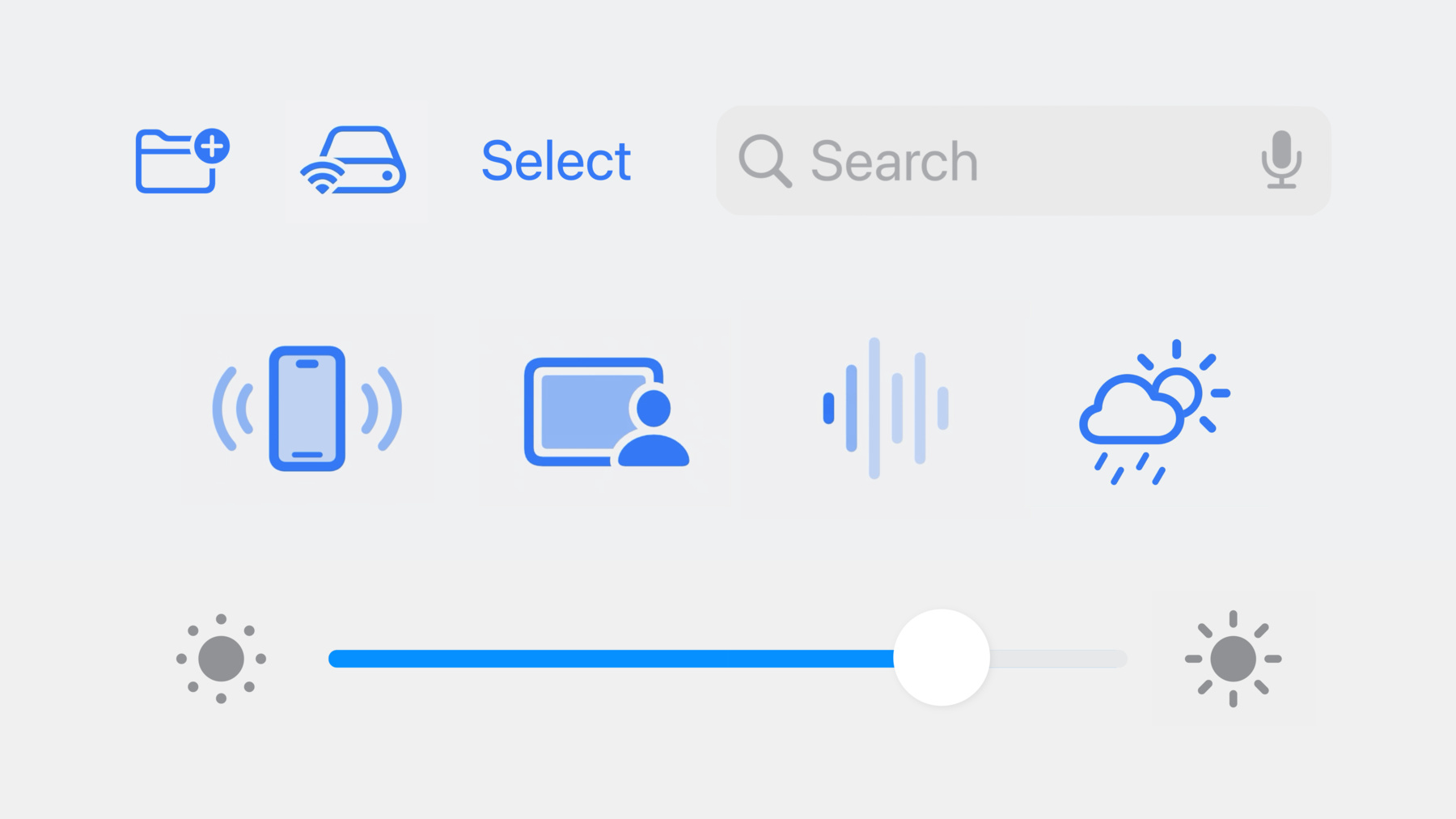
    Bring delight to your app with animated symbols. Explore the new Symbols framework, which features a unified API to create and configure symbol effects. Learn how SwiftUI, AppKit, and UIKit make it easy to animate symbols in user interfaces. Discover tips and tricks to seamlessly integrate the new animations alongside other app content. To get the most from this session, we recommend first watching “What's new in SF Symbols 5.”

    Ressources

      • Vidéo HD
      • Vidéo SD

    Vidéos connexes

    WWDC23

    • Create animated symbols
    • What’s new in AppKit
    • What’s new in SF Symbols 5
    • What’s new in SwiftUI
    • What’s new in UIKit
  • Rechercher dans cette vidéo…
    • 6:02 - Symbol effects in SwiftUI

      // Symbol effects in SwiftUI
      
      Image(systemName: "wifi.router")
          .symbolEffect(.variableColor.iterative.reversing)
          .symbolEffect(.scale.up)
    • 6:02 - Symbol effects in AppKit and UIKit

      let imageView: NSImageView = ...
      
      imageView.addSymbolEffect(.variableColor.iterative.reversing)
      imageView.addSymbolEffect(.scale.up)
    • 6:49 - Indefinite symbol effects in SwiftUI

      struct ContentView: View {
          @State var isConnectingToInternet: Bool = true
          
          var body: some View {
              Image(systemName: "wifi.router")
                  .symbolEffect(
                      .variableColor.iterative.reversing,
                      isActive: isConnectingToInternet
                  )
          }
      }
    • 7:09 - Indefinite symbol effects in AppKit and UIKit

      let imageView: NSImageView = ...
      
      imageView.addSymbolEffect(.variableColor.iterative.reversing)
      
      // Later, remove the effect
      imageView.removeSymbolEffect(ofType: .variableColor)
    • 8:26 - Discrete symbol effects in SwiftUI

      struct ContentView: View {
          @State var bounceValue: Int = 0
          
          var body: some View {
              VStack {
                  Image(systemName: "antenna.radiowaves.left.and.right")
                      .symbolEffect(
                          .bounce,
                          options: .repeat(2),
                          value: bounceValue
                      )
                  
                  Button("Animate") {
                      bounceValue += 1
                  }
              }
          }
      }
    • 8:26 - Discrete symbol effects in AppKit and UIKit

      let imageView: NSImageView = ...
      
      // Bounce
      imageView.addSymbolEffect(.bounce, options: .repeat(2))
    • 9:40 - Content transition symbol effects in SwiftUI

      struct ContentView: View {
          @State var isPaused: Bool = false
          
          var body: some View {
              Button {
                  isPaused.toggle()
              } label: {
                  Image(systemName: isPaused ? "pause.fill" : "play.fill")
                      .contentTransition(.symbolEffect(.replace.offUp))
              }
          }
      }
    • 9:57 - Content transition symbol effects in AppKit and UIKit

      let imageView: UIImageView = ...
      imageView.image = UIImage(systemName: "play.fill")
      
      // Change the image with a Replace effect
      let pauseImage = UIImage(systemName: "pause.fill")!
      imageView.setSymbolImage(pauseImage, contentTransition: .replace.offUp)
    • 11:14 - Indefinite Appear and Disappear symbol effects in SwiftUI

      struct ContentView: View {
          @State var isMoonHidden: Bool = false
          
          var body: some View {
              HStack {
                  RoundedRectangle(cornerRadius: 5)
      
                  Image(systemName: "moon.stars")
                     .symbolEffect(.disappear, isActive: isMoonHidden)
      
                  Circle()
              }
          }
      }
    • 11:30 - Indefinite Appear and Disappear symbol effects in AppKit and UIKit

      let imageView: UIImageView = ...
      imageView.image = UIImage(systemName: "moon.stars")
      
      imageView.addSymbolEffect(.disappear)
      // Re-appear the symbol
      imageView.addSymbolEffect(.appear)
    • 12:38 - Transition symbol effects in SwiftUI

      struct ContentView: View {
          @State var isMoonHidden: Bool = false
          
          var body: some View {
              HStack {
                  RoundedRectangle(cornerRadius: 5)
      
                  if !isMoonHidden {
                      Image(systemName: "moon.stars")
                          .transition(.symbolEffect(.disappear.down))
                  }
      
                  Circle()
              }
          }
      }
    • 12:59 - Appear and Disappear symbol effects in UIKit with completion handler

      let imageView: UIImageView = ...
      imageView.image = UIImage(systemName: "moon.stars")
      
      imageView.addSymbolEffect(.disappear) { context in
          if let imageView = context.sender as? UIImageView, context.isFinished {
              imageView.removeFromSuperview()
          } 
      }
    • 14:19 - Symbol effect propagation in SwiftUI

      VStack {
          Image(systemName: "figure.walk")
              .symbolEffectsRemoved()
          Image(systemName: "car")
          Image(systemName: "tram")
      }
      .symbolEffect(.pulse)
    • 14:55 - Effects without animation in SwiftUI

      struct ContentView: View {
          @State var isScaledUp: Bool = false
          
          var body: some View {
              Image(systemName: "iphone.radiowaves.left.and.right")
                  .symbolEffect(.scale.up, isActive: isScaledUp)
                  .onAppear {
                      var transaction = Transaction()
                      transaction.disablesAnimations = true
                      withTransaction(transaction) {
                          isScaledUp = true
                      }
                  }
          }
      }
    • 15:06 - Effects without animation in AppKit and UIKit

      // Effects without animation in AppKit and UIKit
      
      let imageView: UIImageView = ...
      imageView.image = UIImage(systemName: "iphone.radiowaves.left.and.right")
      
      imageView.addSymbolEffect(.disappear, animated: false)
    • 15:44 - Variable value animations in SwiftUI

      struct ContentView: View {
          @State var signalLevel: Double = 0.5
          
          var body: some View {
              Image(systemName: "wifi", variableValue: signalLevel)
          }
      }
    • 16:07 - Variable value animations in AppKit and UIKit

      let imageView: UIImageView = ...
      imageView.image = UIImage(systemName: "wifi", variableValue: 1.0)
      
      // Animate to a different Wi-Fi level
      let currentSignalImage = UIImage(
          systemName: "wifi",
          variableValue: signalLevel
      )!
      imageView.setSymbolImage(currentSignalImage, contentTransition: .automatic)

Developer Footer

  • Vidéos
  • WWDC23
  • Animate symbols in your app
  • Open Menu Close Menu
    • iOS
    • iPadOS
    • macOS
    • tvOS
    • visionOS
    • watchOS
    • App Store
    Open Menu Close Menu
    • Swift
    • SwiftUI
    • Swift Playground
    • TestFlight
    • Xcode
    • Xcode Cloud
    • Icon Composer
    • SF Symbols
    Open Menu Close Menu
    • Accessibility
    • Accessories
    • Apple Intelligence
    • Audio & Video
    • Augmented Reality
    • Business
    • Design
    • Distribution
    • Education
    • Games
    • Health & Fitness
    • In-App Purchase
    • Localization
    • Maps & Location
    • Machine Learning & AI
    • Security
    • Safari & Web
    Open Menu Close Menu
    • Documentation
    • Downloads
    • Sample Code
    • Videos
    Open Menu Close Menu
    • Help Guides & Articles
    • Contact Us
    • Forums
    • Feedback & Bug Reporting
    • System Status
    Open Menu Close Menu
    • Apple Developer
    • App Store Connect
    • Certificates, IDs, & Profiles
    • Feedback Assistant
    Open Menu Close Menu
    • Apple Developer Program
    • Apple Developer Enterprise Program
    • App Store Small Business Program
    • MFi Program
    • Mini Apps Partner Program
    • News Partner Program
    • Video Partner Program
    • Security Bounty Program
    • Security Research Device Program
    Open Menu Close Menu
    • Meet with Apple
    • Apple Developer Centers
    • App Store Awards
    • Apple Design Awards
    • Apple Developer Academies
    • WWDC
    Read the latest news.
    Get the Apple Developer app.
    Copyright © 2026 Apple Inc. All rights reserved.
    Terms of Use Privacy Policy Agreements and Guidelines