

View in English

  • Apple Developer
    • Get Started

    Explore Get Started

    • Overview
    • Learn
    • Apple Developer Program

    Stay Updated

    • Latest News
    • Hello Developer
    • Platforms

    Explore Platforms

    • Apple Platforms
    • iOS
    • iPadOS
    • macOS
    • tvOS
    • visionOS
    • watchOS
    • App Store

    Featured

    • Design
    • Distribution
    • Games
    • Accessories
    • Web
    • Home
    • CarPlay
    • Technologies

    Explore Technologies

    • Overview
    • Xcode
    • Swift
    • SwiftUI

    Featured

    • Accessibility
    • App Intents
    • Apple Intelligence
    • Games
    • Machine Learning & AI
    • Security
    • Xcode Cloud
    • Community

    Explore Community

    • Overview
    • Meet with Apple events
    • Community-driven events
    • Developer Forums
    • Open Source

    Featured

    • WWDC
    • Swift Student Challenge
    • Developer Stories
    • App Store Awards
    • Apple Design Awards
    • Apple Developer Centers
    • Documentation

    Explore Documentation

    • Documentation Library
    • Technology Overviews
    • Sample Code
    • Human Interface Guidelines
    • Videos

    Release Notes

    • Featured Updates
    • iOS
    • iPadOS
    • macOS
    • watchOS
    • visionOS
    • tvOS
    • Xcode
    • Downloads

    Explore Downloads

    • All Downloads
    • Operating Systems
    • Applications
    • Design Resources

    Featured

    • Xcode
    • TestFlight
    • Fonts
    • SF Symbols
    • Icon Composer
    • Support

    Explore Support

    • Overview
    • Help Guides
    • Developer Forums
    • Feedback Assistant
    • Contact Us

    Featured

    • Account Help
    • App Review Guidelines
    • App Store Connect Help
    • Upcoming Requirements
    • Agreements and Guidelines
    • System Status
  • Quick Links

    • Events
    • News
    • Forums
    • Sample Code
    • Videos
 

Vidéos

Ouvrir le menu Fermer le menu
  • Collections
  • Toutes les vidéos
  • À propos

Plus de vidéos

  • À propos
  • Code
  • Get started with Dynamic Type

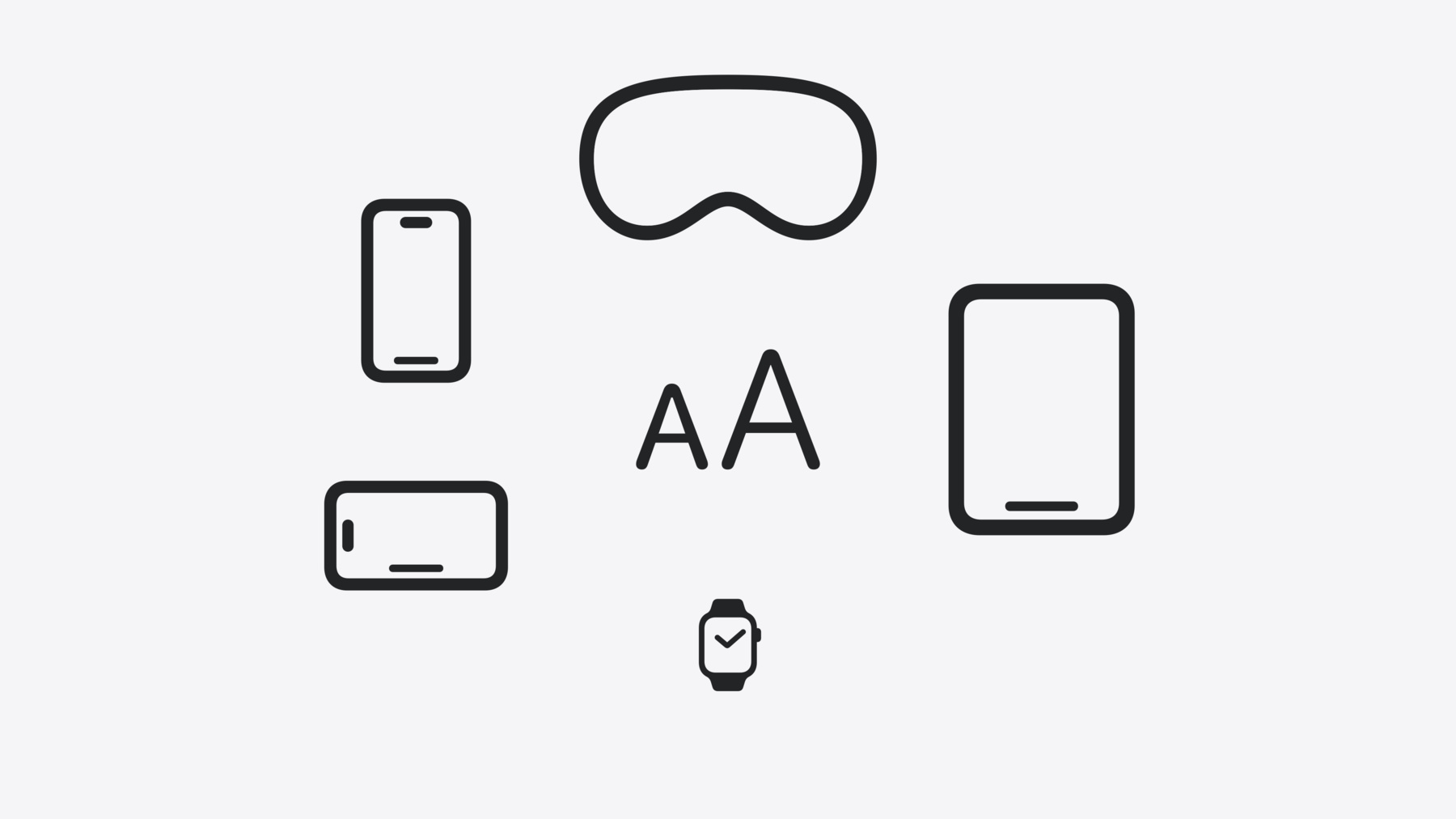
    Dynamic Type lets people choose their preferred text size across the system and all of their apps. To help you get started supporting Dynamic Type, we'll cover the fundamentals: How it works, how to find issues with scaling text in your app, and how to take practical steps using SwiftUI and UIKit to create a great Dynamic Type experience. We'll also show how you can best use the Large Content Viewer to make navigation controls accessible to everyone.

    Chapitres

    • 0:00 - Introduction
    • 3:11 - Scaled text
    • 6:00 - Dynamic layouts
    • 8:56 - Images and symbols
    • 11:58 - Large content viewer

    Ressources

    • Forum: Accessibility & Inclusion
    • accessibilityShowsLargeContentViewer()
    • UILargeContentViewerInteraction
    • Human Interface Guidelines: Accessibility
    • Human Interface Guidelines: Typography
    • Enhancing the accessibility of your SwiftUI app
      • Vidéo HD
      • Vidéo SD
  • Rechercher dans cette vidéo…
    • 3:53 - Built-in text styles with SwiftUI

      // Use built-in text styles with SwiftUI
      
      import SwiftUI
      
      struct ContentView: View {
      
          var body: some View {
              Text("Hello, World!")
                  .font(.title)
          }
      
      }
    • 4:06 - Built-in text styles in UIKit

      // Built-in text styles in UIKit
      
      import UIKit
      
      class ViewController: UIViewController {
          
          override func viewDidLoad() {
              super.viewDidLoad()
              
              let label = UILabel(frame: .zero)
              setupConstraints()
              label.text = "Hello, World!"
              label.adjustsFontForContentSizeCategory = true
              label.font = .preferredFont(forTextStyle: .title1)
              label.numberOfLines = 0
              
              self.view.addSubview(label)
          }
      }
    • 7:20 - Dynamic layout in SwiftUI

      // Dynamic layout in SwiftUI
      
      import SwiftUI
      
      struct FigureCell: View {
          @Environment(\.dynamicTypeSize) 
          private var dynamicTypeSize: DynamicTypeSize
          
          var dynamicLayout: AnyLayout { 
              dynamicTypeSize.isAccessibilitySize ?
              AnyLayout(HStackLayout()) : AnyLayout(VStackLayout())
          }
          
          let systemImageName: String
          let imageTitle: String
          
          var body: some View {
              dynamicLayout {
                  FigureImage(systemImageName: systemImageName)
                  FigureTitle(imageTitle: imageTitle)
              }
          }
      }
    • 7:52 - Dynamic layout in SwiftUI

      // Dynamic layout in SwiftUI
      
      import SwiftUI
      
      struct FigureContentView: View {
          @Environment(\.dynamicTypeSize) 
          private var dynamicTypeSize: DynamicTypeSize
          
          var dynamicLayout: AnyLayout {
              dynamicTypeSize.isAccessibilitySize ?
              AnyLayout(VStackLayout(alignment: .leading)) : AnyLayout(HStackLayout(alignment: .top))
          }
          
          var body: some View {
              dynamicLayout {
                  FigureCell(systemImageName: "figure.stand", imageTitle: "Standing Figure")
                  FigureCell(systemImageName: "figure.wave", imageTitle: "Waving Figure")
                  FigureCell(systemImageName: "figure.walk", imageTitle: "Walking Figure")
                  FigureCell(systemImageName: "figure.roll", imageTitle: "Rolling Figure")
              }
          }
      }
    • 8:20 - Dynamic layout in UIKit

      // Dynamic layout in UIKit
      
      import UIKit
      
      class ViewController: UIViewController {
          private var mainStackView: UIStackView = UIStackView()
          
          required init?(coder: NSCoder) {
              super.init(coder: coder)
              NotificationCenter.default.addObserver(self, selector: #selector(textSizeDidChange(_:)), name: UIContentSizeCategory.didChangeNotification, object: nil)
          }
          
          override func viewDidLoad() {
              super.viewDidLoad()
              setupStackView()
          }
      
          @objc private func textSizeDidChange(_ notification: Notification?) {
              let isAccessibilityCategory = self.traitCollection.preferredContentSizeCategory.isAccessibilityCategory
              mainStackView.axis = isAccessibilityCategory ? .vertical : .horizontal
              setupConstraints()
          }
      }
    • 10:12 - Scale inline images with SwiftUI

      // Inline images in SwiftUI
      
      import SwiftUI
      
      struct ContentView: View {
      
          var body: some View {
              List {
                  FigureListCell(figureName: "Standing Figure",
                      systemImage: "figure.stand")
                  FigureListCell(figureName: "Rolling Figure",
                        systemImage: "figure.roll")
                  FigureListCell(figureName: "Waving Figure",
                      systemImage: "figure.wave")
                  FigureListCell(figureName: "Walking Figure",
                      systemImage: "figure.walk")
              }
          }
      
      }
    • 10:30 - Scale inline images with UIKit

      // Inline images in UIKit
      
      func attributedStringWithImage(systemImageName: String, imageTitle: String) ->  
    NSAttributedString {
          let attachment = NSTextAttachment()
          attachment.image = UIImage(systemName: systemImageName)
          
          let attachmentAttributedString = NSMutableAttributedString(attachment: attachment)
          attachmentAttributedString.append(NSAttributedString(string: imageTitle))
          
          return attachmentAttributedString
      }
    • 11:05 - Scale images in SwiftUI

      // Scaling images in SwiftUI
      
      import SwiftUI
      
      struct ContentView: View {
          @ScaledMetric var imageWidth = 125.0
          var body: some View {
              VStack {
                  Image("Spatula")
                      .resizable()
                      .aspectRatio(contentMode: .fit)
                      .frame(width: imageWidth)
                  Text("Grill Party!")
                      .frame(alignment: .center)
              }
          }
      }
    • 11:38 - Scale symbols with UIKit

      // Symbol configuration in UIKit
      
      import UIKit
      
      func imageWithBodyConfiguration(systemImageName: String) -> UIImage? {
        let imageConfiguration = UIImage.SymbolConfiguration(textStyle: .body)
        let configuredImage = UIImage(systemName: systemImageName, withConfiguration: imageConfiguration)
        return configuredImage
      }
    • 13:15 - Add large content viewer support with SwiftUI

      // Large content viewer support in SwiftUI
      
      import SwiftUI
      
      struct FigureBar: View {
          @Binding var selectedFigure: Figure
          
          var body: some View {
             HStack {
                  ForEach(Figure.allCases) { figure in
                      FigureButton(figure: figure, isSelected: selectedFigure == figure)
                          .onTapGesture {
                              selectedFigure = figure
                          }
                          .accessibilityShowsLargeContentViewer {
                              Label(figure.imageTitle, systemImage: figure.systemImage)
                          }
                  }
              }
          }
      }
    • 13:45 - Add large content viewer support with UIKit

      // Large content viewer support in UIKit
      
      import UIKit
      
      class FigureCell: UIStackView {
          var systemImageName: String!
          var imageTitle: String!
          var imageLabel: UILabel!
          var titleImageView: UIImageView!
          
          required init(coder: NSCoder) {
              super.init(coder: coder)
              setupFigureCell()
          }
          
          init(systemImageName: String, imageTitle: String) {
              super.init(frame: .zero)
              
              self.systemImageName = systemImageName
              self.imageTitle = imageTitle
              
              setupFigureCell()
      
              self.addInteraction(UILargeContentViewerInteraction())
              self.showsLargeContentViewer = true
              self.largeContentImage = UIImage(systemName: systemImageName)
              self.scalesLargeContentImage = true
              self.largeContentTitle = imageTitle
          }
      }

Developer Footer

  • Vidéos
  • WWDC24
  • Get started with Dynamic Type
  • Open Menu Close Menu
    • iOS
    • iPadOS
    • macOS
    • tvOS
    • visionOS
    • watchOS
    • App Store
    Open Menu Close Menu
    • Swift
    • SwiftUI
    • Swift Playground
    • TestFlight
    • Xcode
    • Xcode Cloud
    • Icon Composer
    • SF Symbols
    Open Menu Close Menu
    • Accessibility
    • Accessories
    • Apple Intelligence
    • Audio & Video
    • Augmented Reality
    • Business
    • Design
    • Distribution
    • Education
    • Games
    • Health & Fitness
    • In-App Purchase
    • Localization
    • Maps & Location
    • Machine Learning & AI
    • Security
    • Safari & Web
    Open Menu Close Menu
    • Documentation
    • Downloads
    • Sample Code
    • Videos
    Open Menu Close Menu
    • Help Guides & Articles
    • Contact Us
    • Forums
    • Feedback & Bug Reporting
    • System Status
    Open Menu Close Menu
    • Apple Developer
    • App Store Connect
    • Certificates, IDs, & Profiles
    • Feedback Assistant
    Open Menu Close Menu
    • Apple Developer Program
    • Apple Developer Enterprise Program
    • App Store Small Business Program
    • MFi Program
    • Mini Apps Partner Program
    • News Partner Program
    • Video Partner Program
    • Security Bounty Program
    • Security Research Device Program
    Open Menu Close Menu
    • Meet with Apple
    • Apple Developer Centers
    • App Store Awards
    • Apple Design Awards
    • Apple Developer Academies
    • WWDC
    Read the latest news.
    Get the Apple Developer app.
    Copyright © 2026 Apple Inc. All rights reserved.
    Terms of Use Privacy Policy Agreements and Guidelines