

-
Intégrez MusicKit à votre app
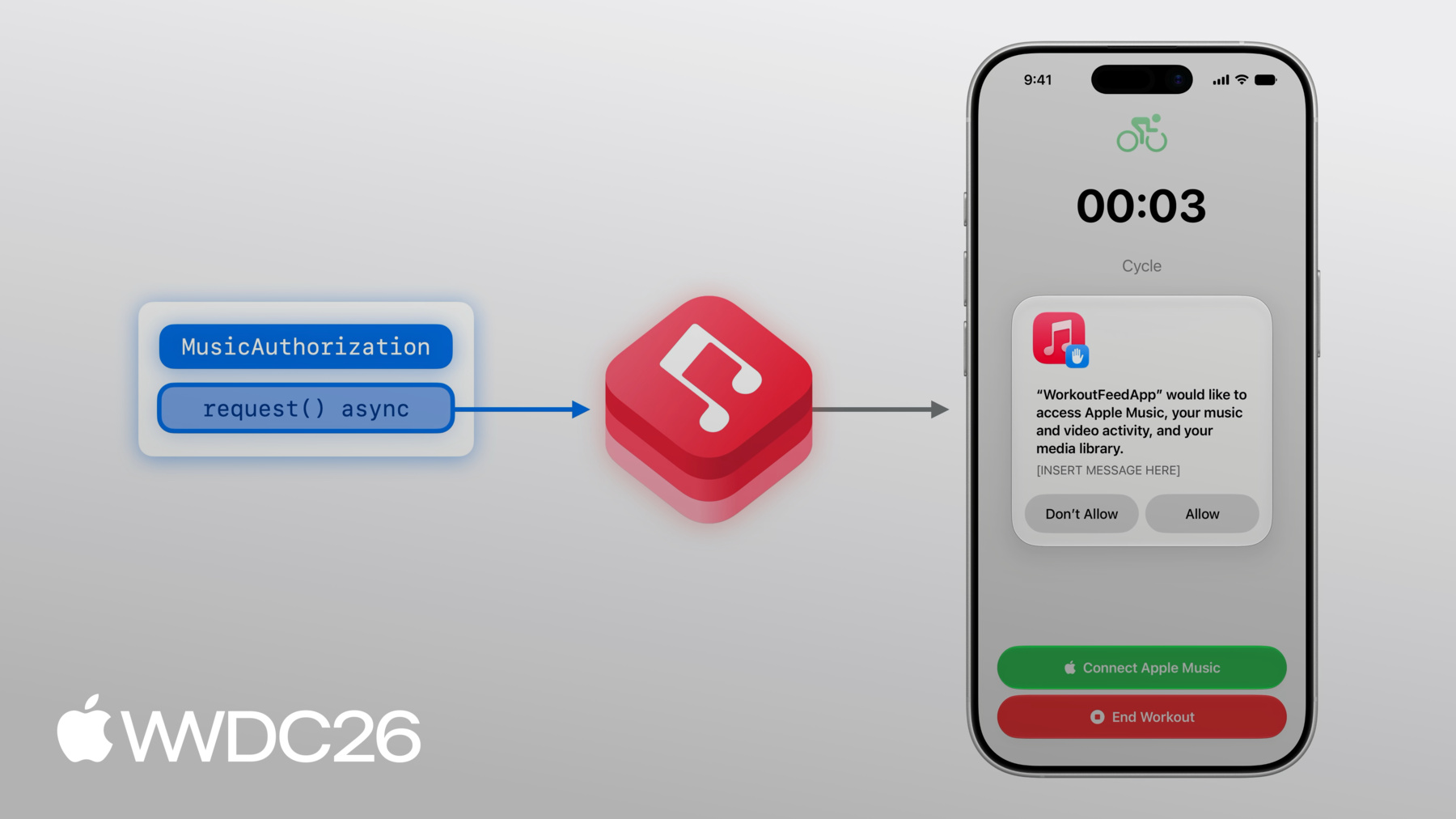
Intégrez la puissance d'Apple Music à votre app grâce à MusicKit. Nous passons en revue l'autorisation, la vérification du statut d'abonnement, la sélection musicale, le contrôle de la lecture et le partage de morceaux entre différents stores. Apprenez à utiliser le nouveau Music Picker pour permettre aux utilisateurs de parcourir le catalogue Apple Music et leurs bibliothèques personnelles. Nous expliquons également les différences entre SystemMusicPlayer et ApplicationMusicPlayer, et vous montrons comment observer l'état de lecture.
Chapitres
- 0:00 - Introduction
- 2:11 - Configuration et autorisation du projet
- 7:10 - Éléments musicaux et sélecteur de musique
- 10:54 - Lecteurs de musique et lecture
- 16:26 - Requêtes de catalogue
- 20:11 - Étapes suivantes
Ressources
Vidéos connexes
WWDC23
WWDC22
-
Rechercher dans cette vidéo…
-
-
4:47 - Presents the Apple Music subscription offer
@State var showSubscriptionOffer = false let options = MusicSubscriptionOffer.Options( messageIdentifier: .playMusic ) @ViewBuilder var musicSubsriptionButton: some View { Button("Subscribe to Apple Music", systemImage: "music.note") { showSubscriptionOffer = true } .musicSubscriptionOffer(isPresented: $showSubscriptionOffer, options: options) } -
5:59 - Adds subscription button to main view
@State var subscription: MusicSubscription? var body: some View { VStack { // ... if let subscription, subscription.canBecomeSubscriber { musicSubscriptionButton } } .task(id: isAuthorized) { self.subscription = try? await MusicSubscription.current for await subscription in MusicSubscription.subscriptionUpdates { self.subscription = subscription } } } -
8:48 - Add .musicPicker() modifier
@State var showMusicPicker = false @State var selectedSong: Song? = nil @ViewBuilder var musicPickerButton: some View { Button("Pick some Music", systemImage: "music.note.list") { showMusicPicker = true } .musicPicker(isPresented: $showMusicPicker, selection: $selectedSong) } var body: some View { VStack { if let subscription, subscription.canBecomeSubscriber { musicSubscriptionButton } musicPickerButton } } -
14:49 - Artwork
@State var queue = ApplicationMusicPlayer.shared.queue var body: some View { VStack { if let artwork = queue.currentEntry?.artwork { ArtworkImage(artwork, width: 200, height: 200) } else { // Placeholder artwork RoundedRectangle(cornerRadius: 16) .fill(.quaternary) .frame(width: 200, height: 200) } } } -
15:06 - Current entry info
@State var queue = ApplicationMusicPlayer.shared.queue var body: some View { VStack { // ... if let currentSong = queue.currentEntry { Text(currentSong.title) .font(.title3.bold()) if let subtitle = currentSong.subtitle { Text(subtitle) .font(.subheadline) .foregroundStyle(.secondary) } } } } -
15:14 - Playback controls (play, pause)
let player = ApplicationMusicPlayer.shared @State var state = ApplicationMusicPlayer.shared.state var isPlaying: Bool { state.playbackStatus == .playing } var playPause: some View { Button ( isPlaying ? "Pause": "Play", systemImage: isplaying ? "pause.fill" : "play.fill" ) { if isPlaying { player.pause() } else { Task { try await player.play() } } } } -
15:38 - Playback controls (next, previous)
let player = ApplicationMusicPlayer.shared var controls: some View { HStack { Button("Back", systemImage: "backward.fill") { Task { try await player.skipToPreviousEntry() } } // ... Button("Next", systemImage: "forward.fill") { Task { try await player.skipToNextEntry() } } } } -
18:58 - Music catalog resource request
func fetchSongs(songIDs: [MusicItemID]) async throws -> (featured: Song?, other: [Song]) {
    var request = MusicCatalogResourceRequest‹Song>(matching: \.id, memberOf: songIDs)
    request.options = [.findEquivalents]

    let response = try await request.response()

    let featuredSongID = songIDs[0]
    let featuredSong = response.item(for: featuredSongID)

    let others: [Song] = songIDs[1...].compactMap { songID in
        return response.item(for: songID)
    }

    return (featuredSong, others)
}
-