

-
Découvrez le framework Spatial Preview
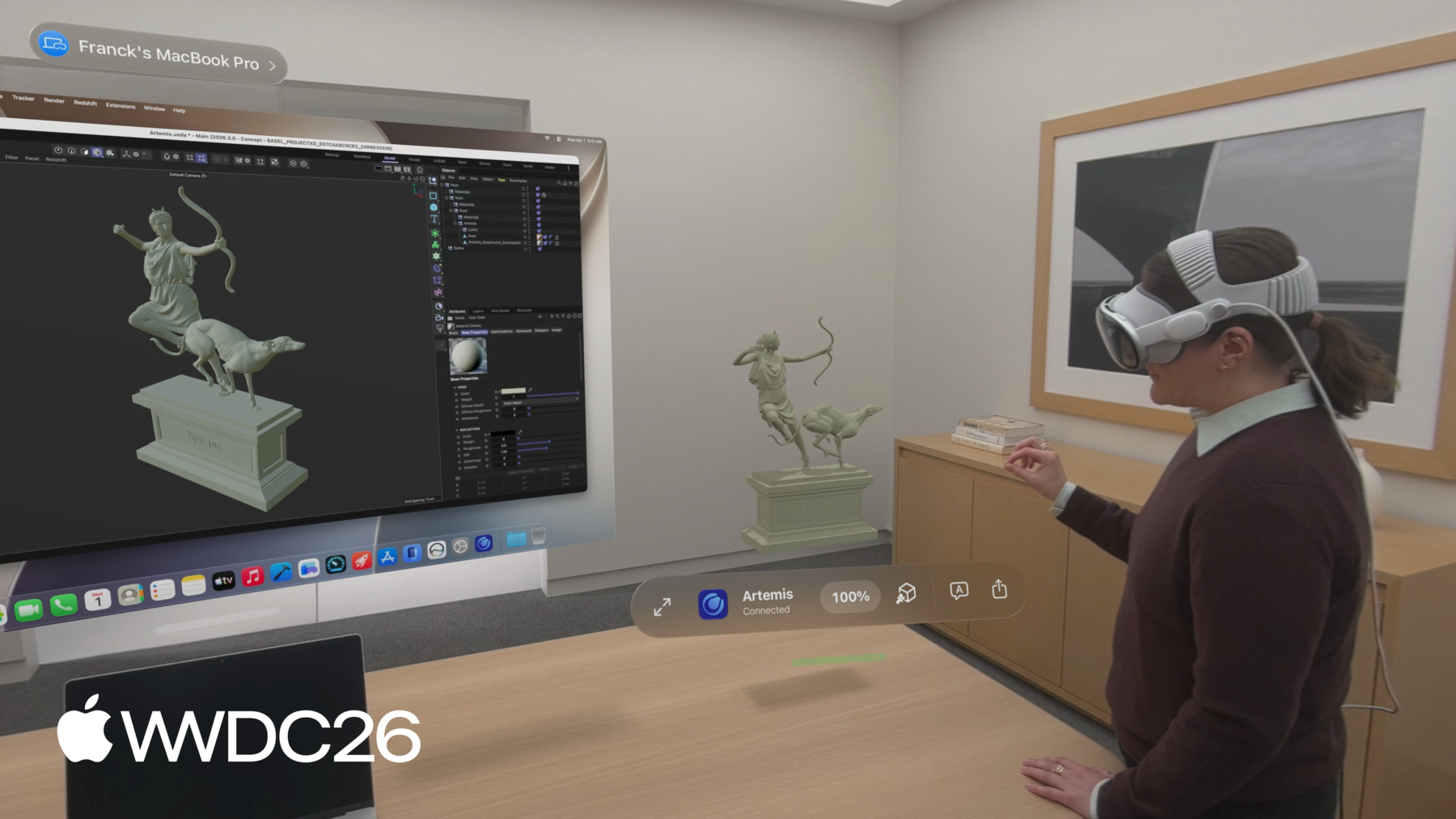
Avec le nouveau framework Spatial Preview, importez le contenu de votre Mac directement dans visionOS. Découvrez comment créer des workflows dynamiques grâce à une synchronisation en temps réel et à l'édition bidirectionnelle sur les deux plateformes. Maîtrisez l'API SpatialPreview, la découverte d'appareils, l'intégration de sessions 2D et 3D et les nouvelles fonctionnalités de Coup d'œil pour améliorer la dimension spatiale de vos apps Mac.
Chapitres
- 0:00 - Introduction
- 2:37 - Découvrir Spatial Preview
- 3:30 - Aperçu de documents
- 6:36 - Aperçu USD
- 9:16 - Fonctionnalités d’édition
- 13:28 - Étapes suivantes
Ressources
- Bridging an external USD runtime to Spatial Preview
- Working with content from your Mac app using Spatial Preview
- Reducing the rendering cost of RealityKit content on visionOS
- Spatial Preview
Vidéos connexes
WWDC26
WWDC22
-
Rechercher dans cette vidéo…
-
-
3:58 - Document Preview Session with Device Picker
// Send and update documents using the Spatial Preview framework import SwiftUI import SpatialPreview let deviceObserver = ConnectedSpatialEndpointObserver() let previewSession = DocumentPreviewSession(name: "Immersive.aivu", contentType: .aivu) func startPreview(contentURL: URL, endpoint: SpatialPreviewEndpoint) async throws { let endpoint = try await deviceObserver.endpoint try await previewSession.start(endpoint: endpoint) try await previewSession.updateContents(url: contentURL) } @State var showDevicePicker: Bool = false var body: some View { ... .sheet(isPresented: $showDevicePicker) { SpatialPreviewDevicePicker(isPresented: $showDevicePicker) { endpoint in showDevicePicker = false Task { try await startPreview(filename: filename, endpoint: endpoint) } } } } -
5:20 - Update Document Contents
// Send and update documents using the Spatial Preview framework import SwiftUI import SpatialPreview ForEach(contentURLs, id: \.self) { url in Button { Task { try await previewSession?.updateContents(url: url) } } } .task(id: previewSession.map { ObjectIdentifier($0) }) { for await state in Observations({ session.state }) { if state.isInvalidated { previewSession = nil break } } } try await previewSession?.close() -
7:36 - Edit USD Live
// Edit USD live using USDKit and Spatial Preview import SpatialPreview import USDKit let deviceObserver = ConnectedSpatialEndpointObserver() var usdSession: USDPreviewSession? func shareStage(to endpoint: SpatialPreviewEndpoint) async throws -> USDPreviewSession { let endpoint = try await deviceObserver.endpoint let stageURL = Bundle.main.url(forResource: "sampleScene", withExtension: "usdz") let stage = try USDStage.open(stageURL) usdSession = USDPreviewSession(stage: stage) try await usdSession?.start(endpoint: endpoint) } -
8:56 - Opt out of optimization
// Optimization import SpatialPreview let endpoint = try await deviceObserver.endpoint do { try await usdSession.start(endpoint: endpoint, parameters: .unmodified) } catch USDPreviewSession.Error.assetUnshareable { // Handle Asset Unshareable error } -
10:10 - USD Layout Variants
// LayoutVariants.usda #usda 1.0 over "furniture" ( variantSets = "Layout" variants = { string Layout = "LayoutA" } ) { variantSet "Layout" = { "LayoutA" { // Default furniture position and rotation } "LayoutB" { // Moves furniture prims to a different position and rotation } ... } } -
10:17 - Edit USD live using USDKit and Spatial Preview
// Edit USD live using USDKit and Spatial Preview import SpatialPreview import USDKit func applyLayoutVariant(named layoutVariantName: String) throws { let prim = stage.prim(at: SdfPath("/root/furniture")) try prim.variantSets?.setSelection("Layout", variantName: layoutVariantName) } -
10:49 - USD Stage Observations
// Edit USD live using Spatial Preview import SpatialPreview import USDKit let observerToken: ObservationToken observerToken = stage.addObserver(for: UsdStage.ObjectsDidChange.self) { notice in for path in notice.resyncedPaths { let prim = notice.stage.prim(at: path) guard prim.isValid else { continue } if prim.isAnnotation { // Handle annotation change break } } } -
11:13 - Annotation Spec
// Annotation spec example AppleTextAnnotation { // The textual representation of this annotation string text // The identifier for this specific author uniform string author // An identifier that is unique to your data tracking system uniform string identifier } /__documentAnnotationGroup__ -
11:33 - Metadata for Object Manipulation
// Metadata required for object manipulation in Quick Look customData = { dictionary apple = { bool spatialEditable = 1 } } -
12:16 - Session Options and Events
// Spatial Preview session options and events import SpatialPreview import USDKit session.start(endpoint: endpoint, options: [.annotations, .perObjectManipulation, .export]) func listenForEvents(session: USDPreviewSession) async { for await event in session.events { if case .timeChanged(let time) = event { playbackModel.timeCode = time } else if case .playbackStateChanged(let isPlaying) = event { playbackModel.playbackStateChanged(isPlaying) } } } -
12:38 - Observe Session Progress
// Observe Spatial Preview session progress

import SpatialPreview
import USDKit

@State private var sessionProgress: Double = 0

var body: some View {
    ...
    .task(id: usdSession.map { ObjectIdentifier($0) }) {
        guard let session = usdSession else { return }
        for await fraction in Observations({ session.progress.fractionCompleted }) {
            sessionProgress = fraction
        }
    }
    .overlay(alignment: .bottom) {
        ProgressView(value: sessionProgress)
            .padding()
    }
}
-