

View in English

  • Apple Developer
    • Get Started

    Explore Get Started

    • Overview
    • Learn
    • Apple Developer Program

    Stay Updated

    • Latest News
    • Hello Developer
    • Platforms

    Explore Platforms

    • Apple Platforms
    • iOS
    • iPadOS
    • macOS
    • tvOS
    • visionOS
    • watchOS
    • App Store

    Featured

    • Design
    • Distribution
    • Games
    • Accessories
    • Web
    • Home
    • CarPlay
    • Technologies

    Explore Technologies

    • Overview
    • Xcode
    • Swift
    • SwiftUI

    Featured

    • Accessibility
    • App Intents
    • Apple Intelligence
    • Games
    • Machine Learning & AI
    • Security
    • Xcode Cloud
    • Community

    Explore Community

    • Overview
    • Meet with Apple events
    • Community-driven events
    • Developer Forums
    • Open Source

    Featured

    • WWDC
    • Swift Student Challenge
    • Developer Stories
    • App Store Awards
    • Apple Design Awards
    • Apple Developer Centers
    • Documentation

    Explore Documentation

    • Documentation Library
    • Technology Overviews
    • Sample Code
    • Human Interface Guidelines
    • Videos

    Release Notes

    • Featured Updates
    • iOS
    • iPadOS
    • macOS
    • watchOS
    • visionOS
    • tvOS
    • Xcode
    • Downloads

    Explore Downloads

    • All Downloads
    • Operating Systems
    • Applications
    • Design Resources

    Featured

    • Xcode
    • TestFlight
    • Fonts
    • SF Symbols
    • Icon Composer
    • Support

    Explore Support

    • Overview
    • Help Guides
    • Developer Forums
    • Feedback Assistant
    • Contact Us

    Featured

    • Account Help
    • App Review Guidelines
    • App Store Connect Help
    • Upcoming Requirements
    • Agreements and Guidelines
    • System Status
  • Quick Links

    • Events
    • News
    • Forums
    • Sample Code
    • Videos
 

Vidéos

Ouvrir le menu Fermer le menu
  • Collections
  • Toutes les vidéos
  • À propos

Plus de vidéos

  • À propos
  • Résumé
  • Code
  • Quoi de neuf dans Raccourcis

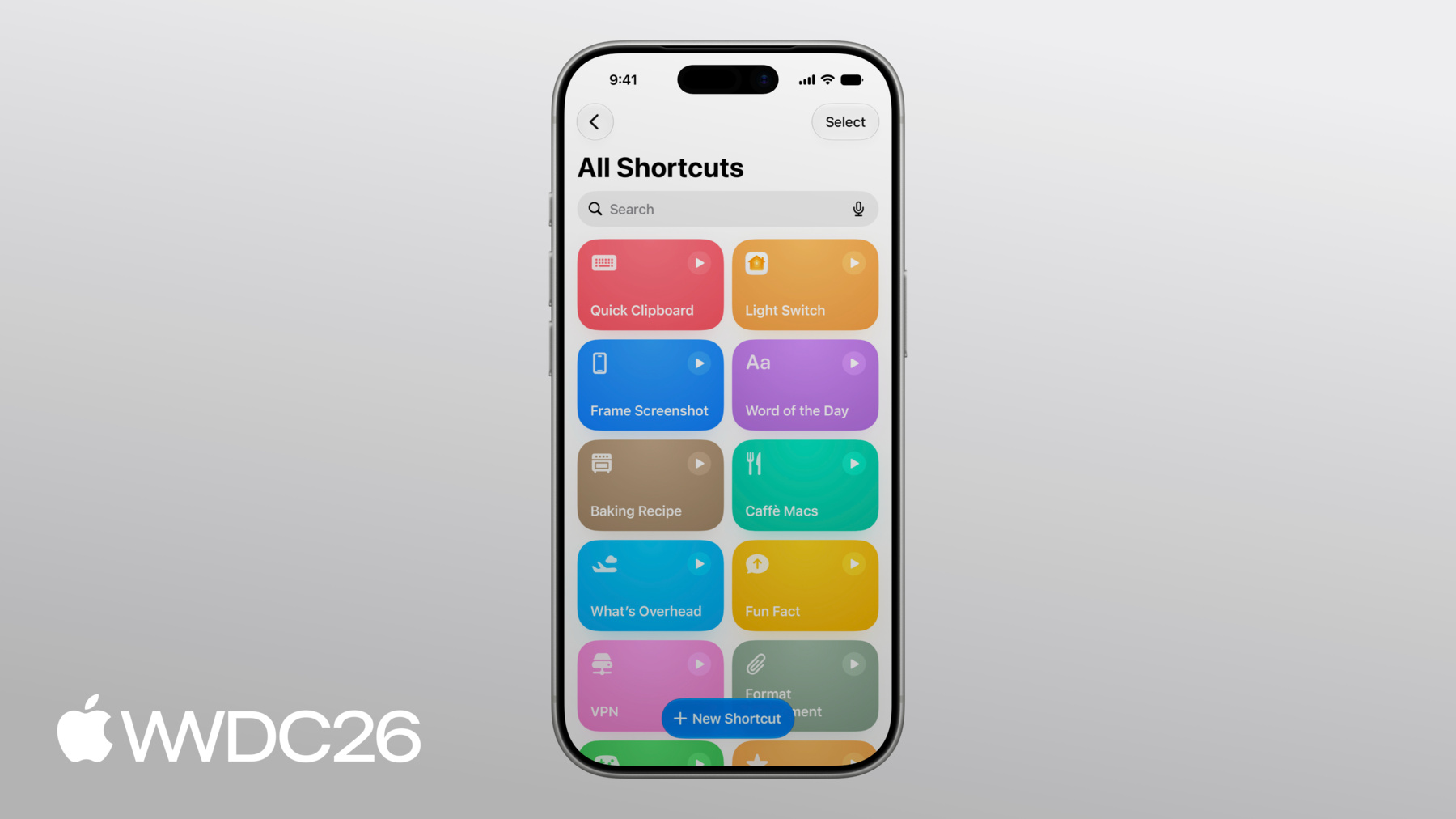
    Découvrez des techniques pour créer des raccourcis puissants à partir du contenu de votre app. De nouvelles automatisations offrent des possibilités supplémentaires pour intégrer votre app au système. Optimisez la présentation de votre App Entity auprès des LLM à l'aide de la nouvelle fonctionnalité de transcription « Utiliser le modèle ». Stockez des informations riches de votre app dans des raccourcis synchronisés sur tous vos appareils. Découvrez comment combiner ces fonctionnalités pour créer des automatisations intelligentes et puissantes qui s'intègrent parfaitement au contenu et aux fonctionnalités de votre app.

    Chapitres

    • 0:01 - Introduction
    • 0:57 - Automations
    • 3:25 - Use Model
    • 6:58 - Storage

    Ressources

    • Shortcuts
    • Notifications
      • Vidéo HD
      • Vidéo SD

    Vidéos connexes

    WWDC25

    • Développez pour Raccourcis et Spotlight avec App Intents
  • Rechercher dans cette vidéo…
    • 6:12 - Soup Entity Example

      // MARK: - Soup Entity
      
      import AppIntents
      
      struct SoupEntity: AppEntity, Identifiable {
          static var typeDisplayRepresentation = TypeDisplayRepresentation(
              name: "Soup",
              numericFormat: "\(placeholder: .int) soups"
          )
          static var defaultQuery = SoupEntityQuery()
          
          var id: Soup.ID
          
          @Property var name: String
          
          @Property(title: "Available Today")
          var isAvailableToday: Bool
          
          @Property(title: "Ingredients")
          var ingredients: String
          
          var displayRepresentation: DisplayRepresentation {
              DisplayRepresentation(title: "\(name)", subtitle: SoupStore.description(for: id))
          }
      }
    • 10:05 - Soup Entity Example

      // MARK: - Soup Entity
      
      import AppIntents
      
      struct SoupEntity: AppEntity, Identifiable {
          static var typeDisplayRepresentation = TypeDisplayRepresentation(
              name: "Soup",
              numericFormat: "\(placeholder: .int) soups"
          )
          static var defaultQuery = SoupEntityQuery()
          
          var id: Soup.ID
          
          @Property var name: String
          
          @Property(title: "Available Today")
          var isAvailableToday: Bool
          
          @Property(title: "Ingredients")
          var ingredients: String
          
          var displayRepresentation: DisplayRepresentation {
              DisplayRepresentation(title: "\(name)", subtitle: SoupStore.description(for: id))
          }
      }
    • 0:01 - Introduction
    • Shortcuts lets people combine everyday app actions and surface them across the system - like through Siri, Control Center, and the Action Button. Explore three major enhancements to Shortcuts and how to leverage the content in your app to integrate with the system.

    • 0:57 - Automations
    • In iOS 26, Automations are easier to discover in the Shortcuts editor. There are three new automation types - screenshot, keyboard connection, and notification. The notification automation enables fine-grained, keyword-filtered triggers based on notification content. Learn techniques to build notifications that integrate well with automations.

    • 3:25 - Use Model
    • The Use Model action has access to the latest Apple Intelligence models with web retrieval. Use the model transcript inspector to evaluate the exact data that's passed to the model from your app's App Intent entities.

    • 6:58 - Storage
    • Storage lets shortcuts persist data between runs using Get, Set, and global storage values that sync across all of someone's devices via iCloud. Use storage in powerful ways, like to give the Use Model action a "memory". For App Intent entities, use a stable, device-consistent identifier to ensure correct recognition across devices.

Developer Footer

  • Vidéos
  • WWDC26
  • Quoi de neuf dans Raccourcis
  • Open Menu Close Menu
    • iOS
    • iPadOS
    • macOS
    • tvOS
    • visionOS
    • watchOS
    • App Store
    Open Menu Close Menu
    • Swift
    • SwiftUI
    • Swift Playground
    • TestFlight
    • Xcode
    • Xcode Cloud
    • Icon Composer
    • SF Symbols
    Open Menu Close Menu
    • Accessibility
    • Accessories
    • Apple Intelligence
    • Audio & Video
    • Augmented Reality
    • Business
    • Design
    • Distribution
    • Education
    • Games
    • Health & Fitness
    • In-App Purchase
    • Localization
    • Maps & Location
    • Machine Learning & AI
    • Security
    • Safari & Web
    Open Menu Close Menu
    • Documentation
    • Downloads
    • Sample Code
    • Videos
    Open Menu Close Menu
    • Help Guides & Articles
    • Contact Us
    • Forums
    • Feedback & Bug Reporting
    • System Status
    Open Menu Close Menu
    • Apple Developer
    • App Store Connect
    • Certificates, IDs, & Profiles
    • Feedback Assistant
    Open Menu Close Menu
    • Apple Developer Program
    • Apple Developer Enterprise Program
    • App Store Small Business Program
    • MFi Program
    • Mini Apps Partner Program
    • News Partner Program
    • Video Partner Program
    • Security Bounty Program
    • Security Research Device Program
    Open Menu Close Menu
    • Meet with Apple
    • Apple Developer Centers
    • App Store Awards
    • Apple Design Awards
    • Apple Developer Academies
    • WWDC
    Read the latest news.
    Get the Apple Developer app.
    Copyright © 2026 Apple Inc. All rights reserved.
    Terms of Use Privacy Policy Agreements and Guidelines