

-
Meet the UIKit button system
Every app uses Buttons. With iOS 15, you can adopt updated styles to create gorgeous buttons that fit effortlessly into your interface. We'll explore features that make it easier to create different types of buttons, learn how to provide richer interactions, and discover how you can get great buttons when using Mac Catalyst.
Recursos
Videos relacionados
WWDC21
-
Buscar este video…
-
-
2:13 - Creating a button with a configuration
// Create the Sign In button let signInButton = UIButton(type: .system) signInButton.configuration = .filled() signInButton.setTitle("Sign In", for: []) -
3:20 - Customizing a button configuration
// Create the Add to Cart button var config = UIButton.Configuration.tinted() config.title = "Add to Cart" config.image = UIImage(systemName: "cart.badge.plus") config.imagePlacement = .trailing addToCartButton = UIButton(configuration: config, primaryAction: …) -
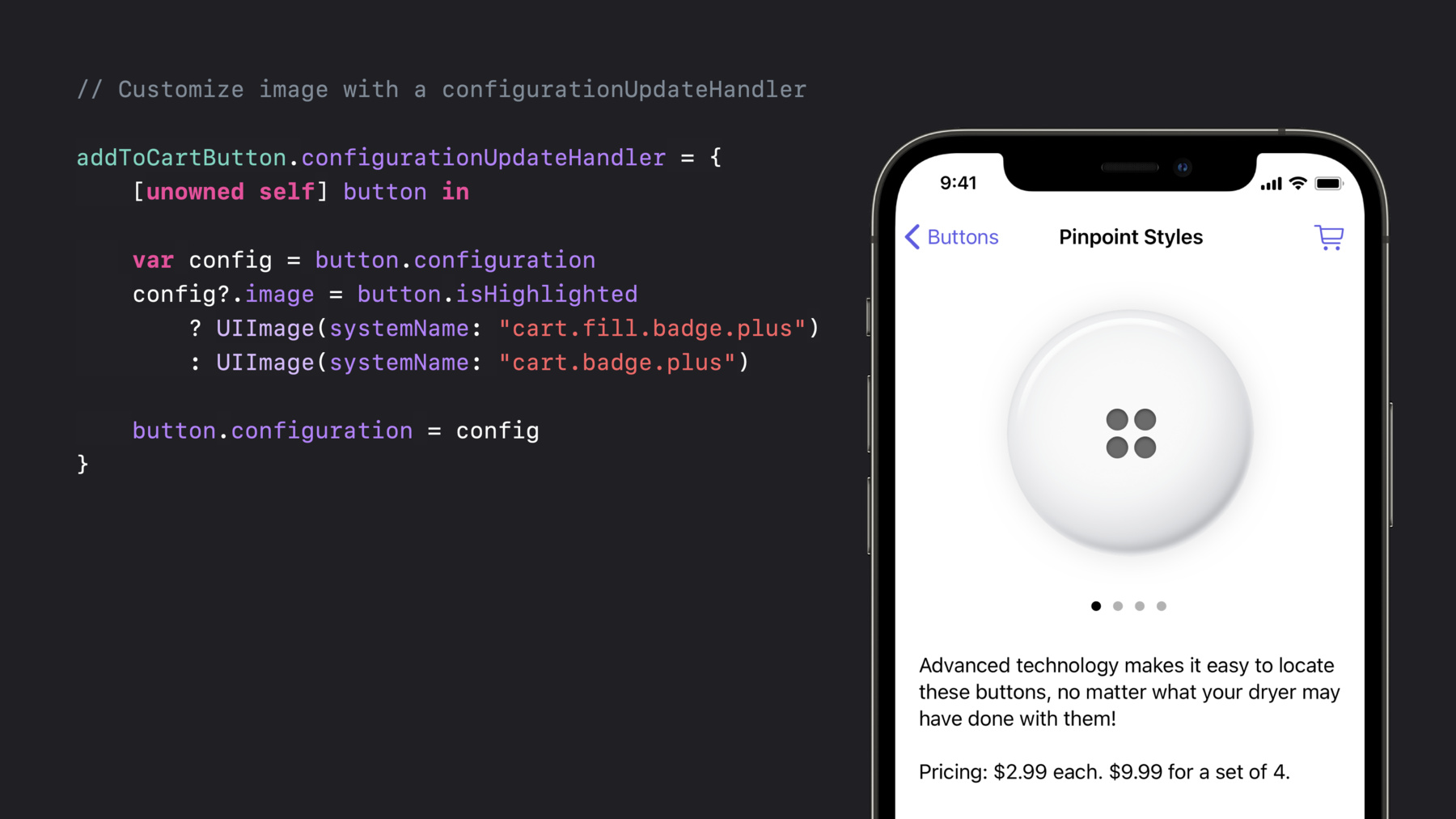
4:45 - Customizing a button with a configuration update handler
// Customize image and subtitle with a configurationUpdateHandler addToCartButton.configurationUpdateHandler = { [unowned self] button in var config = button.configuration config?.image = button.isHighlighted ? UIImage(systemName: "cart.fill.badge.plus") : UIImage(systemName: "cart.badge.plus") config?.subtitle = self.itemQuantityDescription button.configuration = config } -
5:59 - Indicating a configuration needs an update
// Update addToCartButton when itemQuantityDescription changes private var itemQuantityDescription: String? { didSet { addToCartButton.setNeedsUpdateConfiguration() } } -
8:26 - A completely customized button
// Configure the button background var config = UIButton.Configuration.filled() config.buttonSize = .large config.image = UIImage(systemName: "cart.fill") config.title = "Checkout" config.background.backgroundColor = .buttonEmporium let checkoutButton = UIButton(configuration: config primaryAction: …) addToCartButton.configurationUpdateHandler = { [unowned self] button in var config = button.configuration config?.showsActivityIndicator = self.isCartBusy button.configuration = config } -
11:56 - Creating a toggle button
// Toggle button // UIAction setup let stockToggleAction = UIAction(title: "In Stock Only") { _ in toggleStock() } // The button let button = UIButton(primaryAction: stockToggleAction) button.changesSelectionAsPrimaryAction = true // Initial state button.isSelected = showingOnlyInStock() -
14:30 - Creating a pop-up button
// Pop-up button let colorClosure = { (action: UIAction) in updateColor(action.title) } let button = UIButton(primaryAction: nil) button.menu = UIMenu(children: [ UIAction(title: "Bondi Blue", handler: colorClosure), UIAction(title: "Flower Power", state: .on, handler: colorClosure) ]) button.showsMenuAsPrimaryAction = true button.changesSelectionAsPrimaryAction = true // Update to the currently set one updateColor(button.menu?.selectedElements.first?.title) // Update the selection (button.menu?.children[selectedColorIndex()] as? UIAction)?.state = .on -
18:18 - Creating a custom single selection menu
// Single selection menu

// The sort menu
let sortMenu = UIMenu(title: "Sort By", options: .singleSelection, children: [
    UIAction(title: "Title", handler: sortClosure),
    UIAction(title: "Date", handler: sortClosure),
    UIAction(title: "Size", handler: sortClosure)
])

// The top menu
let topMenu = UIMenu(children: [
    UIAction(title: "Refresh", handler: refreshClosure),
    UIAction(title: "Account", handler: accountClosure),
    sortMenu
])

let sortSelectionButton = UIBarButtonItem(primaryAction: nil, menu: topMenu)

updateSorting(sortSelectionButton.menu?.selectedElements.first)
-