

-
SF Symbols in UIKit and AppKit
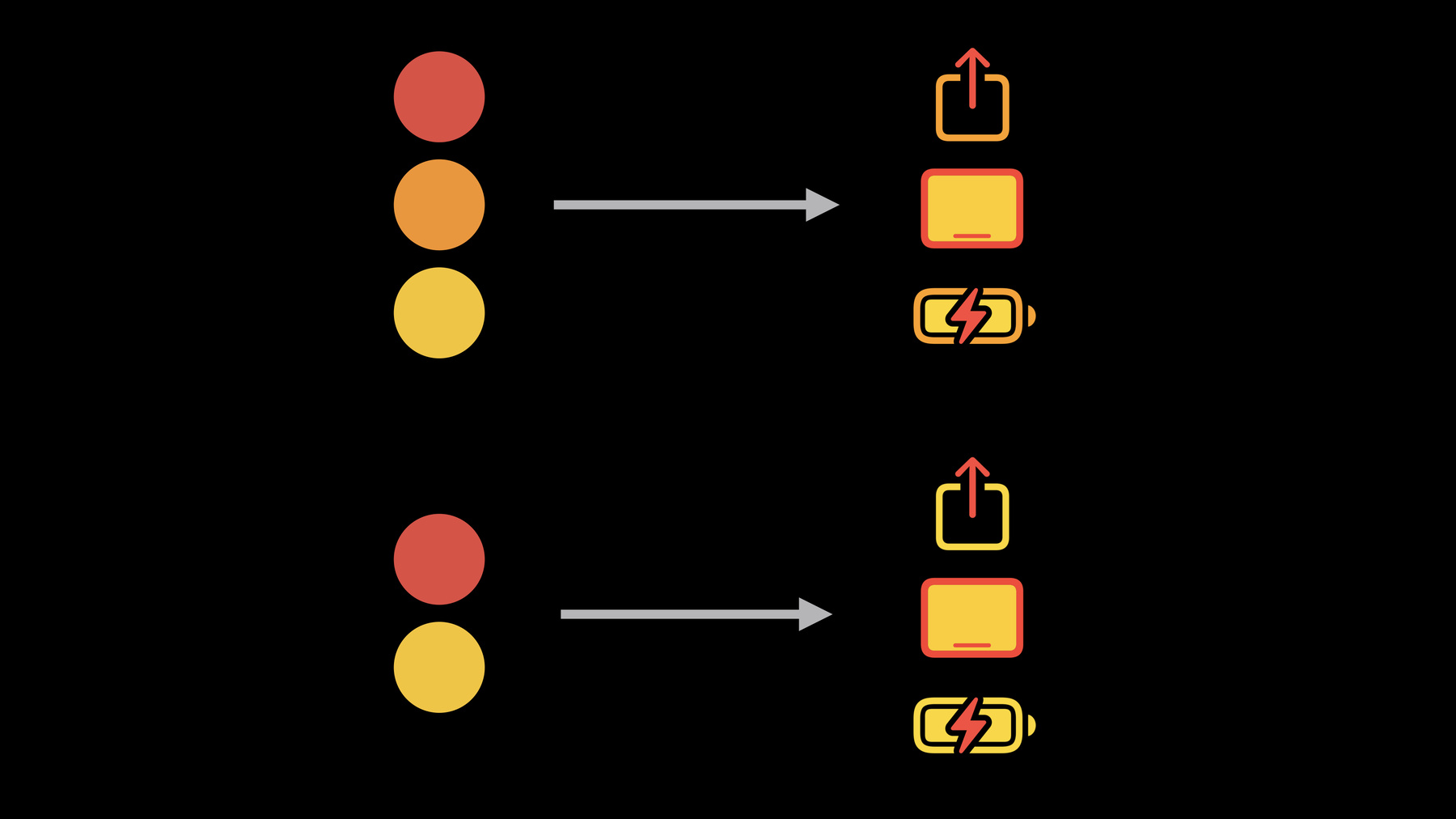
Learn how you can create colorized symbols with SF Symbols 3 and customize them to match the visual design of your app's interface. We'll take you through the latest UIKit and AppKit APIs for integrating colorized symbols, as well as best practices for implementation.
To get the most out of this session, we recommend watching “Introducing SF Symbols” from WWDC19.Recursos
Videos relacionados
WWDC21
-
Buscar este video…
-
-
1:52 - Monochrome symbols
// Play let playImage = UIImage(systemName: "play") playImageView.image = playImage playImageView.tintColor = .systemBlue -
3:00 - Hierarchical symbols
// Device image var image = NSImage(systemSymbolName: "ipad.landscape", accessibilityDescription: "iPad") let config = NSImage.SymbolConfiguration(hierarchicalColor: .label) deviceView.image = image deviceView.symbolConfiguration = config -
4:13 - Setup button configurations
// Initialize button configuration let speakerConfig = UIButtonConfiguration.plain speakerConfig.image = UIImage(systemName: "speaker.wave.2") let callConfig = UIButtonConfiguration.plain callConfig.image = UIImage(systemName: "phone") let deleteConfig = UIButtonConfiguration.plain deleteConfig.image = UIImage(systemName: "trash") -
4:40 - Image variants
// Button container view actionsView.imageVariant = .none -
4:44 - Image variants
// Button container view actionsView.imageVariant = .circle -
4:51 - Image variants
// Button container view actionsView.imageVariant = .circle.fill -
5:09 - Speaker button color configuration
// Speaker button color configuration let config = UIImage.SymbolConfiguration(paletteColors: [.tintColor, .systemGray2]) speakerConfig.preferredSymbolConfigurationForImage = config speakerButton.configuration = speakerConfig -
5:40 - Call button color configuration
// Call button color configuration let config = UIImage.SymbolConfiguration(paletteColors: [.white, .tintColor]) callConfig.preferredSymbolConfigurationForImage = config callButton.configuration = callConfig -
5:56 - Delete button color configuration
// Delete button color configuration let config = UIImage.SymbolConfiguration(paletteColors: [.white, .systemRed]) deleteConfig.preferredSymbolConfigurationForImage = config deleteButton.configuration = deleteConfig -
6:10 - Colors matter
// Colors matter! let config = UIImage.SymbolConfiguration(paletteColors: [.tintColor, .systemGray2]) let config = UIImage.SymbolConfiguration(paletteColors: [.white, .tintColor]) let config = UIImage.SymbolConfiguration(paletteColors: [.white, .systemRed]) -
6:46 - Tint color
view.backgroundColor = .tintColor label.textColor = .tintColor searchField.tokenBackgroundColor = .tintColor tabBarItem.badgeColor = .tintColor -
9:03 - Multicolor symbols
// configure table view cell let image = UIImage(systemName: category.iconName) cell.imageView.image = image -
9:13 - Multicolor symbols
// configure table view cell let image = UIImage(systemName: category.iconName) let config = UIImage.SymbolConfiguration.preferringMultiColor let tintColor = category.colorForIcon cell.imageView.image = image cell.imageView.preferredSymbolConfiguration = config cell.imageView.tintColor = tintColor -
9:58 - Multicolor symbols
// configure table view cell let image = UIImage(systemName: category.iconName) let config = UIImage.SymbolConfiguration.preferringMultiColor let tintColor = category.colorForIcon cell.imageView.image = image cell.imageView.preferredSymbolConfiguration = config cell.imageView.tintColor = tintColor -
12:25 - Combining configurations
// combined configuration let image = UIImage(systemImage: "ipad.and.iphone") headerView.image = image -
12:40 - Combining configurations
// Combined configuration let image = UIImage(systemImage: "ipad.and.iphone") headerView.image = image let fontConfig = UIImage.SymbolConfiguration(pointSize: 60, scale: .large) let colorConfig = UIImage.SymbolConfiguration(hierarchicalColor: .systemBlue) let config = fontConfig.applying(colorConfig) headerView.preferredSymbolConfiguration = config -
13:20 - Symbols in attributed strings
// Hotel amenities let amenitiesString = NSMutableAttributedString(...) if (room.amenities.contains(.tv)) { let config = UIImage.SymbolConfiguration( hierarchicalColor: .systemGreen) let tvImage = UIImage(systemImage: "tv", withConfiguration: config) let attachment = NSTextAttachment(image: tvImage) let attachmentString = NSAttributedString(attachment: attachment) let tvString = attachmentString.mutableCopy() tvString.append(NSAttributedString(" TV, ") amenitiesString.append(tvString) } -
13:51 - Symbols in attributed strings
// hotel amenities

let amenitiesLabel = UILabel()

amenitiesLabel.textColor = .systemGreen
amenitiesLabel.font = UIFont.systemFont(ofSize: 25)

amenitiesLabel.attributedString = amenitiesString
-