

-
Adopt Quick Note
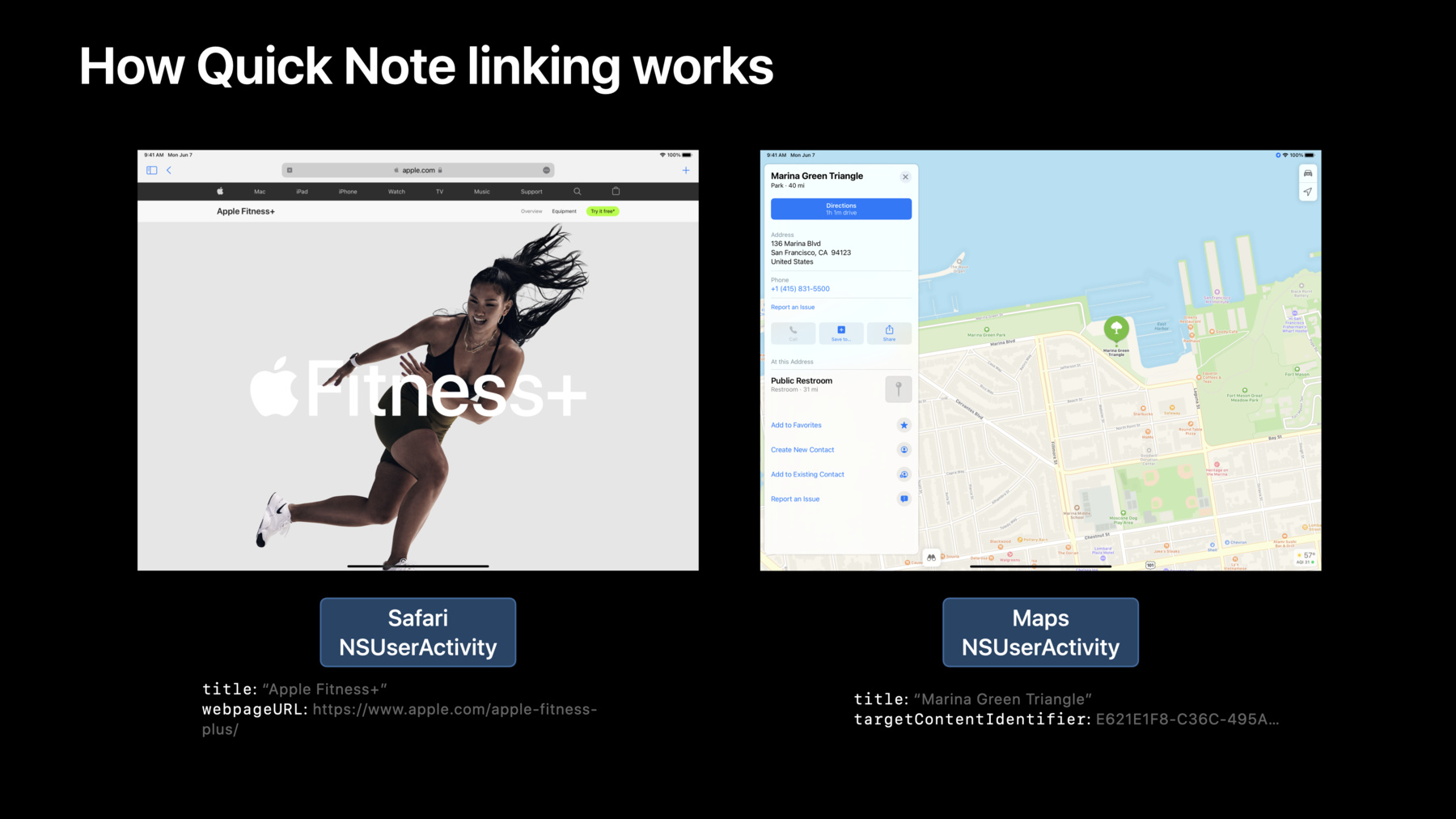
Learn how you can link your app to Quick Note and help people quickly connect your content to their notes — and their notes to your content. Discover how Quick Note recognizes and links to app content through NSUserActivity, and find out how you can adopt this API in your app. We'll take you through the requirements, benefits, and features of supporting Quick Note. We'll also provide guidance and best practices for NSUserActivity to help your app get all of its benefits.
Recursos
Videos relacionados
WWDC18
-
Buscar este video…
-
-
16:57 - How to adopt NSUserActivity to support Quick Note
// Create the NSUserActivity and describe the content or user activity let activity = NSUserActivity(activityType: "com.myapp.MyActivityType") activity.title = document.title // Set one or more of: // .targetContentIdentifier // .persistentIdentifier // .webpageURL activity.targetContentIdentifier = "uniqueGlobalStableIdentifier" // Set userInfo to save app-specific state information activity.userInfo = ["myKey": …] // Attach it to a view controller, window, or other responder; let the system make it current when needed viewController.userActivity = activity -
17:02 - Handle NSUserActivity continuation in your window scene delegate or app delegate - iOS
class SceneDelegate: UIResponder, UIWindowSceneDelegate { func scene(_ scene: UIScene, willContinueUserActivityWithType userActivityType: String) { // show user feedback while waiting for the NSUserActivity to arrive } func scene(_ scene: UIScene, continue userActivity: NSUserActivity) { // set up view controllers and views to continue the activity } func scene(_ scene: UIScene, didFailToContinueUserActivityWithType userActivityType: String, error: Error) { // show error about failing to continue an activity } … } -
17:06 - Handle NSUserActivity continuation in your window scene delegate or app delegate - macOS
class AppDelegate: NSObject, NSApplicationDelegate { func application(_ application: NSApplication, willContinueUserActivityWithType userActivityType: String) -> Bool { // show user feedback while waiting for the NSUserActivity to arrive return true } func application(_ application: NSApplication, continue userActivity: NSUserActivity, restorationHandler: @escaping ([NSUserActivityRestoring]) -> Void) -> Bool { // set up view controllers or documents to continue the activity return true } func application(_ application: NSApplication, didFailToContinueUserActivityWithType userActivityType: String, error: Error) { // show error about failing to continue an activity, if appropriate } … } -
17:26 - Improve performance with needsSave
activity.needsSave = true

…

func userActivityWillSave(_ userActivity: NSUserActivity) {
    userActivity.userInfo = [
        "center" : visibleFrame.middle
        "zoomScale" : scrollView.zoomScale
    ]
}
-