

-
Boost performance with MetalFX Upscaling
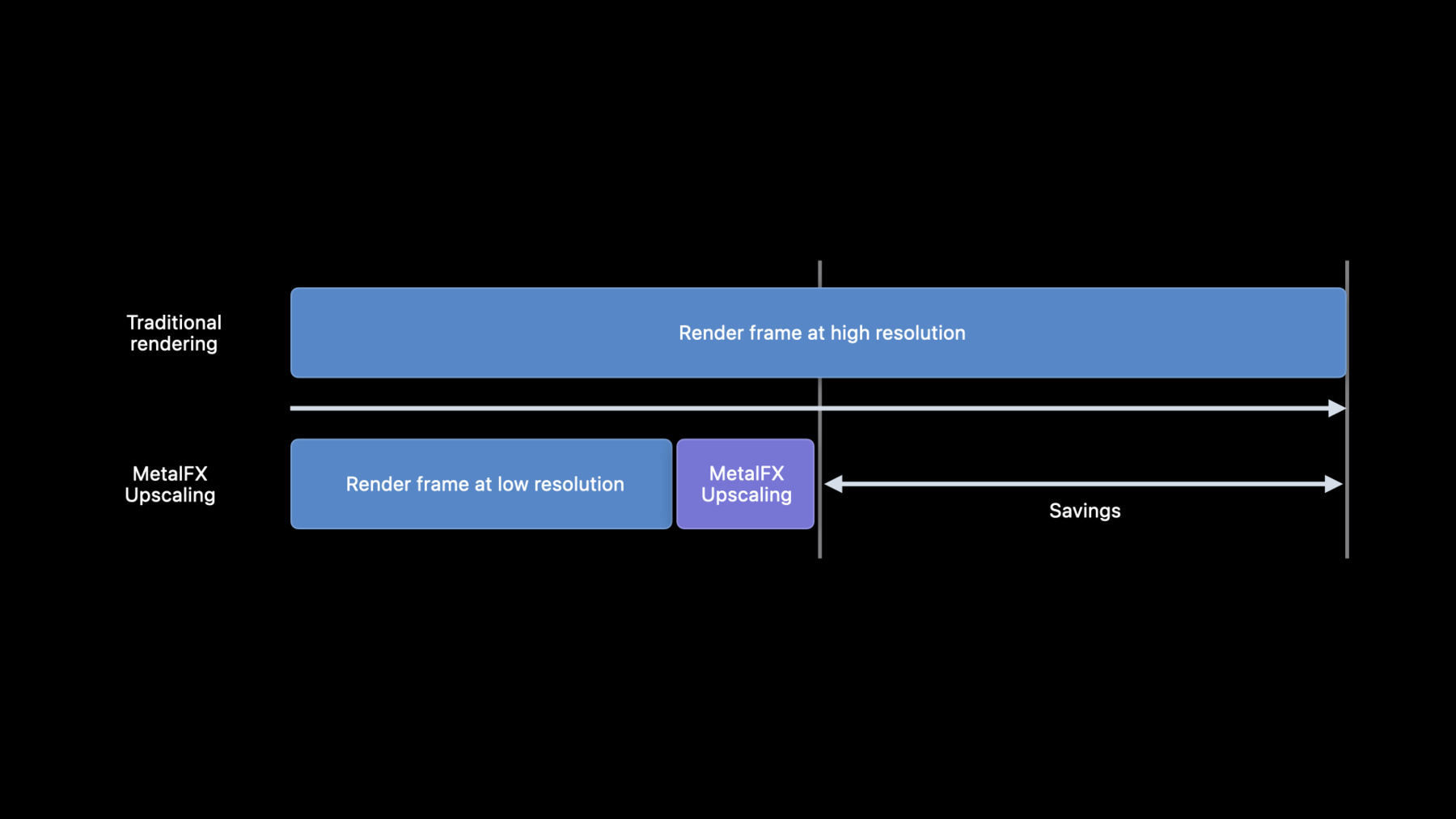
Discover MetalFX, a new API that provides platform optimized graphics effects for Metal applications. With MetalFX Upscaling, your application can now render frames at a lower resolution, reducing rendering time, without compromising rendering quality. We'll also show you how and when to use its two effects: spatial upscaling, which delivers substantial performance gains, and temporal AA and upscaling, which delivers the highest quality rendering.
Recursos
Videos relacionados
WWDC23
Tech Talks
WWDC22
-
Buscar este video…
-
-
3:39 - Spatial upscaling (initialization)
// Spatial upscaling (initialization) let desc = MTLFXSpatialScalerDescriptor() desc.inputWidth = 1280 desc.inputHeight = 720 desc.outputWidth = 2560 desc.outputHeight = 1440 desc.colorTextureFormat = .bgra8Unorm_srgb desc.outputTextureFormat = .bgra8Unorm_srgb desc.colorProcessingMode = .perceptual spatialScaler = desc.makeSpatialScaler(device: mtlDevice) -
9:16 - Spatial upscaling (per frame)
// Spatial upscaling (per frame) // Encode Metal commands to draw game frame here... // Begin setting per frame properties for effect spatialScaler.colorTexture = currentFrameColor spatialScaler.outputTexture = currentFrameUpscaledColor // Encode scaling effect into command buffer spatialScaler.encode(commandBuffer: cmdBuffer) // Encode Metal commands for particle/noise effects and game UI drawing for frame here... -
9:16 - Temporal antialiasing and upscaling (initialization)
// Temporal antialiasing and upscaling (initialization) let desc = MTLFXTemporalScalerDescriptor() desc.inputWidth = 1280 desc.inputHeight = 720 desc.outputWidth = 2560 desc.outputHeight = 1440 desc.colorTextureFormat = .rgba16Float desc.depthTextureFormat = .depth32Float desc.motionTextureFormat = .rg16Float desc.outputTextureFormat = .rgba16Float temporalScaler = desc.makeTemporalScaler(device: mtlDevice) temporalScaler.motionVectorScale = CGPoint(x: 1280, y: 720) -
10:35 - Temporal antialiasing and upscaling (per frame)
// Temporal antialiasing and upscaling (per frame)

// Encode Metal commands to draw game frame here...

// Setup per frame effect properties
temporalScaler.resetHistory = firstFrameOrSceneCut
temporalScaler.colorTexture = currentFrameColor
temporalScaler.depthTexture = currentFrameDepth
temporalScaler.motionTexture = currentFrameMotion
temporalScaler.outputTexture = currentFrameUpscaledColor
temporalScaler.reversedDepth = reversedDepth
temporalScaler.jitterOffset = currentFrameJitterOffset

// Encode scaling effect into commandBuffer
temporalScaler.encode(commandBuffer: cmdBuffer)

// Encode Metal commands for post processing/game UI drawing for frame here...
-