

-
Build programmatic UI with Xcode Previews
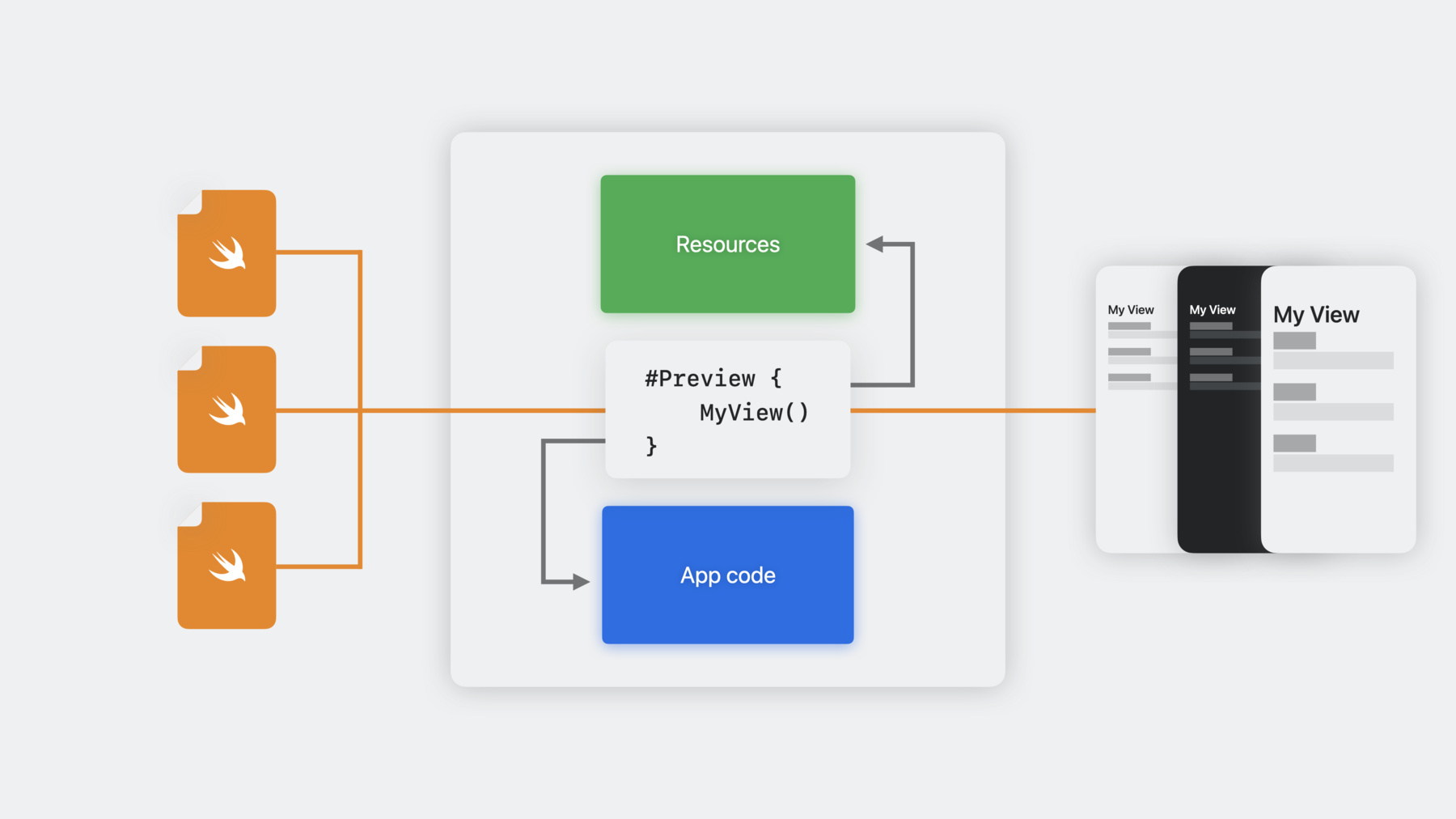
Learn how you can use the #Preview macro on Xcode 15 to quickly iterate on your UI code written in SwiftUI, UIKit, or AppKit. Explore a collage of unique workflows for interacting with views right in the canvas, find out how to view multiple variations of UI simultaneously, and discover how you can travel through your widget's timeline in seconds to test the transitions between entries. We'll also show you how to add previews to libraries, provide sample assets, and preview your views in your physical devices to leverage their capabilities and existing data.
Capítulos
- 1:26 - What are previews
- 3:42 - Preview syntax basics
- 4:44 - Writing SwiftUI previews
- 5:50 - Writing UIKit & AppKit previews
- 6:08 - Demo: Putting writing previews into action
- 11:39 - Writing previews for widgets
- 15:58 - Previewing in library targets
- 20:28 - Passing sample data into previews
- 22:08 - Previewing on devices for full fidelity and access to data
- 25:50 - Wrap-up
Recursos
Videos relacionados
WWDC23
-
Buscar este video…
-
-
1:30 - Basic preview
#Preview { MyView() } -
5:05 - Previewing a SwiftUI view in a list
#Preview { List { CollageView(layout: .twoByTwoGrid) } .environment(CollageLayoutStore.sample) } -
5:37 - Previews can have a name and configuration traits
#Preview(“2x2 Grid”, traits: .landscapeLeft) { List { CollageView(layout: .twoByTwoGrid) } .environment(CollageLayoutStore.sample) } -
5:58 - Previewing UIKit view controllers and views
#Preview { var controller = SavedCollagesController() controller.dataSource = CollagesDataStore.sample controller.layoutMode = .grid return controller } #Preview(“Filter View”) { var view = CollageFilterDisplayView() view.filter = .bloom(amount: 15.0) view.imageData = … return view } -
7:08 - Xcode can help suggest a preview
#Preview { FilterEditor() } -
11:30 - Setting a UIKit preview to start in landscape
#Preview("All Filters", traits: .landscapeLeft) { let viewController = FilterRenderingViewController() if let image = UIImage(named: "sample-001")?.cgImage { viewController.imageData = image } viewController.filter = Filter( bloomAmount: 1.0, vignetteAmount: 1.0, saturationAmount: 0.5 ) return viewController } -
12:20 - Previewing a small widget with a timeline provider
#Preview(as: .systemSmall) { FrameWidget() } timelineProvider: { RandomCollageProvider() } -
25:07 - Updating the navigation title while previewing on device
.navigationTitle(“Add Collage”)
-