

View in English

  • Apple Developer
    • Get Started

    Explore Get Started

    • Overview
    • Learn
    • Apple Developer Program

    Stay Updated

    • Latest News
    • Hello Developer
    • Platforms

    Explore Platforms

    • Apple Platforms
    • iOS
    • iPadOS
    • macOS
    • tvOS
    • visionOS
    • watchOS
    • App Store

    Featured

    • Design
    • Distribution
    • Games
    • Accessories
    • Web
    • Home
    • CarPlay
    • Technologies

    Explore Technologies

    • Overview
    • Xcode
    • Swift
    • SwiftUI

    Featured

    • Accessibility
    • App Intents
    • Apple Intelligence
    • Games
    • Machine Learning & AI
    • Security
    • Xcode Cloud
    • Community

    Explore Community

    • Overview
    • Meet with Apple events
    • Community-driven events
    • Developer Forums
    • Open Source

    Featured

    • WWDC
    • Swift Student Challenge
    • Developer Stories
    • App Store Awards
    • Apple Design Awards
    • Apple Developer Centers
    • Documentation

    Explore Documentation

    • Documentation Library
    • Technology Overviews
    • Sample Code
    • Human Interface Guidelines
    • Videos

    Release Notes

    • Featured Updates
    • iOS
    • iPadOS
    • macOS
    • watchOS
    • visionOS
    • tvOS
    • Xcode
    • Downloads

    Explore Downloads

    • All Downloads
    • Operating Systems
    • Applications
    • Design Resources

    Featured

    • Xcode
    • TestFlight
    • Fonts
    • SF Symbols
    • Icon Composer
    • Support

    Explore Support

    • Overview
    • Help Guides
    • Developer Forums
    • Feedback Assistant
    • Contact Us

    Featured

    • Account Help
    • App Review Guidelines
    • App Store Connect Help
    • Upcoming Requirements
    • Agreements and Guidelines
    • System Status
  • Quick Links

    • Events
    • News
    • Forums
    • Sample Code
    • Videos
 

Videos

Abrir menú Cerrar menú
  • Colecciones
  • Todos los videos
  • Información

Más videos

  • Información
  • Resumen
  • Código
  • Ofrece información sobre los entrenamientos con las zonas de entrenamiento de HealthKit

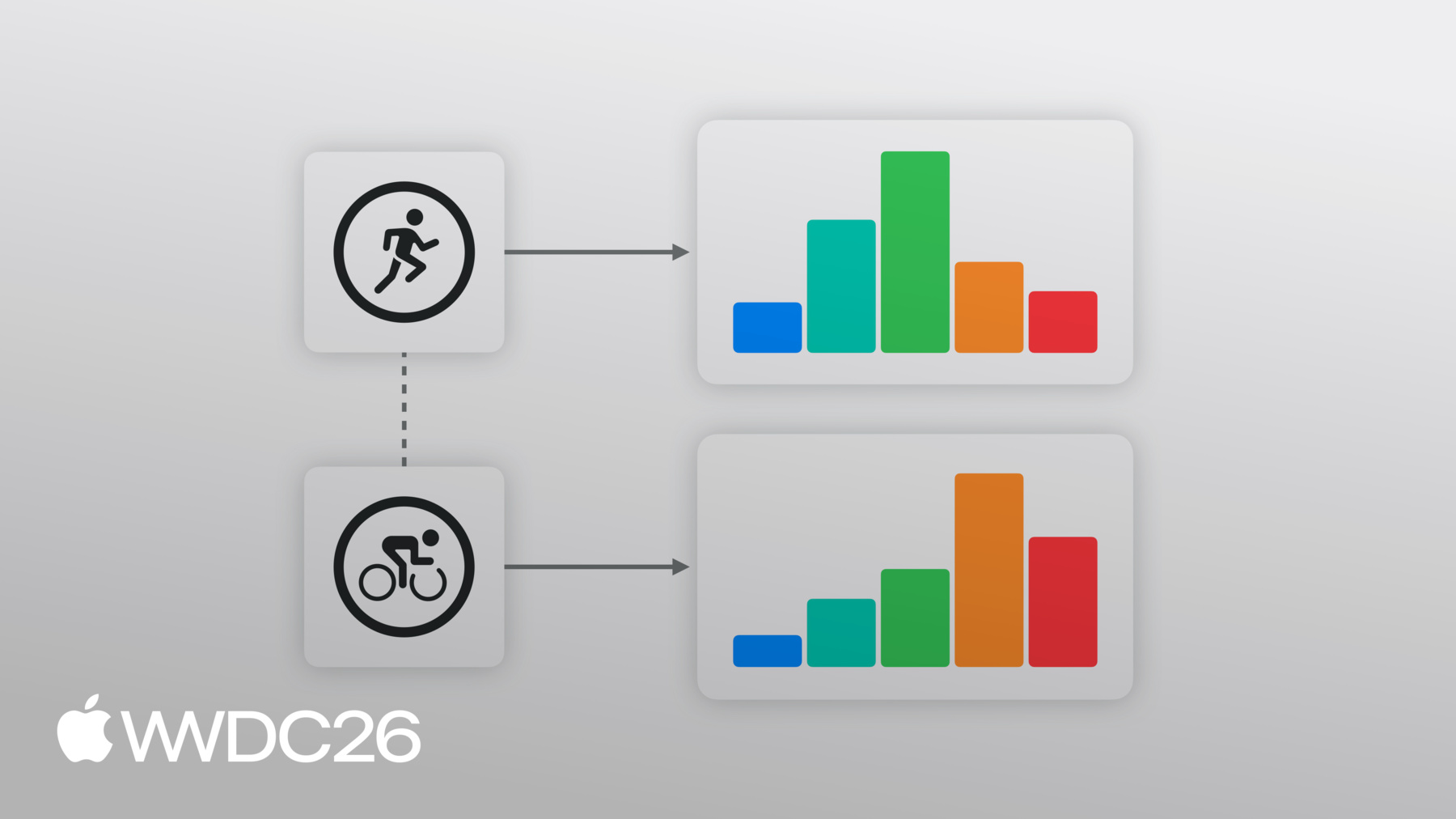
    Con HealthKit, es más fácil ofrecer información sobre el entrenamiento, como la frecuencia cardiaca y las zonas de potencia en el ciclismo, en tu app. Obtén información sobre cómo aprovechar las zonas personalizadas integradas o crear otras propias. Descubre cómo utilizar la zona actual y el tiempo dedicado a cada zona para obtener una orientación útil durante y después de los entrenamientos.

    Capítulos

    • 0:01 - Introduction
    • 2:17 - Accessing workout zones
    • 6:19 - Live zone updates
    • 8:11 - Preferred zones
    • 9:00 - Custom zones

    Recursos

    • Tracking heart rate zones for workouts
    • Accessing workout zone data
      • Video HD
      • Video SD
  • Buscar este video…
    • 3:54 - Reading Heart Rate Zones from a completed workout

      // Read heart rate zones from the completed workout​​​​​​​​​​​​​​​​​​​​​​​​​​​​​​​​​​​​​​​​​​​​​​​​​​​​​
      
      if let heartRateZoneGroup = workout.zoneGroupsByType?[HKQuantityType(.heartRate)] {​​​​​​​​​​​​​​​​​​​​​​​​​​​​​​​​​​​​​​​​​​​​​​​​​​​​
      let zones = ZoneDisplayData(​​​​​​​​​​​​​​​​​​​​​​​​​​​​​​​​​​​​​​​​​​​​​​​​​​​​​
          zoneCount: heartRateZoneGroup.configuration.zones.count,​​​​​​​​​​​​​​​​​​​​​​​​​​​​​​​​​​​​​​​​​​​​​​​​​​​​​
          currentZoneIndex: nil,​​​​​​​​​​​​​​​​​​​​​​​​​​​​​​​​​​​​​​​​​​​​​​​​​​​​​
          durations: heartRateZoneGroup.zoneDurations.map(\.duration)​​​​​​​​​​​​​​​​​​​​​​​​​​​​​​​​​​​​​​​​​​​​​​​​​​​​​
      )
    • 7:57 - Handling Live Zone Updates

      func workoutBuilder(_ workoutBuilder: HKLiveWorkoutBuilder,​​​​​​​​​​​​​​​​​​​​​​​​​​​​​​​​​​​​​​​​​​
                          didUpdateWorkoutZone zoneUpdate: HKLiveWorkoutZoneUpdate) {​​​​​​​​​​​​​​​​​​​​​​​​​​​​​​​​​​​​​​​​​
          guard let zoneGroup = zoneUpdate.zoneGroup else {​​​​​​​​​​​​​​​​​​​​​​​​​​​​​​​​​​​​​​​​​
              return​​​​​​​​​​​​​​​​​​​​​​​​​​​​​​​​​​​​​​​​​​
          }​​​​​​​​​​​​​​​​​​​​​​​​​​​​​​​​​​​​​​​​​
          if let currentIndex = zoneUpdate.currentZoneDuration?.zone.index {​​​​​​​​​​​​​​​​​​​​​​​​​​​​​​​​​​​​​​​​​
              let data = ZoneDisplayData(​​​​​​​​​​​​​​​​​​​​​​​​​​​​​​​​​​​​​​​​​​
                  zoneCount: zoneGroup.configuration.zones.count,​​​​​​​​​​​​​​​​​​​​​​​​​​​​​​​​​​​​​​​​​​
                  currentZoneIndex: currentIndex,​​​​​​​​​​​​​​​​​​​​​​​​​​​​​​​​​​​​​​​​​​
                  durations: zoneGroup.zoneDurations.map(\.duration)​​​​​​​​​​​​​​​​​​​​​​​​​​​​​​​​​​​​​​​​​​
              )​​​​​​​​​​​​​​​​​​​​​​​​​​​​​​​​​​​​​​​​​​
              Task { @MainActor in​​​​​​​​​​​​​​​​​​​​​​​​​​​​​​​​​​​​​​​​​​
                  self.heartRateZones = data​​​​​​​​​​​​​​​​​​​​​​​​​​​​​​​​​​​​​​​​​​
              }​​​​​​​​​​​​​​​​​​​​​​​​​​​​​​​​​​​​​​​
          }​​​​​​​​​​​​​​​​​​​​​​​​​​​​​​​​​​​​​​​​​
      }
    • 9:19 - Check if Preferred Zone has been set

      if try await builder.zoneConfiguration(for: HKQuantityType(.heartRate)) == nil {
    • 9:24 - Create Zone Boundaries

      let defaultHeartRateZoneThresholds = [91.0, 114.0, 136.0, 158.0]​​​​​​​​​​​​​​​​​​​​​​​​​​​​​​​​​​​​​​​​​​​​​​​​​​​​​​​​​​​​​​​​​​​​​​​​​​​​
          let bpmUnit = HKUnit.count().unitDivided(by: HKUnit.minute())​​​​​​​​​​​​​​​​​​​​​​​​​​​​​​​​​​​​​​​​​​​​​​​​​​​​​​​​​​​​​​​​​​​​​​​​​​​​
          let boundaries = defaultHeartRateZoneThresholds.map(​​​​​​​​​​​​​​​​​​​​​​​​​​​​​​​​​​​​​​​​​​​​​​​​​​​​​​​​​​​​​​​​​​​​​​​​​​​​
              {HKQuantity(unit: bpmUnit, doubleValue:$0)}
          )
    • 9:33 - Create Default Workout Zone Configuration

      let heartRate = HKQuantityType(.heartRate)​​​​​​​​​​​​​​​​​​​​​​​​​​​​​​​​​​​​​​​​​​​​​​​​​​​​​​​​​​​​​​​​​​​​​​​​​​​​
          let defaultConfiguration = try HKWorkoutZoneConfiguration(quantityType: heartRate,​​​​​​​​​​​​​​​​​​​​​​​​​​​​​​​​​​​​​​​​​​​​​​​​​​​​​​​​​​​​​​​​​​​​​​​​​​​​
                                                                    zoneBoundaries: boundaries)
    • 9:58 - Set Custom Zone Configuration

      try await builder.setCustomZoneConfiguration(defaultConfiguration,​​​​​​​​​​​​​​​​​​​​​​​​​​​​​​​​​​​​​​​​​​​​​​​​​​​​​​​​​​​​​​​​​​​​​​​​​​​​
                                                       for: heartRate)​​​​​​​​​​​​​​​​​​​​​​​​​​​​​​​​​​​​​​​​​​​​​​​​​​​​​​​​​​​​​​​​​​​​​​​​​​​​
      }
    • 10:03 - Begin Data Collection

      // Begin data collection
      let startDate = Date()​​​​​​​​​​​​​​
      try await builder.beginCollection(at: startDate)
    • 0:01 - Introduction
    • Workout zones turn biometric data into actionable training guidance, helping people understand their effort and intensity in a workout. In iOS and watchOS 27, heart rate and cycling power zone support is built directly into HealthKit, providing a new way to help people train smarter.

    • 2:17 - Accessing workout zones
    • Use the zoneGroupsByType dictionary on a completed HKWorkout or HKWorkoutActivity to access the zones for a particular HKQuantityType, like heart rate. Explore the HKWorkoutConfiguration (describing the quantity type, source, and contiguous zone boundaries) and an array of zone durations which represents the time spent in each zone during the workout. This data can be used to provide meaningful insights, like rendering a post-workout zone chart or classifying effort.

    • 6:19 - Live zone updates
    • To receive real-time notifications when someone's heart rate changes into a new zone during a workout, adopt the didUpdateWorkoutZone method on HKLiveWorkoutDelegate. Each update includes the current and previous zone, the cumulative zone data with running totals for the workout, and a timestamp of the last processed sample. Use these zone updates to provide timely guidance in a workout, like highlight the active zone and send an alert if someone drifts from their target zones.

    • 8:11 - Preferred zones
    • HealthKit uses the preferred zone thresholds from Health Settings by default, which can either be automatically calculated from user metrics like age and resting heart rate, or then be manually configured. These settings sync across devices. Before starting a workout that will consider zones information, query for a preferred zone configuration on HKHealthStore or HKWorkoutBuilder to confirm one has been set.

    • 9:00 - Custom zones
    • When your app uses a proprietary zone model, rather than the preferred zones from Health Settings, configure each workout with a custom HKWorkoutZoneConfiguration. Create the configuration and supply it to the HKWorkoutBuilder before calling beginCollection. Custom configurations are scoped to individual workouts and not persisted by HealthKit.

Developer Footer

  • Videos
  • WWDC26
  • Ofrece información sobre los entrenamientos con las zonas de entrenamiento de HealthKit
  • Open Menu Close Menu
    • iOS
    • iPadOS
    • macOS
    • tvOS
    • visionOS
    • watchOS
    • App Store
    Open Menu Close Menu
    • Swift
    • SwiftUI
    • Swift Playground
    • TestFlight
    • Xcode
    • Xcode Cloud
    • Icon Composer
    • SF Symbols
    Open Menu Close Menu
    • Accessibility
    • Accessories
    • Apple Intelligence
    • Audio & Video
    • Augmented Reality
    • Business
    • Design
    • Distribution
    • Education
    • Games
    • Health & Fitness
    • In-App Purchase
    • Localization
    • Maps & Location
    • Machine Learning & AI
    • Security
    • Safari & Web
    Open Menu Close Menu
    • Documentation
    • Downloads
    • Sample Code
    • Videos
    Open Menu Close Menu
    • Help Guides & Articles
    • Contact Us
    • Forums
    • Feedback & Bug Reporting
    • System Status
    Open Menu Close Menu
    • Apple Developer
    • App Store Connect
    • Certificates, IDs, & Profiles
    • Feedback Assistant
    Open Menu Close Menu
    • Apple Developer Program
    • Apple Developer Enterprise Program
    • App Store Small Business Program
    • MFi Program
    • Mini Apps Partner Program
    • News Partner Program
    • Video Partner Program
    • Security Bounty Program
    • Security Research Device Program
    Open Menu Close Menu
    • Meet with Apple
    • Apple Developer Centers
    • App Store Awards
    • Apple Design Awards
    • Apple Developer Academies
    • WWDC
    Read the latest news.
    Get the Apple Developer app.
    Copyright © 2026 Apple Inc. All rights reserved.
    Terms of Use Privacy Policy Agreements and Guidelines