

-
Encuentra tu accesorio con Bluetooth Channel Sounding
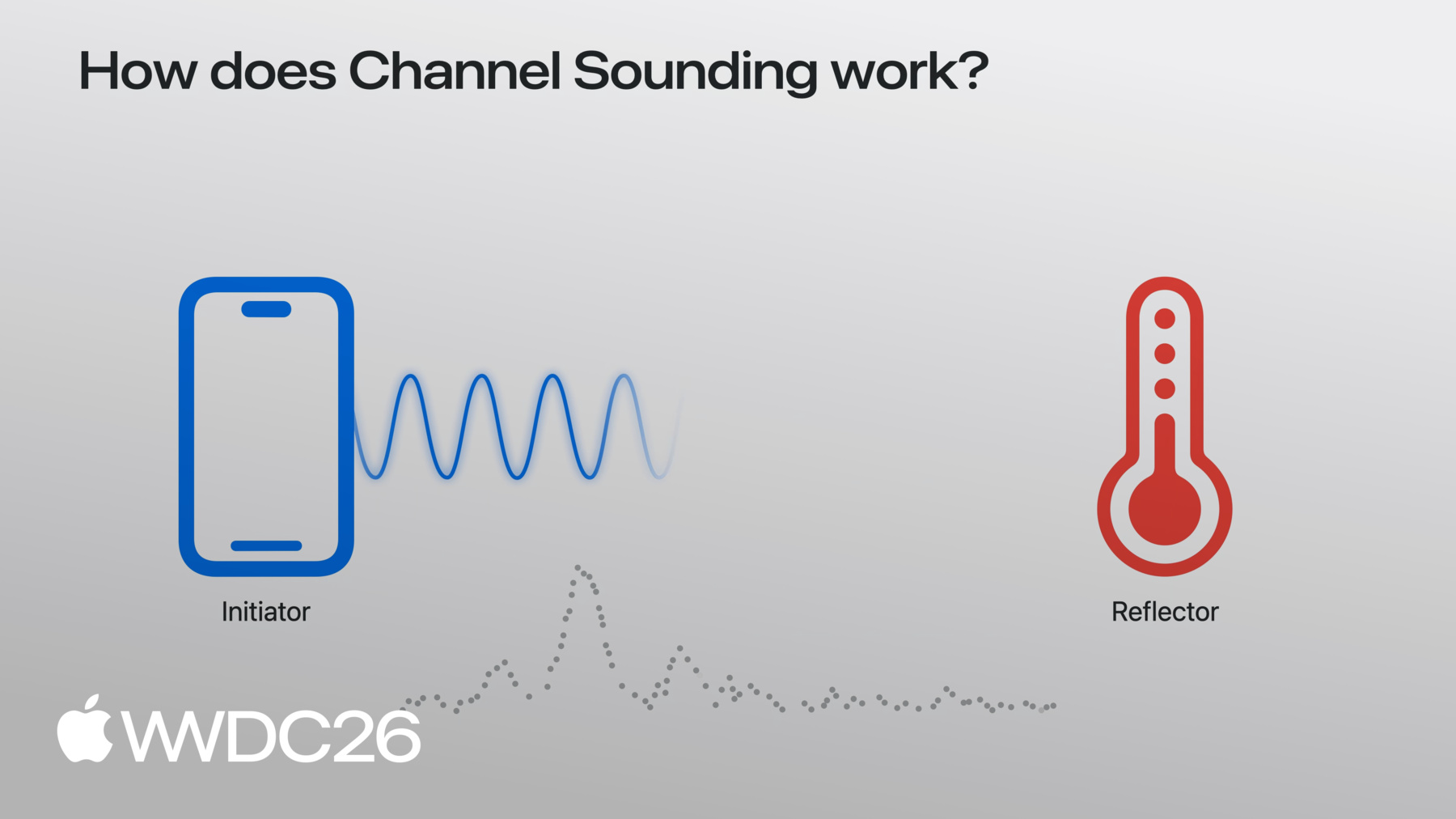
Empieza a usar Channel Sounding para que tus accesorios Bluetooth detecten la distancia y la dirección. Sumérgete en las nuevas API Nearby Interaction y Core Bluetooth, y descubre los cambios que deberás implementar en los accesorios. Optimiza el consumo de energía sin dejar de garantizar una experiencia fluida y ágil.
Capítulos
- 0:00 - Introducción
- 0:50 - Descripción general
- 3:17 - API Core Bluetooth
- 4:34 - API Nearby Interaction
- 7:05 - Consejos de hardware
Recursos
- Measuring distance between devices using Channel Sounding
- AccessorySetupKit
- Nearby Interaction
- Core Bluetooth
Videos relacionados
WWDC24
WWDC21
-
Buscar este video…
-
-
3:43 - Start a Core Bluetooth Channel Sounding session
import CoreBluetooth func isChannelSoundingSupported() -> BOOL { guard centralManager.state == .poweredOn else { return } if #available(iOS 27.0, *) { // Check current device supports Bluetooth Channel Sounding return CBCentralManager.supportsFeatures(.channelSounding) } } func startChannelSounding(_ peripheral: CBPeripheral) { guard peripheral.isConnected else { return } if #available(iOS 27.0, *) { // Step 1: Create a CBChannelSoundingSessionConfiguration let config = CBChannelSoundingSessionConfiguration(role: .initiator) // Step 2: Start the channel sounding session peripheral.startChannelSoundingSession(config) } } -
4:09 - Receive distance results and cancel a session
import CoreBluetooth // Receive distance results func peripheral(_ peripheral: CBPeripheral, didReceive results: CBChannelSoundingProcedureResults?, error: Error?) { guard let results = results else { return } let distance = results.distance // Do something with distance } // Cancel a Channel Sounding session func cancelChannelSounding(_ peripheral: CBPeripheral) { guard peripheral.isConnected else { return } if #available(iOS 27.0, *) { // Cancel the channel sounding session peripheral.cancelChannelSoundingSession(config) } } func peripheral(_ peripheral: CBPeripheral, didCompleteChannelSoundingSession error: Error?) { // Session is complete } -
4:41 - Start a Nearby Interaction Channel Sounding session
import CoreBluetooth import NearbyInteraction // Configure a Nearby Interaction Channel Sounding session func startChannelSoundingThroughNearbyInteraction(_ peripheral: CBPeripheral) { if #available(iOS 27.0, *) { // Step 1: Check current device supports Bluetooth Channel Sounding guard NISession.deviceCapabilities.supportsBluetoothChannelSounding else { return } // Step 2: Create an NINearbyAccessoryConfiguration let config = NINearbyAccessoryConfiguration( bluetoothChannelSoundingIdentifier: peripheral.identifier, previousChannelSoundingIdentifier: nil) // Step 3: Enable camera assistance for direction support if NISession.deviceCapabilities.supportsCameraAssistance { config.isCameraAssistanceEnabled = true } } } -
5:19 - Run a Nearby Interaction Channel Sounding session
import CoreBluetooth
import NearbyInteraction

// Run a Nearby Interaction Channel Sounding session
func runChannelSoundingThroughNearbyInteraction(_ config: NINearbyAccessoryConfiguration) {
    // Create an NISession
    let session = NISession()
    session.delegate = self
    // Run the NISession with the accessory configuration
    session.run(config)
}

// Improve Nearby Interaction direction outputs
func updateAccessoryMotionState(_ isMoving: Bool) {
    NIMotionActivityState motionState = isMoving ? .moving : .stationary

    // Tell NISession about.the accessory's motion state
    session.updateMotionState(motionState, forObjectWithToken: object.discoveryToken)
}

// Receive NISession updates
func session(_ session: NISession, didUpdate nearbyObjects: [NINearbyObjects]) {
    guard let object = nearbyObjects.first else { return }

    if let distance = object.distance {
        // Do something with distance
    }

    if let direction = object.horizontalAngle {
        // Do something with horizontal angle
    }
}
-