ADA Q&A: How the NBA is courting viewers on Apple Vision Pro
May 16, 2026
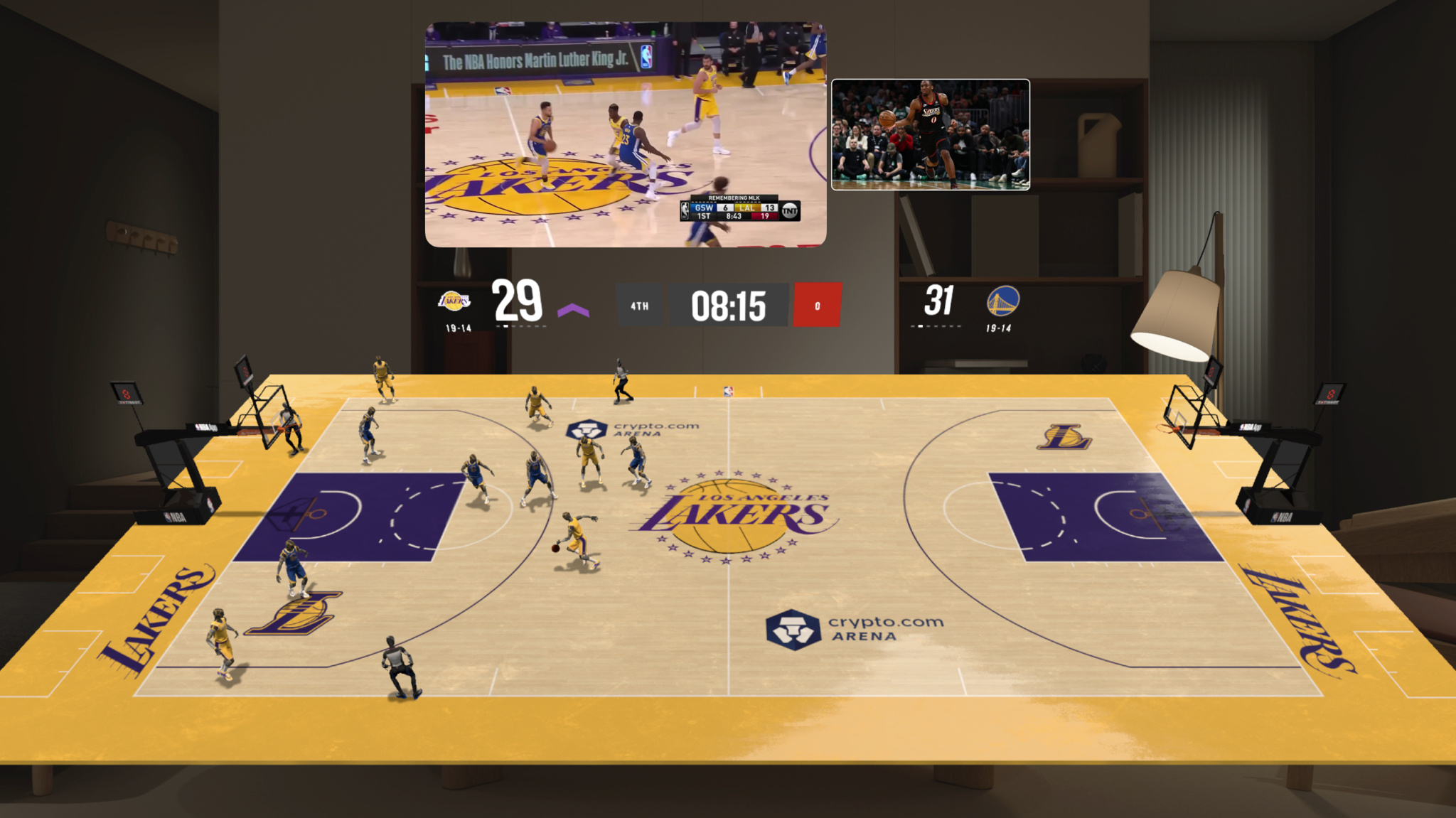
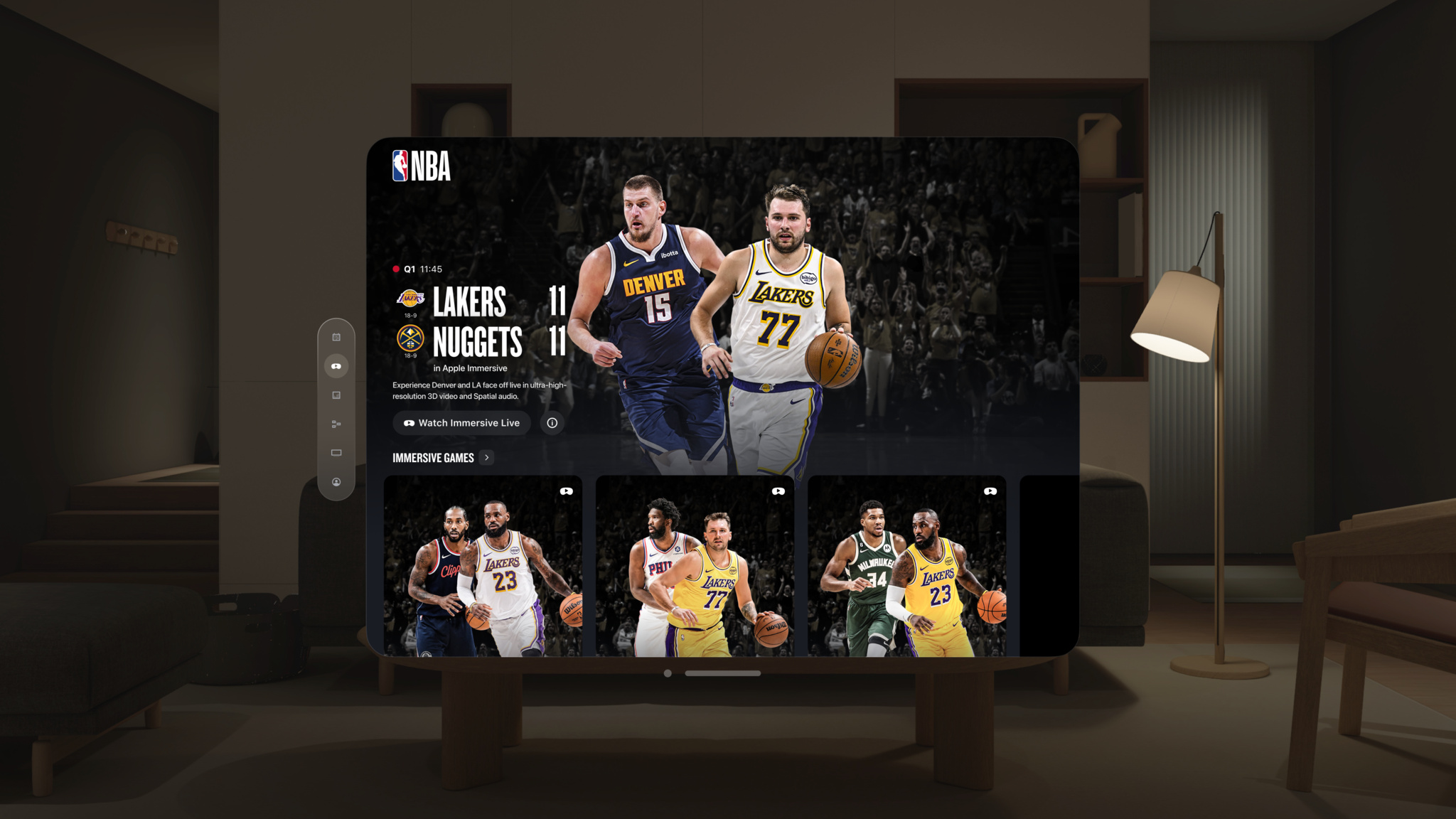
Watching five games at once in the NBA app — or pairing your marquee game with player and team stats the size of a wall — is a revolution for sports fans on Apple Vision Pro. And this year, a partnership with Spectrum delivered select Los Angeles Lakers games in 180-degree Apple Immersive Video with Spatial Audio.
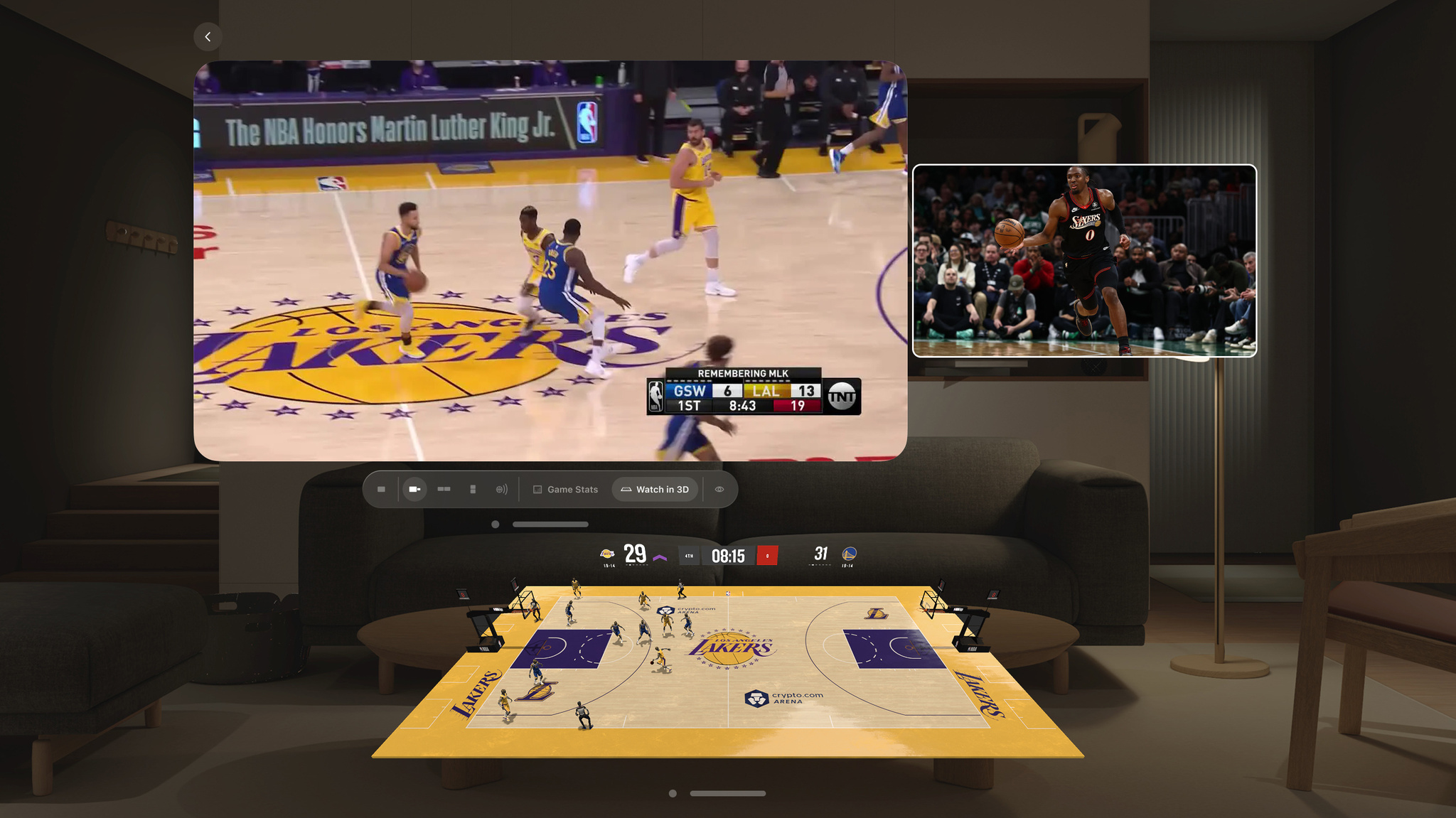
Wearing Vision Pro, viewers can watch the action from behind each team's basket, between the benches, or from high up in the arena. The halftime activities and pregame player introductions are experiences in themselves, and elements like the scoreboard and player rosters appear in 3D, floating right in front of the action. Tabletop view, available for select games, offers an entirely new angle on the action, with a diorama-sized replica unfolding in real time.
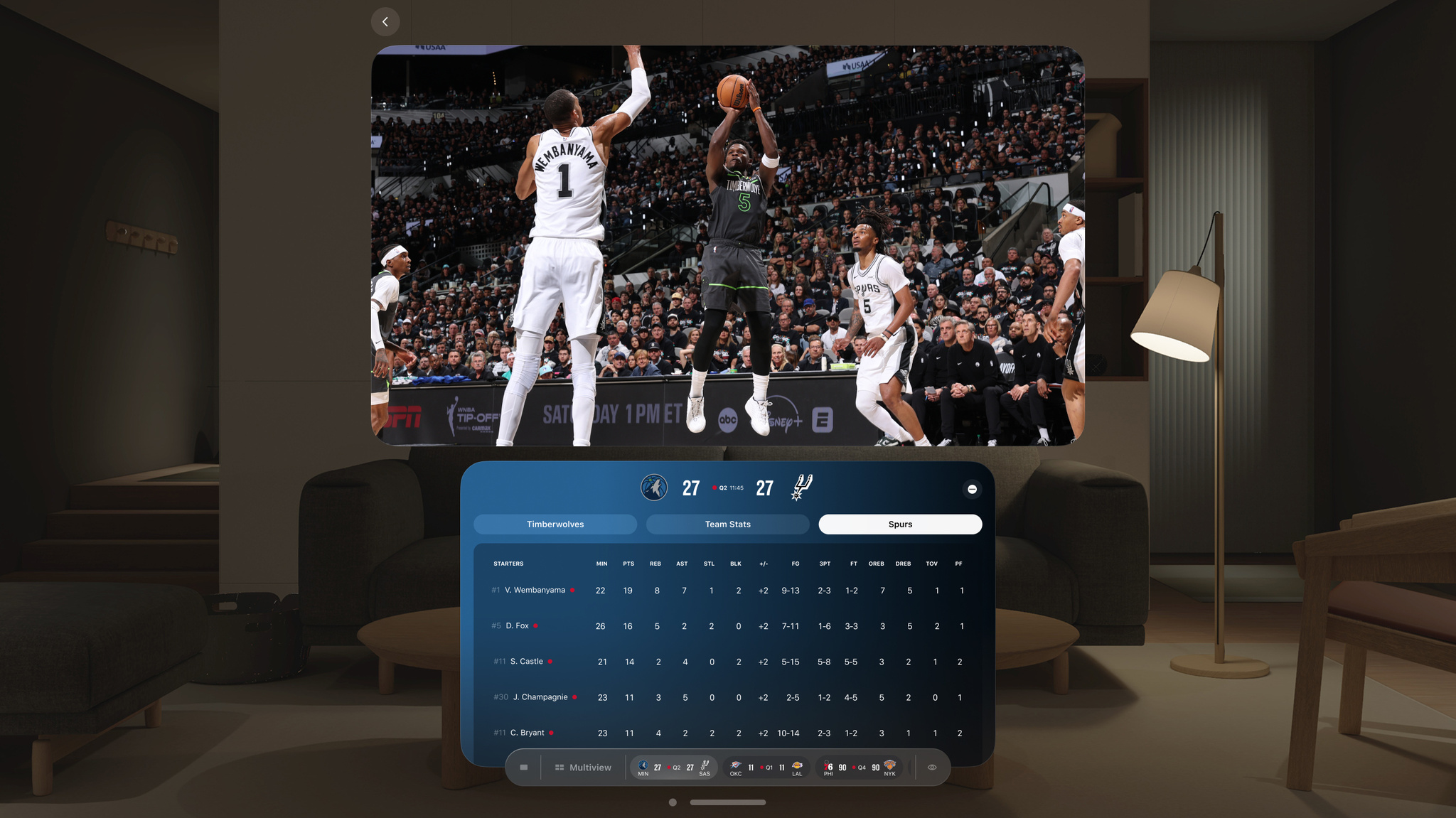
Rather than re-create the conventional sports-watching experience, the app’s developers set out to design “a truly native spatial experience” for Apple Vision Pro, said Essem Harris, the NBA app's emerging product and immersive experiences lead. “That meant starting with a blank slate and rethinking how fans could engage with sports content in this environment,” he continued.
We caught up with Harris, along with Chad Evans, head of innovation and emerging product, and Matt Krueger, product designer, about the thrills and challenges of bringing NBA games to fans like they've never seen before.
NBA: Live Games & Scores
- Team name: National Basketball Association
- Available on: Apple Vision Pro
- Based in: United States
- Category: Innovation
Download NBA: Live Games & Scores from the App Store >
What compelled you to explore an NBA app for Apple Vision Pro?
Evans: The NBA has always embraced technology and the endless opportunities it offers to bring fans closer to the action on the court. This was a natural extension of our continued efforts to further immerse fans in the excitement of the league.
How long has this project been in the works?
Evans: The NBA was proud to be one of the first sports apps on Vision Pro when it officially launched, and we have since continued to identify ways to elevate the fan experience. Last summer, we met with Apple and our partners at Charter/Spectrum Sports and worked to launch this new experience for fans in January.
Walk us through your earliest concepts and how close the final product came to those original ideas.
Harris: Our original idea for the app envisioned using the spatial canvas to bring together a combination of highly interactive and immersive fan experiences, including multiple live game broadcast streams, synced data panels, 3D visualizations, and fully immersive streams. The initial app launch focused on getting the details right for the core spatial computing interface and creating a compelling Multiview game streaming experience. This season, with the launch of Apple Immersive Video and our live 3D game re-creations, we believe the app is bringing our earliest vision to life.
What Apple tools and technologies were central to your process?
Harris: Given that we were building a visionOS app from the ground up and that spatial computing was a new paradigm, we knew we needed to reimagine our UI for the infinite canvas. To do this correctly, we had to rapidly prototype ideas during the pre- and post-launch phases. SwiftUI unlocked a unique opportunity, allowing us to experiment much more efficiently. This was a development model we used with multiview, 3D game re-creation, and Apple Immersive Video.
How did you approach design for this new spatial canvas?
Harris: Our approach is always to start with the fan first. With this new canvas, we knew we weren't simply porting a traditional 2D app into a spatial environment — we were designing a truly native spatial experience.
We considered how people use spatial computing differently — they may have multiple apps open simultaneously, position experiences at varying distances within their space, and move seamlessly between different experiences. Rather than adapting existing patterns, we focused on designing an experience that feels natural within this environment.
What was the hardest design decision you had to make?
Krueger: One major design challenge we faced was how to best sync our 3D game re-creations with the live broadcast — a feature that fans deemed important to avoid spoilers. To bring this capability to life, we went through numerous rounds of concepting and testing. Decisions like building everything in a SwiftUI layer on top of a Unity module, presenting a compact player for audio, and allowing fans to adjust the video player seem like obvious choices in retrospect, but given the novel concept, they had to be thoroughly evaluated. Ultimately, we're excited about the outcome and believe we landed in a place that was best for our fans.
Keep reading
Developer stories explore best practices and philosophies from some of the most inventive developers in the Apple community. In each story, we go behind the screens with developers, designers, and engineers to find out how they brought their remarkable creations to life.