Payment options on the App Store in the EU
The App Store provides multiple ways for developers to sell digital goods and services that users can discover and enjoy using Apple’s tools, technologies, and services. Apps distributed in the EU may use additional ways to process payments for digital goods and services, which include business terms that apply to those apps.
What’s new
The Apple Developer Program License Agreement, updated August 18, 2026, introduced new business terms and policies for apps distributed in the European Union, following engagement with the European Commission. Effective October 1, 2026, the primary updates include:
- Commission rates for Apple In-App Purchase and alternative payment options have been adjusted.
- Apps can now offer alternative payment methods and offers alongside Apple In-App Purchase.
- New child safety requirements apply to apps that use alternative payment options on the App Store.
- Developers must maintain their choice of payment options for 12 months to help ensure a consistent user experience.
How it works
In the EU, you can choose to sell digital goods and services through Apple In-App Purchase, alternative payment processing within the app, and/or out-of-app offers.
- Apple In-App Purchase. You can continue using Apple In-App Purchase, which is convenient and easy for users. It offers worldwide end-to-end payment processing, foreign currency exchange, tax support, customer service, and more. No changes are required on your part.
- Alternative payment options. You can:
- Offer digital goods and services for purchase within your app using an alternative payment processor.
- Provide out-of-app offers that direct users to purchase digital goods and services at a destination of your choice — a website, alternative app marketplace, or another app — regardless of whether you use an actionable link.
To help ensure a consistent user experience, once you select a payment option or combination — Apple In-App Purchase, alternative payment processing within the app, and/or out-of-app offers with actionable links — you must maintain that choice across all EU storefronts for 12 months.
Depending on the payment options you implement, commission rates will apply. For details, see the Commissions, reporting, and payments section below.
Important considerations when providing alternative payment options
Providing alternative payment options in your app for digital goods or services can create new threats to user security and privacy, and may compromise the user experience. If you’re considering one of these alternative options, understand that some features may not work as users expect. Helpful features — like Report a Problem and Family Sharing — will also not reflect these transactions. Users may have to share their payment information with additional parties, which could create more opportunities for bad actors to steal sensitive financial information. And on the App Store, users’ purchase history and subscription management will only reflect transactions made using Apple In‑App Purchase. It will be more difficult for Apple to support or refund customers encountering issues, scams, or fraud.
If you choose to offer alternative payment options in your app, you’ll also be responsible for managing payment or billing issues, taxes, and other features currently supported by Apple In-App Purchase. In addition, you’ll be responsible for complying with all applicable laws and regulations related to payment processing, cancellation of transactions, refunds, privacy, etc.
Apple In-App Purchase design guidelines
To make it easier for users to identify when they’re using Apple to complete the purchase of digital goods and services, we’re providing developers an Apple In-App Purchase mark and badge.



Localized artwork. Always use the Apple-provided versions of the mark and badge artwork, and do not create your own localized versions.




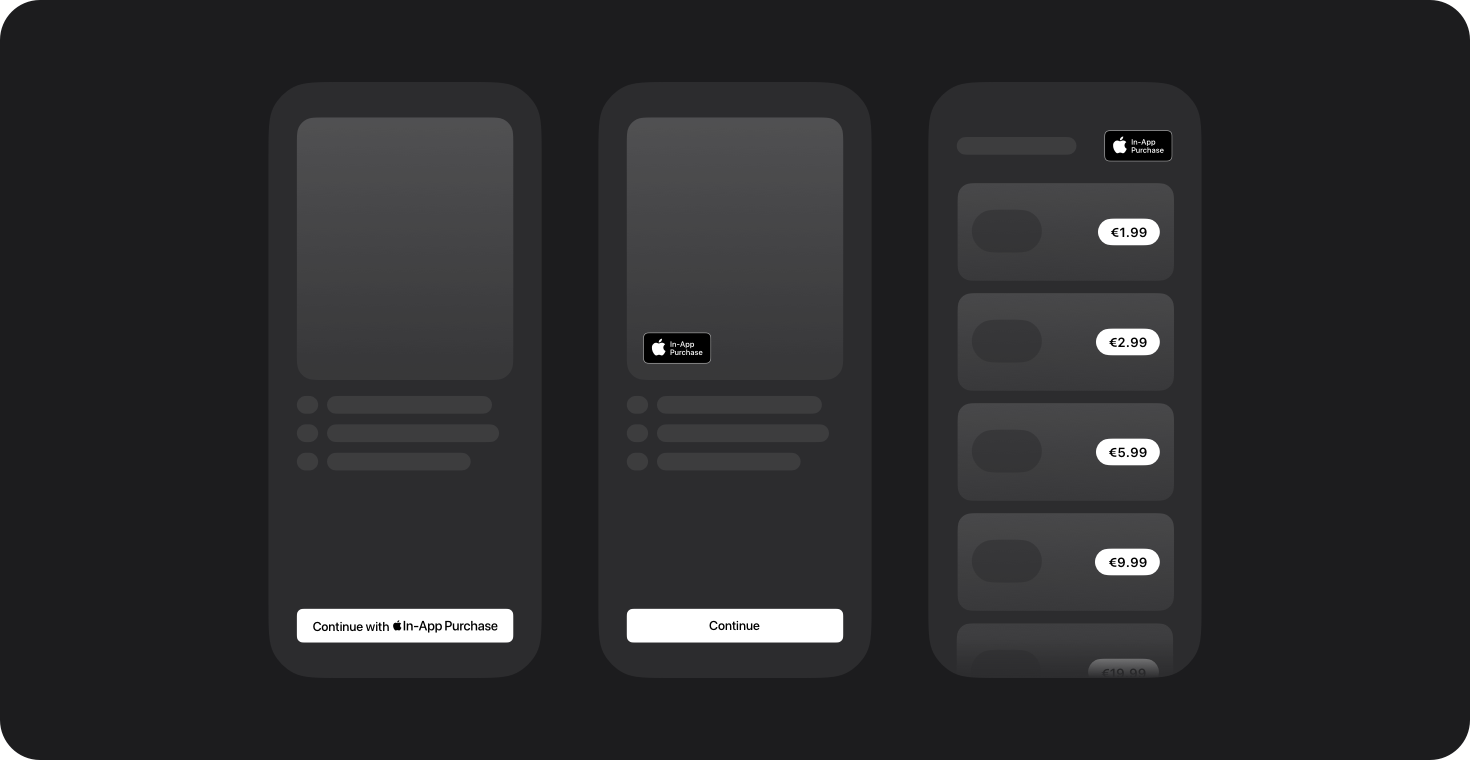
Using the mark and badge. When only offering Apple In-App Purchase in your app, it’s recommended that you use one of the Apple-provided marks or badges in your button or interface.
Apple In-App Purchase buttons. Use the provided Apple In-App Purchase artwork to create an Apple In-App Purchase branded button for your app. These marks are available in multiple languages, in both black and white, and for use within standard system style button designs or custom button designs.
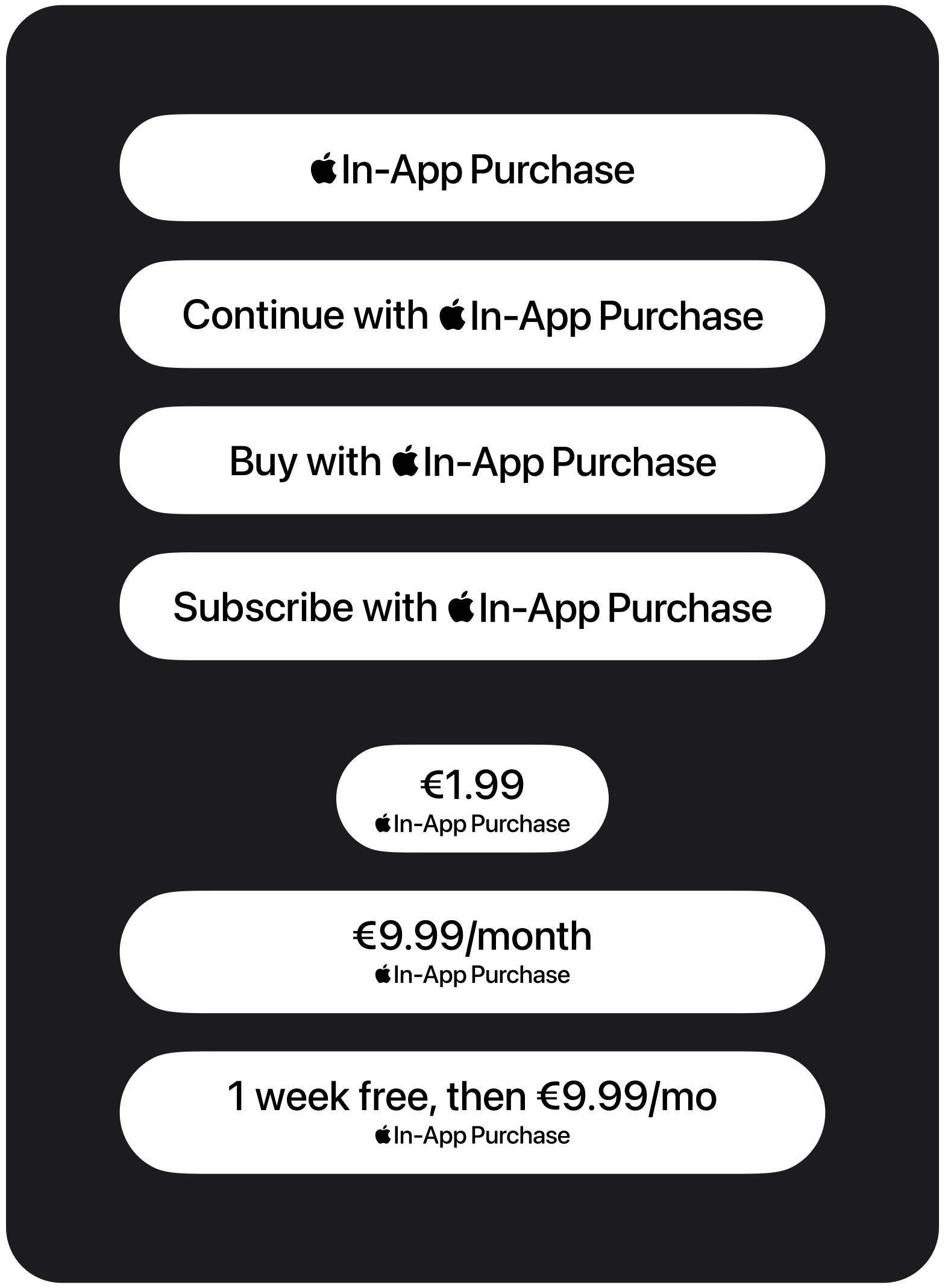
Standard system buttons
Use SF Pro for your button’s text to match the typeface of the Apple In-App Purchase mark.
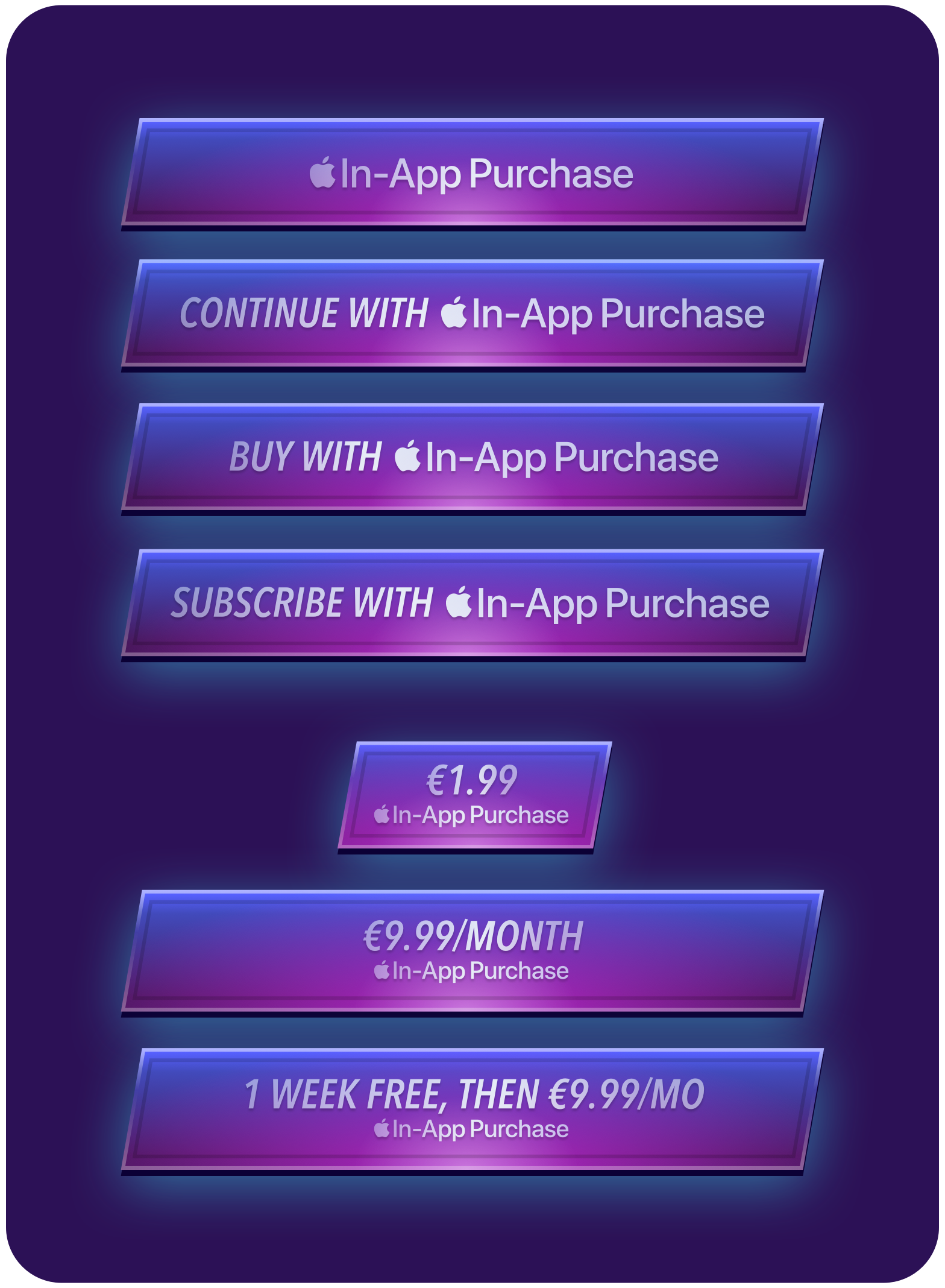
Custom buttons
When Apple In-App Purchase is the only payment method offered, you may use a custom-designed button, including your own colors.
Layout guidelines. To maintain brand consistency and the user experience of using Apple In-App Purchase, follow these style, typography, and layout guidelines when creating standard system style buttons.
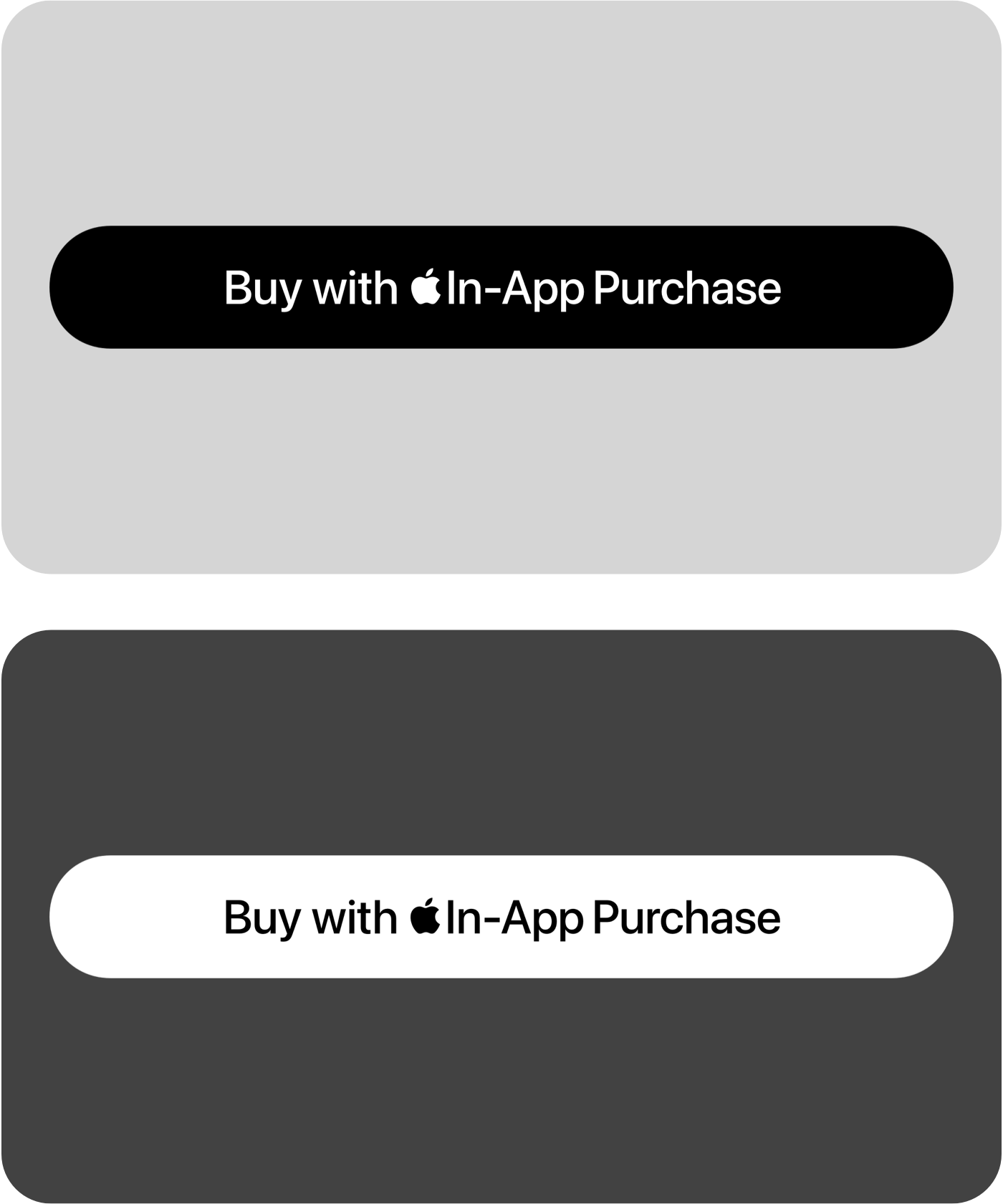
Color
Use the mark that best matches your UI in Light Mode and Dark Mode.
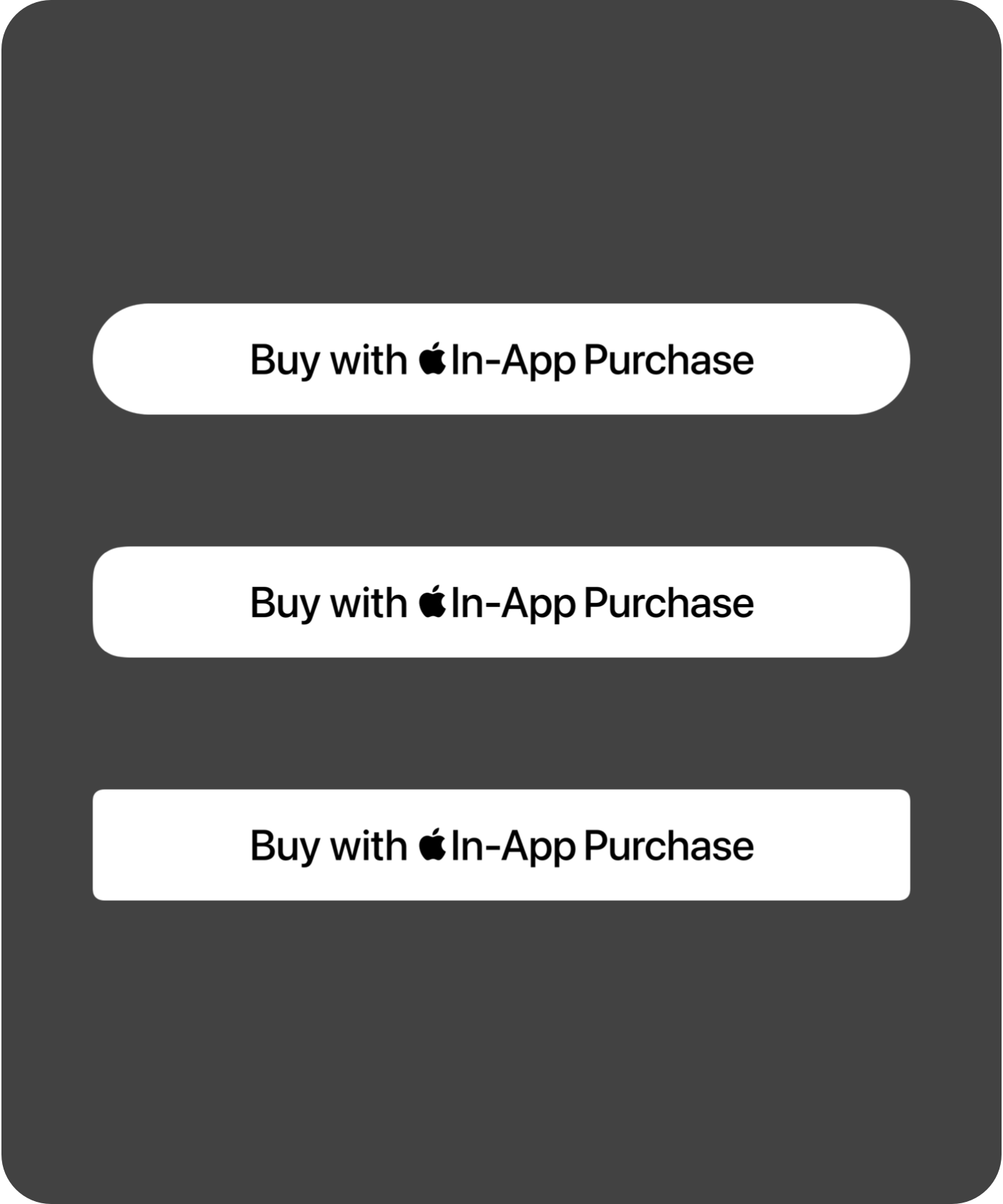
Corner radius
Customize the button corner radius to match your UI.
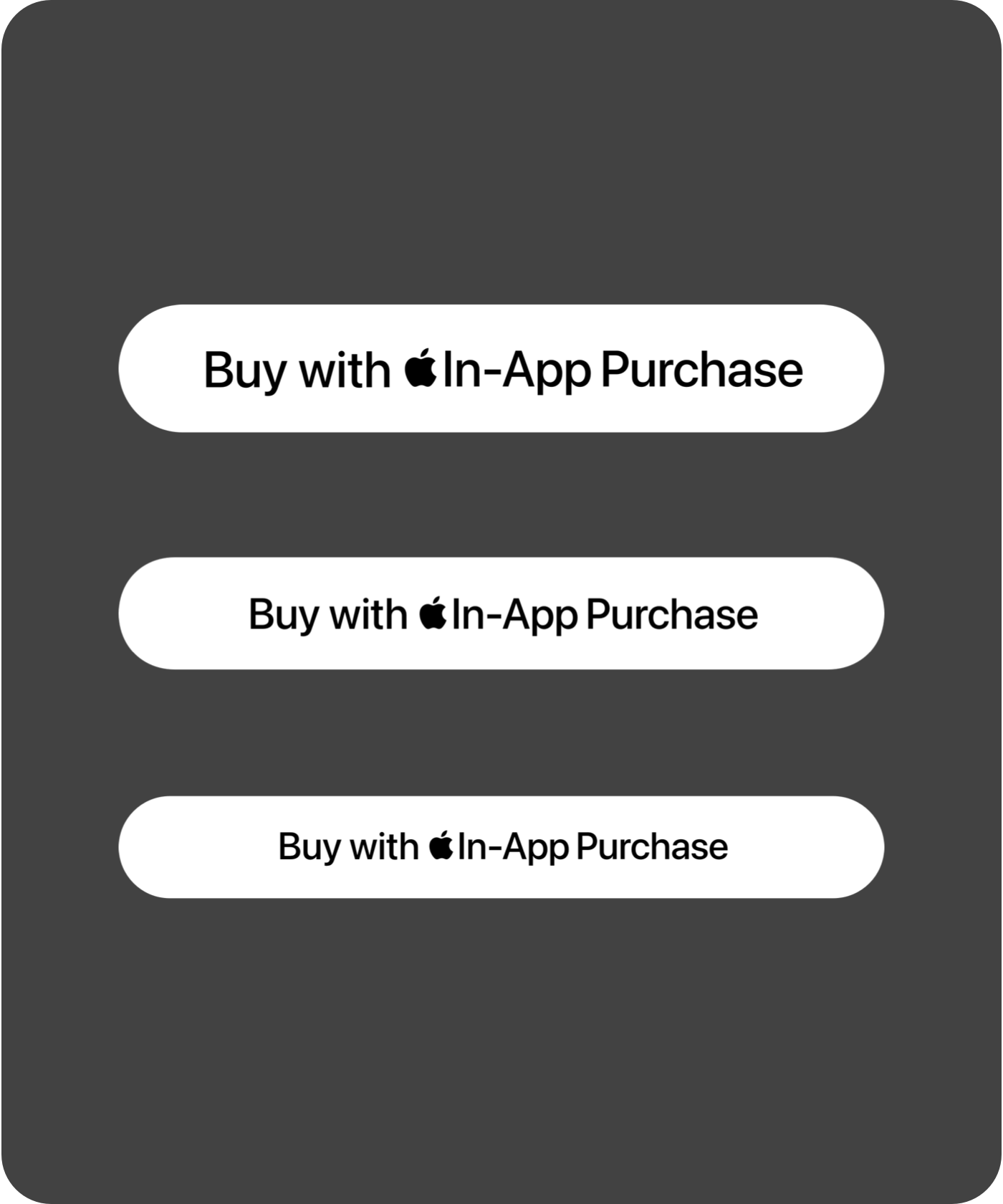
Font size
Ensure your button’s preceding or succeeding text matches the font size of the Apple In-App Purchase mark. Use a minimum font size of 15 pt.
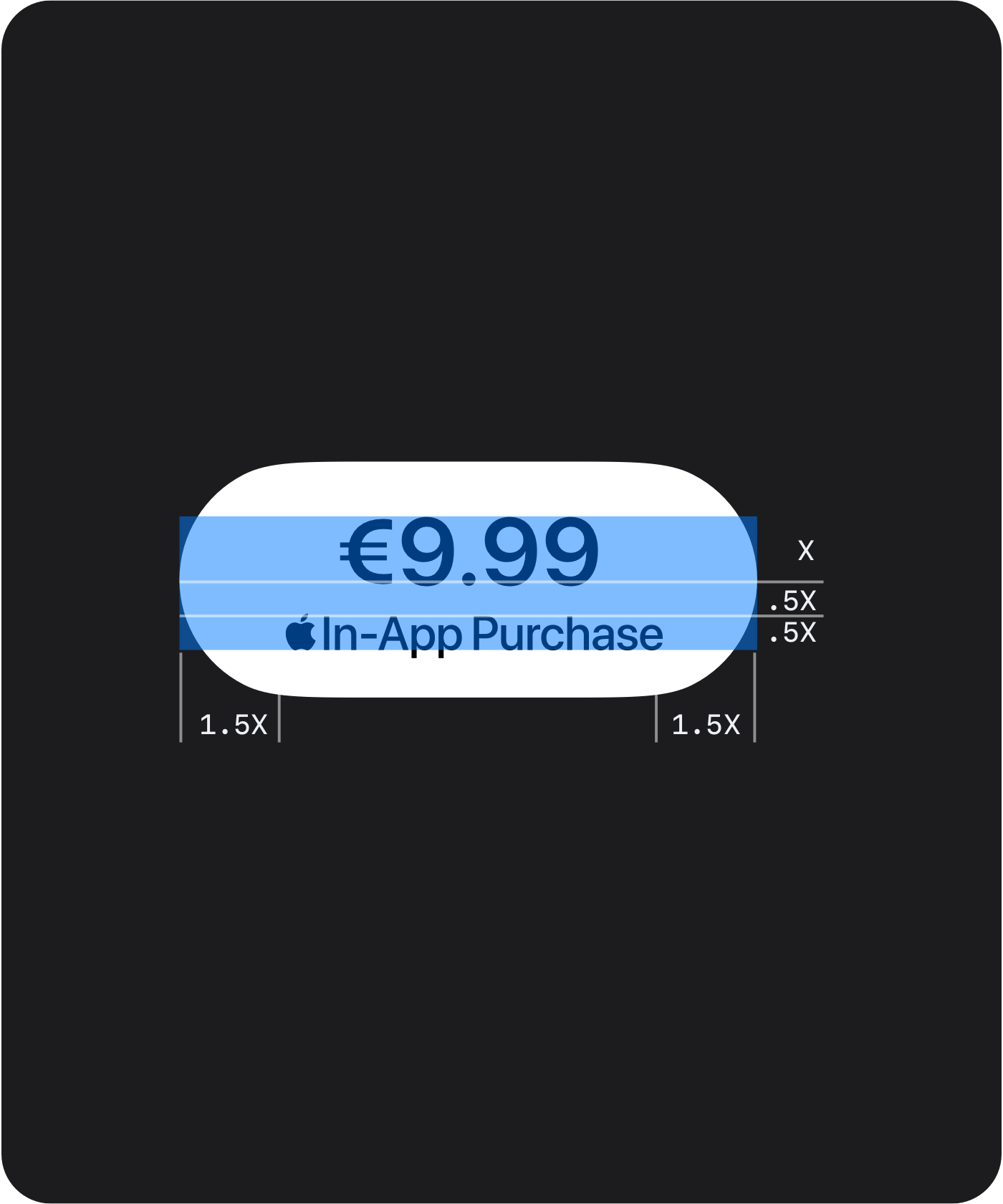
Pricing and margins
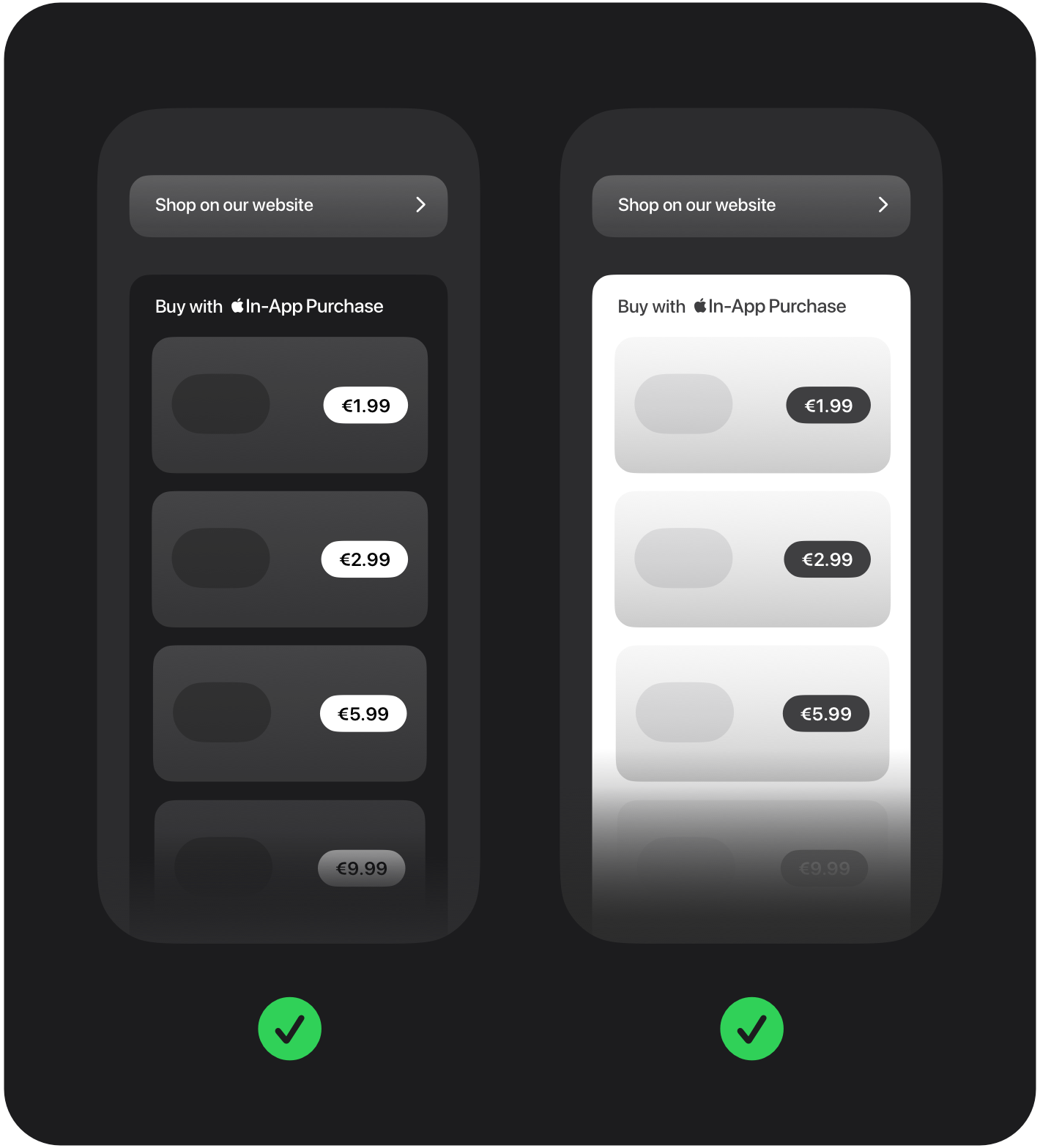
Height of the mark below a price should be at least 1/2 of price text height. Space between mark and price should be at least 1/2 of price text height. Maintain a minimum margin of 1/10 button height.
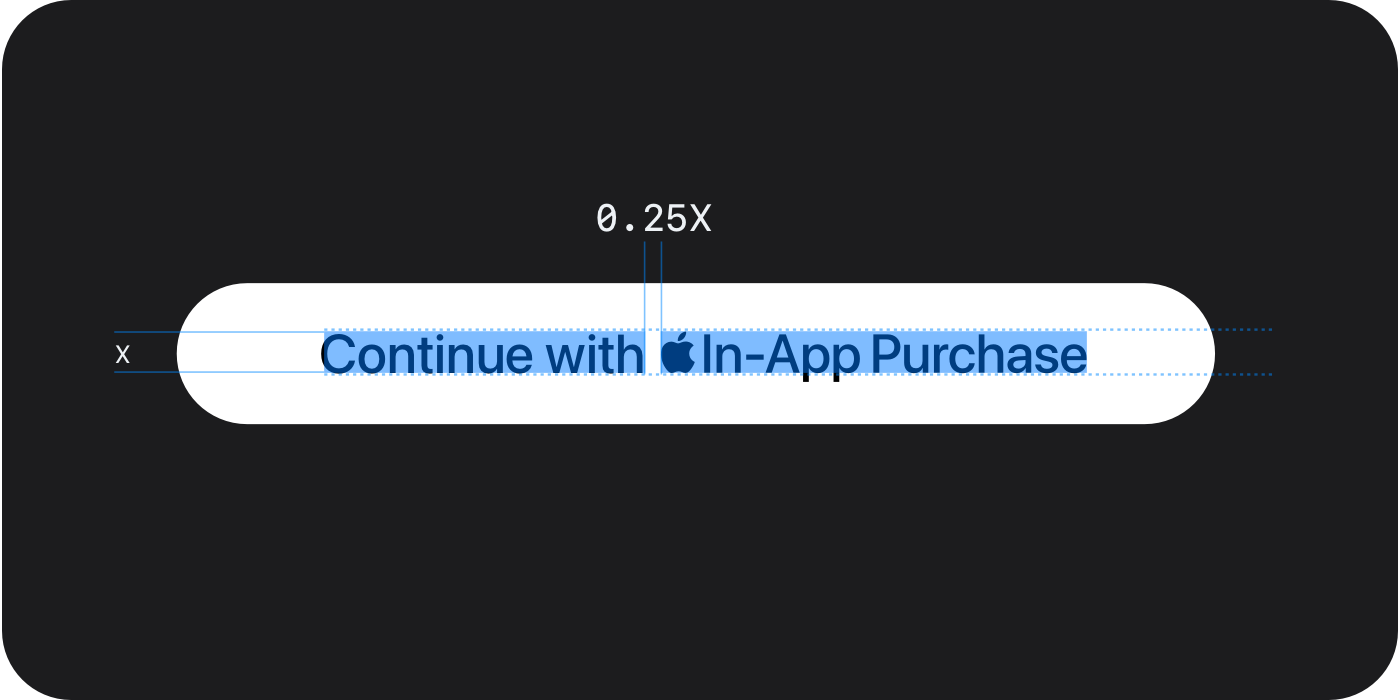
Alignment and spacing
Align the baseline of your button’s preceding or succeeding text to the baseline of the Apple In-App Purchase mark. The space between mark and text should be at least 1/4 of the font’s height.
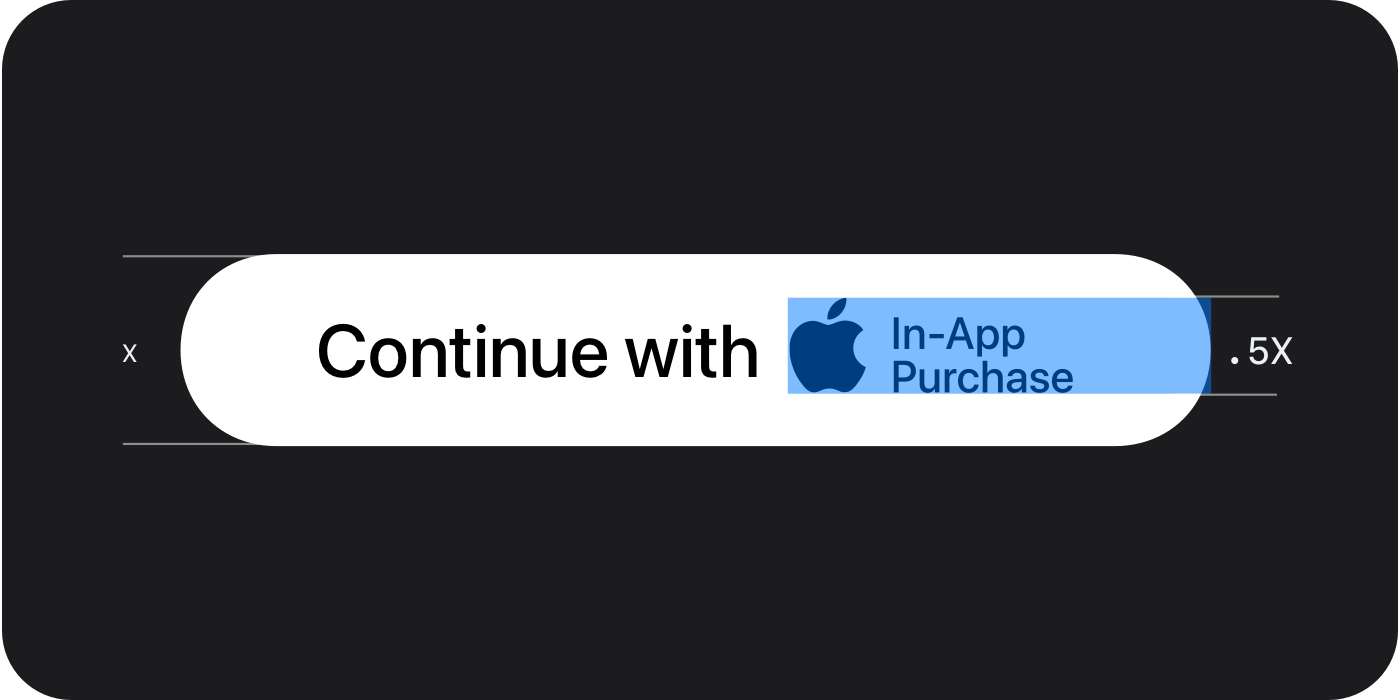
Two-line mark
The height of the Apple In-App Purchase mark should be at least 1/2 the height of the button.
Offering alternative payment options alongside Apple In-App Purchase
When offering alternative payment options alongside Apple In-App Purchase in your app, you must adhere to the following guidelines:
- Apple In-App Purchase must be presented as an option at the same time you offer any alternative payments using an alternative payment processor within the app, or when you direct users out of your app with actionable links.
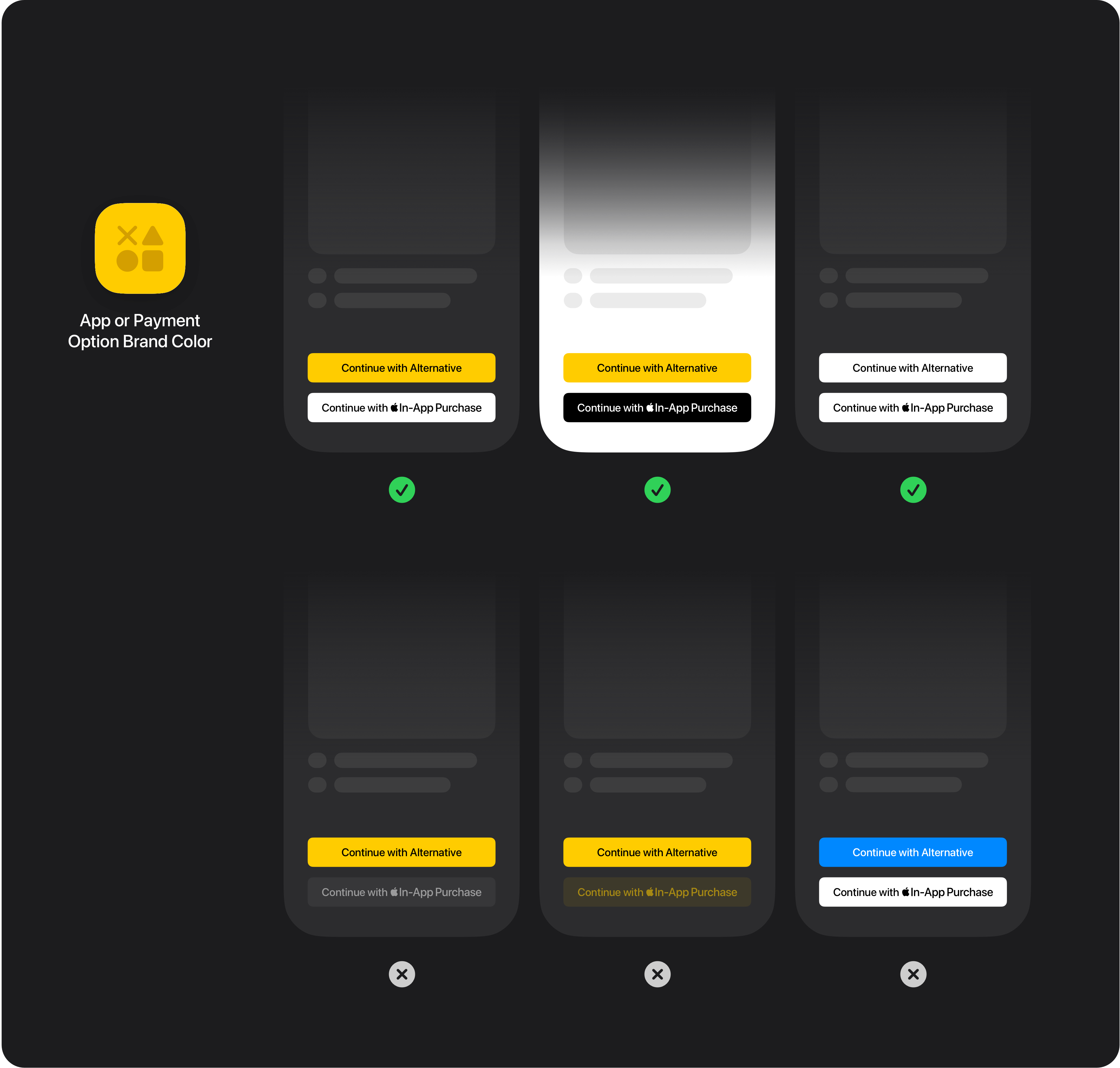
- Alternatives to Apple In-App Purchase may be shown with colors or designs that correspond to the branding of their app or payment option.
- Apple In-App Purchase must be displayed at least as prominently as any other payment option shown. Prominence is determined by the overall experience. Factors include, but are not limited to, layout, language, font style, color, and size.
- Use Apple-provided In-App Purchase artwork in your button or interface. The button or interface background color must be either black or white; don’t use custom colors.
- If Apple In-App Purchase buttons are not individually branded, they must be grouped together within a branded container. That container’s branding must be displayed at least as prominently as any out-of-app offer link shown alongside it.
- Different prices and benefits for alternative options can be included.
- Payment flows may not discourage or disrupt the use of Apple In-App Purchase.
- Your app’s App Store product page may not include information about purchasing with an alternative payment option.
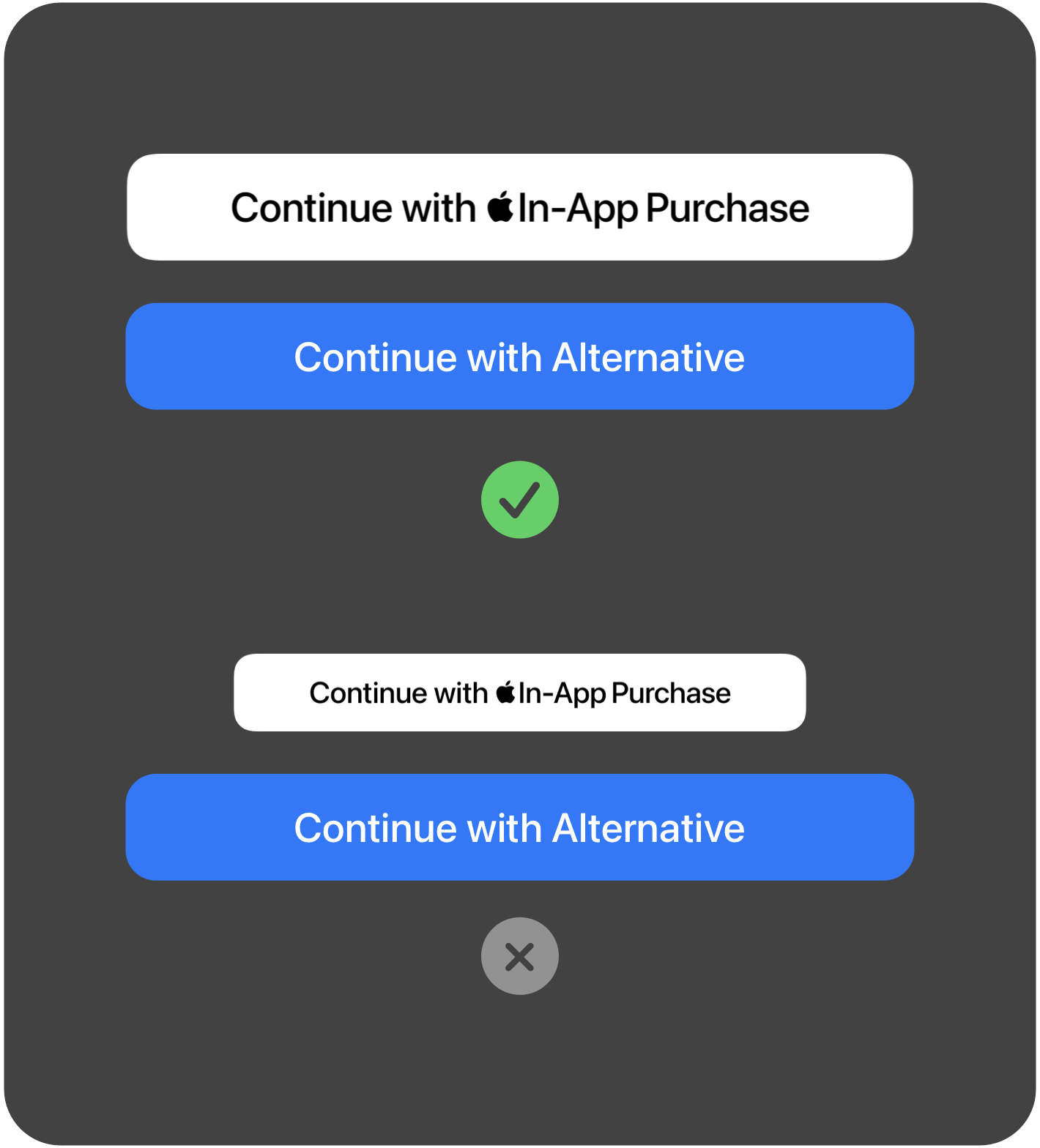
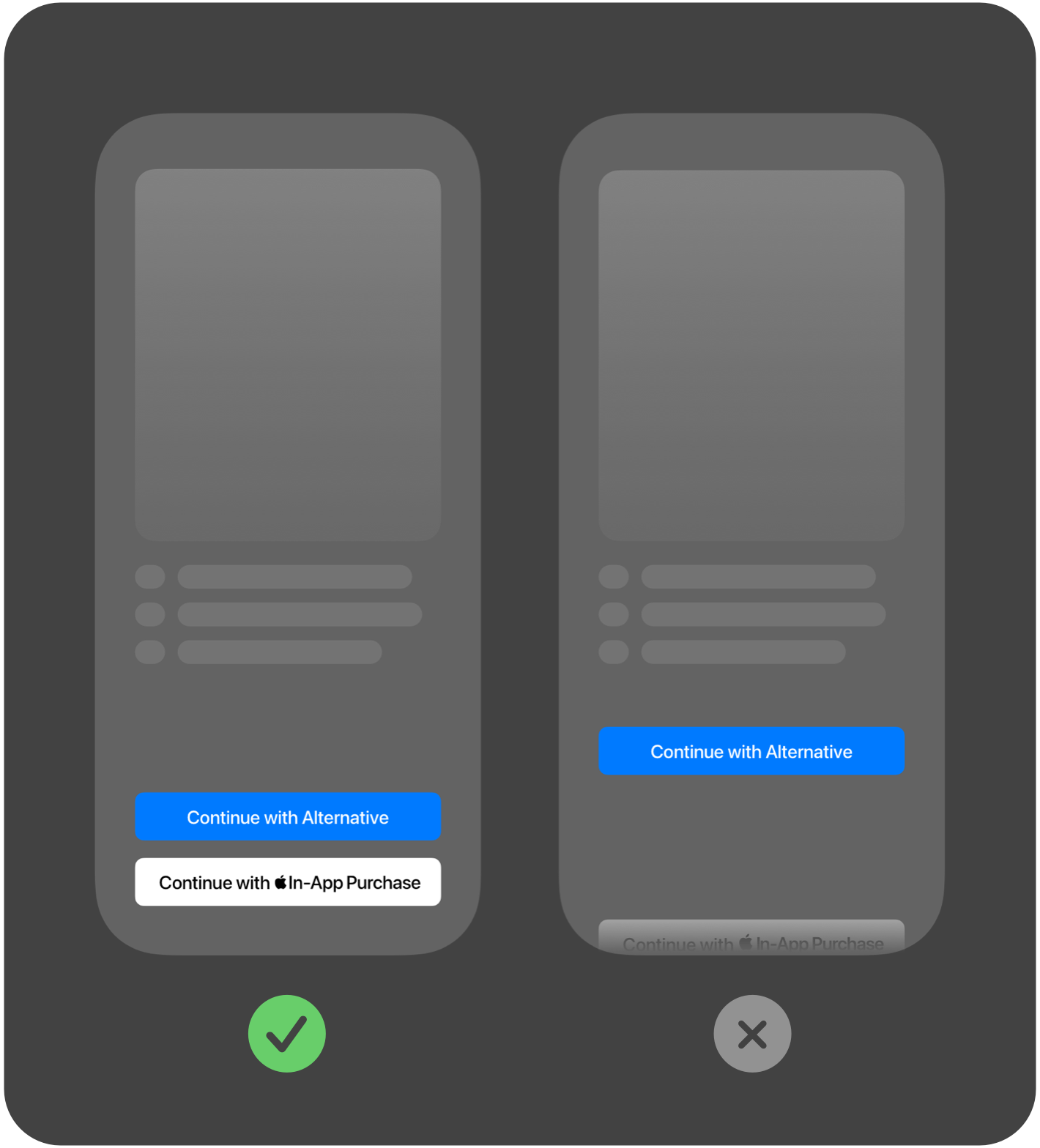
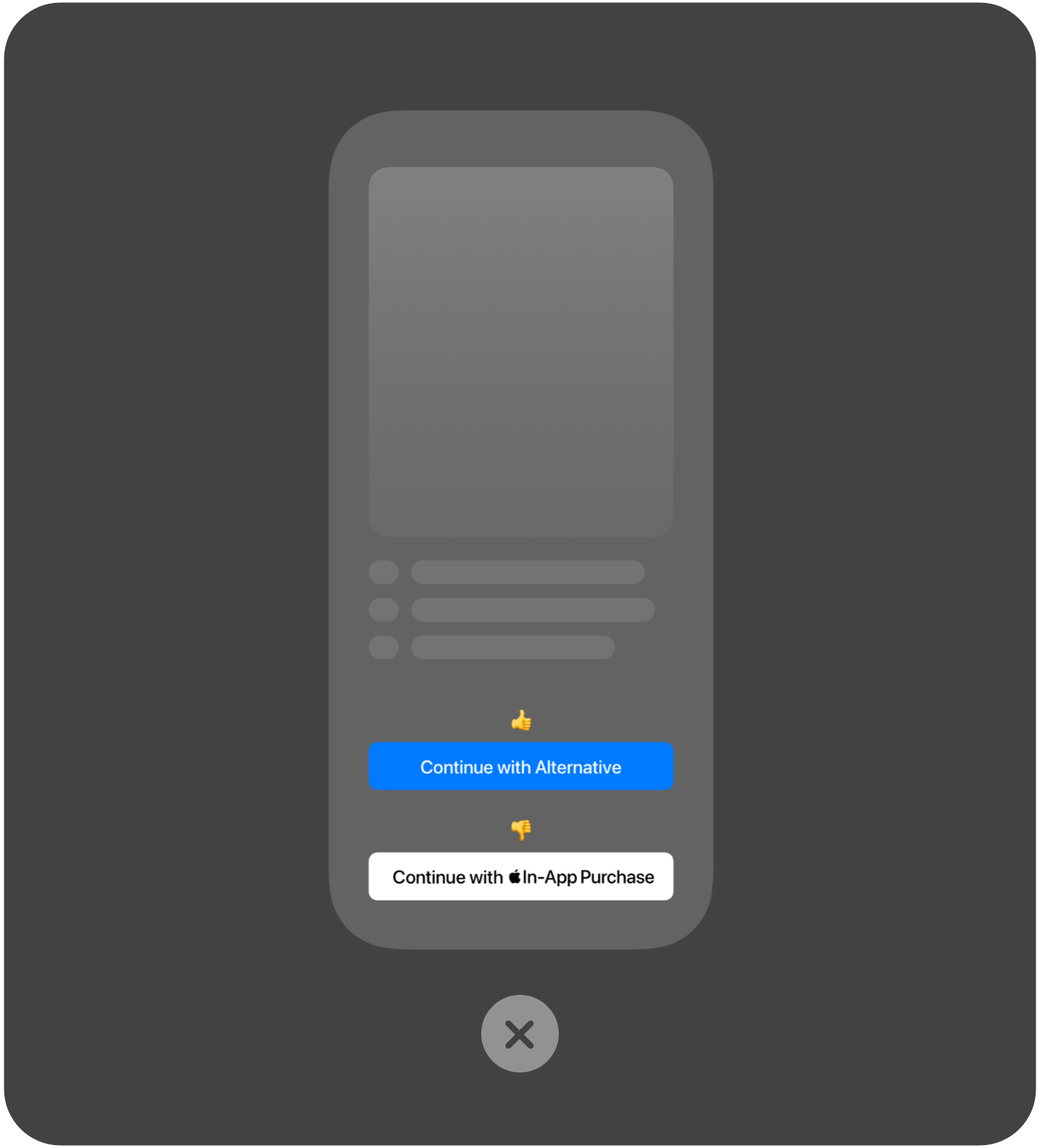
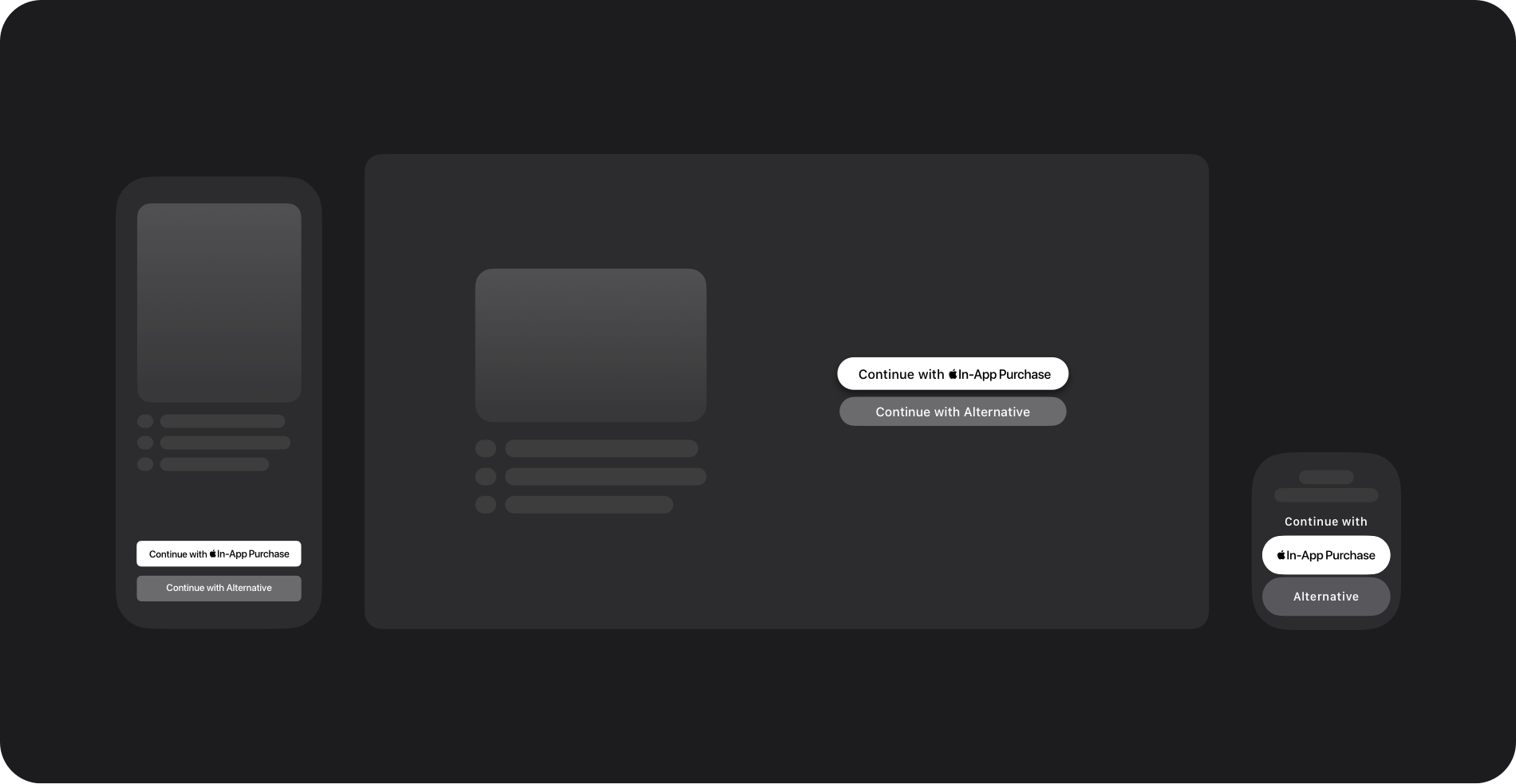
Example of payment buttons on iOS, tvOS, and watchOS.
Button colors. When an alternative payment button is displayed alongside an Apple In-App Purchase button, the Apple In-App Purchase button must be styled in black or white. The alternative payment button may use the app’s brand color, the payment option’s brand color, or black and white. Color may not be used to make the alternative payment button appear as the primary or preferred payment option over the Apple In-App Purchase button.
Alternative payment option requirements
When providing alternative payment options — including alternative payment processing within the app, and out-of-app offers (with or without an actionable link), you must:
- Use the StoreKit External Purchases or Offers Entitlement.
- Use the ExternalPurchaseCustomLink API when offering an alternative payment processing within the app, or when directing users to out-of-app offers via an actionable link.
- Implement in-app disclosure sheets using the ExternalPurchaseCustomLink API.
- Follow child safety requirements (outlined below).
Apps in the EU subject to Guideline 3.1.3(b) Multiplatform Services must offer Apple In-App Purchase and/or alternative payment processing within the app as an option for the purchase of digital goods and services.
Developers may promote alternative payment options in any form, including directing users to out-of-app offers (with or without an actionable link). If you choose to only offer alternative payment options in your app, which can include different prices and benefits for each of those options, you must ensure that users have a genuine opportunity to choose alternative payment processing within the app. Alternative payment processing must be viewable and selectable on the same screen as any out-of-app offers in a manner that does not discourage or obfuscate their use.
User disclosures
To help users understand whether an app offers alternative payment options, the App Store will display an informational banner on the app’s product page and a disclosure in the Information section, and the download confirmation will have an External Purchases notation.
In-app disclosure sheet
Apps that offer alternative payment processing within the app, or out-of-app offers using an actionable link (i.e., a link that can be tapped, clicked, or scanned), must use the ExternalPurchaseCustomLink API to display a system-provided disclosure sheet that explains to the user they’ll be transacting with the developer and not Apple. Users are given the option to not show the disclosure sheet before subsequent purchases with the “Show This Reminder Next Time?” modal dialog.
Child safety
The App Store is designed to be a safe and trusted place for everyone, including children. It offers a variety of features to help parents determine which apps, games, and content are appropriate for their kids, while providing a safe, fun, and enriching experience. Parents can expect that apps and games in the Kids category are age-appropriate, protect children’s data, and use parental gates to limit certain actions. For additional control, parents can enable Ask to Buy to approve purchases and turn off purchases via Screen Time.
To better support children and teenagers using apps with alternative payment options, all apps that offer alternative payment options in the EU must adhere to the following requirements.
- Apps in the Kids category must place purchase flows that use an alternative payment processor behind a parental gate, and cannot provide an out-of-app offer to purchase on a website.
- For users under 13 years old, alternative payment purchases must be behind a parental gate, and out-of-app offers are not permitted.
- For users 13 years old to 17 years old, both alternative payment processing within the app and out-of-app purchase offers must be behind a parental gate.
In cases where an EU storefront sets an age for parental consent above 13 years old, the same protections apply at the higher age instead of 13. For example, in some storefronts the protections apply to users under 16 (instead of under 13) and 16 to 17 (instead of 13 to 17). To find specific age requirements, see Region-specific rules for managing an Apple Account.
To determine whether a user can authorize payments, call canMakePayments in StoreKit. In a future software update, Apple will release new APIs to better support these requirements.
Entitlement and implementation
To offer alternative payment options in your apps, including both in-app payments with alternative payment processors and out-of-app offers (with or without an actionable link), you must use the StoreKit External Purchases or Offers Entitlement. If you’re using in-app payments with an alternative payment processor, or directing users to out-of-app offers using an actionable link, you must implement StoreKit External Purchase APIs.
Configure and enable an entitlement in Xcode
Once you’ve configured your app’s App ID in Certificates, Identifiers & Profiles to include the entitlement, update your Xcode project and entitlements property list to list the entitlement and metadata. The Entitlement Profile is compatible with and may only be used in apps on EU storefronts on devices running a minimum of iOS 26.2, iPadOS 26.2, macOS 26.6, tvOS 26.6, visionOS 26.6, and watchOS 26.6. To support devices running earlier OS versions, please contact us for additional details.
- Enable the entitlement in the Xcode Capabilities library or on the developer website.
- Provide the following values for the entitlements:
- Key:
com.apple.developer.storekit.custom-purchase-link.allowed-regions - Type: Array of strings
- Value: Include an entry for each country code (ISO 3166-1 alpha-2) where your app supports alternative payment options. The valid country codes are: Austria (
at), Belgium (be), Bulgaria (bg), Croatia (hr), Cyprus (cy), Czechia (cz), Denmark (dk), Estonia (ee), Finland (fi), France (fr), Germany (de), Greece (gr), Hungary (hu), Iceland* (is), Ireland (ie), Italy (it), Latvia (lv), Lithuania (lt), Luxembourg (lu), Malta (mt), Netherlands (nl), Norway* (no), Poland (pl), Portugal (pt), Romania (ro), Slovakia (sk), Slovenia (si), Spain (es), Sweden (se)
- Key:
On the next build to your device or distribution request in Xcode Organizer, Xcode will detect that the .entitlements file and cached provisioning profile don’t match, and will request a new provisioning profile based on the latest App ID configuration to complete the code signing process.
Implement StoreKit External Purchase APIs
Prior to initiating an alternative purchase flow, your app must do the following in this order:
- Check canMakePayments before initiating any flow to make a purchase or enter payment information. This call indicates whether the user is allowed to make payments.
- Check the isEligible property of ExternalPurchaseCustomLink to determine whether external purchase is available.
- Show the in-app disclosure sheet using showNotice when the user taps any alternative payment button. The disclosure sheet won’t appear if the user has previously seen it and chosen not to show it again.
Submitting to App Review
When submitting your new app binary for review in App Store Connect, make sure to follow these submission requirements as well as the App Review Guidelines and the Apple Developer Program License Agreement.
- Ensure your app is properly implemented and tested.
- If you use an alternative payment service provider (PSP), the name of your PSP should be included in the review notes. Make sure the PSP is ready to complete transactions from your app. Your PSP must:
- Meet Level 1 Payment Card Industry (PCI) compliance for handling credit and debit card data; and
- Make a customer service process available for users, including a process to dispute unauthorized transactions, manage subscriptions (if applicable), and request refunds.
If your submission is incomplete, review times may be delayed or your app may be rejected. Once your app has been reviewed, its status will update in App Store Connect and you’ll be notified.
Commissions, reporting, and payments
App Store commission
(Apple In-App Purchase)
| Rate | Applies to |
|---|---|
| 26% | Sales processed by Apple In-App Purchase. | 15% | Sales processed by Apple In-App Purchase from participants in the App Store Small Business Program, Mini Apps Partner Program, or Video Partner Program, and sales of auto-renewable subscriptions after their first year. |
App Store commission
(Alternative payment processing within the app)
| Rate | Applies to |
|---|---|
| 20% | Sales processed via alternative payment processing within the app. |
| 10% | Sales processed via alternative payment processing within the app from participants in the App Store Small Business Program, Mini Apps Partner Program, or Video Partner Program; and sales of auto-renewable subscriptions after their first year. |
App Store commission rates apply to the price paid by the customer. The calculation of any applicable taxes is performed as per the Apple Developer Program License Agreement.
Store services commission
The store services commission applies when your app uses an out-of-app offer with an actionable link that directs users to offers and promotions at a destination of your choice — a website, an alternative app marketplace, or another app. Only sales made within 7 days of the link tap are subject to this commission.
| Rate | Applies to |
|---|---|
| 15% | Out-of-app offers. |
| 10% | Out-of-app offers for relevant transactions from participants in the App Store Small Business Program, Mini Apps Partner Program, and Video Partner Program; and out-of-app offers for relevant auto-renewable subscriptions after their first year |
Reporting. For purchases of digital goods or services on the App Store that don’t use Apple In-App Purchase, you’re responsible for the collection and remittance of any applicable taxes for sales processed by an alternative payment provider. You’re also required to track and send Apple a report of all alternative payment transactions for applicable commission fee calculation and collection purposes. Required reporting includes refunds, corrections, renewals, one-time purchases, and transactions that didn’t result in a purchase. This report will need to be provided monthly within 15 days following the end of the calendar month.
For apps running iOS 26.4, iPadOS 26.4, macOS 26.4, tvOS 26.4, visionOS 26.4, watchOS 26.4, and later, use the External Purchase Server API to report transactions to Apple. For apps running earlier OS versions that provide alternative payment options, you’ll need to complete your transaction reports following this example. For more information on how to send Apple your reports, contact us.
Invoices. Qualifying developers will receive a monthly invoice based on the reporting for commissionable transactions for digital goods or services for which commission or fees are owed. Transactions will be aggregated and commissions calculated by Apple by the 15th of the following month. You’ll need to provide payment within 30 days of receiving the invoice. For additional details, see App Store Connect Help.
Please note that Apple has audit rights pursuant to the terms and conditions in the Apple Developer Program License Agreement. This allows Apple to review the accuracy of a developer’s record of digital transactions as a result of the entitlement, ensuring the appropriate commission has been paid to Apple. Failure to pay Apple’s commission could result in the offset of proceeds owed to you in other markets, removal of your app from the App Store, or removal from the Apple Developer Program.
Supporting customers when using alternative payment options
If your app uses alternative payment methods for customers to purchase digital goods and services, it’s your responsibility to provide timely support to them if questions or issues arise. Apple won’t be able to assist customers with refunds, purchase history, subscription management, and other issues encountered when purchasing digital goods and services. You’ll be responsible for addressing these issues with customers directly.
Get ready
Start by agreeing to the latest Apple Developer Program License Agreement, which has been updated to include new options and business terms for apps distributed in the EU. To agree to these terms in your Apple Developer account, you’ll need to be the Account Holder of your membership. After agreeing, your developer account will be subject to the new business terms, and you’ll be able to build alternative payment options into your apps on EU storefronts.
Transition to the unified EU terms
As Apple has moved to a unified business model in the EU for all developers, the Alternative Terms Addendum for Apps in the EU and StoreKit External Purchase Link Entitlement (EU) Addendum have been phased out. As of October 1, 2026, these terms have been superseded by Attachment 14 of the Apple Developer Program License Agreement.
To move to the unified EU terms, developers need to agree to the updated Apple Developer Program License Agreement. After agreeing to the updated terms, their account will be subject to the unified EU terms. Developers that owe Apple fees and commissions accrued under the discontinued agreements will remain responsible for paying those amounts to Apple.
We’re here to help
If you have any questions about the options, we’re here to help.
*Valid only for music streaming apps as outlined on the developer website.