

-
Get it right (to left)
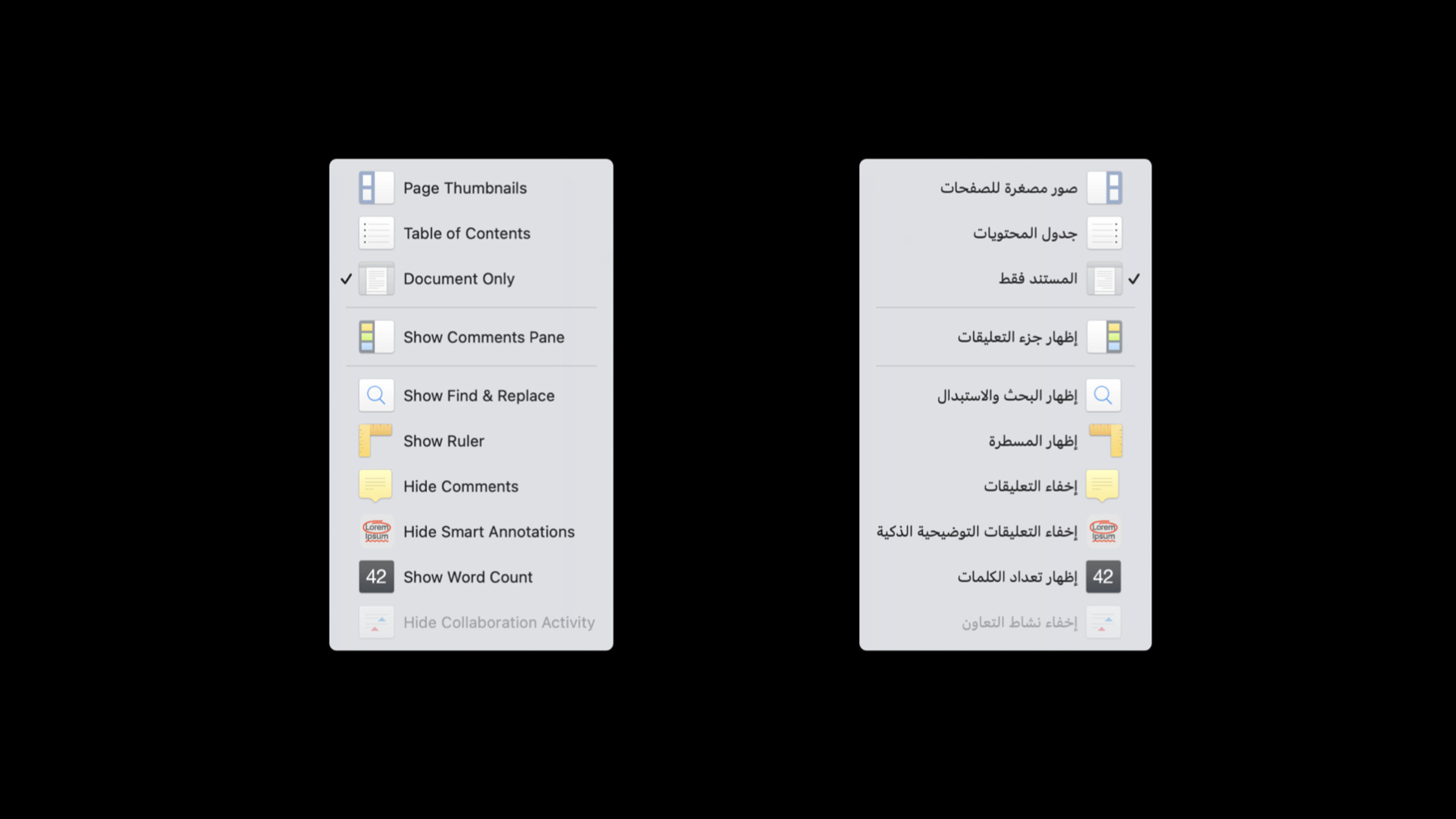
Discover how to develop your app so that it can be localized into "right-to-left" languages such as Arabic and Hebrew. We'll take you through important considerations for these languages, share solutions to challenges, and provide best practices for delivering a great right-to-left experience in your app.
Recursos
Vídeos relacionados
WWDC22
- Build global apps: Localization by example
- Design for Arabic
- Design for Arabic · صمّم بالعربي
- Q&A: Internationalization and localization
- Q&A: Right-to-left
WWDC21
-
Buscar neste vídeo...
-
-
12:55 - Control orientation example
struct ContentView: View { var body: some View { VStack(alignment: .leading) { Button(action: {}) { Label("Preview", systemImage: "arrowtriangle.forward.fill") }.labelStyle(IconOnRightLabelStyle()) HStack() { Button(action: {}) { Label("Left", systemImage: "arrow.left") }.labelStyle(TitleAndIconLabelStyle()) Button(action: {}) { Label("Right", systemImage: "arrow.right") }.labelStyle(IconOnRightLabelStyle()) }.environment(\.layoutDirection, .leftToRight) }.padding() } } -
14:22 - Control orientation custom label style example
struct IconOnRightLabelStyle : LabelStyle { func makeBody(configuration: Configuration) -> some View { HStack { configuration.title configuration.icon } } } -
14:43 - Control orientation example
struct ContentView: View { var body: some View { VStack(alignment: .leading) { Button(action: {}) { Label("Preview", systemImage: "arrowtriangle.forward.fill") }.labelStyle(IconOnRightLabelStyle()) HStack() { Button(action: {}) { Label("Left", systemImage: "arrow.left") }.labelStyle(TitleAndIconLabelStyle()) Button(action: {}) { Label("Right", systemImage: "arrow.right") }.labelStyle(IconOnRightLabelStyle()) }.environment(\.layoutDirection, .leftToRight) }.padding() } } -
18:58 - Control orientation example—keeping controls from reversing
struct ContentView: View { var body: some View { VStack(alignment: .leading) { Picker(selection: $textStyle, label: Text("Text Style")) { Text("B").tag(TextStyle.bold) Text("I").tag(TextStyle.italic) Text("U").tag(TextStyle.underline) Text("S").tag(TextStyle.strikethrough) }.pickerStyle(.segmented) Picker(selection: $alignment, label: Text("Alignment")) { Image(systemName: "text.alignleft").tag(TextAlignment.left) Image(systemName: "text.aligncenter").tag(TextAlignment.center) Image(systemName: "text.alignright").tag(TextAlignment.right) }.pickerStyle(.segmented) .environment(\.layoutDirection, .leftToRight) } } } -
22:38 - Control orientation example—form with multiline text alignment modifier
var body: some View { Form { TextField("Password:", text: $password) TextField("Verify:", text: $verifyPassword) TextField("Password Hint:\n(Recommended)", text: $passwordHint) .multilineTextAlignment(.trailing) }.padding() } -
27:14 - Set up Auto Layout in code
myView.leadingAnchor.constraint(equalTo: mySuperView.leadingAnchor, constant:16) -
29:05 - Digits in Arabic
myLabel.string = String(localized: "There are \(peopleInChat) people in this chat.", comment: "Label indicating number of chat participants") Text("There are \(peopleInChat) people in this chat.", comment: "Label indicating number of chat participants") -
30:12 - Digits in Arabic
myLabel.string = String(localized: "This application supports \(3) file formats.", comment: "Label showing number of supported file formats (number is always 3)") -
31:41 - Numbers in RTL text
myLabel.stringValue = String(localized: "\(percentComplete.formatted(.percent)) complete")
-