

-
Discover PhotoKit change history
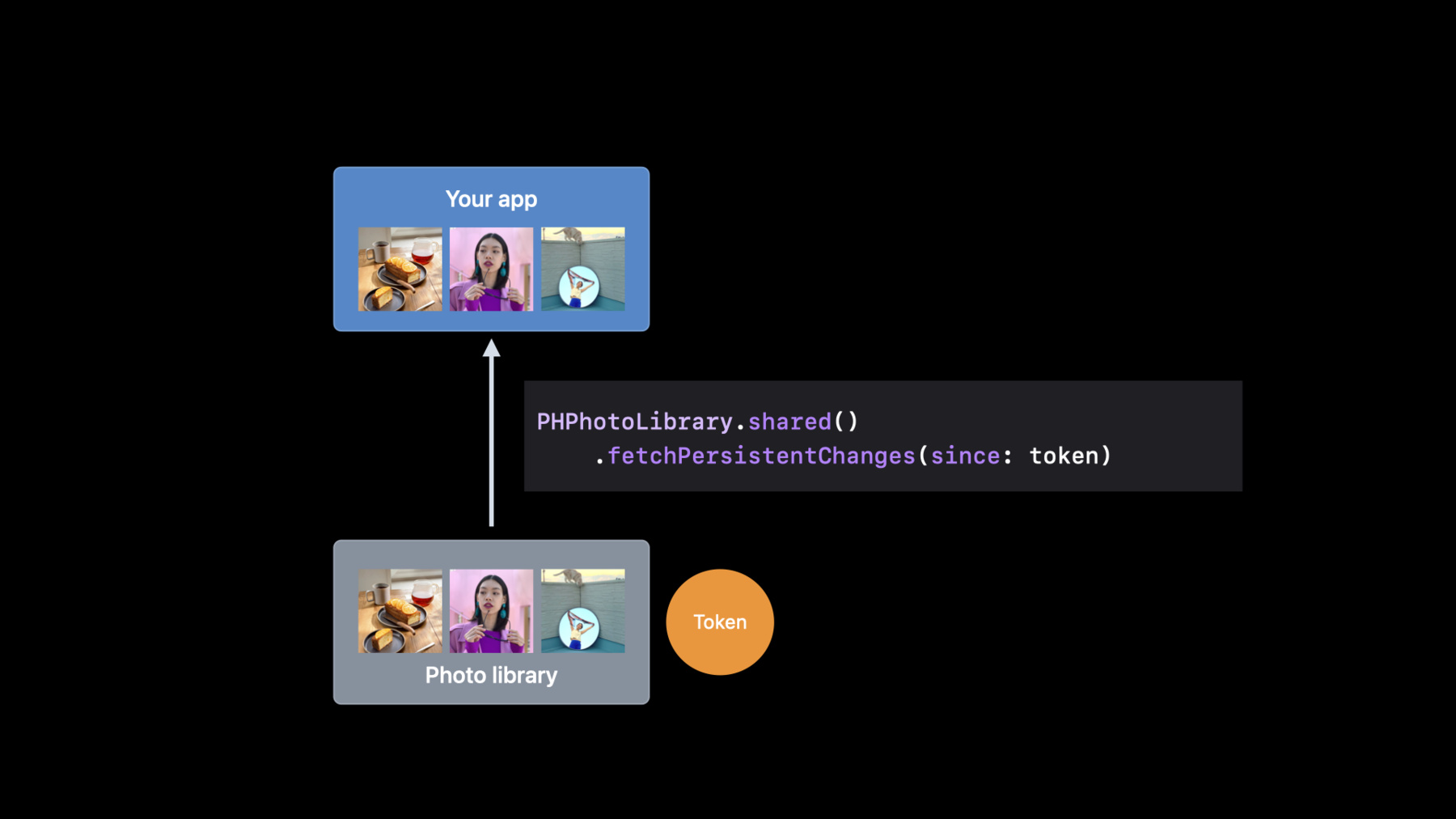
PhotoKit can help you build rich, photo-centric features. Learn how you can easily track changes to image assets with the latest APIs in PhotoKit. We'll introduce you to the PHPhotoLibrary change history API and demonstrate how you can persist change tokens across launches to help your app recognize additions, deletions, and updates to someone's photo library.
To learn more about Photos library integration, be sure to watch "What's new in the Photos picker" from WWDC22 and "Improve access to Photos in your app" from WWDC21.Recursos
Vídeos relacionados
WWDC23
WWDC22
WWDC21
-
Buscar neste vídeo...
-
-
0:01 - Tracking photo library changes
// Discover added assets let options = PHFetchOptions() options.predicate = NSPredicate(format: "creationDate > %@", lastLaunchDate as CVarArg) let insertedAssets = PHAsset.fetchAssets(with: options) -
0:02 - Tracking photo library changes (2)
let fetchResult = PHAsset.fetchAssets(with: localIdentifiers, options: nil) // Discover all modified and deleted assets fetchResult.enumerateObjects { asset, idx, stop in if asset.modificationDate?.compare(lastLaunchDate) == .orderedDescending { // Asset could have been modified } if !localIdentifiers.contains(asset.localIdentifier) { // Asset could have been deleted } } -
0:03 - Fetching persistent changes using persistent change token
let persistentChanges = try! PHPhotoLibrary.shared().fetchPersistentChanges(since: self.lastStoredToken) for persistentChange in persistentChanges { if let changeDetails = persistentChange.changeDetails(for: PHObjectType.asset) { let updatedIdentifiers = changeDetails.updatedLocalIdentifiers let deletedIdentifiers = changeDetails.deletedLocalIdentifiers let insertedIdentifiers = changeDetails.insertedLocalIdentifiers } } // After processing change details self.lastStoredToken = lastPersistentChange.changeToken -
0:04 - Identifying important changes
// Get last stored change token let changeToken = self.lastStoredToken // Fetch persistent changes let persistentChanges = try! library.fetchPersistentChanges(since: changeToken) for persistentChange in persistentChanges { // Grab change details and process updates } -
0:05 - Using inserted identifiers
let insertedAssets = PHAsset.fetchAssets(with: insertedIdentifiers, options: nil) insertedAssets.enumerateObjects { asset, idx, stop in for hike in hikes { let dateInterval = NSDateInterval(start: hike.startDate, end: hike.endDate) if dateInterval.contains(asset.creationDate) { // This hike contains a new added asset } } } -
0:06 - Using updated identifiers
let updatedAssets = PHAsset.fetchAssets(with: updatedIdentifiers, options: nil) updatedAssets.enumerateObjects { asset, idx, stop in if asset.hasAdjustments { // This asset has edits } } -
0:07 - Using deleted identifiers
for deletedIdentifier in deletedIdentifiers { for collage in collages { if collage.assetLocalIdentifiers.contains(deletedIdentifier) { // This collage needs to be redrawn } } } -
0:08 - Handling errors
do {
    let persistentChanges = try library.fetchPersistentChanges(since: changeToken)
} catch PHPhotosError.persistentChangeTokenExpired,
        PHPhotosError.persistentChangeDetailsUnavailable {
    let fetchResult = PHAsset.fetchAssets(with: trackedIdentifiers, options: options)
    // Use fetch result
}
-