

View in English

  • Apple Developer
    • Get Started

    Explore Get Started

    • Overview
    • Learn
    • Apple Developer Program

    Stay Updated

    • Latest News
    • Hello Developer
    • Platforms

    Explore Platforms

    • Apple Platforms
    • iOS
    • iPadOS
    • macOS
    • tvOS
    • visionOS
    • watchOS
    • App Store

    Featured

    • Design
    • Distribution
    • Games
    • Accessories
    • Web
    • Home
    • CarPlay
    • Technologies

    Explore Technologies

    • Overview
    • Xcode
    • Swift
    • SwiftUI

    Featured

    • Accessibility
    • App Intents
    • Apple Intelligence
    • Games
    • Machine Learning & AI
    • Security
    • Xcode Cloud
    • Community

    Explore Community

    • Overview
    • Meet with Apple events
    • Community-driven events
    • Developer Forums
    • Open Source

    Featured

    • WWDC
    • Swift Student Challenge
    • Developer Stories
    • App Store Awards
    • Apple Design Awards
    • Apple Developer Centers
    • Documentation

    Explore Documentation

    • Documentation Library
    • Technology Overviews
    • Sample Code
    • Human Interface Guidelines
    • Videos

    Release Notes

    • Featured Updates
    • iOS
    • iPadOS
    • macOS
    • watchOS
    • visionOS
    • tvOS
    • Xcode
    • Downloads

    Explore Downloads

    • All Downloads
    • Operating Systems
    • Applications
    • Design Resources

    Featured

    • Xcode
    • TestFlight
    • Fonts
    • SF Symbols
    • Icon Composer
    • Support

    Explore Support

    • Overview
    • Help Guides
    • Developer Forums
    • Feedback Assistant
    • Contact Us

    Featured

    • Account Help
    • App Review Guidelines
    • App Store Connect Help
    • Upcoming Requirements
    • Agreements and Guidelines
    • System Status
  • Quick Links

    • Events
    • News
    • Forums
    • Sample Code
    • Videos
 

Vídeos

Abrir menu Fechar menu
  • Coleções
  • Todos os vídeos
  • Sobre

Mais vídeos

  • Sobre
  • Código
  • Program Metal in C++ with metal-cpp

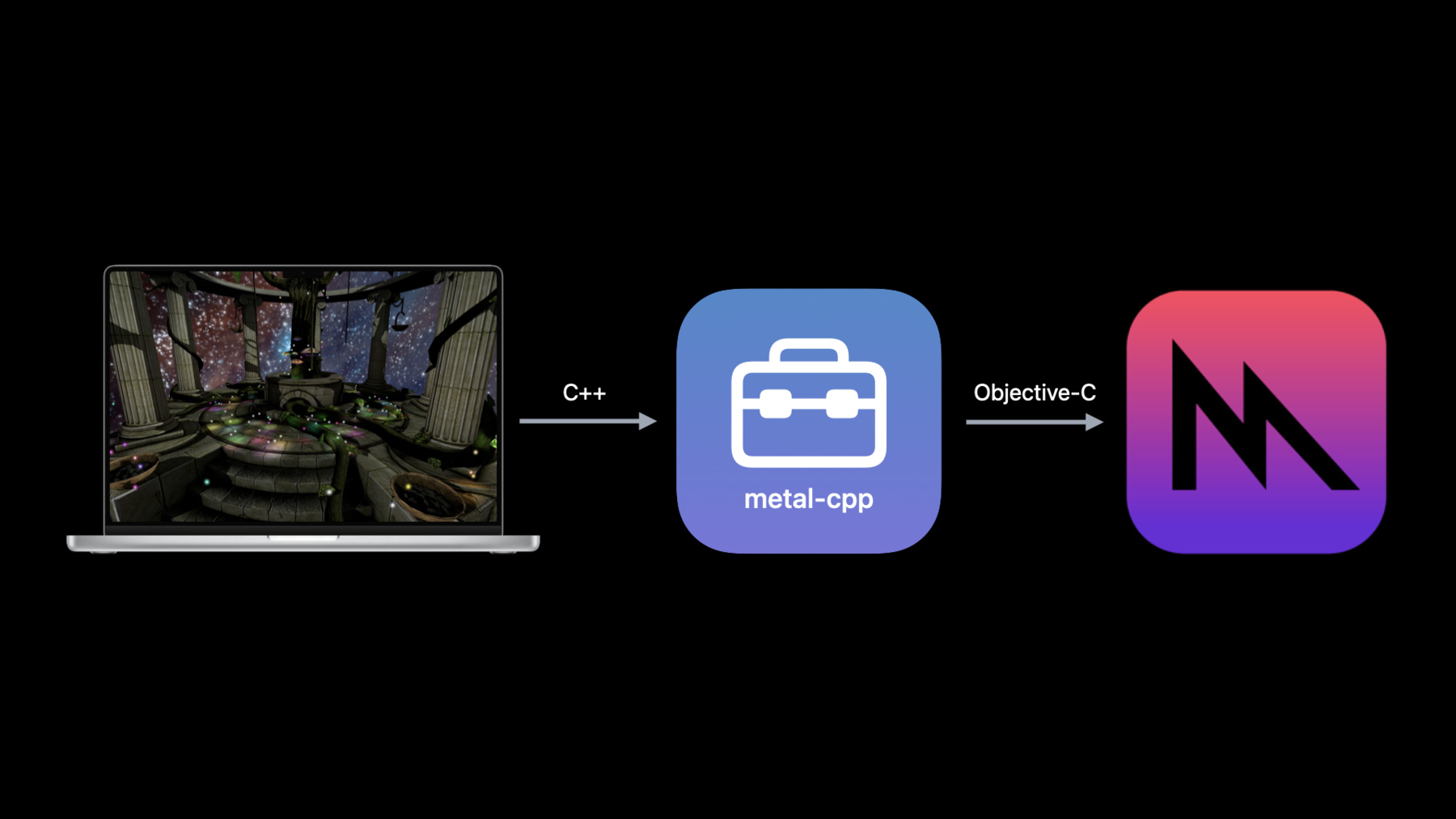
    Your C++ games and apps can now tap into the power of Metal. We'll show you how metal-cpp helps you bridge your C++ code to Metal, explore how each manages object lifecycles, and demonstrate utilities that can help these language cooperate in your app. We'll also share best practices for designing app architecture to elegantly integrate Objective-C and C++ together.

    Recursos

    • Getting started with Metal-cpp
    • Download the LearnMetalCPP project
    • Metal
      • Vídeo HD
      • Vídeo SD

    Vídeos relacionados

    WWDC22

    • Discover Metal 3
  • Buscar neste vídeo...
    • 3:10 - Draw a single triangle in C++

      MTL::CommandBuffer* pCmd = _pCommandQueue->commandBuffer();
      MTL::RenderCommandEncoder* pEnc = pCmd->renderCommandEncoder( pRpd );
      pEnc->setRenderPipelineState( _pPSO );
      pEnc->drawPrimitives( MTL::PrimitiveTypeTriangle, 
                            NS::UInteger(0), 
                            NS::UInteger(3));
      pEnc->endEncoding();
      pCmd->presentDrawable( pView->currentDrawable() );
      pCmd->commit();
    • 3:27 - Draw a single triangle in Objective-C

      id<MTLCommandBuffer> cmd = [_commandQueue commandBuffer];
      id<MTLRenderCommandEncoder> enc = [cmd renderCommandEncoderWithDescriptor:pRpd];
      [enc setRenderPipelineState:_pPSO];
      [enc drawPrimitives:MTLPrimitiveTypeTriangle 
              vertexStart:0 
              vertexCount:3];
      [enc endEncoding];
      [cmd presentDrawable:view.currentDrawable];
      [cmd commit];
    • 6:10 - Generate the implementation

      #define NS_PRIVATE_IMPLEMENTATION
      #define CA_PRIVATE_IMPLEMENTATION
      #define MTL_PRIVATE_IMPLEMENTATION
      
      #include <Foundation/Foundation.hpp>
      #include <Metal/Metal.hpp>
      #include <QuartzCore/QuartzCore.hpp>
    • 11:46 - How to use autoreleased objects and AutoreleasePool

      NS::AutoreleasePool* pPool = NS::AutoreleasePool::alloc()->init();
      MTL::CommandBuffer* pCmd = _pCommandQueue->commandBuffer();
      MTL::RenderPassDescriptor* pRpd = pView->currentRenderPassDescriptor();
      MTL::RenderCommandEncoder* pEnc = pCmd->renderCommandEncoder( pRpd );
      pEnc->endEncoding();
      pCmd->presentDrawable( pView->currentDrawable() );
      pCmd->commit();
      pPool->release();
    • 11:47 - How NS::TransferPtr works

      {
         auto ptr = NS::TransferPtr( pMRR );
         // Do something with ptr 
         . . . 
      }
    • 17:19 - How NS::RetainPtr works

      {
         auto ptr = NS::RetainPtr( pMRR );
         // Do something with ptr 
         . . . 
      }
    • 20:43 - Create an adapter class calling C++ from Objective-C files

      @interface AAPLRendererAdapter () 
      {
          AAPLRenderer* _pRenderer;
      }
      @end
      
      @implementation AAPLRendererAdapter
      - (void)drawInMTKView:(MTKView *)pMtkView
      {
          _pRenderer->draw((__bridge MTK::View*)pMtkView);
      }
      
      @end
    • 21:49 - Create an adapter class calling Objective-C from C++ files

      CA::MetalDrawable* AAPLViewAdapter::currentDrawable() const
      {
          return (__bridge CA::MetalDrawable*)[(__bridge MTKView *)m_pMTKView currentDrawable];
      }
      
      MTL::Texture* AAPLViewAdapter::depthStencilTexture() const
      {
          return (__bridge MTL::Texture*)[(__bridge MTKView *)m_pMTKView depthStencilTexture];
      }
    • 24:59 - Cast between Objective-C and C++ objects and transfer ownership

      MTL::Texture* newTextureFromCatalog( MTL::Device* pDevice, const char* name,   
                                           MTL::StorageMode storageMode, MTL::TextureUsage usage )
      {
          NSDictionary<MTKTextureLoaderOption, id>* options = @{
                  MTKTextureLoaderOptionTextureStorageMode : @( (MTLStorageMode)storageMode ),
                  MTKTextureLoaderOptionTextureUsage : @( (MTLTextureUsage)usage )
          };
      
          MTKTextureLoader* textureLoader = [[MTKTextureLoader alloc] 
                                              initWithDevice:(__bridge id<MTLDevice>)pDevice];
          
          NSError* __autoreleasing err = nil;
          id< MTLTexture > texture = [textureLoader 
                              newTextureWithName:[NSString stringWithUTF8String:name] 
                                     scaleFactor:1 
                                                  bundle:nil 
                                                 options:options 
                                                   error:&err];
      
          return (__bridge_retained MTL::Texture*)texture;
      }

Developer Footer

  • Vídeos
  • WWDC22
  • Program Metal in C++ with metal-cpp
  • Open Menu Close Menu
    • iOS
    • iPadOS
    • macOS
    • tvOS
    • visionOS
    • watchOS
    • App Store
    Open Menu Close Menu
    • Swift
    • SwiftUI
    • Swift Playground
    • TestFlight
    • Xcode
    • Xcode Cloud
    • Icon Composer
    • SF Symbols
    Open Menu Close Menu
    • Accessibility
    • Accessories
    • Apple Intelligence
    • Audio & Video
    • Augmented Reality
    • Business
    • Design
    • Distribution
    • Education
    • Games
    • Health & Fitness
    • In-App Purchase
    • Localization
    • Maps & Location
    • Machine Learning & AI
    • Security
    • Safari & Web
    Open Menu Close Menu
    • Documentation
    • Downloads
    • Sample Code
    • Videos
    Open Menu Close Menu
    • Help Guides & Articles
    • Contact Us
    • Forums
    • Feedback & Bug Reporting
    • System Status
    Open Menu Close Menu
    • Apple Developer
    • App Store Connect
    • Certificates, IDs, & Profiles
    • Feedback Assistant
    Open Menu Close Menu
    • Apple Developer Program
    • Apple Developer Enterprise Program
    • App Store Small Business Program
    • MFi Program
    • Mini Apps Partner Program
    • News Partner Program
    • Video Partner Program
    • Security Bounty Program
    • Security Research Device Program
    Open Menu Close Menu
    • Meet with Apple
    • Apple Developer Centers
    • App Store Awards
    • Apple Design Awards
    • Apple Developer Academies
    • WWDC
    Read the latest news.
    Get the Apple Developer app.
    Copyright © 2026 Apple Inc. All rights reserved.
    Terms of Use Privacy Policy Agreements and Guidelines