

View in English

  • Apple Developer
    • Get Started

    Explore Get Started

    • Overview
    • Learn
    • Apple Developer Program

    Stay Updated

    • Latest News
    • Hello Developer
    • Platforms

    Explore Platforms

    • Apple Platforms
    • iOS
    • iPadOS
    • macOS
    • tvOS
    • visionOS
    • watchOS
    • App Store

    Featured

    • Design
    • Distribution
    • Games
    • Accessories
    • Web
    • Home
    • CarPlay
    • Technologies

    Explore Technologies

    • Overview
    • Xcode
    • Swift
    • SwiftUI

    Featured

    • Accessibility
    • App Intents
    • Apple Intelligence
    • Games
    • Machine Learning & AI
    • Security
    • Xcode Cloud
    • Community

    Explore Community

    • Overview
    • Meet with Apple events
    • Community-driven events
    • Developer Forums
    • Open Source

    Featured

    • WWDC
    • Swift Student Challenge
    • Developer Stories
    • App Store Awards
    • Apple Design Awards
    • Apple Developer Centers
    • Documentation

    Explore Documentation

    • Documentation Library
    • Technology Overviews
    • Sample Code
    • Human Interface Guidelines
    • Videos

    Release Notes

    • Featured Updates
    • iOS
    • iPadOS
    • macOS
    • watchOS
    • visionOS
    • tvOS
    • Xcode
    • Downloads

    Explore Downloads

    • All Downloads
    • Operating Systems
    • Applications
    • Design Resources

    Featured

    • Xcode
    • TestFlight
    • Fonts
    • SF Symbols
    • Icon Composer
    • Support

    Explore Support

    • Overview
    • Help Guides
    • Developer Forums
    • Feedback Assistant
    • Contact Us

    Featured

    • Account Help
    • App Review Guidelines
    • App Store Connect Help
    • Upcoming Requirements
    • Agreements and Guidelines
    • System Status
  • Quick Links

    • Events
    • News
    • Forums
    • Sample Code
    • Videos
 

Vídeos

Abrir menu Fechar menu
  • Coleções
  • Todos os vídeos
  • Sobre

Mais vídeos

  • Sobre
  • Código
  • Compose interactive 3D content in Reality Composer Pro

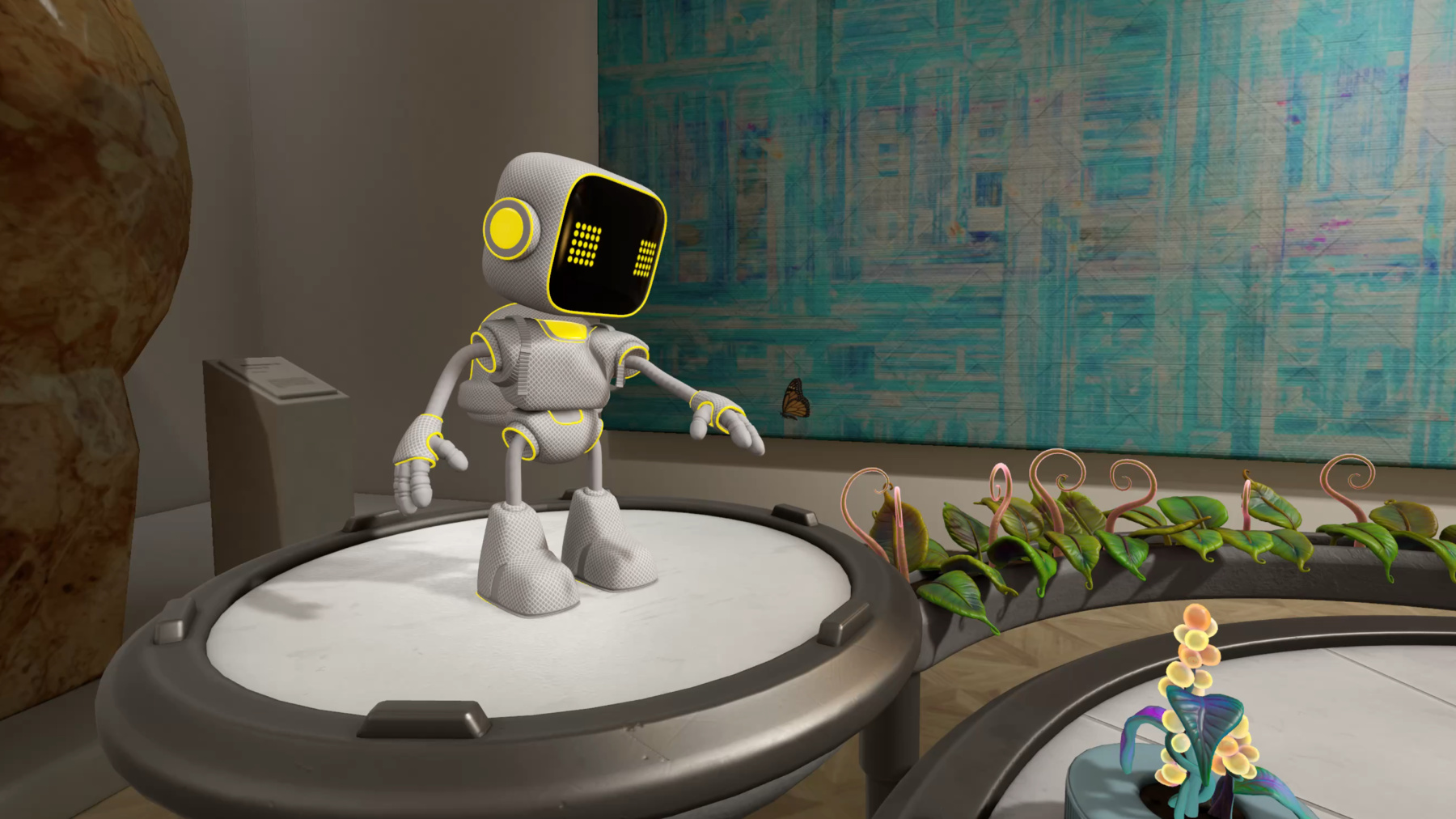
    Discover how the Timeline view in Reality Composer Pro can bring your 3D content to life. Learn how to create an animated story in which characters and objects interact with each other and the world around them using inverse kinematics, blend shapes, and skeletal poses. We'll also show you how to use built-in and custom actions, sequence your actions, apply triggers, and implement natural movements.

    Capítulos

    • 0:00 - Introduction
    • 2:54 - Introducing timelines
    • 18:22 - Inverse kinematics
    • 22:55 - Animation actions
    • 27:23 - Blend Shapes animation
    • 30:35 - Skeletal poses

    Recursos

    • Composing interactive 3D content with RealityKit and Reality Composer Pro
    • Forum: Spatial Computing
      • Vídeo HD
      • Vídeo SD

    Vídeos relacionados

    WWDC24

    • Break into the RealityKit debugger
    • Discover RealityKit APIs for iOS, macOS, and visionOS
    • Enhance the immersion of media viewing in custom environments
    • Optimize your 3D assets for spatial computing

    WWDC23

    • Explore materials in Reality Composer Pro
    • Meet Reality Composer Pro
  • Buscar neste vídeo...
    • 20:31 - Setup IKComponent

      // Setup IKComponent
      import RealityKit
      
      struct HeroRobotRuntimeComponent: Component {
              var rig = try? IKRig(for: modelSkeleton)
                      
              rig.maxIterations = 30
              rig.globalFkWeight = 0.02
                      
              let hipsJointName = "root/hips"
              let chestJointName = "root/hips/spine1/spine2/chest"
              let leftHandJointName = "root/hips/spine1/spine2/chest/…/L_arm3/L_arm4/L_arm5/L_wrist"
      
              rig.constraints = [
                  .parent(named: "hips_constraint",
                          on: hipsJointName,
                          positionWeight: SIMD3(repeating: 90.0),
                          orientationWeight: SIMD3(repeating: 90.0)),
                  .parent(named: "chest_constraint",
                          on: chestJointName,
                          positionWeight: SIMD3(repeating: 120.0),
                          orientationWeight: SIMD3(repeating: 120.0)),
                  .point(named: "left_hand_constraint",
                         on: leftHandJointName,
                         positionWeight: SIMD3(repeating: 10.0))
                      ]
                      
              let resource = try? IKResource(rig: rig)                
              modelComponentEntity.components.set(IKComponent(resource: resource))
      }
    • 21:33 - Update IKComponent

      // Update IKComponent
      import RealityKit
      
      struct HeroRobotRuntimeComponent: Component {
              guard let reachTarget = sceneRoot.findEntity(named: "reachTargetName") else {
                  return
              }
      
              var reachPosition = reachTarget.position(relativeTo: entity)
      
              let time = sin(simTime)
              reachPosition.x += (20.0 + 50.0 * time)
              reachPosition.y += (40.0 + 30.0 * abs(time))
              reachPosition.z += (20.0 + 20.0 * abs(time))
        
             guard let ikComponent = modelComponentEntity.components[IKComponent.self] else {
                 return
             }
      
             var reachPosition = reachTarget.position(relativeTo: entity)
             ...
             var leftHandConstraint = ikComponent.solvers.first?.constraints["left_hand_constraint"]
             leftHandConstraint?.target.translation = reachPosition
      
             // A blendValue = 0 means no influence on the constraint.
             // A blendValue = 1 means full influence on the constraint.
             var blendValue = isEnabled ? (time / totalBlendTime) : (1.0 - time / totalBlendTime)
             leftHandConstraint?.animationOverrideWeight.position = blendValue
      
             modelComponentEntity.components.set(ikComponent)
      }
    • 24:36 - Sequence and play animation actions

      // Play Animation Actions
      import RealityKit
      
      struct HeroRobotRuntimeComponent: Component {
             let rotateAnimationResource = createRotateAnimationResource()
             let walkAndMoveAnimationGroup = createWalkAndMoveAnimationGroup()
             let alignAtHomeActionResource = createAlignAtHomeActionResource()
             let robotTravelHomeCompleteActionResource = createRobotTravelHomeCompleteAction()
      
             // Build a sequence of the rotate, move and align animations/actions to play.
             let moveHomeSequence = try? AnimationResource.sequence(with: [rotateAnimationResource,
                                                                          walkAndMoveAnimationGroup,
                                                                          alignAtHomeActionResource,
                                                             robotTravelHomeCompleteActionResource])
                                  
             // Play the move-to-home sequence.
             _ = robotEntity.playAnimation(moveHomeSequence)
      }
    • 25:59 - Setup EntityActions

      // Setup EntityActions
      import RealityKit
      
      struct HeroRobotRuntimeComponent: Component {
          struct RobotMoveToHomeComplete: EntityAction {
              var animatedValueType: (any AnimatableData.Type)? { nil }
          }
      
          let travelCompleteAction = RobotMoveToHomeComplete()
      
          let actionResource = try! AnimationResource.makeActionAnimation(for: travelCompleteAction,
                                                                          duration: 0.1)
          
          let _ = robotEntity.playAnimation(actionResource)
      }
    • 26:39 - EntityAction subscription

      // EntityAction subscription
      import RealityKit
      
      struct HeroRobotRuntimeComponent: Component {
                        // Subscribe to know when the EntityAction has started.
                      RobotMoveToHomeComplete.subscribe(to: .started) { event in
                          if event.playbackController.entity != nil {
                              event.playbackController.stop()
                          }
                      }
        
                      // Possible states of the robot.
                      public enum HeroRobotState: String, Codable {
                          case available
                          …
                          case arrivedHome
                      }
      
                     // Subscribe to know when the EntityAction has ended.
                      RobotMoveToHomeComplete.subscribe(to: .ended) { event in
                          if let robotEntity = event.playbackController.entity,
                          var component = robotEntity.components[HeroRobotRuntimeComponent.self] {
                             component.setState(newState:.arrivedHome)
                          }
                      }
      }
    • 29:17 - Setup BlendshapeWeightsComponent

      // Setup BlendShapeWeightsComponent
      import RealityKit
      
      struct HeroPlantComponent: Component, Codable {
              guard let modelComponentEntity = findModelComponentEntity(entity: entity),
                    let modelComponent = modelComponentEntity.components[ModelComponent.self]
              else { return }
      
                  let blendShapeWeightsMapping
                     = BlendShapeWeightsMapping(meshResource: modelComponent.mesh)
      
                  // Create the blend shape weights component.
                  entity.components.set(BlendShapeWeightsComponent(weightsMapping:
                                                                  blendShapeWeightsMapping))
      }
    • 29:38 - Update BlendshapeWeightsComponent

      // Update BlendShapeWeightsComponent
      
      struct HeroPlantComponent: Component, Codable {
              guard let component = entity.components[BlendShapeWeightsComponent.self]
              else { return }
      
              var blendWeightSet = blendShapeComponent.weightSet
      
              // Update the weights in the BlendShapeWeightsSet
              for weightIndex in 0..<blendWeightSet[blendWeightsIndex].weights.count {
                  blendWeightSet[blendWeightsIndex].weights[weightIndex] = 0.0
              }
      
              // Assign the new weights to the blend shape component.
             for index in 0..<blendWeightSet.count {
                  component?.weightSet[blendWeightsIndex].weights = blendWeightSet[index].weights
              }
      }
    • 32:01 - Setup and update Skeletal Poses

      // Update Skeletal Poses
      import RealityKit
      
      struct StationaryRobotRuntimeComponent: Component {
      
              guard var component = entity.components[SkeletalPosesComponent.self] 
              else {
                  return
              }
              
              let neckRotation = calculateRotation()
      
              component.poses.default?.jointTransforms[neckJointIndex].rotation = neckRotation
      }

Developer Footer

  • Vídeos
  • WWDC24
  • Compose interactive 3D content in Reality Composer Pro
  • Open Menu Close Menu
    • iOS
    • iPadOS
    • macOS
    • tvOS
    • visionOS
    • watchOS
    • App Store
    Open Menu Close Menu
    • Swift
    • SwiftUI
    • Swift Playground
    • TestFlight
    • Xcode
    • Xcode Cloud
    • Icon Composer
    • SF Symbols
    Open Menu Close Menu
    • Accessibility
    • Accessories
    • Apple Intelligence
    • Audio & Video
    • Augmented Reality
    • Business
    • Design
    • Distribution
    • Education
    • Games
    • Health & Fitness
    • In-App Purchase
    • Localization
    • Maps & Location
    • Machine Learning & AI
    • Security
    • Safari & Web
    Open Menu Close Menu
    • Documentation
    • Downloads
    • Sample Code
    • Videos
    Open Menu Close Menu
    • Help Guides & Articles
    • Contact Us
    • Forums
    • Feedback & Bug Reporting
    • System Status
    Open Menu Close Menu
    • Apple Developer
    • App Store Connect
    • Certificates, IDs, & Profiles
    • Feedback Assistant
    Open Menu Close Menu
    • Apple Developer Program
    • Apple Developer Enterprise Program
    • App Store Small Business Program
    • MFi Program
    • Mini Apps Partner Program
    • News Partner Program
    • Video Partner Program
    • Security Bounty Program
    • Security Research Device Program
    Open Menu Close Menu
    • Meet with Apple
    • Apple Developer Centers
    • App Store Awards
    • Apple Design Awards
    • Apple Developer Academies
    • WWDC
    Read the latest news.
    Get the Apple Developer app.
    Copyright © 2026 Apple Inc. All rights reserved.
    Terms of Use Privacy Policy Agreements and Guidelines