

-
Grave vídeos com qualidade de cinema em seu app
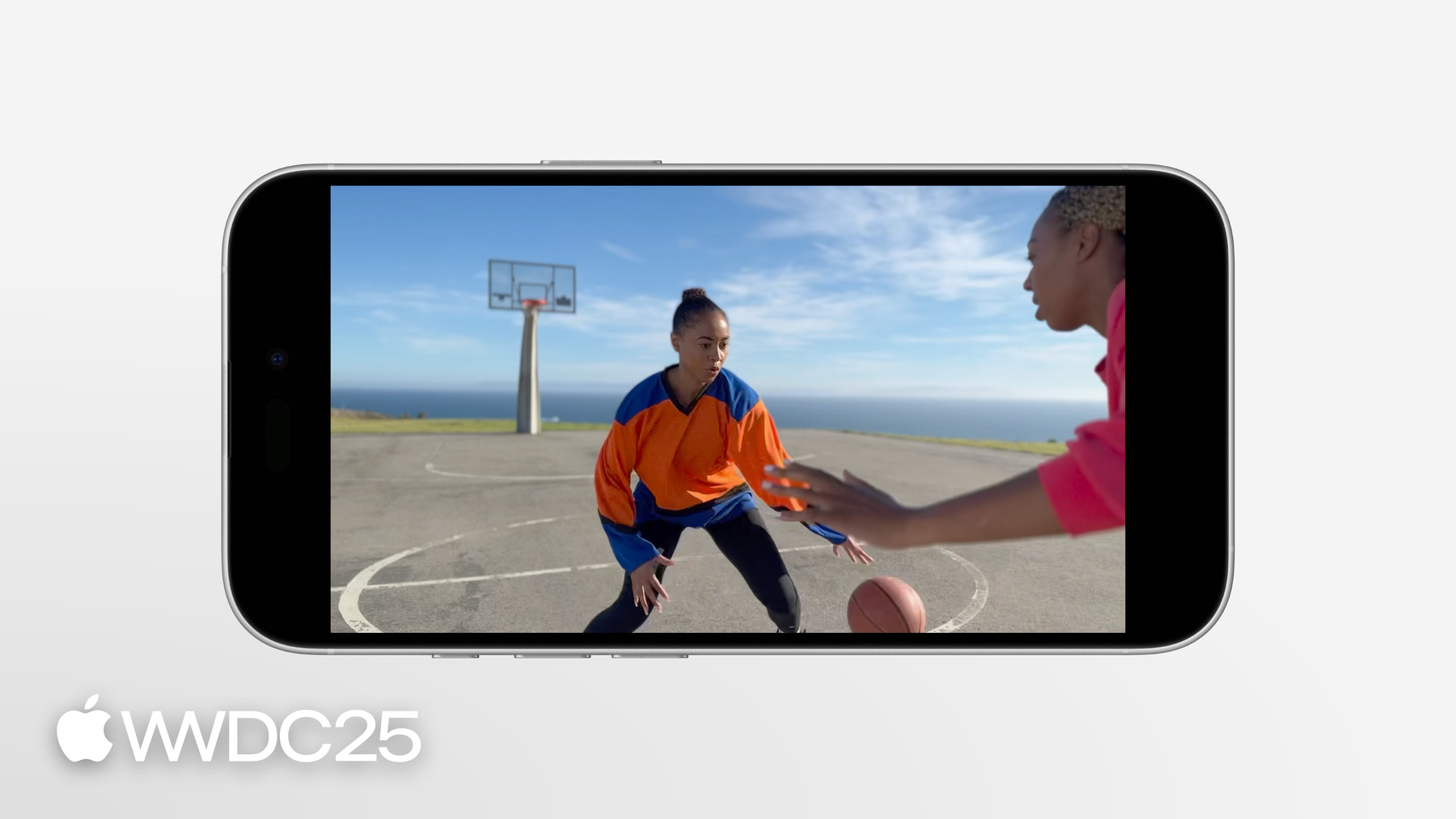
Saiba como a API Cinematic Video permite que seu app grave vídeos com qualidade de cinema de forma simples. Abordaremos como configurar uma sessão de gravação cinematográfica e apresentaremos os fundamentos da criação de uma interface de gravação de vídeos. Também vamos explorar recursos cinematográficos avançados, como a aplicação de um efeito de profundidade de campo para alcançar foco com rastreamento e foco alternado (rack focus).
Capítulos
- 0:00 - Introdução
- 0:33 - API Cinematic Video
- 3:44 - Criar uma ótima experiência de captura cinematográfica
Recursos
Vídeos relacionados
WWDC25
WWDC24
WWDC23
-
Buscar neste vídeo...
-
-
4:26 - Select a video device
// Select a video device let deviceDiscoverySession = AVCaptureDevice.DiscoverySession(deviceTypes: [.builtInDualWideCamera], mediaType: .video, position: .back) guard let camera = deviceDiscoverySession.devices.first else { print("Failed to find the capture device") return } -
5:07 - Select a format that supports Cinematic Video capture
// Select a format that supports Cinematic Video capture for format in camera.formats { if format.isCinematicVideoCaptureSupported { try! camera.lockForConfiguration() camera.activeFormat = format camera.unlockForConfiguration() break } } -
5:51 - Select a microphone
// Select a microphone let audioDeviceDiscoverySession = AVCaptureDevice.DiscoverySession(deviceTypes [.microphone], mediaType: .audio, position: .unspecified) guard let microphone = audioDeviceDiscoverySession.devices.first else { print("Failed to find a microphone") return } -
6:00 - Add devices to input & add inputs to the capture session & enable Cinematic Video capture
// Add devices to inputs let videoInput = try! AVCaptureDeviceInput(device: camera) guard captureSession.canAddInput(videoInput) else { print("Can't add the video input to the session") return } let audioInput = try! AVCaptureDeviceInput(device: microphone) guard captureSession.canAddInput(audioInput) else { print("Can't add the audio input to the session") return } // Add inputs to the capture session captureSession.addInput(videoInput) captureSession.addInput(audioInput) // Enable Cinematic Video capture if (videoInput.isCinematicVideoCaptureSupported) { videoInput.isCinematicVideoCaptureEnabled = true } -
6:17 - Capture spatial audio
// Configure spatial audio if audioInput.isMultichannelAudioModeSupported(.firstOrderAmbisonics) { audioInput.multichannelAudioMode = .firstOrderAmbisonics } -
// Add outputs to the session let movieFileOutput = AVCaptureMovieFileOutput() guard captureSession.canAddOutput(movieFileOutput) else { print("Can't add the movie file output to the session") return } captureSession.addOutput(movieFileOutput) // Configure video stabilization if let connection = movieFileOutput.connection(with: .video), connection.isVideoStabilizationSupported { connection.preferredVideoStabilizationMode = .cinematicExtendedEnhanced } // Add a preview layer as the view finder let previewLayer = AVCaptureVideoPreviewLayer() previewLayer.session = captureSession -
7:11 - Display the preview layer with SwiftUI
// Display the preview layer with SwiftUI struct CameraPreviewView: UIViewRepresentable { func makeUIView(context: Context) -> PreviewView { return PreviewView() } class CameraPreviewUIView: UIView { override class var layerClass: AnyClass { AVCaptureVideoPreviewLayer.self } var previewLayer: AVCaptureVideoPreviewLayer { layer as! AVCaptureVideoPreviewLayer } ... } ... } -
7:54 - Display the preview layer with SwiftUI
// Display the preview layer with SwiftUI @MainActor struct CameraView: View { var body: some View { ZStack { CameraPreviewView() CameraControlsView() } } } -
8:05 - Adjust bokeh strength with simulated aperture
// Adjust bokeh strength with simulated aperture open class AVCaptureDeviceInput : AVCaptureInput { open var simulatedAperture: Float ... } -
8:40 - Find min, max, and default simulated aperture
// Adjust bokeh strength with simulated aperture extension AVCaptureDeviceFormat { open var minSimulatedAperture: Float { get } open var maxSimulatedAperture: Float { get } open var defaultSimulatedAperture: Float { get } ... } -
9:12 - Add a metadata output
// Add a metadata output let metadataOutput = AVCaptureMetadataOutput() guard captureSession.canAddOutput(metadataOutput) else { print("Can't add the metadata output to the session") return } captureSession.addOutput(metadataOutput) metadataOutput.metadataObjectTypes = metadataOutput.requiredMetadataObjectTypesForCinematicVideoCapture metadataOutput.setMetadataObjectsDelegate(self, queue: sessionQueue) -
9:50 - Update the observed manager object
// Update the observed manager object func metadataOutput(_ output: AVCaptureMetadataOutput, didOutput metadataObjects: [AVMetadataObject], from connection: AVCaptureConnection) { self.metadataManager.metadataObjects = metadataObjects } // Pass metadata to SwiftUI @Observable class CinematicMetadataManager { var metadataObjects: [AVMetadataObject] = [] } -
10:12 - Observe changes and update the view
// Observe changes and update the view struct FocusOverlayView : View { var body: some View { ForEach( metadataManager.metadataObjects, id:\.objectID) { metadataObject in rectangle(for: metadataObject) } } } -
10:18 - Make a rectangle for a metadata
// Make a rectangle for a metadata private func rectangle(for metadata: AVMetadataObjects) -> some View { let transformedRect = previewLayer.layerRectConverted(fromMetadataOutputRect: metadata.bounds) return Rectangle() .frame(width:transformedRect.width, height:transformedRect.height) .position( x:transformedRect.midX, y:transformedRect.midY) } -
10:53 - Focus methods
open func setCinematicVideoTrackingFocus(detectedObjectID: Int, focusMode: AVCaptureDevice.CinematicVideoFocusMode) open func setCinematicVideoTrackingFocus(at point: CGPoint, focusMode: AVCaptureDevice.CinematicVideoFocusMode) open func setCinematicVideoFixedFocus(at point: CGPoint, focusMode: AVCaptureDevice.CinematicVideoFocusMode) -
10:59 - Focus method 1 & CinematicVideoFocusMode
// Focus methods open func setCinematicVideoTrackingFocus(detectedObjectID: Int, focusMode: AVCaptureDevice.CinematicVideoFocusMode) public enum CinematicVideoFocusMode : Int, @unchecked Sendable { case none = 0 case strong = 1 case weak = 2 } extension AVMetadataObject { open var cinematicVideoFocusMode: Int32 { get } } -
12:19 - Focus method no.2
// Focus method no.2 open func setCinematicVideoTrackingFocus(at point: CGPoint, focusMode: AVCaptureDevice.CinematicVideoFocusMode) -
12:41 - Focus method no.3
// Focus method no.3 open func setCinematicVideoFixedFocus(at point: CGPoint, focusMode: AVCaptureDevice.CinematicVideoFocusMode) -
13:54 - Create the spatial tap gesture
var body: some View { let spatialTapGesture = SpatialTapGesture() .onEnded { event in Task { await camera.focusTap(at: event.location) } } ... } -
14:15 - Simulate a long press gesture with a drag gesture
@State private var pressLocation: CGPoint = .zero @State private var isPressing = false private let longPressDuration: TimeInterval = 0.3 var body: some View { ... let longPressGesture = DragGesture(minimumDistance: 0).onChanged { value in if !isPressing { isPressing = true pressLocation = value.location startLoopPressTimer() } }.onEnded { _ in isPressing = false } ... } private func startLoopPressTimer() { DispatchQueue.main.asyncAfter(deadline: .now() + longPressDuration) { if isPressing { Task { await camera.focusLongPress(at: pressLocation) } } } } -
14:36 - Create a rectangle view to receive gestures.
var body: some View { let spatialTapGesture = ... let longPressGesture = ... ZStack { ForEach( metadataManager.metadataObjects, id:\.objectID) { metadataObject in rectangle(for: metadataObject) } Rectangle() .fill(Color.clear) .contentShape(Rectangle()) .gesture(spatialTapGesture) .gesture(longPressGesture)} } } -
15:03 - Create the rectangle view
private func rectangle(for metadata: AVMetadataObject) -> some View { let transformedRect = previewLayer.layerRectConverted(fromMetadataOutputRect: metadata.bounds) var color: Color var strokeStyle: StrokeStyle switch metadata.focusMode { case .weak: color = .yellow strokeStyle = StrokeStyle(lineWidth: 2, dash: [5,4]) case .strong: color = .yellow strokeStyle = StrokeStyle(lineWidth: 2) case .none: color = .white strokeStyle = StrokeStyle(lineWidth: 2) } return Rectangle() .stroke(color, style: strokeStyle) .contentShape(Rectangle()) .frame(width: transformedRect.width, height: transformedRect.height) .position(x: transformedRect.midX, y: transformedRect.midY) } -
15:30 - Implement focusTap
func focusTap(at point:CGPoint) { try! camera.lockForConfiguration() if let metadataObject = findTappedMetadataObject(at: point) { if metadataObject.cinematicVideoFocusMode == .weak { camera.setCinematicVideoTrackingFocus(detectedObjectID: metadataObject.objectID, focusMode: .strong) } else { camera.setCinematicVideoTrackingFocus(detectedObjectID: metadataObject.objectID, focusMode: .weak) } } else { let transformedPoint = previewLayer.metadataOutputRectConverted(fromLayerRect: CGRect(origin:point, size:.zero)).origin camera.setCinematicVideoTrackingFocus(at: transformedPoint, focusMode: .weak) } camera.unlockForConfiguration() } -
15:42 - Implement findTappedMetadataObject
private func findTappedMetadataObject(at point: CGPoint) -> AVMetadataObject? { var metadataObjectToReturn: AVMetadataObject? for metadataObject in metadataObjectsArray { let layerRect = previewLayer.layerRectConverted(fromMetadataOutputRect: metadataObject.bounds) if layerRect.contains(point) { metadataObjectToReturn = metadataObject break } } return metadataObjectToReturn } -
16:01 - focusTap implementation continued
func focusTap(at point:CGPoint) { try! camera.lockForConfiguration() if let metadataObject = findTappedMetadataObject(at: point) { if metadataObject.cinematicVideoFocusMode == .weak { camera.setCinematicVideoTrackingFocus(detectedObjectID: metadataObject.objectID, focusMode: .strong) } else { camera.setCinematicVideoTrackingFocus(detectedObjectID: metadataObject.objectID, focusMode: .weak) } } else { let transformedPoint = previewLayer.metadataOutputRectConverted(fromLayerRect: CGRect(origin:point, size:.zero)).origin camera.setCinematicVideoTrackingFocus(at: transformedPoint, focusMode: .weak) } camera.unlockForConfiguration() } -
16:23 - Implement focusLongPress
func focusLongPress(at point:CGPoint) { try! camera.lockForConfiguration() let transformedPoint = previewLayer.metadataOutputRectConverted(fromLayerRect:CGRect(origin: point, size: CGSizeZero)).origin camera.setCinematicVideoFixedFocus(at: pointInMetadataOutputSpace, focusMode: .strong) camera.unlockForConfiguration() } -
17:10 - Introduce cinematicVideoCaptureSceneMonitoringStatuses
extension AVCaptureDevice { open var cinematicVideoCaptureSceneMonitoringStatuses: Set<AVCaptureSceneMonitoringStatus> { get } } extension AVCaptureSceneMonitoringStatus { public static let notEnoughLight: AVCaptureSceneMonitoringStatus } -
17:42 - KVO handler for cinematicVideoCaptureSceneMonitoringStatuses
private var observation: NSKeyValueObservation?

observation = camera.observe(\.cinematicVideoCaptureSceneMonitoringStatuses, options: [.new, .old]) { _, value in

    if let newStatuses = value.newValue {
        if newStatuses.contains(.notEnoughLight) {
            // Update UI (e.g., "Not enough light")
        }
        else if newStatuses.count == 0 {
            // Back to normal.
        }
    }
}
-
-
- 0:00 - Introdução
Use a API Cinematic Video para gravar vídeos com qualidade profissional e estilo cinematográfico nos seus apps. O iPhone 13 e o iPhone 13 Pro introduziram o modo Cinema, que transformou o iPhone em uma ferramenta cinematográfica robusta.
- 0:33 - API Cinematic Video
O vídeo cinematográfico usa profundidade de campo rasa e foco de rastreamento para guiar a atenção do espectador, imitando técnicas do cinema. A API Cinematic Video no iOS 26 simplifica esse processo, permitindo que os apps rastreiem e direcionem o foco. Para criar uma experiência de gravação cinematográfica, configure uma sessão de gravação, selecione um dispositivo e ative a gravação de vídeo cinematográfico definindo isCinematicVideoCaptureEnabled como true na classe AVCaptureDeviceInput. Isso configura a sessão para gerar vídeo cinematográfico com dados de disparidade, metadados e o vídeo original, permitindo edição não destrutiva. É possível reproduzir ou editar a renderização do bokeh com o framework Cinematic.
- 3:44 - Criar uma ótima experiência de captura cinematográfica
O exemplo começa com a configuração de uma AVCaptureSession para ativar a gravação de vídeo cinematográfico em dispositivos compatíveis, como a câmera grande-angular dupla na parte traseira e a câmera TrueDepth na frente. Em seguida, seleciona-se um formato de vídeo apropriado, com isCinematicVideoCaptureSupported retornando true, e o microfone é adicionado à sessão como entrada de áudio. A gravação de áudio espacial é ativada para aprimorar a experiência cinematográfica. Para saber mais sobre o Áudio Espacial, confira “Aprimorar os recursos de criação de conteúdo de áudio do seu app”. Na sequência, a estabilização de vídeo é ativada para melhorar a experiência do usuário, e a sessão de gravação é exibida em uma view do SwiftUI. O exemplo então cria uma struct representável personalizada para encapsular o AVCaptureVideoPreviewLayer, permitindo sua integração perfeita à interface do SwiftUI. Depois, o exemplo aborda o controle do efeito cinematográfico, especificamente a profundidade de campo rasa. Ajustando a simulatedAperture, é possível intensificar ou suavizar o efeito bokeh, oferecendo mais controle criativo sobre o vídeo. Para permitir o controle manual de foco, o exemplo implementa a detecção de metadados para identificar candidatos a foco, como rostos. Em seguida, desenha retângulos na tela representando esses candidatos, permitindo que os usuários toquem em um deles para focar em um sujeito específico. A API Cinematic Video tem diversos métodos para controlar o foco durante a gravação de vídeo. Ela gera objetos de metadados que incluem informações sobre os sujeitos detectados no quadro. O parâmetro de configuração focusMode determina o comportamento de rastreamento do foco no vídeo cinematográfico. Esse enum tem três valores: none, strong e weak. O foco strong fixa-se em um sujeito, ignorando outros candidatos em potencial. O foco weak permite que o algoritmo alterne automaticamente o foco com base na cena. O caso none é usado principalmente para determinar o status do foco em vez de defini-lo. A API oferece três métodos de foco: O método setCinematicVideoTrackingFocus usa um ID de objeto detectado como entrada e define o foco para esse objeto. O método setCinematicVideoTrackingFocus também usa um ponto na visualização como entrada. O vídeo cinematográfico procura um objeto de interesse nesse ponto e cria um novo objeto de metadado do tipo salient object, que pode ser usado como ponto de foco. O método setCinematicVideoFixedFocus define um foco fixo em um ponto específico da cena, calculando internamente a distância com base em sinais de profundidade. Quando combinado com o modo de foco forte, o foco é fixado em um plano específico, ignorando outras atividades na cena. Você pode implementar uma lógica de foco personalizada nos seus apps. Por exemplo, um toque em um retângulo de detecção pode alternar o foco entre os sujeitos, e um toque longo pode definir um foco forte fixo. O app diferencia visualmente os modos de foco fraco, forte e nenhum para orientar o usuário. Além disso, a API permite capturar fotos durante a gravação, e essas imagens recebem automaticamente o tratamento cinematográfico com o efeito bokeh. O app também pode usar observação chave-valor para monitorar a propriedade cinematicVideoCaptureSceneMonitoringStatuses e informar o usuário quando houver pouca luz para gravar vídeo cinematográfico adequadamente.